Ubiquiti Access Points in Kenya
Buy Ubiquiti access points in Kenya from Orbitlink Solutions. Explore UniFi WiFi 7, WiFi 6, indoor, outdoor, long-range and in-wall AP solutions.
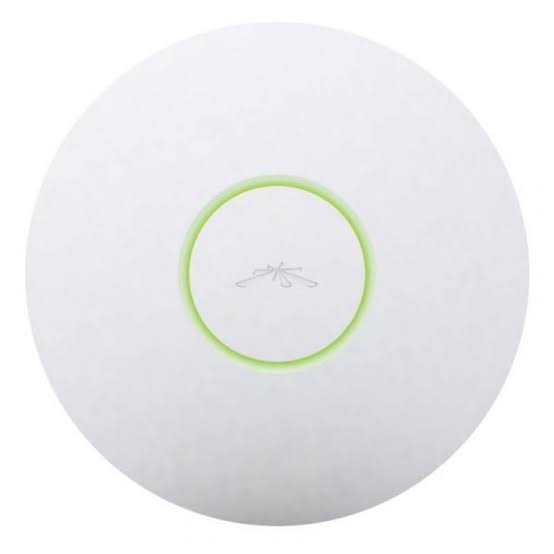
Top picks in Ubiquiti Access Points in Kenya
Compare price points, specs, and bundles tailored to Kenyan homes and businesses.
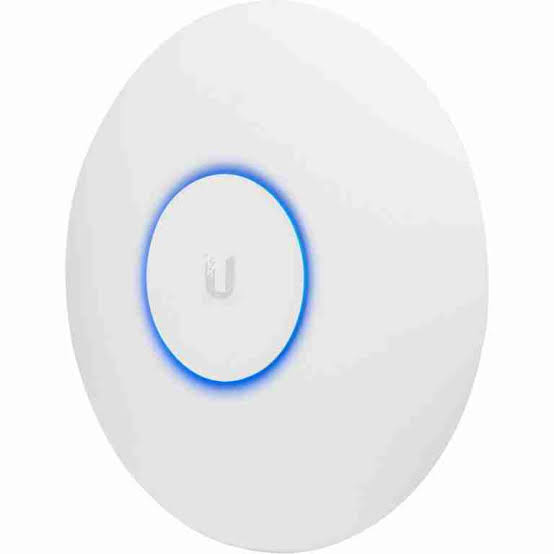
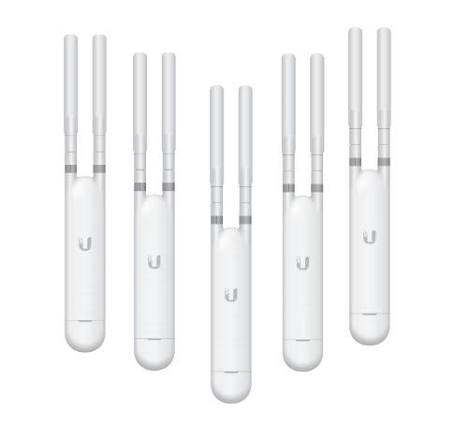
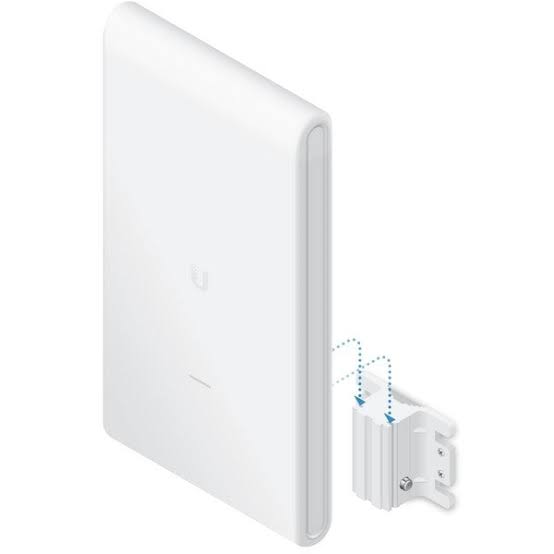
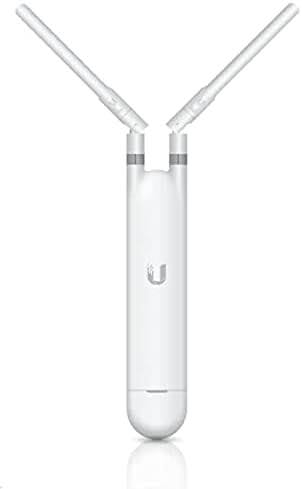
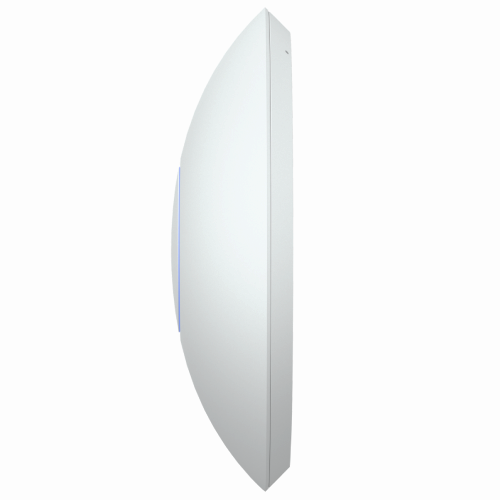
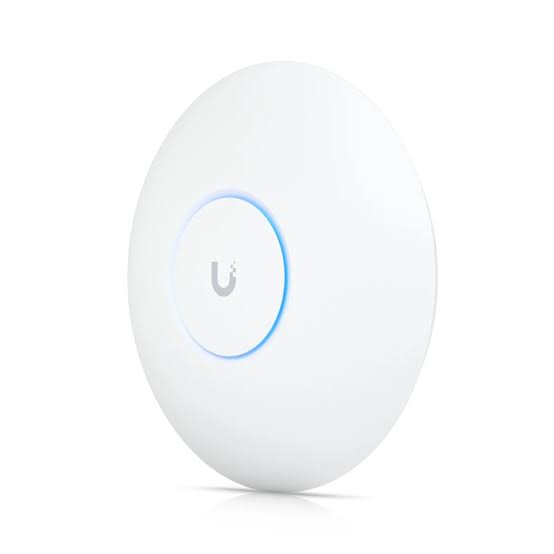
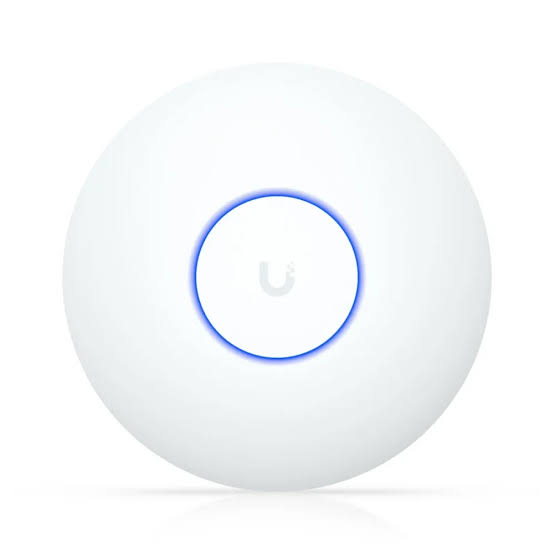
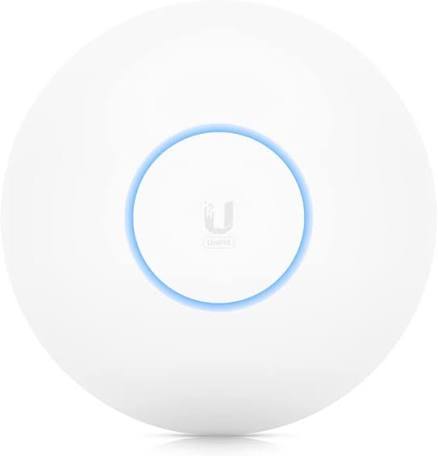
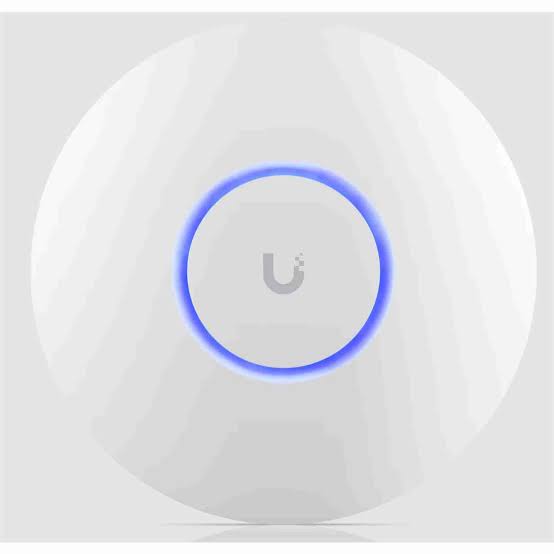
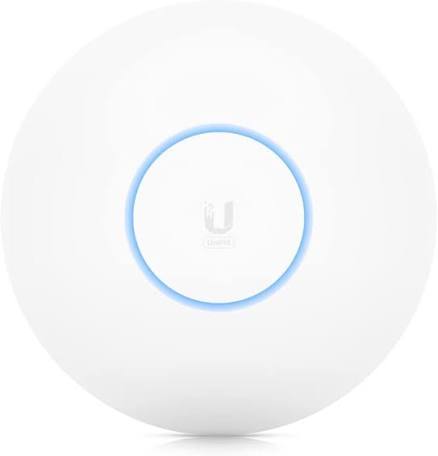
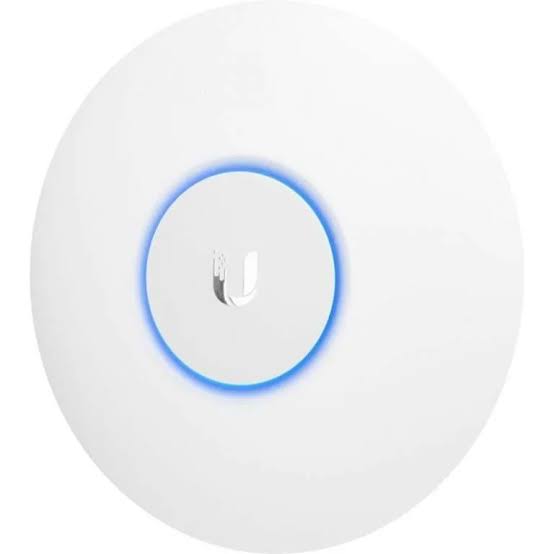
Ubiquiti Access Points in Kenya – UniFi WiFi 7, WiFi 6 & Outdoor APs

Ubiquiti access points are widely used to build managed wireless networks for offices, hotels, schools, hospitals, restaurants, warehouses, apartments, campuses and other environments where a single conventional Wi-Fi router cannot provide the required coverage or capacity. Ubiquiti's current UniFi WiFi portfolio includes WiFi 7, WiFi 6/6E and established WiFi 5 access points, with ceiling, wall, in-wall and outdoor form factors.
Unlike a typical all-in-one wireless router, a UniFi access point is primarily responsible for providing wireless connectivity. Multiple APs can be deployed throughout a property while being centrally configured and monitored through the UniFi Network platform. This architecture allows the router, switching infrastructure and wireless system to be designed independently according to the size and requirements of the network.
The correct Ubiquiti AP is not simply the model advertising the highest wireless speed. A proper selection should consider coverage area, client density, Wi-Fi generation, uplink speed, PoE requirements, mounting location, interference, building materials and whether the deployment is indoors or outdoors. Ubiquiti itself advises that real installed coverage varies with interference, materials and building geometry, and recommends measuring wireless performance during deployment rather than relying on theoretical coverage alone.
Ubiquiti UniFi Access Point Categories
Ubiquiti's current UniFi WiFi portfolio spans several categories.
| Category | Typical Application |
|---|---|
| WiFi 7 Access Points | New high-performance networks |
| WiFi 6 Access Points | Offices, schools, hotels and businesses |
| WiFi 6E Access Points | High-density environments requiring 6GHz |
| Long-Range APs | Larger indoor coverage areas |
| In-Wall APs | Hotels, apartments and individual rooms |
| Outdoor APs | Compounds, campuses and outdoor areas |
| Mesh APs | Flexible indoor/outdoor deployments |
| High-Density APs | Large venues and many simultaneous users |
Current UniFi models include the U7 Pro XGS, U7 Pro XG, U7 Pro Max, U7 Pro, U7 Long-Range, U7 Lite, U6 Enterprise, U6 Pro, U6 Long-Range and U6+, alongside wall, outdoor and specialized models.
Ubiquiti WiFi 7 Access Points
WiFi 7 is now an important part of Ubiquiti's current UniFi portfolio.
Current models include:
-
U7 Pro XGS
-
U7 Pro XG
-
U7 Pro Max
-
U7 Pro
-
U7 Long-Range
-
U7 Lite
-
U7 Pro Wall
-
U7 In-Wall
-
U7 Pro Outdoor
-
U7 Outdoor
-
U7 Mesh
Ubiquiti offers different configurations rather than treating all WiFi 7 APs as equivalent. Some support 2.4GHz, 5GHz and 6GHz tri-band operation, while models such as the U7 Long-Range use 2.4GHz and 5GHz without a 6GHz radio.
Ubiquiti U7 Pro
The UniFi U7 Pro is a ceiling-mounted WiFi 7 access point designed for demanding business and large-space deployments.
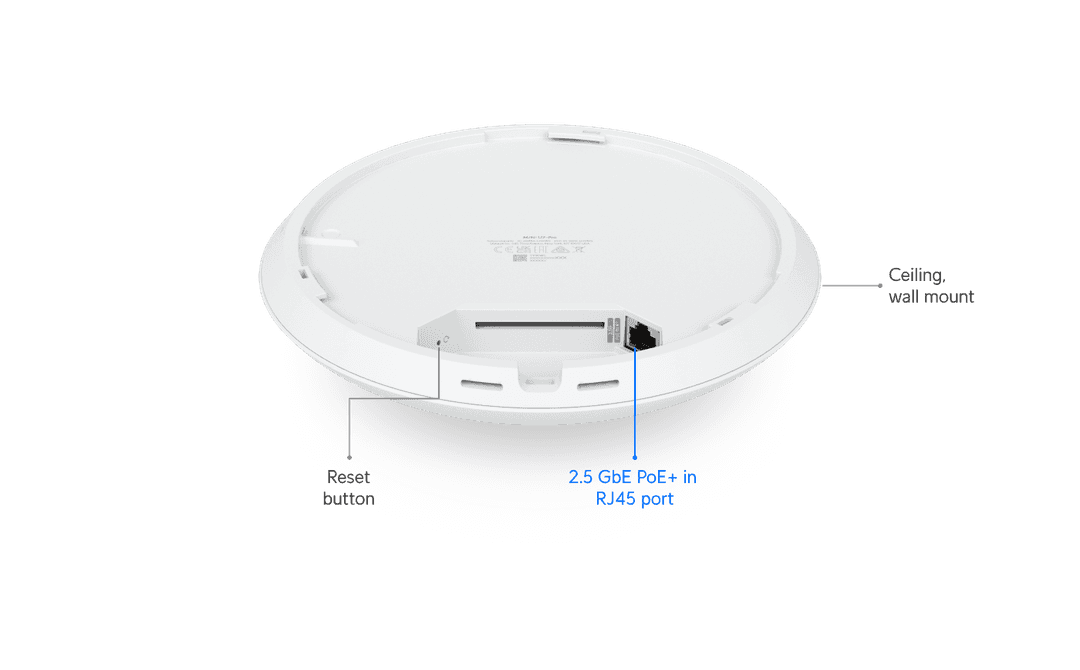
Key characteristics include:
| Feature | U7 Pro |
|---|---|
| Wi-Fi Generation | WiFi 7 |
| Radio Bands | 2.4 / 5 / 6GHz |
| Spatial Streams | 6 |
| Uplink | 2.5GbE |
| Power | PoE+ |
| Mounting | Ceiling / Wall |
| Primary Use | Modern high-performance business Wi-Fi |
Ubiquiti describes the U7 Pro as a six-stream WiFi 7 AP with 6GHz support for demanding large-scale environments.
The 2.5GbE uplink is particularly important because a standard Gigabit Ethernet connection can become a bottleneck when a modern access point is serving multiple high-performance clients.
Ubiquiti U7 Pro Max
The U7 Pro Max is positioned above the standard U7 Pro for higher-density environments.
Ubiquiti currently specifies:
WiFi 7
2.4 / 5 / 6GHz tri-radio
8 spatial streams
Dedicated spectral scanning radio
2.5GbE uplink
PoE+
Up to 500+ connected devices under the manufacturer's stated capacity specification
160m² stated coverage
The U7 Pro Max can therefore make sense in busy environments such as larger offices, conference areas and other locations with substantial client density.
Client-count specifications should not be interpreted as a guarantee that hundreds of simultaneously active users can all receive maximum throughput. Application type, channel availability, interference and upstream bandwidth remain critical.
Ubiquiti U7 Pro XG and U7 Pro XGS
For networks moving beyond 2.5GbE uplinks, Ubiquiti now also offers higher-end WiFi 7 APs.
The current U7 Pro XG provides a 10GbE uplink, six WiFi 7 spatial streams and tri-band 2.4/5/6GHz operation. The higher-end U7 Pro XGS moves to eight spatial streams and also supports 10/5/2.5/1GbE connectivity.
These models are aimed at networks where the wired infrastructure is also capable of supporting multi-gigabit and 10G access-layer connectivity.
Installing a 10G-capable AP on a network where every switch and uplink is limited to 1Gbps will not automatically create 10Gbps internet performance.
Ubiquiti U7 Long-Range
The U7 Long-Range (U7-LR) is designed for installations where greater coverage is a priority.
Ubiquiti currently specifies:
| Feature | U7 Long-Range |
|---|---|
| Wi-Fi Standard | WiFi 7 |
| Spatial Streams | 5 |
| Bands | 2.4GHz + 5GHz |
| 5GHz MIMO | 3×3 |
| 2.4GHz MIMO | 2×2 |
| Uplink | 2.5GbE |
| Coverage | 160m² manufacturer rating |
| Clients | 300+ manufacturer rating |
| Power | PoE |
The 5GHz radio supports a manufacturer-rated PHY data rate up to 4.3Gbps, while 2.4GHz is rated up to 688Mbps.
Important: U7 Long-Range Does Not Have a 6GHz Radio
Although it is a WiFi 7 product, the U7 Long-Range uses 2.4GHz and 5GHz, not a tri-band 6GHz configuration.
This is an important distinction when comparing U7 models.
Ubiquiti U7 Lite
The U7 Lite provides a more accessible entry point into the current UniFi WiFi 7 family.
It is better suited to installations that want newer WiFi technology without requiring the high-density specifications of the U7 Pro Max or 10G capabilities of the XG models.
Typical environments can include:
Small offices
Homes
Retail shops
Small restaurants
Smaller commercial premises
The right model should still be chosen according to actual coverage and client requirements rather than WiFi generation alone.
Ubiquiti WiFi 6 Access Points
WiFi 6 remains highly relevant for business networks.
Ubiquiti's current catalogue continues to include established models such as:
U6 Enterprise
U6 Pro
U6 Long-Range
U6+
U6 In-Wall
U6 Enterprise In-Wall
U6 Mesh
U6 Mesh Pro
For many Kenyan businesses using Gigabit LAN infrastructure and WiFi 6 client devices, these APs can still provide a strong balance of performance and infrastructure cost.
Ubiquiti U6 Pro
The U6 Pro is one of Ubiquiti's established professional WiFi 6 access points.
Ubiquiti describes it as a ceiling-mounted WiFi 6 access point with six spatial streams designed for large offices.
It is well suited to environments such as:
Corporate offices
Schools
Hotels
Clinics
Restaurants
Retail spaces
Meeting facilities
For organizations that do not yet require WiFi 7 or 6GHz, the U6 Pro can remain a practical professional option.
Ubiquiti U6 Long-Range
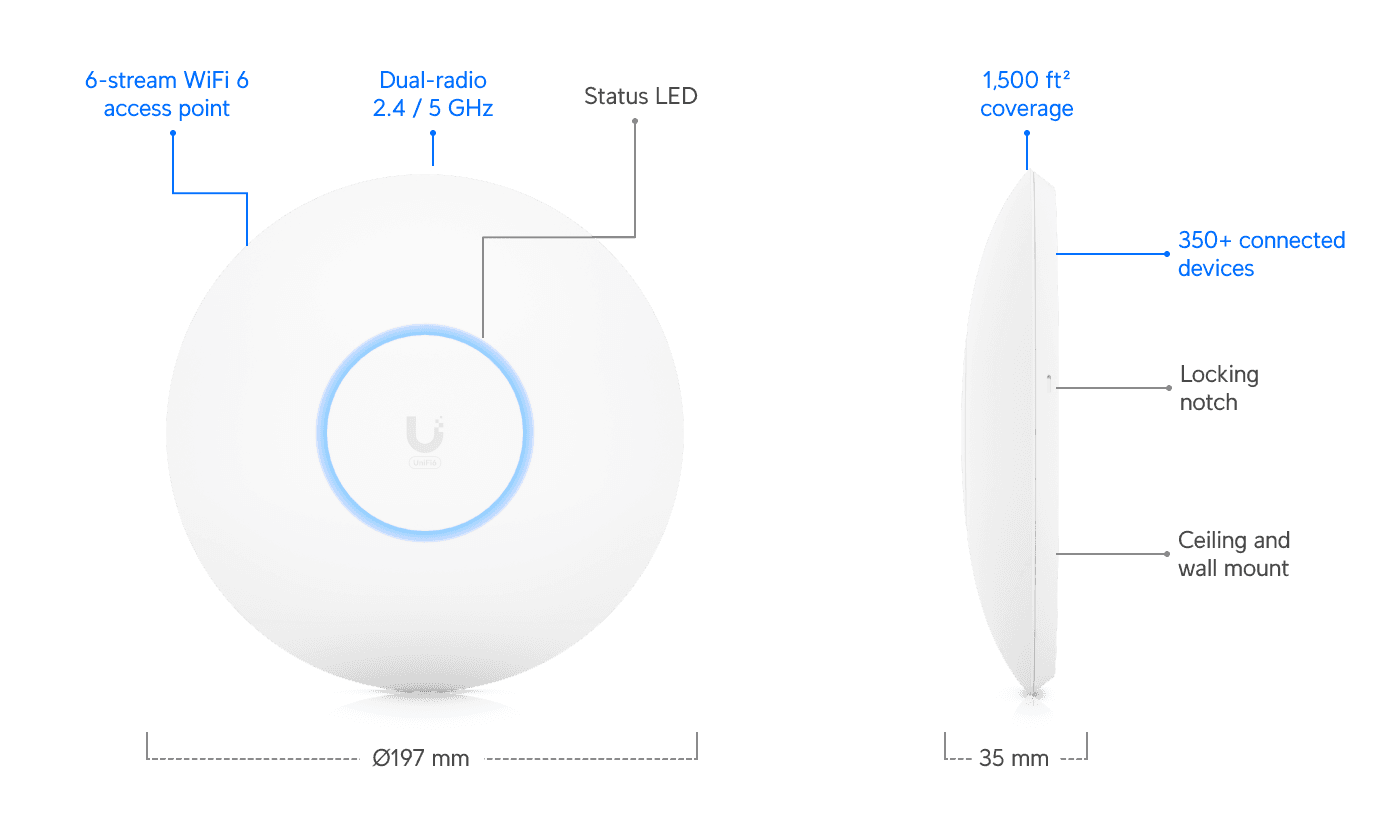
The U6 Long-Range is designed around extended coverage.
It can be useful where the aim is to cover larger indoor spaces while reducing the number of AP locations, although fewer APs are not automatically better.
A long-range AP still has to communicate with client devices whose own radios may transmit at much lower power.
For that reason, proper AP placement often provides a better result than simply selecting the access point with the highest transmit power.
Ubiquiti U6+
The U6+ is positioned as a value-focused WiFi 6 access point within Ubiquiti's current flagship WiFi lineup.
It can be attractive for:
-
Small offices
-
Shops
-
Homes
-
Small schools
-
Clinics
-
Restaurants
-
Smaller commercial networks
where UniFi management and WiFi 6 are required without moving to a higher-tier AP.
Ubiquiti U6 Enterprise
The U6 Enterprise is a WiFi 6E model designed for environments that can benefit from the additional 6GHz radio band.
Ubiquiti continues to position it in its flagship WiFi lineup alongside newer U7 models.
WiFi 6E can be particularly useful where compatible devices need additional spectrum in congested environments.
However, 6GHz generally has different propagation characteristics from lower-frequency bands, so network design and AP placement remain important.
Ubiquiti In-Wall Access Points
UniFi also includes access points designed to mount directly on walls.
Current models include:
U7 Pro XG Wall
U7 Pro Wall
U7 In-Wall
U6 Enterprise In-Wall
U6 In-Wall
These products are particularly useful for:
-
Hotels
-
Apartments
-
Student residences
-
Hospital rooms
-
Offices
-
Individual suites
-
Bedrooms
-
Meeting rooms
because an AP can be installed close to the users in each room rather than trying to penetrate several walls from a corridor.
Ubiquiti U7 In-Wall
The current U7 In-Wall combines a WiFi 7 access point with an integrated 2.5GbE PoE switch.
Ubiquiti lists approximately 115m² stated coverage, support for 200+ connected devices and a 2.5GbE uplink.
This architecture can be especially useful in hotel and apartment deployments because one wall-mounted unit can provide both wireless coverage and wired connectivity within the room.
Ubiquiti U6 In-Wall
The U6 In-Wall follows a similar concept using WiFi 6.
Ubiquiti describes it as a low-profile WiFi 6 access point with a built-in PoE switch, a Gigabit uplink and stated support for 300+ connected devices.
It can therefore be particularly suitable for room-by-room Wi-Fi designs.
Ubiquiti Outdoor Access Points
Ubiquiti also offers a substantial range of outdoor UniFi access points.
Current outdoor models include:
U7 Pro Outdoor
U7 Outdoor
U7 Mesh
U6 Mesh Pro
U6 Mesh
AC Mesh Pro
AC Mesh
Swiss Army Knife
These products target applications such as:
-
School compounds
-
Hotel gardens
-
Resorts
-
Warehouses
-
Parking areas
-
Apartment compounds
-
Outdoor restaurants
-
Event venues
-
Campuses
-
Public spaces
Outdoor suitability varies by model, so the appropriate weatherproofing rating and mounting requirements should always be checked.
Ubiquiti U7 Pro Outdoor
The U7 Pro Outdoor is a rugged WiFi 7 outdoor AP.
Ubiquiti currently specifies:
WiFi 7
2.4 / 5 / 6GHz capability, with 6GHz availability subject to regulatory conditions
6 spatial streams
2.5GbE uplink
PoE+
IP67 weatherproofing
300+ manufacturer-rated connected devices
The AP supports both directional and omnidirectional coverage approaches, making it useful for different outdoor deployment patterns.
Ubiquiti U7 Outdoor
The U7 Outdoor is another current WiFi 7 outdoor model, designed with an integrated directional antenna system and support for alternative omnidirectional coverage.
Ubiquiti states up to 465m² open-space directional coverage or approximately 160m² omnidirectional coverage under its stated conditions.
These figures should be treated as planning references rather than guaranteed real-world coverage.
Buildings, vegetation, interference, mounting height and client devices can substantially alter outdoor performance.
Ubiquiti U7 Mesh
The U7 Mesh is a compact WiFi 7 access point designed for flexible wall, pole or tabletop deployment.
Ubiquiti currently specifies:
| Feature | U7 Mesh |
|---|---|
| Wi-Fi | WiFi 7 |
| Spatial Streams | 4 |
| Bands | 2.4 + 5GHz |
| Uplink | 2.5GbE |
| Coverage | 140m² stated |
| Clients | 200+ stated |
| Weatherproofing | IPX6 with outdoor mount |
| Power | PoE |
| Maximum Consumption | 13W |
It also supports UniFi features including wireless meshing, band steering, 802.11k/v/r roaming functions, captive portals, PPSK and dynamic RADIUS-assigned VLANs.
What Is a Ubiquiti Access Point?
A Ubiquiti access point provides Wi-Fi connectivity between wireless devices and the wired network.
A typical architecture is:
Internet
↓
Router / Gateway
↓
PoE Switch
↓
UniFi Access Points
↓
Phones / Laptops / Tablets / IoT
The router handles internet routing and firewall functions, while the APs focus primarily on wireless connectivity.
This division of responsibilities makes it easier to scale the network.
Ubiquiti Access Point vs Normal Wi-Fi Router
A conventional Wi-Fi router usually combines:
Router
Firewall
Ethernet switch
Wireless access point
in one box.
A professional UniFi network can separate these functions:
UniFi Gateway
↓
UniFi PoE Switch
↓
Multiple UniFi APs
This provides greater flexibility when a building requires several APs.
Centralized UniFi Network Management
One of the major attractions of Ubiquiti access points is centralized management through UniFi Network.
Instead of configuring every access point independently, administrators can manage the wireless network centrally.
Depending on the UniFi deployment, administrators can manage:
-
SSIDs
-
VLANs
-
Guest networks
-
Client devices
-
Access policies
-
AP configuration
-
Firmware
-
Radio settings
-
Wi-Fi schedules
-
Network statistics
-
Captive portals
-
Roaming features
This becomes increasingly useful as the number of access points grows.
Wireless Roaming
A properly designed UniFi installation can use multiple APs while presenting a consistent wireless network to users.
Modern UniFi APs support technologies such as 802.11k, 802.11v and 802.11r on applicable models, helping compatible clients make roaming decisions. For example, Ubiquiti explicitly lists these functions for the current U7 Mesh.
However, roaming is ultimately a client-assisted process.
The phone, laptop or other client device still plays an important role in deciding when to leave one AP and join another.
Ubiquiti Access Points and PoE
Most professional UniFi access points are powered through Power over Ethernet.
A typical installation is:
PoE Switch
↓
One Ethernet Cable
↓
Access Point
The same Ethernet cable can provide:
Data + Power
This eliminates the need for an electrical socket directly beside each ceiling-mounted AP.
Different UniFi APs may require PoE, PoE+ or PoE++, so the access point and switch power budget must be matched correctly. For example, Ubiquiti specifies PoE+ for models such as the U7 Pro and U7 Pro Max, while the U7 Pro XGS requires PoE++.
Gigabit vs 2.5GbE vs 10GbE AP Uplinks
Modern Ubiquiti access points can have different Ethernet uplink speeds.
| Uplink | Typical AP Class |
|---|---|
| 1GbE | Many WiFi 5 / WiFi 6 models |
| 2.5GbE | Many modern U7 / high-end U6 models |
| 10GbE | Higher-end U7 XG/XGS models |
For example, the U7 Pro uses 2.5GbE, while U7 Pro XG and U7 Pro XGS provide 10GbE-capable uplinks.
This means the switch infrastructure should be considered when upgrading the wireless network.
Ubiquiti Access Points for Offices
A typical office deployment could look like:
Fibre / Starlink
↓
Router / Firewall
↓
Managed PoE Switch
↓
Ubiquiti APs
↓
Staff + Guest Devices
The APs can be distributed across:
Reception
Open office
Meeting rooms
Boardroom
Executive offices
Common areas
A proper site design is preferable to placing one very powerful AP in the centre and hoping it penetrates every wall.
Ubiquiti Access Points for Hotels
Hotels are particularly well suited to multi-AP architecture.
A design could combine:
In-Wall APs → Guest rooms
Ceiling APs → Corridors and meeting rooms
High-capacity APs → Conference halls
Outdoor APs → Gardens and pool areas
Gateway + switches → Central network
This allows coverage to be designed according to each space rather than treating the hotel as one large wireless room.
Ubiquiti Access Points for Schools and Universities
Schools may require Wi-Fi across:
-
Classrooms
-
Computer labs
-
Offices
-
Libraries
-
Auditoriums
-
Dormitories
-
Outdoor spaces
Client density can vary significantly between these locations.
A classroom with 40 laptops presents a different wireless design problem from an outdoor walkway, even if both occupy a similar physical area.
Ubiquiti Access Points for Hospitals and Clinics
Healthcare networks can use separate SSIDs and VLANs for different groups.
For example:
Staff Wi-Fi
Guest Wi-Fi
Administrative devices
IoT devices
Approved clinical equipment
Network segmentation should be implemented together with appropriate gateway, switching and security policies rather than relying on the access points alone.
Ubiquiti Access Points for Restaurants
Restaurants can deploy separate connectivity for:
POS
Management
Staff
Guest Wi-Fi
CCTV
IoT
An appropriately designed UniFi network can help keep guest wireless traffic separate from operational business systems.
Ubiquiti Access Points for Apartments
Apartment networks can use:
In-Wall APs
or
Ceiling APs
depending on the building architecture.
A centralized network can then provide connectivity across:
-
Individual units
-
Corridors
-
Reception
-
Parking
-
Common areas
-
Rooftop areas
The design should account for concrete walls and neighbouring Wi-Fi networks, which can significantly affect coverage.
Ubiquiti Access Points for Warehouses
Warehouses present different wireless challenges because of:
-
High ceilings
-
Metal shelving
-
Moving stock
-
Large open spaces
-
Handheld scanners
-
Forklifts
-
Industrial equipment
AP location, antenna pattern and mounting height can therefore matter as much as the access point model.
Ubiquiti's own antenna guidance emphasizes that building materials and geometry can change real radiation behaviour substantially.
Ubiquiti Access Points for Starlink
UniFi access points can be used to distribute a Starlink internet connection across a larger property.
A possible architecture is:
Starlink
↓
Router / Gateway
↓
PoE Switch
↓
Multiple Ubiquiti APs
This can be useful for:
-
Hotels
-
Schools
-
Offices
-
Lodges
-
Hospitals
-
Homes
-
Remote sites
The access points extend the local network; they do not increase the actual bandwidth supplied by Starlink.
Ubiquiti Access Points for Fibre Internet
The same architecture works with fibre:
Fibre ONT
↓
Router / Gateway
↓
PoE Switch
↓
UniFi APs
For multi-gigabit fibre, it becomes particularly important to check whether the gateway, switch and AP uplinks are 1G, 2.5G or 10G.
Installing a WiFi 7 access point does not eliminate a Gigabit bottleneck elsewhere in the network.
Ubiquiti Access Point Coverage
There is no universal answer to “How far does a Ubiquiti access point reach?”
Coverage depends on:
-
AP model
-
Frequency band
-
Antenna pattern
-
Mounting height
-
Walls
-
Concrete
-
Glass
-
Metal
-
Furniture
-
Interference
-
Client-device capability
Ubiquiti specifically warns that antenna performance measured in an anechoic environment changes in real buildings and recommends measuring signal and coverage before, during and after installation.
This is why a proper Wi-Fi design should not simply assume one AP per floor.
2.4GHz vs 5GHz vs 6GHz
Modern UniFi networks can use several wireless frequency bands.
| Band | General Characteristic |
|---|---|
| 2.4GHz | Longer reach, lower capacity, more interference |
| 5GHz | Higher capacity, widely supported |
| 6GHz | Additional spectrum for compatible WiFi 6E/7 devices |
6GHz support varies by AP and by regulatory region.
For example, the U7 Pro includes a 6GHz radio, while the U7 Long-Range does not.
The availability and permitted operation of 6GHz also depend on local regulations.
WiFi 5 vs WiFi 6 vs WiFi 7 Ubiquiti Access Points
| Feature | WiFi 5 | WiFi 6 | WiFi 7 |
|---|---|---|---|
| Generation | Older | Current/mature | Newest |
| Common UniFi Family | AC | U6 | U7 |
| Multi-user Efficiency | Good | Better | Higher potential |
| 6GHz | No | 6E models only | Selected models |
| Multi-gig AP Uplinks | Less common | Selected models | Common on higher models |
| Best Fit | Existing/basic networks | Business deployments | New performance-focused networks |
A WiFi 7 AP does not automatically make every client WiFi 7. Older devices continue connecting using the Wi-Fi standards they support.
Ubiquiti Access Points vs Wi-Fi Extenders
For professional networks, wired access points are generally preferable to simple wireless range extenders.
A wired AP can use:
Ethernet backhaul
↓
PoE switch
↓
Access point
rather than retransmitting everything through another Wi-Fi connection.
This can improve network design, predictability and capacity.
Wireless meshing can still be valuable where Ethernet cabling is genuinely impractical, and supported UniFi models such as the U7 Mesh include wireless meshing functionality.
How Many Ubiquiti Access Points Do I Need?
The correct number depends on the site.
A Wi-Fi design should consider:
Floor plan
Wall construction
Number of floors
Expected users
Client types
Required applications
Interference
Outdoor areas
Target signal strength
AP model
A building requiring six APs for reliable coverage should not be forced into a two-AP design simply because a particular model is marketed as “Long-Range.”
Choosing the Right Ubiquiti Access Point
A useful general selection approach is:
| Requirement | Models to Consider |
|---|---|
| Affordable WiFi 6 | U6+ |
| Professional WiFi 6 | U6 Pro |
| Extended WiFi 6 Coverage | U6 Long-Range |
| WiFi 6E / 6GHz | U6 Enterprise |
| General WiFi 7 | U7 Pro |
| High-Density WiFi 7 | U7 Pro Max |
| Extended WiFi 7 Coverage | U7 Long-Range |
| 10G WiFi 7 Infrastructure | U7 Pro XG / XGS |
| Hotel Rooms | U7 In-Wall / U6 In-Wall |
| Outdoor WiFi 7 | U7 Outdoor / U7 Pro Outdoor |
| Flexible Indoor/Outdoor | U7 Mesh |
The final choice should still be based on site requirements and current regional availability.
Advantages of Ubiquiti Access Points
Ubiquiti UniFi APs are attractive because the ecosystem offers:
-
Centralized UniFi management
-
WiFi 5, WiFi 6, WiFi 6E and WiFi 7 options
-
Ceiling, wall and outdoor models
-
PoE-powered deployment
-
Multiple SSIDs
-
VLAN integration
-
Guest networks
-
Captive portals
-
Roaming features
-
Wireless meshing on supported models
-
High-density options
-
Multi-gigabit uplinks on newer models
-
Scalable multi-AP architecture
Current models can therefore cover everything from a small office to a large campus or high-density venue.
Limitations and Considerations
A Ubiquiti access point is only one part of the complete network.
A professional deployment may also require:
Router / gateway
PoE switches
Ethernet cabling
Fibre backbone
UPS
VLAN configuration
UniFi management platform
The newest AP is also not automatically the best AP for every site.
A U7 Pro connected through inadequate cabling or a congested Gigabit network may not provide the expected benefits. Likewise, installing one long-range AP in a heavily partitioned building can perform worse than installing several correctly positioned APs.
Ubiquiti Access Points Price in Kenya
Ubiquiti access point pricing in Kenya varies considerably because the range includes entry-level, professional, enterprise, indoor, outdoor and WiFi 7 models.
Pricing also changes according to:
-
Exact model
-
Wi-Fi generation
-
Exchange rates
-
Stock availability
-
PoE requirements
-
Mounting accessories
-
Switch requirements
-
Installation scope
Contact Orbitlink Solutions for current Ubiquiti access point prices and stock availability in Kenya.
A proper quotation should ideally account for the complete deployment rather than only the AP price, especially where PoE switches, structured cabling and multi-gigabit infrastructure are required.
Why Buy Ubiquiti Access Points from Orbitlink Solutions?

Selecting a Ubiquiti AP should start with the site rather than the model name. A small office may only require a few value-focused WiFi 6 APs, while a hotel may benefit from a combination of ceiling, in-wall and outdoor access points. A modern high-density office may justify WiFi 7 and 2.5GbE switching.
Orbitlink Solutions can help match the access points with appropriate PoE switches, routers, fibre links, Ethernet cabling and network segmentation so the APs are not limited by the rest of the infrastructure.
For larger deployments, the network should also consider AP placement, expected client density, VLANs, guest access, uplink capacity and future expansion.
Watch the Ubiquiti Access Points Video
Ubiquiti's access-point portfolio is broad enough that the term “Ubiquiti access point” now covers very different products. A U6+ serving a small office, a U7 Pro providing tri-band WiFi 7, an in-wall AP serving a hotel room and an IP67 U7 Pro Outdoor covering an external area solve different wireless problems. The correct model should therefore be selected around the deployment rather than simply choosing the newest device.
The wired network underneath the APs is equally important. Modern U7 devices increasingly use 2.5GbE or even 10GbE uplinks, meaning the switch, gateway and structured cabling need to be considered alongside the wireless specification. Ubiquiti's U7 Pro uses a 2.5GbE uplink, while higher-end U7 Pro XG and XGS models support 10GbE connectivity.
Finally, Wi-Fi coverage should be treated as an engineering problem rather than a fixed distance specification. Concrete walls, metal, glass, neighbouring networks, AP mounting position and client radios all influence performance. Ubiquiti itself recommends using antenna patterns as a planning guide and then measuring actual coverage before, during and after deployment.
Frequently Asked Questions About Ubiquiti Access Points
What is a Ubiquiti access point?
A Ubiquiti access point is a device that provides wireless connectivity within a UniFi network. Multiple APs can be distributed throughout a building and centrally managed.
Are Ubiquiti access points routers?
Generally, dedicated UniFi APs are wireless access devices rather than replacements for the main router or gateway. A complete network normally includes routing, switching and AP infrastructure.
Does Ubiquiti have WiFi 7 access points?
Yes. Ubiquiti's current portfolio includes numerous WiFi 7 products such as the U7 Pro, U7 Pro Max, U7 Pro XG, U7 Pro XGS, U7 Long-Range and U7 Lite.
Does Ubiquiti still sell WiFi 6 access points?
Yes. Current models include the U6 Enterprise, U6 Pro, U6 Long-Range and U6+.
Which Ubiquiti access point is good for an office?
The U6 Pro can be a strong WiFi 6 option, while U7 Pro-class models suit newer WiFi 7 deployments. The best choice depends on client density, required throughput and switching infrastructure.
Which Ubiquiti AP is good for long range?
The U7 Long-Range is a current WiFi 7 model designed for extended coverage, with Ubiquiti specifying 160m² and 300+ clients under its stated conditions.
Which Ubiquiti access point is suitable for hotels?
Ceiling APs can serve common areas while U6 or U7 in-wall models can be useful for individual rooms. Ubiquiti's current in-wall range includes U7 and U6 options.
Does Ubiquiti make outdoor access points?
Yes. Current options include U7 Pro Outdoor, U7 Outdoor, U7 Mesh, U6 Mesh Pro and U6 Mesh, among others.
Is U7 Pro waterproof?
The standard U7 Pro is primarily a ceiling/wall indoor-style AP. For outdoor deployment, use an appropriately weather-rated model such as the U7 Pro Outdoor.
Does U7 Pro support 6GHz?
Yes. Ubiquiti describes it as a tri-band WiFi 7 AP supporting 2.4GHz, 5GHz and 6GHz, subject to regional 6GHz regulations.
Does U7 Long-Range have 6GHz?
No. The current U7 Long-Range uses 2.4GHz and 5GHz radios.
Does U7 Pro require 2.5GbE?
It provides a 2.5GbE uplink. The surrounding network should be designed appropriately if you want to make full use of multi-gigabit connectivity.
Do Ubiquiti access points require PoE?
Many UniFi APs are PoE-powered. The exact standard varies by model, including PoE, PoE+ and PoE++ on different devices.
Can I use a TP-Link PoE switch with a Ubiquiti AP?
Potentially yes, provided the switch's PoE standard, voltage, per-port power and total power budget meet the exact AP's requirements. Compatibility should be checked model by model.
Can Ubiquiti APs work with MikroTik routers?
Yes. UniFi access points can be deployed behind third-party routing platforms such as MikroTik. The VLAN, DHCP, firewall and switching configuration must be designed correctly.
Can Ubiquiti access points work with Starlink?
Yes. UniFi APs can distribute connectivity from a network using Starlink as its internet connection.
Can Ubiquiti APs work with fibre internet?
Yes. The fibre connection typically reaches a router or gateway, which then connects through switching infrastructure to the APs.
Can multiple Ubiquiti access points use the same Wi-Fi name?
Yes. A multi-AP UniFi deployment can use common SSIDs across APs.
Do users automatically roam between Ubiquiti APs?
UniFi supports roaming-assistance technologies on applicable models, but the client device ultimately participates in roaming decisions.
Can Ubiquiti access points create guest Wi-Fi?
Yes. Current UniFi APs support guest-network functionality and captive-portal features through the UniFi ecosystem. The U7 Mesh, for example, explicitly supports captive portals, guest isolation and multiple authentication options.
How many users can one Ubiquiti AP support?
It varies by model and workload. Ubiquiti currently publishes manufacturer client-count ratings ranging into the hundreds on many models, but these should not be interpreted as guaranteed high-throughput simultaneous-user figures.
How many Ubiquiti access points do I need?
That depends on the floor plan, walls, client density, interference, applications and AP model. A site survey or wireless design is preferable to estimating solely from square metres.
Are more powerful access points always better?
No. Wireless communication is two-way. The AP must also hear the comparatively low-power client device, and excessive AP power can create poor roaming or interference.
Should I buy WiFi 6 or WiFi 7 Ubiquiti access points?
WiFi 6 remains suitable for many business networks. WiFi 7 is more attractive for new performance-focused deployments, especially where newer client devices and multi-gigabit wired infrastructure are available.
What is the price of Ubiquiti access points in Kenya?
Prices vary substantially by exact model. Contact Orbitlink Solutions for current pricing and stock availability.
Buy Ubiquiti Access Points in Kenya
Ubiquiti UniFi access points provide scalable Wi-Fi options ranging from value-focused WiFi 6 hardware to advanced WiFi 7, 6GHz, 2.5GbE, 10GbE, in-wall and weatherproof outdoor access points. Ubiquiti's current range supports deployments from small offices to hotels, campuses and high-density environments.
The best installation combines the correct AP model with suitable placement, PoE switching, structured cabling, router capacity and network configuration. Coverage and client capacity should be engineered for the actual building rather than assumed from theoretical maximums.
Contact Orbitlink Solutions
Orbitlink Solutions
Lyric House, 7th Floor, Room S9, Kimathi Street, Nairobi
Call / Text / WhatsApp: +254 743 720 551
Email: info@orbitlinksolutions.co.ke
Alternative Email: orbitlinksolutions@gmail.com
Opening Hours: Monday–Saturday, 9:00 AM–6:00 PM
Availability: Nairobi pickup and nationwide delivery
Contact Orbitlink Solutions for current Ubiquiti access point prices in Kenya, model selection, UniFi WiFi 6 and WiFi 7 solutions, PoE switches, structured cabling and indoor or outdoor wireless network deployment.