Ubiquiti PoE Switches in Kenya
Buy Ubiquiti PoE switches in Kenya from Orbitlink Solutions. Explore UniFi PoE, PoE+, PoE++ switches for access points, cameras, VoIP and business networks.
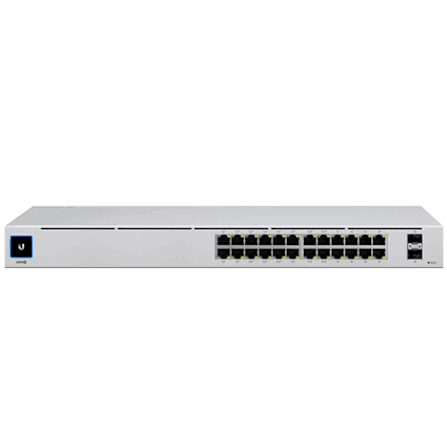
Top picks in Ubiquiti PoE Switches in Kenya
Compare price points, specs, and bundles tailored to Kenyan homes and businesses.
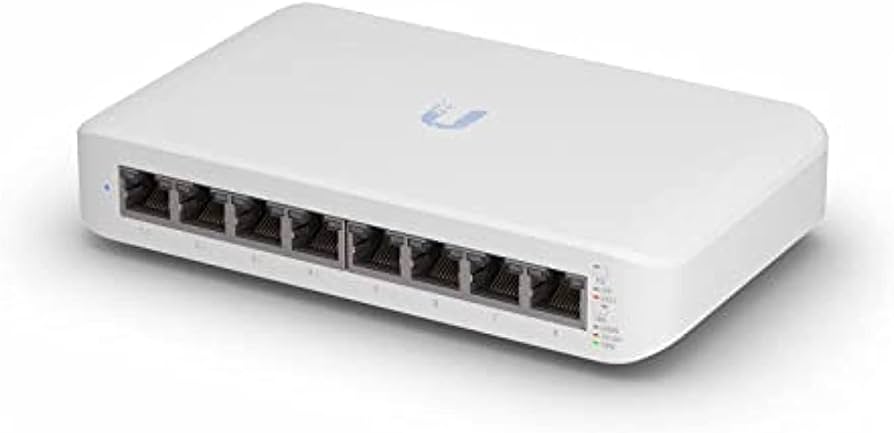
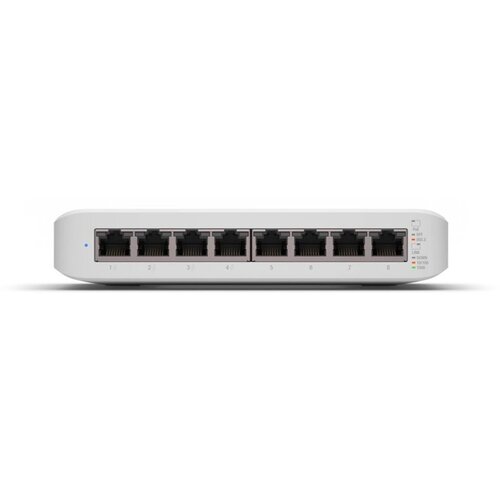
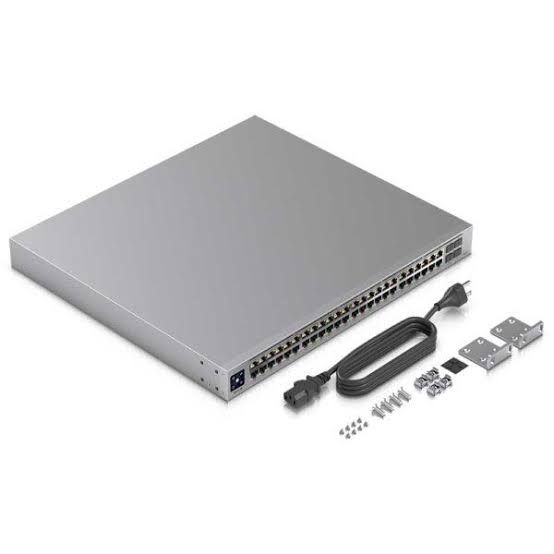
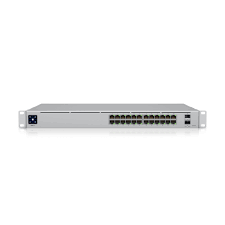
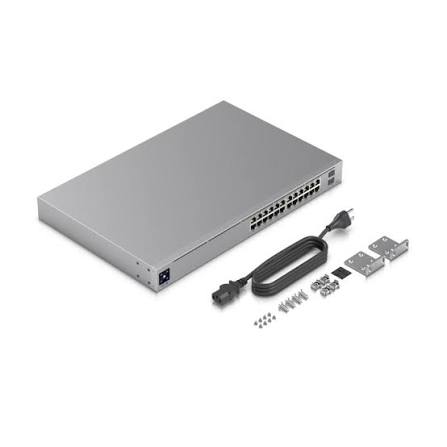
Ubiquiti PoE Switches in Kenya – UniFi Managed PoE Switches
Ubiquiti PoE switches combine Ethernet switching and Power over Ethernet in one device, allowing compatible equipment to receive network data and electrical power through the same Ethernet cable. They are widely used with UniFi access points, IP cameras, door-access devices, VoIP phones and other PoE-powered network equipment.
The current UniFi switching portfolio is extensive, ranging from compact Lite, Ultra and Flex switches to Standard, Professional, Pro Max, Pro XG and Enterprise-class models. Depending on the switch, Ubiquiti offers PoE, PoE+, PoE++ and, on selected Enterprise Campus hardware, PoE+++ alongside Gigabit, 2.5GbE, 10GbE, SFP+, SFP28 and other high-speed interfaces.
This broad range makes it possible to build everything from a small home or office UniFi network to a large multi-AP, CCTV, hospitality, campus or enterprise deployment. The correct switch should be selected according to the number of PoE devices, required PoE standard, total PoE budget, port speeds, uplink capacity and management requirements.
What Is a Ubiquiti PoE Switch?
A Ubiquiti PoE switch is a network switch capable of supplying power to compatible Ethernet devices directly through its RJ45 ports.
Instead of installing:
Ethernet cable + separate power cable
for every device, a PoE deployment can use:
Ubiquiti PoE Switch
↓
Ethernet Cable carrying Data + Power
↓
UniFi Access Point / Camera / Other PoE Device
This can simplify installations considerably, especially where equipment is mounted on ceilings, walls, rooftops or other locations without nearby electrical outlets.
Key Features of Ubiquiti PoE Switches
| Feature | What It Provides |
|---|---|
| PoE Support | Powers compatible devices over Ethernet |
| PoE+ Support | Up to 30W PSE power per port |
| PoE++ Support | Up to 60W PSE power per port on compatible switches |
| PoE+++ | Up to 100W PSE on selected Enterprise Campus hardware |
| Gigabit Ethernet | Standard on many UniFi switches |
| 2.5GbE | Available on selected modern models |
| 10GbE | Available on higher-end models |
| SFP/SFP+ Uplinks | Fibre/DAC uplinks on selected models |
| VLANs | Network segmentation |
| UniFi Management | Centralized network configuration and monitoring |
| Layer 2 Features | VLANs, STP/RSTP, port isolation and more |
| Layer 3 | Available on selected higher-end models |
| PoE Monitoring | Per-port PoE control and monitoring on compatible models |
| Rack/Desktop Options | Suitable for small through enterprise networks |
Exact functionality varies significantly between switch families and individual models.
Understanding PoE, PoE+, PoE++ and PoE+++
Before selecting a Ubiquiti PoE switch, it is important to understand the different PoE power classes.
| PoE Type | IEEE Standard | Maximum PSE Power per Port | Maximum Power to Device | Powered Pairs |
|---|---|---|---|---|
| PoE | 802.3af Type 1 | 15.4W | 12.95W | 2 |
| PoE+ | 802.3at Type 2 | 30W | 25.5W | 2 |
| PoE++ | 802.3bt Type 3 | 60W | 51W | 4 |
| PoE+++ | 802.3bt Type 4 | 100W | 71W | 4 |
Ubiquiti's current guidance lists Lite and Standard switch families up to PoE+, Professional and Pro Max families up to PoE++, and selected Enterprise Campus switches up to PoE+++. Individual models still need to be checked because not every port on every switch necessarily supports the family's highest power class.
PoE vs PoE Budget
One of the most important concepts when buying a PoE switch is the difference between:
maximum power per port
and
total PoE budget.
Suppose a switch has eight PoE+ ports capable of delivering up to 30W each.
That does not necessarily mean the switch can provide 8 × 30W = 240W simultaneously.
The total amount available depends on the switch's PoE budget.
How to Calculate the PoE Budget You Need
Suppose your network contains:
4 × Access Points at 13W each = 52W
4 × Cameras at 8W each = 32W
2 × Other PoE devices at 10W each = 20W
Combined maximum device consumption:
104W
You should choose a switch with enough PoE capacity above this requirement rather than selecting one whose budget is already at its limit.
Ubiquiti recommends comparing the combined power requirements of connected devices with the switch's total PoE availability.
Main Types of Ubiquiti PoE Switches
Ubiquiti's current UniFi portfolio includes multiple PoE-capable switch families.
| Family | Typical Positioning | PoE Capability |
|---|---|---|
| Lite | Small/home/office | Up to PoE+ |
| Ultra | Compact flexible deployments | Up to PoE+ output |
| Flex | Compact/utility deployments | Model dependent |
| Standard | General business networks | Up to PoE+ |
| Professional | Higher-performance business | Up to PoE++ |
| Pro Max | High-performance/multi-gigabit | Up to PoE++ |
| Pro XG | High-speed professional networking | Model dependent, including high-power PoE |
| Enterprise | High-density enterprise | Model dependent |
| Enterprise Campus | Campus/high-end enterprise | Up to PoE+++ on selected models |
The appropriate family depends on much more than port count.
Ubiquiti Lite PoE Switches
The UniFi Lite family is useful for smaller networks where compact size and straightforward PoE+ connectivity are more important than rack-mount enterprise features.
Current portfolio examples include:
USW-Lite-8-PoE
and
USW-Lite-16-PoE.
These types of switches can be suitable for small offices, shops, homes and branch networks with a limited number of access points or cameras.
Ubiquiti Ultra PoE Switches

The UniFi Ultra family provides another compact approach to PoE switching.
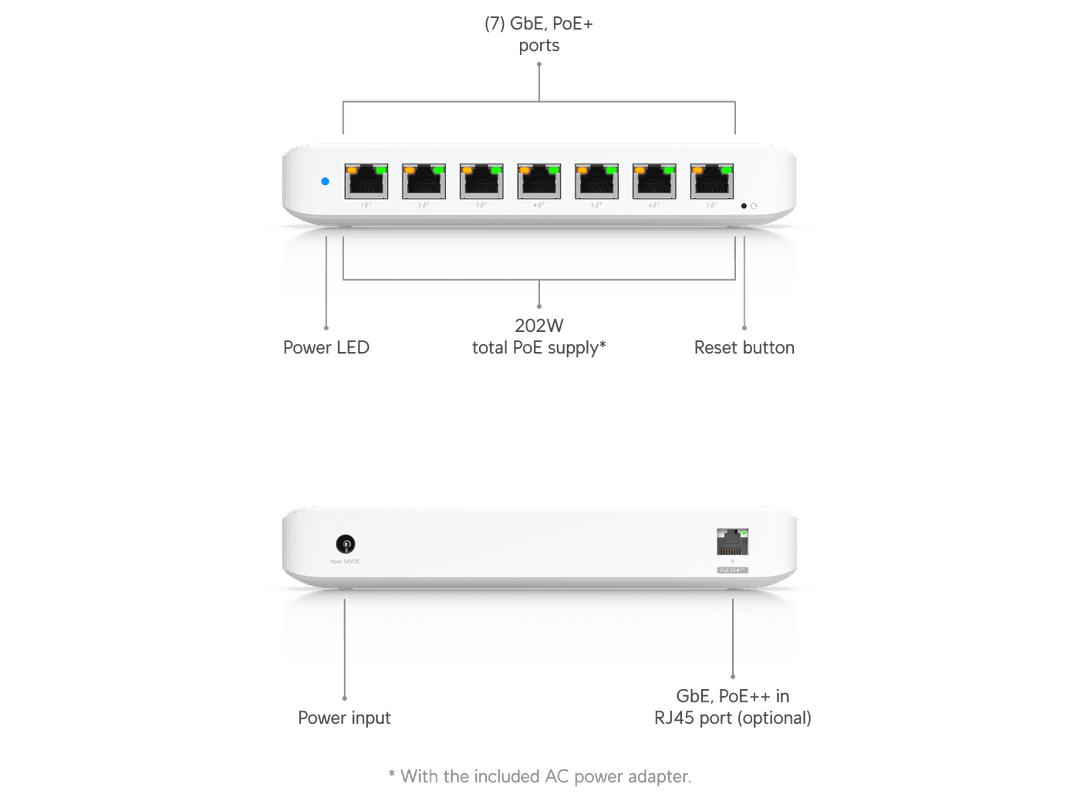
A particularly useful example is the USW-Ultra-210W.
Ubiquiti specifies:
| Specification | USW-Ultra-210W |
|---|---|
| Ethernet Ports | 8 × Gigabit |
| PoE+ Output Ports | 7 |
| PoE++ Input | 1 |
| Maximum Output per PoE+ Port | 30W |
| PoE Availability with 210W Adapter | 202W |
| Switching Capacity | 16Gbps |
| Non-Blocking Throughput | 8Gbps |
| Forwarding Rate | 12Mpps |
| VLANs | 256 |
| Form Factor | Desktop / Wall / Magnetic |
The USW-Ultra-210W includes a 210W external AC/DC adapter and can provide up to 202W of total PoE availability.
Why the Ultra's Power Source Matters
The basic USW-Ultra can be powered in several ways, and its available downstream PoE budget changes dramatically depending on the input power.
Ubiquiti specifies approximately:
| Power Source | Available PoE Budget |
|---|---|
| PoE+ input | 16W |
| PoE++ input | 42W |
| 60W PoE adapter | 42W |
| 60W AC adapter | 52W |
| 210W AC adapter | 202W |
Therefore, simply saying "USW-Ultra" is not enough when designing a PoE network. The power source must also be considered.
Ubiquiti Standard PoE Switches
The Standard family is designed for general-purpose managed switching.
Current PoE models include:
Standard 16 PoE – USW-16-POE
Standard 24 PoE – USW-24-POE
Standard 48 PoE – USW-48-POE.
These are suitable for many offices, schools, retail environments and other deployments where Gigabit Ethernet and PoE+ are sufficient.
Ubiquiti USW-24-POE – Standard 24 PoE
The USW-24-POE is a useful example of Ubiquiti's Standard PoE range.
| Specification | USW-24-POE |
|---|---|
| RJ45 Ports | 24 × Gigabit |
| PoE+ Ports | 16 |
| SFP Ports | 2 × 1G |
| Maximum PoE Output | PoE+ |
| Total PoE Availability | 95W |
| Switching Capacity | 52Gbps |
| Non-Blocking Throughput | 26Gbps |
| Forwarding Rate | 39Mpps |
| Supported VLANs | 1,000 |
| MAC Table | 8,000 |
| Form Factor | 1U Rackmount |
| Display | 1.3-inch touchscreen |
Ubiquiti specifies a 95W total PoE budget, despite the switch having 16 PoE+ ports. This is a good illustration of why total PoE availability must be considered separately from the maximum capability of each port.
Not Every Port on USW-24-POE Provides PoE
The USW-24-POE contains:
24 Gigabit RJ45 ports
but only:
16 are PoE+ ports.
The remaining eight RJ45 ports provide network data without PoE output.
This distinction is important when designing a network with many powered devices.
A 24-port switch does not automatically mean 24 PoE devices can be connected.
Ubiquiti Professional PoE Switches
Ubiquiti's Professional range adds higher-end capabilities and can support PoE++ on compatible models.
Current portfolio examples include:
Pro 8 PoE
Pro 24 PoE
Pro 48 PoE.
These switches are more suitable where higher-powered devices, advanced networking capabilities or more demanding business deployments are involved.
Ubiquiti Pro Max PoE Switches
The Pro Max family is particularly relevant to modern high-performance UniFi deployments because selected models combine:
Gigabit Ethernet
2.5GbE
10G SFP+ uplinks
PoE+
PoE++
Layer 3 features
and Etherlighting.
Current models include:
Pro Max 16 PoE
Pro Max 24 PoE
Pro Max 48 PoE.
Ubiquiti Pro Max 24 PoE
The USW-Pro-Max-24-PoE demonstrates how much more capable the higher-end UniFi switches can be.
Its current configuration includes:
16 × 1GbE RJ45
plus
8 × 2.5GbE RJ45
plus
2 × 10G SFP+ uplinks.
Pro Max 24 PoE Port Configuration
| Ports | Speed | PoE |
|---|---|---|
| 8 × RJ45 | 1GbE | PoE+ |
| 8 × RJ45 | 1GbE | PoE++ |
| 8 × RJ45 | 2.5GbE | PoE++ |
| 2 × SFP+ | 10Gbps | No conventional RJ45 PoE |
This gives the switch 16 PoE++ ports and 8 PoE+ ports, with a total PoE availability of 400W.
Pro Max 24 PoE Performance
Ubiquiti specifies:
| Performance | USW-Pro-Max-24-PoE |
|---|---|
| Switching Capacity | 112Gbps |
| Non-Blocking Throughput | 56Gbps |
| Forwarding Rate | 83Mpps |
| VLANs | 1,000 |
| MAC Table | 16,000 |
| IPv4 Static Routes | 256 |
| PoE Budget | 400W |
It also supports Layer 3 functionality including DHCP server, DHCP relay, inter-VLAN routing and static routing for local networks.
Why 2.5GbE PoE Ports Matter
Modern wireless access points can have Ethernet interfaces faster than 1Gbps.
A high-performance AP may support:
2.5GbE
while simultaneously requiring:
PoE+
or another PoE class.
A conventional Gigabit PoE switch would still power such an AP, if electrically compatible, but its wired uplink could become a 1Gbps bottleneck.
A multi-gigabit PoE switch can provide both:
higher Ethernet speed
and
PoE power
over the same connection.
Ubiquiti PoE Switches for WiFi 6 Access Points
UniFi WiFi 6 access points have different power requirements.
For example, Ubiquiti currently lists approximately:
U6+ – 9W
U6 Pro – 13W
U6 Mesh – 13W
U6 Long-Range – 18.5W.
This means the switch should be selected based on the specific AP models and the number being installed.
Four U6 Pro units, for example, have very different combined power requirements from twenty U6 Long-Range units.
Ubiquiti PoE Switches for WiFi 7 Access Points

WiFi 7 makes switch selection even more important because newer APs can combine higher power requirements with multi-gigabit Ethernet.
Ubiquiti's current guidance lists examples such as:
U7 Lite – 13W
U7 Pro – 21W
U7 Pro Wall – 22W
U7 Pro Max – 25W.
For these deployments, you should consider both the PoE budget and the AP's Ethernet uplink speed.
Example: Four U7 Pro Access Points
Suppose a business wants:
4 × U7 Pro
with each unit having a published maximum consumption of about:
21W.
Combined theoretical maximum:
4 × 21W = 84W
A switch should have sufficient PoE availability above that requirement.
But power is only half the design decision.
The U7 Pro also benefits from multi-gigabit networking, making a switch with suitable 2.5GbE PoE ports more attractive than a Gigabit-only switch for a performance-focused deployment.
Ubiquiti PoE Switches for IP Cameras
PoE switches are also useful for IP surveillance systems.
A typical network might be:
Internet / Gateway
↓
Ubiquiti PoE Switch
├── Camera 1
├── Camera 2
├── Camera 3
├── Camera 4
├── Access Point 1
└── Access Point 2
The switch centralizes both data connectivity and electrical power.
This can greatly simplify CCTV installation compared with providing a separate electrical socket beside every camera.
Ubiquiti PoE Switches for UniFi Protect
A UniFi network can combine:
UniFi Gateway
UniFi PoE Switch
UniFi Access Points
UniFi Protect Cameras
and other UniFi devices.
The switch becomes the central distribution point for powered Ethernet equipment.
However, the total camera and AP power consumption must remain within the switch's available PoE budget.
Ubiquiti PoE Switches for VoIP Phones
Compatible VoIP phones can also receive power through a PoE switch.
For example:
Router / Firewall
↓
Ubiquiti PoE Switch
├── IP Phone
├── IP Phone
├── IP Phone
└── IP Phone
This allows the phone system to be centrally powered.
If the PoE switch itself is connected to an appropriate UPS, the network and phones may remain operational during shorter power interruptions, subject to the UPS capacity and the rest of the network infrastructure.
Ubiquiti PoE Switches for Door Access
Higher-power PoE switches can also form part of UniFi Access deployments.
Depending on the equipment involved, the power requirement may be considerably higher than that of a simple access point.
This is where PoE++ and higher-power switching can become important.
The exact access-control device requirements should always be checked before specifying the switch.
Ubiquiti PoE Switches for Offices
A business network could use:
Fibre ONT
↓
UniFi Gateway
↓
Ubiquiti PoE Switch
├── UniFi AP – Reception
├── UniFi AP – Office Area
├── UniFi AP – Boardroom
├── IP Camera
├── IP Camera
├── VoIP Phone
└── Wired PCs / Printers
This creates centralized switching and PoE power distribution.
VLANs can then be used to separate traffic according to the network design.
Ubiquiti PoE Switches for Hotels
Hotels may require considerably larger PoE deployments involving:
Guest-room access points
corridor access points
lobby Wi-Fi
CCTV cameras
VoIP phones
access-control systems
conference-room equipment
and other connected devices.
For such deployments, total PoE budget, uplink capacity, switch redundancy and network segmentation become increasingly important.
Ubiquiti PoE Switches for Schools
Schools can use PoE switches to connect:
Classroom APs
office APs
CCTV cameras
VoIP phones
access-control devices
and other network equipment.
A centrally managed UniFi deployment can make it easier to monitor switch ports, VLANs and connected network devices from the UniFi management environment.
Ubiquiti PoE Switches for CCTV
For CCTV deployments, calculate:
Number of cameras × maximum consumption per camera
then add:
APs + other PoE devices
and allow sensible capacity for future expansion.
A switch with 24 PoE ports is not necessarily suitable for 24 high-power devices if its total PoE budget cannot support their combined load.
Layer 2 Features
Current UniFi managed switches can provide features such as:
VLANs
STP and RSTP
LACP
IGMP snooping
802.1X control
port isolation
port mirroring
storm control
loop protection
rate limiting
and device/network isolation.
The exact feature set depends on the model. For example, the current Standard 24 PoE includes a broad set of managed Layer 2 functions.
Layer 3 Ubiquiti PoE Switches
Selected higher-end UniFi switches also provide Layer 3 capabilities.
For example, the Pro Max 24 PoE supports:
DHCP Server for local networks
DHCP Relay
Inter-VLAN Routing
and Static Routing.
This can be valuable in larger network architectures, although the gateway/router remains an important part of the overall UniFi deployment.
VLAN Support
VLANs allow a physical switch to carry multiple logically separated networks.
For example:
VLAN 10 – Office
VLAN 20 – Guest Wi-Fi
VLAN 30 – CCTV
VLAN 40 – VoIP
VLAN 50 – Management
This can improve security and network organization.
The VLAN architecture should be designed across the gateway, switches and access points rather than configuring the switch in isolation.
SFP and SFP+ Uplinks
Many Ubiquiti switches provide fibre or DAC uplink ports.
The Standard 24 PoE has:
2 × 1G SFP.
The Pro Max 24 PoE increases this to:
2 × 10G SFP+.
These ports can be useful for high-speed switch-to-switch links, fibre backbones and connections to compatible gateways or aggregation switches.
1GbE vs 2.5GbE PoE Switching
For conventional APs and cameras, Gigabit Ethernet can be sufficient.
However, modern high-performance access points increasingly use 2.5GbE uplinks.
Therefore:
1GbE PoE switch → suitable for many conventional devices
while:
2.5GbE PoE switch → better suited to multi-gigabit AP deployments
provided the rest of the network—including gateway, uplinks and internet connection—can make use of that additional capacity.
10G Uplinks
A switch with many high-speed client ports needs sufficient upstream capacity.
For example:
Multiple 2.5GbE AP ports
↓
Pro Max PoE Switch
↓
10G SFP+ uplink
↓
Aggregation / Gateway / Server Network
This reduces the likelihood that the switch's uplink becomes the primary bottleneck.
It does not mean every client automatically receives 10Gbps internet.
Etherlighting on Pro Max Switches
Ubiquiti's Pro Max family includes Etherlighting, with illuminated port indications intended to make port identification and status visualization easier.
The Pro Max 24 PoE supports Etherlighting on both Ethernet and SFP+ interfaces.
This can be particularly useful in racks containing many connections where identifying VLANs, speeds or port states visually can simplify maintenance.
Standard 24 PoE vs Pro Max 24 PoE
| Feature | Standard 24 PoE | Pro Max 24 PoE |
|---|---|---|
| RJ45 Ports | 24 | 24 |
| Gigabit Ports | 24 | 16 |
| 2.5GbE Ports | No | 8 |
| PoE+ Ports | 16 | 8 |
| PoE++ Ports | No | 16 |
| Total PoE Budget | 95W | 400W |
| Fibre Uplinks | 2 × 1G SFP | 2 × 10G SFP+ |
| Switching Capacity | 52Gbps | 112Gbps |
| Layer 3 | Limited vs Pro Max | Yes |
| Etherlighting | No | Yes |
| Form Factor | 1U | 1U |
The Standard 24 PoE is appropriate for many conventional Gigabit deployments, while Pro Max is significantly better suited to higher-power and multi-gigabit networks.
Ultra 210W vs Standard 24 PoE vs Pro Max 24 PoE
| Feature | Ultra 210W | Standard 24 PoE | Pro Max 24 PoE |
|---|---|---|---|
| RJ45 Ports | 8 | 24 | 24 |
| PoE Output Ports | 7 | 16 | 24 |
| Highest Output | PoE+ | PoE+ | PoE++ |
| PoE Budget | 202W | 95W | 400W |
| 2.5GbE | No | No | 8 ports |
| 10G SFP+ | No | No | 2 |
| Rackmount | No | Yes | Yes |
| Layer 3 | No | No/full L3 not listed | Yes |
| Best Fit | Compact high-PoE | General business | High-performance |
These specifications demonstrate why port count alone is a poor way to compare PoE switches. The compact Ultra 210W, for example, has far fewer ports than Standard 24 PoE but more than twice its PoE budget.
Legacy Ubiquiti PoE Switches
Older UniFi switches remain in many installations.
For example, Ubiquiti still documents the US-24-250W, which provides:
24 × Gigabit PoE+ RJ45 ports
2 × 1G SFP
and a:
250W PoE budget.
There was also a higher-power US-24-500W version with a 500W PoE budget and support for both PoE+ and legacy 24V passive PoE on its RJ45 ports.
These legacy capabilities should not automatically be assumed to exist on current-generation UniFi switches.
24V Passive PoE and Modern UniFi Switches
This distinction is particularly important for customers replacing older Ubiquiti switches.
Some older UniFi switches supported 24V passive PoE in addition to IEEE PoE.
Modern switch families are increasingly centered around:
802.3af
802.3at
and 802.3bt.
Therefore, if an existing network contains older 24V passive-PoE radios, check the exact replacement switch and powered devices before migrating.
A separate compatible injector may be required for legacy equipment.
Ubiquiti PoE Switch vs PoE Adapter
A PoE adapter is practical for one or two devices:
Switch → Injector → AP
But with several devices:
PoE Switch
├── AP 1
├── AP 2
├── AP 3
├── Camera 1
├── Camera 2
└── Phone
is generally cleaner.
A PoE switch centralizes power, switching and management instead of requiring an individual AC-powered injector for every device.
When a PoE Adapter Is Better
A dedicated PoE adapter can still make sense when:
Only one PoE device is required
An existing switch has no PoE
The existing PoE budget is exhausted
A special power requirement exists
or
Replacing the entire switch would be unnecessary.
Ubiquiti itself identifies adapters as useful where PoE switching is unavailable or available PoE capacity has been exhausted.
Ubiquiti PoE Switch with Starlink
A UniFi PoE switch can be incorporated into a Starlink-based network.
For example:
Starlink
↓
Gateway / Router
↓
Ubiquiti PoE Switch
├── UniFi AP 1
├── UniFi AP 2
├── CCTV Camera
├── VoIP Phone
└── Wired Devices
The switch distributes local network connectivity and power.
It does not increase the internet bandwidth supplied by Starlink.
Ubiquiti PoE Switch with Fibre Internet
A fibre network might use:
Fibre ONT
↓
UniFi Gateway / Router
↓
Ubiquiti PoE Switch
↓
Access Points + Cameras + Wired Devices
The switch's Ethernet speed and uplink should be selected according to the expected internal and WAN traffic.
For multi-gigabit fibre services, a switch with suitable 2.5GbE or faster interfaces may be preferable to a Gigabit-only design.
Ubiquiti PoE Switch with MikroTik Router
Ubiquiti switches do not require a Ubiquiti router.
A network can use:
Internet
↓
MikroTik Router
↓
Ubiquiti PoE Switch
↓
UniFi APs / Other Devices
Correct VLAN, DHCP, routing and management configuration remains important.
This approach is common where MikroTik handles routing while UniFi provides switching and wireless infrastructure.
Ubiquiti PoE Switch with TP-Link Router
The same applies to TP-Link equipment.
For example:
TP-Link Router
↓
Ubiquiti PoE Switch
↓
UniFi Access Points
The switch can still provide Ethernet switching and PoE.
The upstream router brand does not determine whether the switch can power a compatible downstream device.
How to Choose the Right Ubiquiti PoE Switch
Before buying, evaluate these factors:
-
Number of Ethernet ports required
-
Number of PoE devices
-
PoE, PoE+ or PoE++ requirements
-
Total PoE budget
-
1GbE, 2.5GbE or faster client ports
-
SFP/SFP+ uplink requirements
-
Layer 2 or Layer 3 requirements
-
Rackmount or desktop installation
-
Expected future expansion
-
Existing legacy 24V passive-PoE equipment
A good switch should support the network you are planning to build, not merely the devices connected today.
Common Mistake: Choosing by Port Count Alone
A 24-port PoE switch can have very different capabilities from another 24-port model.
Compare:
USW-24-POE → 95W PoE budget
with:
USW-Pro-Max-24-PoE → 400W PoE budget.
Both have 24 RJ45 ports.
But their power capacity, Ethernet speeds, uplinks and intended workloads are substantially different.
Common Mistake: Ignoring the PoE Budget
Suppose you buy a switch with:
16 PoE+ ports
but only:
95W total PoE availability.
You cannot assume all 16 ports can continuously provide their theoretical maximum PoE+ output simultaneously.
The combined device load must remain within the available switch budget.
This is one of the most important calculations in a PoE network.
Common Mistake: Ignoring Ethernet Speed
Powering an AP correctly does not guarantee that you are obtaining its maximum network performance.
A modern AP may require:
PoE+
and have:
2.5GbE Ethernet.
A Gigabit PoE switch can potentially power it correctly while still restricting the wired connection to 1Gbps.
For performance-focused WiFi 6/7 installations, check power and data speed separately.
Common Mistake: Assuming PoE++ Is Needed Everywhere
More PoE power is not automatically better.
If a device requires only ordinary PoE or PoE+, a compatible switch providing that standard can be sufficient.
PoE++ becomes particularly useful for higher-power equipment.
The objective is to match the switch to the device requirements and overall network design, not simply buy the highest PoE class available.
Advantages of Ubiquiti PoE Switches
Ubiquiti PoE switches can simplify network installations by combining managed Ethernet switching and centralized power distribution. Instead of deploying many separate injectors, installers can power multiple compatible access points, cameras and other devices directly from the switch.
UniFi management is another major advantage. Switch configuration can be integrated with the wider UniFi environment, allowing administrators to manage VLANs, ports, connected devices and other network functions from a centralized interface.
The wide portfolio also allows deployments to scale. A small office might use a Lite or Ultra switch, while larger installations can move toward Standard, Pro, Pro Max, Pro XG or Enterprise hardware without abandoning the UniFi management ecosystem.
Limitations of Ubiquiti PoE Switches
Not every UniFi switch supports the same PoE class, and not every port on a switch necessarily supplies PoE. The total PoE budget can also be substantially lower than the theoretical sum of each PoE port's maximum output.
Higher-end capabilities such as 2.5GbE, 10G SFP+, Layer 3 switching, PoE++ and large power budgets generally require more advanced models. A basic Standard switch should not be expected to provide the same functionality as a Pro Max or Enterprise model.
Legacy compatibility is another consideration. Networks containing older 24V passive-PoE Ubiquiti equipment should be checked carefully when moving to newer switch generations.
Ubiquiti PoE Switch Prices in Kenya
The price of a Ubiquiti PoE switch in Kenya varies considerably depending on:
port count
PoE budget
PoE standard
Ethernet speed
SFP/SFP+ connectivity
Layer 3 capability
and the exact switch family.
A compact 8-port PoE switch and a 24-port Pro Max PoE++ switch should therefore not be compared solely on price.
Contact Orbitlink Solutions for current Ubiquiti PoE switch prices and stock availability in Kenya.
Why Buy Ubiquiti PoE Switches from Orbitlink Solutions?
Choosing the correct PoE switch requires more than deciding whether you need 8, 16, 24 or 48 ports. The switch must have enough PoE-enabled ports, per-port power capability and total PoE budget for the devices being connected.
For modern UniFi wireless deployments, Ethernet speed should also be considered. WiFi 6 and WiFi 7 access points can make 2.5GbE switching increasingly relevant, while larger networks may benefit from 10G SFP+ uplinks between switches, gateways and aggregation infrastructure.
Orbitlink Solutions can help match Ubiquiti PoE switches with compatible UniFi access points, Ethernet cabling, SFP/SFP+ modules, routers, gateways and other networking equipment according to the required network design.
Watch the Ubiquiti PoE Switches Video
A Ubiquiti PoE switch should be considered both a network switch and a centralized power system. When planning a deployment, the number of available ports tells only part of the story. The total PoE budget determines how much equipment can actually be powered simultaneously, while the per-port PoE class determines whether each individual device can receive enough power.
Ethernet performance is the second major consideration. Gigabit switches remain suitable for many cameras, phones and conventional access points, but modern high-performance WiFi deployments increasingly benefit from 2.5GbE access ports and faster uplinks. The Pro Max 24 PoE illustrates this approach by combining 2.5GbE PoE++ ports with 10G SFP+ uplinks and a 400W PoE budget.
The third consideration is future expansion. A switch that perfectly supports today's four APs may become restrictive after cameras, additional APs, VoIP phones or access-control equipment are added. Allowing reasonable spare ports, PoE capacity and uplink bandwidth can reduce the need to replace the switch as the network grows.
Frequently Asked Questions About Ubiquiti PoE Switches
What is a Ubiquiti PoE switch?
A Ubiquiti PoE switch is a managed Ethernet switch capable of supplying network data and electrical power to compatible devices over Ethernet.
What can I power with a Ubiquiti PoE switch?
Depending on the switch and PoE standard, compatible equipment can include UniFi access points, IP cameras, VoIP phones, access-control equipment and other PoE devices.
Does every Ubiquiti switch provide PoE?
No. Ubiquiti sells both PoE and non-PoE switches. Check the exact model.
Does every Ethernet port on a Ubiquiti PoE switch provide PoE?
Not necessarily. For example, the Standard 24 PoE has 24 Gigabit RJ45 ports but only 16 provide PoE+.
What is PoE?
IEEE 802.3af PoE provides up to 15.4W from the PSE and up to 12.95W at the powered device under the standard's limits.
What is PoE+?
PoE+ corresponds to IEEE 802.3at Type 2 and supports up to 30W from the PSE, with up to 25.5W available to the powered device under the standard.
What is PoE++?
PoE++ corresponds to IEEE 802.3bt Type 3 and supports up to 60W at the PSE and up to 51W at the powered device.
What is PoE+++?
Ubiquiti uses PoE+++ for IEEE 802.3bt Type 4, which supports up to 100W at the PSE and up to 71W at the powered device.
What is a PoE budget?
The PoE budget is the total electrical power the switch can make available to connected PoE devices.
Why is PoE budget important?
A switch can have many PoE ports while lacking enough total power to run all of them at their individual maximum outputs simultaneously.
How much PoE budget does USW-24-POE have?
Ubiquiti currently specifies 95W total PoE availability.
How much PoE budget does Pro Max 24 PoE have?
The USW-Pro-Max-24-PoE provides 400W total PoE availability.
Does Pro Max 24 PoE support PoE++?
Yes. It has 16 PoE++ ports and eight PoE+ ports.
Does Pro Max 24 PoE support 2.5GbE?
Yes. It provides eight 2.5GbE RJ45 ports, all of which support PoE++.
Does Pro Max 24 PoE have 10G uplinks?
Yes. It provides two 10G SFP+ interfaces.
Is Standard 24 PoE Gigabit?
Yes. Its 24 RJ45 interfaces support Gigabit Ethernet.
Does Standard 24 PoE have SFP ports?
Yes. It provides two 1G SFP ports.
Can a Ubiquiti PoE switch power WiFi 6 APs?
Yes, provided the switch's per-port PoE standard and total PoE budget meet the requirements of the specific APs.
Can it power WiFi 7 APs?
Yes, with the same compatibility requirement. For high-performance WiFi 7 APs, multi-gigabit Ethernet may also be desirable.
Does U7 Pro need PoE+?
Ubiquiti currently lists U7 Pro at approximately 21W maximum consumption, making PoE+ appropriate.
Can a Gigabit PoE switch power a 2.5GbE AP?
Potentially yes if the PoE requirements match, but the Ethernet link can be limited to Gigabit speed.
Can Ubiquiti PoE switches power CCTV cameras?
Yes, where the cameras use compatible PoE standards and the switch has enough available power.
Can they power VoIP phones?
Yes, for compatible PoE phones.
Can I use a Ubiquiti PoE switch with a MikroTik router?
Yes. The router and switch do not need to be the same brand.
Can I use one with a TP-Link router?
Yes.
Can I use a Ubiquiti PoE switch with Starlink?
Yes. It can distribute network connectivity and PoE downstream of the Starlink router or another compatible gateway.
Can I use one with fibre internet?
Yes. Fibre, Starlink or another WAN technology does not prevent the use of a UniFi PoE switch.
Do modern Ubiquiti switches support 24V passive PoE?
Do not assume so. Some legacy switches supported 24V passive PoE, while modern families are primarily based on IEEE PoE standards. Check the exact model and powered device.
Is a PoE switch better than individual PoE adapters?
For several devices, usually it provides cleaner centralized power and management. For one device, an individual injector may be more economical.
Which Ubiquiti PoE switch should I buy?
Choose according to port count, number of PoE devices, PoE class, total PoE budget, Ethernet speed, uplink requirements and future expansion.
What is the Ubiquiti PoE switch price in Kenya?
Contact Orbitlink Solutions for current exact-model prices and stock availability.
Buy Ubiquiti PoE Switches in Kenya

Ubiquiti's current PoE switching portfolio provides options for networks ranging from a few powered devices to large professional and enterprise deployments. Compact Lite and Ultra switches can serve smaller networks, Standard switches provide general-purpose PoE+ connectivity, while Professional and Pro Max models extend into higher-power PoE++ and multi-gigabit networking.
For the best result, select the switch around the complete network design rather than port count alone. Calculate the combined PoE load, check each device's PoE standard, determine whether Gigabit or 2.5GbE access ports are required, and ensure that uplinks provide enough capacity for the expected traffic.
Contact Orbitlink Solutions
Orbitlink Solutions
Lyric House, 7th Floor, Room S9, Kimathi Street, Nairobi
Call / Text / WhatsApp: +254 743 720 551
Email: info@orbitlinksolutions.co.ke
Alternative Email: orbitlinksolutions@gmail.com
Opening Hours: Monday–Saturday, 9:00 AM–6:00 PM
Availability: Nairobi pickup and nationwide delivery
Contact Orbitlink Solutions for current Ubiquiti PoE switch prices in Kenya, stock availability and assistance selecting the right UniFi Lite, Ultra, Standard, Pro, Pro Max or enterprise PoE switch for your access points, cameras and network infrastructure.