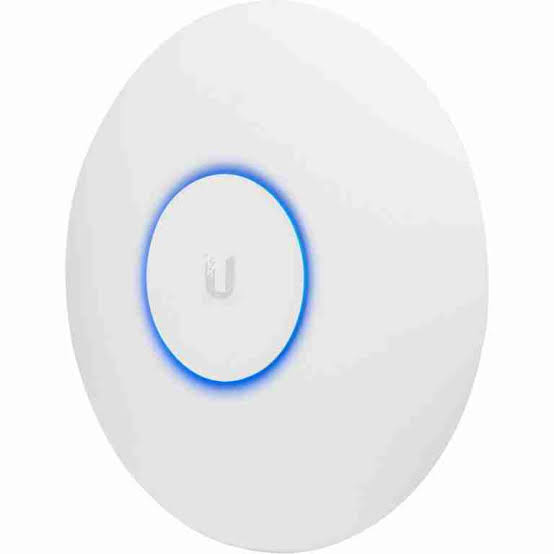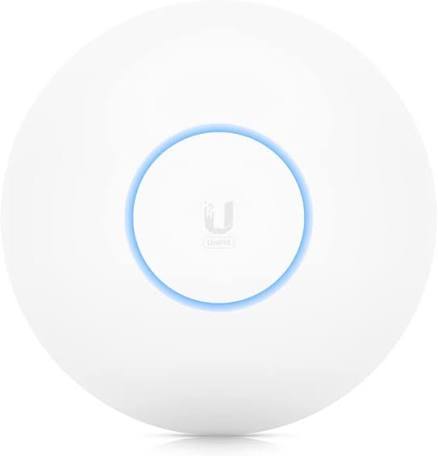
Ubiquiti UniFi U6-LR
Buy Ubiquiti UniFi U6-LR in Kenya from Orbitlink Solutions. Long-range AP with 8 spatial streams, 185m² coverage, 350+ clients, Gigabit uplink and PoE+.
Ubiquiti UniFi U6-LR Long-Range Access Point in Kenya
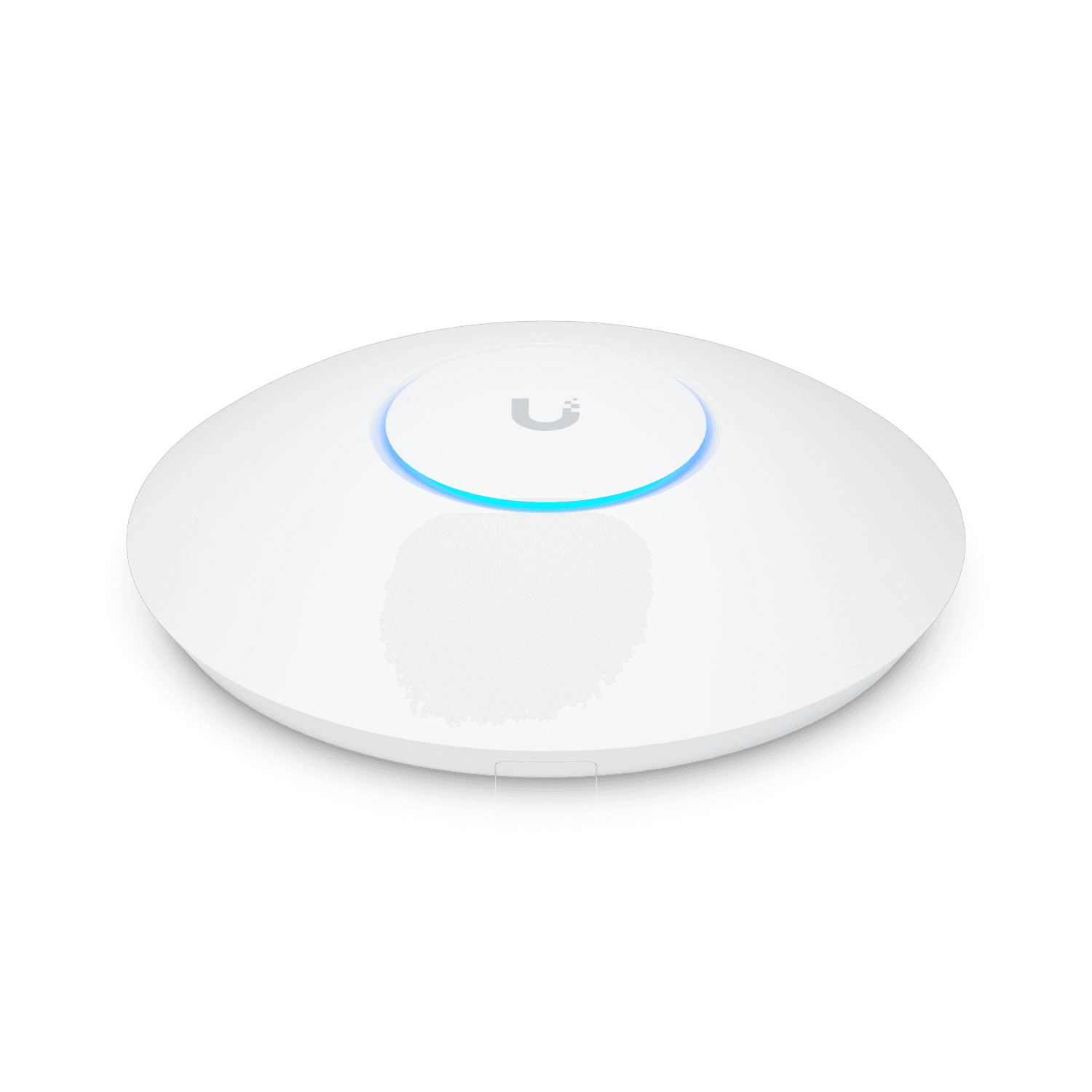
The Ubiquiti UniFi U6 Long-Range (U6-LR) is a high-capacity, extended-coverage access point designed for offices, hotels, schools, hospitals, restaurants, large homes, conference facilities and other environments where wider wireless coverage and substantial client capacity are required. Ubiquiti currently describes the U6-LR as a ceiling-mounted AP with eight spatial streams and extended signal range.
The U6-LR combines a 4×4 5GHz radio, 4×4 2.4GHz radio, eight total spatial streams, a Gigabit Ethernet uplink, PoE+ power and IP54 weather resistance. Ubiquiti currently rates it for approximately 185m² / 2,000ft² of coverage and 350+ associated client devices, making it one of the highest-coverage models in the U6 family.
There is an important technical detail to understand before purchasing. Although Ubiquiti categorizes the U6-LR as a WiFi 6 product, its current store listing specifically notes WiFi 6 on 5GHz and WiFi 4 on 2.4GHz. The 5GHz radio reaches a theoretical PHY rate of up to 2.4Gbps, while the 2.4GHz radio reaches up to 600Mbps.
Ubiquiti U6-LR Key Features
| Feature | Specification |
|---|---|
| Product Name | UniFi U6 Long-Range |
| Model | U6-LR |
| Product Category | Long-range access point |
| Spatial Streams | 8 |
| 5GHz Radio | 4×4 DL/UL MU-MIMO |
| 2.4GHz Radio | 4×4 SU-MIMO |
| 5GHz Wi-Fi | WiFi 6 |
| 2.4GHz Wi-Fi | WiFi 4 |
| 5GHz Max PHY Rate | 2.4Gbps |
| 2.4GHz Max PHY Rate | 600Mbps |
| Maximum Channel Width | 160MHz |
| Ethernet Uplink | 1 × Gigabit RJ45 |
| Manufacturer Coverage Rating | 185m² / 2,000ft² |
| Maximum Client Rating | 350+ |
| 5GHz Antenna Gain | 5.5dBi |
| 2.4GHz Antenna Gain | 4dBi |
| Maximum TX Power | 26dBm on both bands |
| Power Method | PoE+ |
| Supported Voltage | 44–57V DC |
| Maximum Power Consumption | 18.5W |
| Weatherproofing | IP54 |
| Mounting | Ceiling / Wall |
| Dimensions | Ø220 × 48mm |
| Management | UniFi Network |
| Best For | Larger offices, hotels, schools and wide-coverage Wi-Fi |
Ubiquiti's current technical specifications confirm the 185m² coverage rating, 350+ client specification, eight streams, GbE uplink, IP54 enclosure and PoE+ power requirement.
Eight Spatial Streams
The U6-LR provides eight total spatial streams, divided between its two radios:
4 streams on 5GHz
and
4 streams on 2.4GHz.
This is one of the major differences between the U6-LR and lower-tier UniFi models.
For comparison:
-
U6+ — 4 streams
-
U6 Pro — 6 streams
-
U6-LR — 8 streams
Ubiquiti continues to position all three models in its current flagship Wi-Fi range, with the U6-LR specifically identified as its extended-coverage U6 option.
4×4 5GHz Radio
The U6-LR's 5GHz radio provides:
4×4 DL/UL MU-MIMO
WiFi 6
up to 160MHz channels
up to 2.4Gbps theoretical PHY rate
5.5dBi antenna gain
26dBm maximum TX power.
The four-stream radio gives the AP more wireless capacity than basic 2×2 models, particularly when multiple 5GHz clients are active.
It does not mean that every client receives four spatial streams. Many phones and laptops are themselves 2×2 devices.
2.4GHz 4×4 Radio
The U6-LR also uses a substantial 4×4 radio on 2.4GHz.
Ubiquiti specifies:
4×4 SU-MIMO
up to 600Mbps PHY rate
40MHz maximum channel width
4dBi antenna gain
26dBm maximum TX power.
This makes the 2.4GHz radio particularly useful for environments with many IoT, legacy or longer-range devices.
Important: 2.4GHz Is WiFi 4
Ubiquiti's own current store page specifically states that the U6-LR provides:
WiFi 6 on 5GHz
and
WiFi 4 on 2.4GHz.
This distinction is important when comparing the U6-LR with newer access points.
2.4Gbps 5GHz Wireless Rate
The U6-LR supports a theoretical maximum 5GHz PHY rate of:
2.4Gbps.
This does not mean a connected laptop will receive 2.4Gbps internet speed.
The figure represents the maximum radio link rate under suitable conditions.
Actual usable throughput is affected by:
-
Client radio capability
-
Distance
-
Channel width
-
Interference
-
Wi-Fi overhead
-
Airtime sharing
-
Number of active clients
-
Ethernet uplink
-
Internet bandwidth
Gigabit Ethernet Uplink
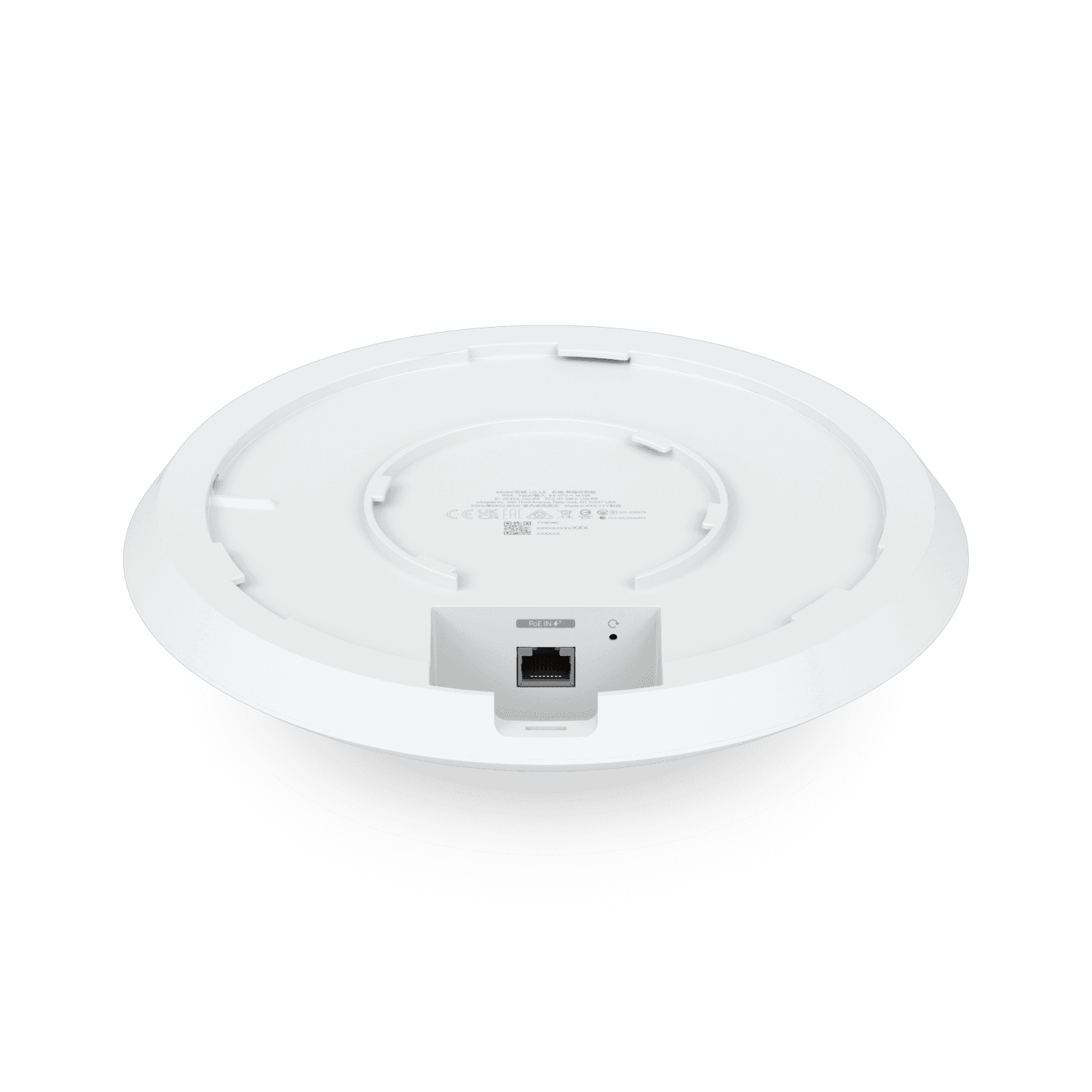
The U6-LR includes one Gigabit Ethernet RJ45 interface.
A typical installation looks like:
Internet
↓
Router / Gateway
↓
PoE+ Switch
↓
U6-LR
↓
Wireless Clients
The Gigabit Ethernet port carries both wired network traffic and PoE power when connected to a suitable PoE+ source.
Why Does a 2.4Gbps AP Have a 1GbE Port?
This is an important consideration when evaluating the U6-LR.
The 5GHz radio can negotiate wireless PHY rates up to 2.4Gbps, but traffic entering or leaving the wired network passes through a Gigabit Ethernet uplink.
Therefore, the AP should not be marketed as providing a 2.4Gbps wired internet connection.
The larger wireless radio capacity can still be useful because it provides:
-
More radio headroom
-
Better multi-client capacity
-
Improved airtime use
-
Strong local wireless performance
For new multi-gigabit networks, the newer U7 Long-Range provides a 2.5GbE uplink.
Long-Range 185m² Coverage
One of the primary reasons to select the U6-LR is its manufacturer-rated coverage.
Ubiquiti currently lists:
185m²
or approximately
2,000ft².
That is larger than the published coverage ratings of models such as:
-
U6+ — 140m²
-
U6 Pro — 140m²
-
U7 Long-Range — 160m²
under Ubiquiti's current specifications.
Coverage Is Not Guaranteed
The 185m² figure is a planning reference rather than a promise that every building will receive identical coverage.
Actual results depend on:
-
Reinforced concrete
-
Stone walls
-
Metal
-
Glass
-
Floors
-
Ceiling height
-
Furniture
-
Interference
-
Mounting position
-
Client transmit power
A properly planned multi-AP deployment will often outperform a single long-range AP trying to penetrate many heavy walls.
350+ Client Rating
Ubiquiti currently gives the U6-LR a 350+ maximum associated-client specification.
This is higher than the current published rating for:
U6 Pro — 250+
and
U6+ — 300+.
However, 350+ connected clients does not mean 350 heavy users can simultaneously receive maximum throughput.
An associated client might be:
-
A sleeping smartphone
-
IoT sensor
-
Printer
-
POS device
-
Laptop with minimal traffic
That is very different from hundreds of clients simultaneously streaming, downloading or conducting video meetings.
U6-LR for Higher Client Density

The U6-LR's eight-stream design can make it useful in places where both wider coverage and substantial client association capacity are required.
Examples include:
Hotels
Schools
Large offices
Libraries
Churches
Training centres
Healthcare facilities
Conference areas
However, extremely high-density venues should still be designed according to airtime demand rather than AP client-count specifications alone.
High-Gain Antenna System
Ubiquiti currently specifies integrated antenna gain of:
| Band | Antenna Gain |
|---|---|
| 2.4GHz | 4dBi |
| 5GHz | 5.5dBi |
The maximum transmit power is listed at 26dBm on both radios, subject to regional regulatory limitations.
The antenna design is one of the factors contributing to the model's long-range positioning.
Long-Range Does Not Mean Unlimited Range
A powerful AP cannot solve every coverage problem.
Wi-Fi communication is two-way.
Even when the U6-LR can transmit strongly toward a smartphone, the smartphone still needs to send data back to the access point.
A phone with a much smaller antenna and lower transmit power may therefore become the limiting factor.
This is why several properly positioned APs can sometimes produce better performance than a single high-power access point.
PoE+ Powered
The U6-LR requires PoE+ power.
Ubiquiti specifies:
PoE+
44–57V DC
18.5W maximum power consumption.
A suitable PoE+ source is therefore required.
U6-LR PoE Switch Requirements
A typical installation is:
Router / Gateway
↓
PoE+ Switch
↓
U6-LR
The switch should support the required PoE standard and have adequate total power budget.
For multiple APs, calculate the total potential load.
For example:
4 × 18.5W = 74W
for four U6-LR APs before adding design margin and other PoE-powered devices.
PoE+ Adapter
Ubiquiti currently lists a 30W PoE+ adapter as an accessory for the U6-LR.
For one access point, a compatible injector can therefore be used.
For several APs, a managed PoE+ switch is normally cleaner and easier to maintain.
IP54 Weather Resistance
The U6-LR has an IP54 rating.
IP54 provides protection against:
-
Limited dust ingress
-
Water splashes
This offers more environmental protection than a basic unsealed indoor AP.
However, IP54 should not be confused with the stronger outdoor ratings available on dedicated UniFi outdoor equipment.
For fully exposed exterior installations, select a purpose-built outdoor UniFi AP.
U6-LR Indoor and Sheltered Installation
The U6-LR is especially suited to:
Indoor commercial spaces
Large offices
Hotel corridors
Covered areas
Schools
Restaurants
Large homes
Its IP54 rating provides some additional protection, but a dedicated outdoor AP is usually preferable for open rain, severe weather or exposed pole installations.
Operating Temperature
Ubiquiti specifies an operating temperature of:
-30°C to +60°C
and operating humidity of:
5–95% non-condensing.
This provides substantial environmental tolerance for normal indoor and sheltered commercial deployments.
Large 220mm Form Factor
The U6-LR measures:
Ø220 × 48mm
and weighs approximately:
800g without the mounting hardware
and
930g with the mount.
It is therefore physically larger and heavier than models such as the U6+.
The larger enclosure accommodates the substantial antenna and radio system used by the long-range platform.
Ceiling and Wall Mounting
Ubiquiti supports both:
Ceiling mounting
and
wall mounting
and includes its Pro Mount with the U6-LR.
Ceiling mounting is often preferable for offices, hotels and commercial facilities because it provides a predictable coverage orientation across the occupied area.
Wall mounting can still be useful depending on building design.
UniFi Network Management
The U6-LR is centrally managed through UniFi Network.
Ubiquiti currently lists UniFi Network version 6.0.45 or later as the minimum application requirement.
Administrators can centrally manage:
-
Wireless networks
-
SSIDs
-
VLANs
-
Connected clients
-
Radio settings
-
Guest Wi-Fi
-
Authentication
-
Band steering
-
Roaming
-
Wireless meshing
-
Schedules
-
Speed limits
This allows many U6-LR access points to operate as part of one centrally managed wireless environment.
Wireless Meshing
The U6-LR supports wireless meshing.
For example:
Wired U6-LR
↓
Wireless backhaul
↓
Mesh U6-LR
This can be useful when Ethernet cannot reach a particular location.
However, wired Ethernet backhaul is normally preferable.
Preferred
PoE Switch → Ethernet → U6-LR
Alternative
UniFi AP → Wireless Mesh → U6-LR
Wireless mesh consumes radio airtime for backhaul, potentially reducing client capacity.
Band Steering
The U6-LR supports band steering.
This can encourage compatible clients toward 5GHz where appropriate.
That can leave more 2.4GHz capacity available for:
-
IoT devices
-
Older equipment
-
Devices requiring longer reach
The client still ultimately participates in selecting which band and AP it uses.
Fast Roaming
Ubiquiti currently lists support for:
802.11k Radio Resource Management
802.11v BSS Transition Management
802.11r Fast Roaming.
These features can assist compatible client devices as they move between multiple APs.
A hotel, for example, might deploy:
Lobby U6-LR
↓
Corridor U6-LR
↓
Conference Area U6-LR
while broadcasting consistent SSIDs across the property.
Multiple SSIDs
The U6-LR supports up to eight BSSIDs per radio.
A commercial network could therefore provide separate wireless services such as:
Staff
Guests
Management
IoT
POS
However, creating unnecessary SSIDs increases radio management overhead, so networks should use only those actually required.
VLAN Integration
The U6-LR can be integrated into segmented networks where different SSIDs correspond to different VLANs.
For example:
| VLAN | Network |
|---|---|
| 10 | Management |
| 20 | Staff |
| 30 | Guests |
| 40 | IoT |
| 50 | POS |
| 60 | CCTV |
The AP provides wireless access to those networks, while the router or firewall should control routing and security between them.
Dynamic RADIUS VLAN Assignment
Ubiquiti currently lists dynamic RADIUS-assigned VLANs and RADIUS over TLS (RadSec) among U6-LR features.
This can support business networks where the user's authenticated identity determines their VLAN.
For example:
Employee authenticates
↓
RADIUS verifies user
↓
Employee assigned Staff VLAN
This provides more flexible control than assigning every device based only on the SSID.
Private Pre-Shared Keys
The U6-LR supports Private Pre-Shared Keys (PPSK).
PPSK can allow different users or groups to use different passwords while connecting to the same wireless network name.
This can reduce the need for many separate SSIDs.
Guest Wi-Fi and Captive Portal
The U6-LR supports UniFi captive-portal functionality including:
-
Custom landing pages
-
Voucher authentication
-
Payment-based authentication
-
Password authentication
-
External portal support
-
Guest-network isolation
This can be useful for:
Hotels
Restaurants
Conference facilities
Clinics
Schools
Public reception areas
Client Isolation
Ubiquiti supports both:
Guest network isolation
and
client device isolation.
This is particularly valuable on public wireless networks where guests should not be able to communicate directly with one another.
Wi-Fi Speed Limiting
The U6-LR supports Wi-Fi speed limiting through UniFi Network.
A hotel might therefore configure:
Staff → Higher or unrestricted bandwidth
Guests → Controlled bandwidth
to prevent a small number of guest devices from consuming excessive internet capacity.
Passpoint / Hotspot 2.0
The U6-LR supports Passpoint / Hotspot 2.0.
This feature can be useful in more sophisticated hospitality, enterprise and public-access networks where automated discovery and authentication are required.
Ubiquiti U6-LR for Large Offices
The U6-LR can be a strong option for larger office spaces.
A network might look like:
Fibre / Starlink
↓
Gateway / Firewall
↓
Managed PoE+ Switch
↓
U6-LR APs
↓
Staff + Guests + IoT
The access points can be distributed across:
-
Reception
-
Open offices
-
Boardrooms
-
Meeting rooms
-
Corridors
-
Shared spaces
U6-LR for Hotels
Hotels can benefit from the U6-LR's extended coverage and large associated-client specification.
Possible installation areas include:
Lobby
Restaurants
Conference spaces
Corridors
Business centre
Common areas
For individual guest rooms, in-wall APs may still provide a more targeted room-by-room design.
U6-LR for Schools
A school or college may deploy U6-LR access points in:
-
Classrooms
-
Libraries
-
Laboratories
-
Offices
-
Staff rooms
-
Shared learning areas
-
Administration blocks
Its 350+ client specification is useful in environments with many associated devices, although high-density classrooms should still be designed around actual airtime demand.
U6-LR for Hospitals and Clinics
The U6-LR can provide coverage across larger healthcare environments while allowing multiple network segments.
Possible networks include:
Clinical staff
Administration
Guest internet
IoT
Approved healthcare equipment
The underlying firewall, VLAN and access-control design remains essential.
U6-LR for Restaurants
Larger restaurants can use the U6-LR for:
Guest Wi-Fi
POS
Management
Staff
IoT
Separate VLANs can help isolate operational equipment from guest internet traffic.
U6-LR for Churches and Worship Centres
The U6-LR can also be useful in larger worship environments where many phones may connect simultaneously during services.
Possible applications include:
-
Guest Wi-Fi
-
Livestream-production devices
-
Staff network
-
Administration
-
Presentation equipment
For very large halls, multiple strategically positioned APs should be considered instead of relying on one access point solely because it carries the Long-Range name.
U6-LR for Conference Facilities
Conference environments can generate unusually high wireless demand because many delegates may have:
Smartphone + Laptop + Tablet
connected simultaneously.
The U6-LR's eight streams and high associated-client rating can make it useful in moderate conference spaces.
Large conferences should still be capacity-designed using several APs and appropriate channel planning.
U6-LR for Large Homes
The U6-LR can also serve larger residential properties where broad indoor coverage is important.
For example:
Router
↓
PoE+ Switch
↓
Ground Floor U6-LR
Upper Floor U6-LR
Multiple wired APs generally provide better coverage than placing one AP in an inconvenient central location and expecting it to penetrate every floor.
U6-LR for Starlink
The U6-LR can distribute a Starlink connection across a larger property.
A typical topology could be:
Starlink
↓
Router / Gateway
↓
PoE+ Switch
↓
U6-LR APs
The U6-LR improves the local wireless network.
It does not increase the internet speed delivered by Starlink itself.
U6-LR for Fibre Internet
The U6-LR can also be used with fibre.
A typical installation is:
Fibre ONT
↓
Gateway / Router
↓
Gigabit PoE+ Switch
↓
U6-LR
Its Gigabit uplink makes it a natural fit for conventional Gigabit LANs.
Businesses building a new multi-gigabit network should also consider newer APs with 2.5GbE uplinks.
U6-LR vs U6+
| Feature | U6-LR | U6+ |
|---|---|---|
| Spatial Streams | 8 | 4 |
| 5GHz Radio | 4×4 | 2×2 |
| 2.4GHz Radio | 4×4 | 2×2 |
| 5GHz Max PHY | 2.4Gbps | 2.4Gbps |
| 2.4GHz Max PHY | 600Mbps | 573.5Mbps |
| Coverage | 185m² | 140m² |
| Clients | 350+ | 300+ |
| Uplink | 1GbE | 1GbE |
| Power | PoE+ | PoE |
| Max Consumption | 18.5W | 9W |
The U6+ is smaller, newer in value positioning and considerably more power-efficient, while the U6-LR provides more streams, larger rated coverage and higher associated-client capacity.
U6-LR vs U6 Pro
| Feature | U6-LR | U6 Pro |
|---|---|---|
| Spatial Streams | 8 | 6 |
| 5GHz | 4×4 | 4×4 |
| 2.4GHz | 4×4 | 2×2 |
| 5GHz Max PHY | 2.4Gbps | 4.8Gbps |
| Coverage | 185m² | 140m² |
| Clients | 350+ | 250+ |
| Uplink | 1GbE | 1GbE |
| Weatherproofing | IP54 | IP54 |
| Power | PoE+ | PoE |
| Max Consumption | 18.5W | 13W |
The U6 Pro has a faster theoretical 5GHz radio, while the U6-LR focuses more heavily on extended coverage and eight-stream operation, including a 4×4 2.4GHz radio.
Which Is Better?
Choose U6-LR when extended coverage is the stronger priority.
Choose U6 Pro when 5GHz performance in a more conventional professional coverage area is the stronger priority.
U6-LR vs U7 Long-Range
The newer U7 Long-Range is an especially important comparison for new installations.
| Feature | U6-LR | U7 Long-Range |
|---|---|---|
| Wi-Fi Generation | WiFi 6 family | WiFi 7 |
| Spatial Streams | 8 | 5 |
| 5GHz MIMO | 4×4 | 3×3 |
| 2.4GHz MIMO | 4×4 | 2×2 |
| 5GHz PHY | 2.4Gbps | 4.3Gbps |
| 2.4GHz PHY | 600Mbps | 688Mbps |
| Coverage | 185m² | 160m² |
| Clients | 350+ | 300+ |
| Ethernet | 1GbE | 2.5GbE |
| Power | PoE+ | PoE |
| Max Power | 18.5W | 14W |
The U7-LR moves to WiFi 7 and 2.5GbE, while the U6-LR retains more total spatial streams and a larger current manufacturer coverage rating.
For a completely new multi-gigabit deployment, the U7-LR deserves serious consideration.
For an existing Gigabit UniFi environment where broad coverage and high association capacity matter, the U6-LR remains relevant.
U6-LR vs AC Long-Range
The older UAP-AC-LR uses WiFi 5 and has five spatial streams, whereas the U6-LR provides eight streams and a newer 5GHz WiFi 6 radio.
Ubiquiti currently rates both at 185m², but the U6-LR has a higher current client rating of 350+ versus 250+ for the AC Long-Range.
The U6-LR is therefore a substantial upgrade for existing AC-LR deployments where the wired Gigabit infrastructure will remain in place.
U6-LR vs Outdoor Access Points
The U6-LR's IP54 rating provides some environmental resistance, but it should not be confused with Ubiquiti's dedicated outdoor range.
For example, the current U7 Outdoor carries an IPX6 rating and incorporates specialized directional and omnidirectional antenna options for exterior coverage.
For:
Car parks
Large compounds
Outdoor restaurants
School grounds
Resorts
Open campuses
a dedicated outdoor model may be more appropriate.
Advantages of Ubiquiti U6-LR
The U6-LR provides several major advantages:
-
Eight spatial streams
-
4×4 5GHz radio
-
4×4 2.4GHz radio
-
WiFi 6 on 5GHz
-
Up to 2.4Gbps 5GHz PHY rate
-
185m² manufacturer coverage
-
350+ client specification
-
26dBm maximum TX power
-
5.5dBi 5GHz antenna gain
-
PoE+ power
-
IP54 enclosure
-
Ceiling and wall mounting
-
UniFi centralized management
-
Wireless meshing
-
Band steering
-
802.11k/v/r roaming
-
PPSK
-
Captive portal
-
Dynamic VLAN assignment
-
Client isolation
-
Passpoint
Limitations of Ubiquiti U6-LR
The main limitations should also be understood.
Gigabit Uplink Only
Despite the 2.4Gbps 5GHz radio, the wired interface is 1GbE.
2.4GHz Is WiFi 4
Ubiquiti's current store page explicitly states that WiFi 6 applies to 5GHz while the 2.4GHz radio is WiFi 4.
No 6GHz Radio
The U6-LR operates on 2.4GHz and 5GHz only.
No WiFi 7
New deployments that prioritize the latest standard should compare the U7-LR.
Higher Power Consumption
At 18.5W maximum, it requires more PoE budget than models such as U6+ or U6 Pro.
Larger Physical Size
At 220mm diameter and 800g device weight, it is larger than many UniFi APs.
Who Should Buy the Ubiquiti U6-LR?
The U6-LR makes the most sense for:
Large offices
Hotels
Schools and colleges
Hospitals and clinics
Large homes
Restaurants
Churches
Conference facilities
Training centres
Commercial premises
Existing Gigabit UniFi networks
It is particularly attractive where coverage area and client association capacity are higher priorities than multi-gigabit Ethernet.
Typical U6-LR Network Architecture
A professional installation could use:
Fibre / Starlink
↓
Gateway / Router
↓
Managed PoE+ Switch
↓
U6-LR Access Points
↓
Staff / Guest / IoT Devices
For a larger site:
PoE+ Switch
├── U6-LR – Reception
├── U6-LR – Office Area
├── U6-LR – Conference Area
└── U6-LR – Corridor / Common Area
All APs can then be managed through UniFi Network.
What Is Included with the U6-LR?
Ubiquiti's current technical specifications state that the Pro Mount is included for ceiling or wall installation.
A suitable PoE+ source should still be planned.
Ubiquiti currently lists its 30W PoE+ Adapter as an accessory rather than something that should automatically be assumed to come with every retail package.
Always check the exact seller package before purchasing.
Ubiquiti U6-LR Price in Kenya
Ubiquiti's regional stores currently show different manufacturer prices depending on market; for example, its EU store lists the U6-LR at €160 at the time of checking. This is an international manufacturer-store reference and not Orbitlink Solutions' Kenya retail price.
Kenya pricing can vary according to:
-
Exchange rates
-
Freight
-
Taxes
-
Distributor pricing
-
Stock availability
-
Warranty
-
Accessories
Contact Orbitlink Solutions for the current Ubiquiti U6-LR price and stock availability in Kenya.
The complete network budget may also need to account for:
-
PoE+ switch
-
Router or gateway
-
Structured cabling
-
Rack equipment
-
Installation
-
Additional APs
-
UPS backup
Why Buy Ubiquiti U6-LR from Orbitlink Solutions?
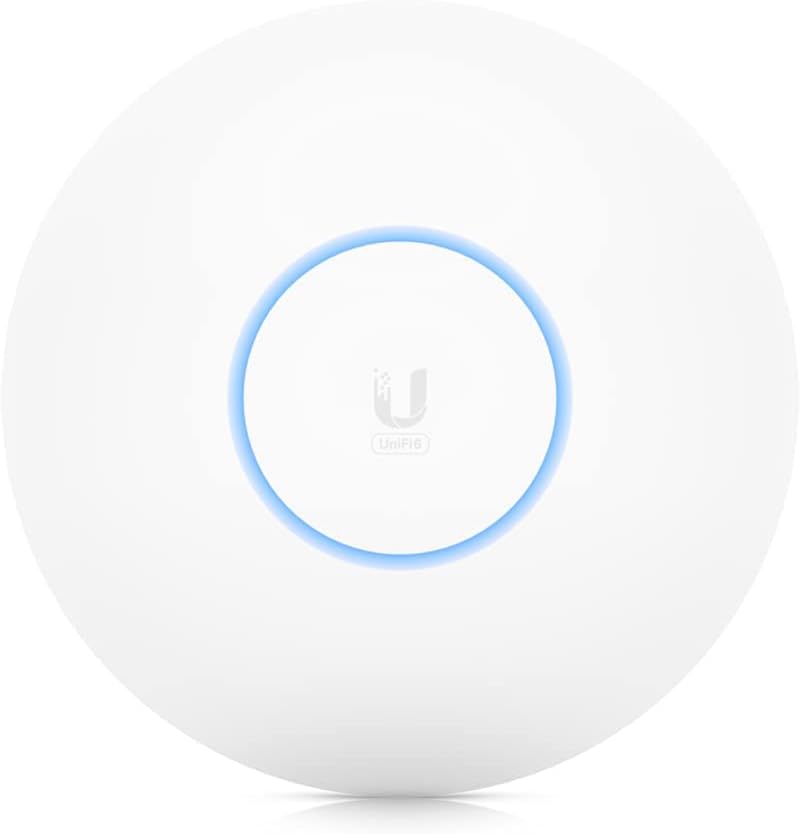
The key reason to choose the U6-LR is not simply because its name says Long-Range. It should be selected when the site's coverage, client count and radio requirements actually benefit from its eight spatial streams, 4×4 radios and 185m² manufacturer coverage specification.
For a large office, school, hotel or commercial property operating on Gigabit Ethernet, the U6-LR can be a strong option. For a new multi-gigabit deployment, Orbitlink Solutions can also compare it against newer models such as the U7 Long-Range and other WiFi 7 APs.
The access point should also be matched to suitable PoE+ switching, structured cabling, gateway capacity and AP placement so that the overall network performs correctly rather than relying on the AP alone.
Watch the Ubiquiti U6-LR Video
The U6-LR's strongest differentiator is the combination of eight spatial streams and extended manufacturer-rated coverage. Both its radios use four spatial streams, while Ubiquiti rates the overall unit for approximately 185m² and 350+ associated client devices. This makes it particularly relevant in larger spaces where reducing dead zones and supporting many connected devices are more important than obtaining the absolute highest theoretical 5GHz PHY rate.
At the same time, the U6-LR illustrates why AP specifications need to be considered as a complete system. Its 5GHz radio can negotiate up to 2.4Gbps, yet the wired interface is Gigabit Ethernet. The AP therefore offers substantial radio capacity, but it is still fundamentally designed around Gigabit wired infrastructure. A new multi-gigabit network may be better matched to a 2.5GbE UniFi model.
The Long-Range designation should also not be interpreted as a substitute for proper Wi-Fi planning. An AP may be able to transmit a strong signal over a wide area, but smartphones and laptops still need to communicate back to it. Heavy concrete walls, multiple floors and highly congested radio environments may therefore be better served by several strategically positioned wired access points rather than one U6-LR operating at maximum power.
Frequently Asked Questions About Ubiquiti U6-LR
What is the Ubiquiti U6-LR?
The U6-LR is Ubiquiti's UniFi U6 Long-Range access point, designed for extended coverage and high client capacity.
Is U6-LR WiFi 6?
Yes. It belongs to Ubiquiti's WiFi 6 family, with Ubiquiti specifically noting WiFi 6 on 5GHz and WiFi 4 on 2.4GHz.
Does U6-LR support 2.4GHz?
Yes. It has a 4×4 2.4GHz radio rated up to 600Mbps.
Does U6-LR support 5GHz?
Yes. It has a 4×4 DL/UL MU-MIMO 5GHz radio rated up to 2.4Gbps.
Does U6-LR support 6GHz?
No.
Is U6-LR WiFi 7?
No. The newer U7 Long-Range is the WiFi 7 long-range model.
How many spatial streams does U6-LR have?
It has eight total spatial streams.
Is U6-LR 4×4?
Yes. Ubiquiti lists 4×4 radios on both 5GHz and 2.4GHz, although their MIMO capabilities differ.
What is the maximum 5GHz speed?
Ubiquiti specifies up to 2.4Gbps PHY rate.
What is the maximum 2.4GHz speed?
Up to 600Mbps PHY rate.
Does U6-LR have Gigabit Ethernet?
Yes. It has one Gigabit RJ45 uplink.
Does U6-LR have 2.5GbE?
No. The U7 Long-Range has a 2.5GbE uplink.
Can U6-LR deliver 2.4Gbps internet?
Not through its Ethernet uplink. The 2.4Gbps specification is a wireless PHY rate, while the wired interface is Gigabit Ethernet.
How much area does U6-LR cover?
Ubiquiti gives a manufacturer coverage rating of approximately 185m² / 2,000ft².
Is 185m² guaranteed?
No. Walls, interference, floor layout and client-device capability can substantially change real coverage.
How many clients can U6-LR support?
Ubiquiti lists 350+ maximum associated clients.
Can 350 people all stream at once?
The 350+ specification refers to associated clients, not guaranteed simultaneous high-bandwidth users.
Does U6-LR require PoE+?
Yes. Ubiquiti specifies PoE+.
How much power does U6-LR consume?
Maximum power consumption is 18.5W.
What voltage does U6-LR support?
Ubiquiti specifies 44–57V DC.
Does U6-LR come with a PoE injector?
A PoE+ adapter should not automatically be assumed to be included. Ubiquiti lists its 30W PoE+ adapter as an accessory.
Is U6-LR waterproof?
It is rated IP54, providing resistance to limited dust ingress and water splashes. It is not equivalent to a fully exposed rugged outdoor AP.
Can U6-LR be used outdoors?
It may suit some protected or sheltered environments, but a dedicated UniFi outdoor AP is preferable for fully exposed outdoor installations.
Can U6-LR be ceiling mounted?
Yes. Ceiling mounting is supported.
Can U6-LR be wall mounted?
Yes. Wall mounting is also supported.
Is the mount included?
Yes. Ubiquiti lists its Pro Mount as included.
Does U6-LR support wireless mesh?
Yes.
Does U6-LR support fast roaming?
Yes. It supports 802.11k, 802.11v and 802.11r.
Does U6-LR support guest Wi-Fi?
Yes. UniFi supports captive portals, voucher authentication, guest isolation and other guest-access options.
Does U6-LR support PPSK?
Yes.
Does U6-LR support RADIUS?
Yes. Ubiquiti currently lists dynamic RADIUS VLAN assignment and RadSec among its features.
Can U6-LR work with MikroTik routers?
Yes. A UniFi AP can operate behind MikroTik or another suitable third-party router as long as DHCP, VLANs, firewall policies and switching are configured correctly.
Can U6-LR work with Starlink?
Yes. It can distribute connectivity from a network using Starlink as its internet service.
Can multiple U6-LRs use the same Wi-Fi name?
Yes. Multiple UniFi APs can broadcast common SSIDs and be centrally managed through UniFi Network.
Is U6-LR better than U6+?
The U6-LR has eight rather than four streams, a larger 185m² coverage rating and a higher 350+ associated-client rating. The U6+ is smaller and considerably more power-efficient.
Is U6-LR better than U6 Pro?
They are optimized differently. The U6-LR prioritizes extended coverage and eight streams, while the U6 Pro offers a faster theoretical 5GHz radio within a smaller manufacturer-rated coverage area.
Should I buy U6-LR or U7-LR?
The U6-LR is attractive for existing Gigabit UniFi networks that prioritize coverage and client capacity. The U7-LR adds WiFi 7 and 2.5GbE and may be preferable for a new multi-gigabit deployment.
What is the Ubiquiti U6-LR price in Kenya?
Contact Orbitlink Solutions for the current exact-model price and stock availability.
Buy Ubiquiti UniFi U6-LR in Kenya
The Ubiquiti UniFi U6 Long-Range remains a strong access point for installations that need extended wireless coverage, eight spatial streams, 4×4 radios, 350+ associated-device capacity, PoE+ and centralized UniFi management. Ubiquiti continues to list the U6-LR alongside the U6 Pro, U6+ and newer U7 products in its current UniFi Wi-Fi portfolio.
Its main limitations are its Gigabit Ethernet uplink, lack of 6GHz and older 2.4GHz radio implementation. For existing Gigabit networks these may be perfectly acceptable; for a completely new multi-gigabit deployment, the U7 Long-Range and other WiFi 7 models should also be evaluated.
Official Ubiquiti Resources
Ubiquiti U6-LR official technical specifications
Ubiquiti current UniFi WiFi range
Contact Orbitlink Solutions
Orbitlink Solutions
Lyric House, 7th Floor, Room S9, Kimathi Street, Nairobi
Call / Text / WhatsApp: +254 743 720 551
Email: info@orbitlinksolutions.co.ke
Alternative Email: orbitlinksolutions@gmail.com
Opening Hours: Monday–Saturday, 9:00 AM–6:00 PM
Availability: Nairobi pickup and nationwide delivery
Contact Orbitlink Solutions for the current Ubiquiti U6-LR price in Kenya, stock availability, compatible PoE+ switches, structured cabling, UniFi configuration and professional wireless network deployment.
Need Help Choosing? Ask a Technician
Get guidance on setup, compatibility, stock, and delivery before buying for your project.