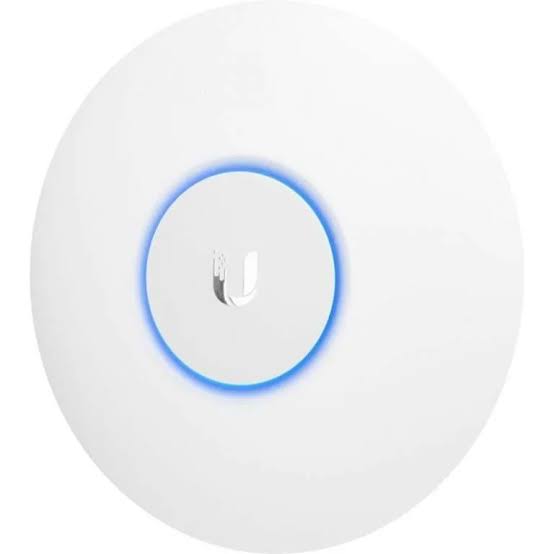
Ubiquiti UniFi U6 Lite
Buy Ubiquiti UniFi U6 Lite in Kenya from Orbitlink Solutions. Compact dual-band AP with WiFi 6 on 5GHz, 300+ clients, Gigabit uplink and PoE.
Ubiquiti UniFi U6 Lite Access Point in Kenya
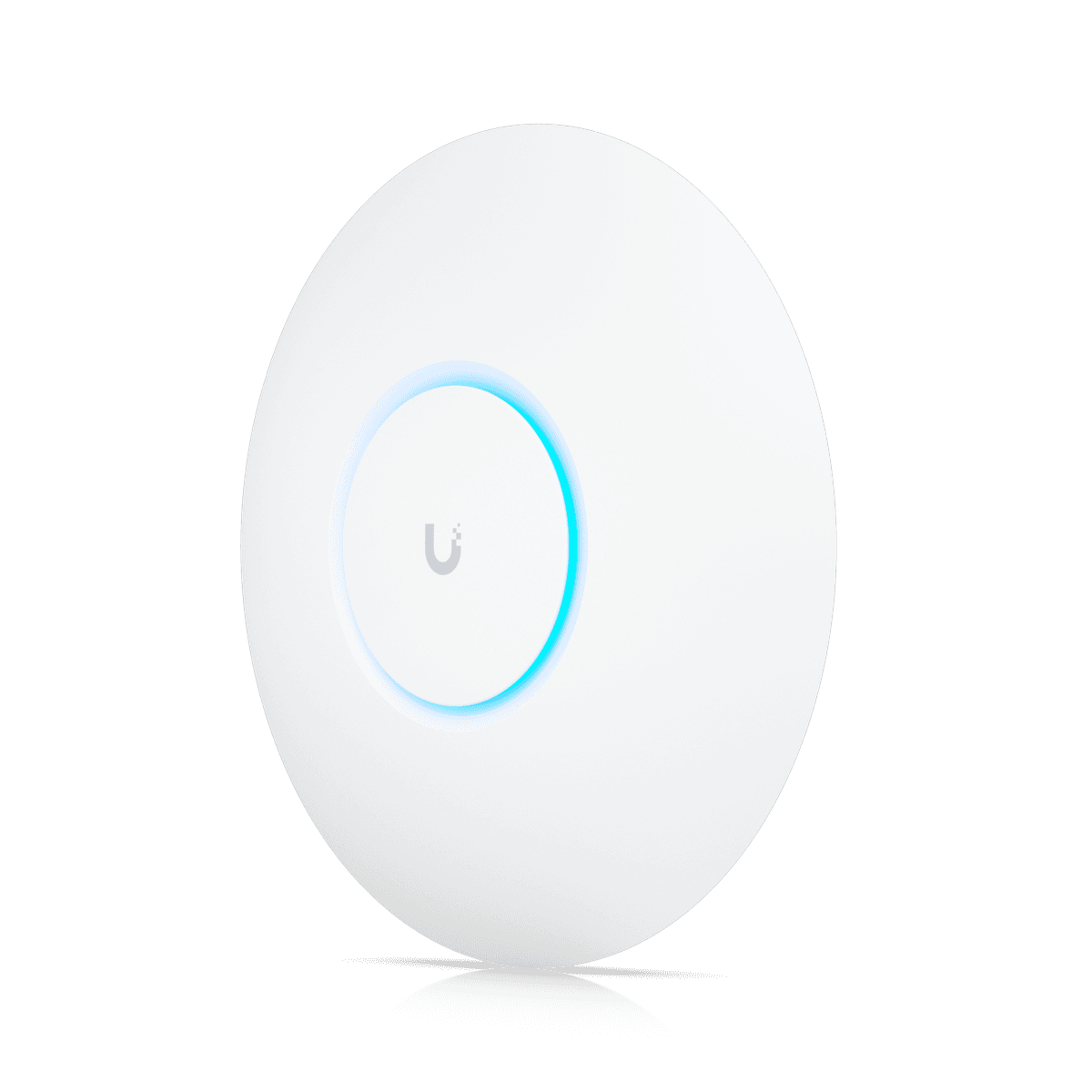
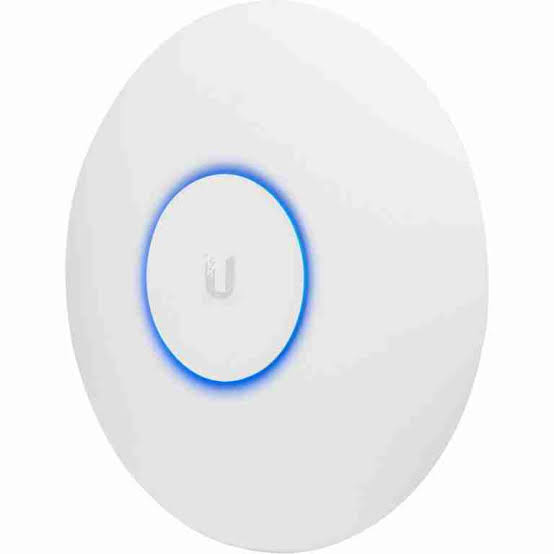
The Ubiquiti UniFi U6 Lite (U6-Lite) is a compact ceiling- or wall-mounted access point designed for homes, smaller offices, shops, restaurants, clinics, apartments and other environments that need centrally managed UniFi wireless coverage without moving to a higher-capacity enterprise AP. Ubiquiti currently describes it as a four-spatial-stream access point intended for smaller offices.
The U6 Lite is commonly called a WiFi 6 access point, but there is an important technical distinction: its 5GHz radio supports WiFi 6 / 802.11ax, while its 2.4GHz radio uses WiFi 4 / 802.11n. Ubiquiti itself highlights this distinction on the current U6 Lite store listing.
It provides a Gigabit Ethernet uplink, PoE power, 2×2 MIMO on both radios, up to 1.2Gbps theoretical PHY rate on 5GHz, up to 300Mbps on 2.4GHz, manufacturer-rated coverage of 115m² and support for 300+ associated clients. These figures are planning specifications rather than guarantees of real-world throughput or coverage.
Ubiquiti U6 Lite Key Features
| Feature | Specification |
|---|---|
| Product Name | UniFi U6 Lite |
| Model | U6-Lite |
| Wi-Fi Generation | WiFi 6 on 5GHz |
| 2.4GHz Standard | WiFi 4 / 802.11n |
| 5GHz Standard | WiFi 6 / 802.11ax |
| Spatial Streams | 4 total |
| 2.4GHz MIMO | 2×2 SU-MIMO |
| 5GHz MIMO | 2×2 DL/UL MU-MIMO |
| 5GHz Max PHY Rate | 1.2Gbps |
| 2.4GHz Max PHY Rate | 300Mbps |
| Ethernet Uplink | 1 × Gigabit RJ45 |
| Manufacturer Coverage Rating | 115m² / 1,250ft² |
| Manufacturer Client Rating | 300+ |
| Power Method | PoE |
| Voltage Range | 44–57V DC |
| Maximum TX Power | 23dBm |
| 5GHz Antenna Gain | 3dBi |
| 2.4GHz Antenna Gain | 2.8dBi |
| Mounting | Ceiling / Wall |
| Dimensions | Ø160 × 33mm |
| Weight | 300g |
| Management | UniFi Network |
| Best For | Homes, smaller offices, shops, clinics, apartments |
Dual-Band Ubiquiti Access Point
The U6 Lite operates on both:
2.4GHz
and
5GHz
This allows older and IoT devices to remain on 2.4GHz while compatible laptops, smartphones and other modern clients can use 5GHz.
The two bands serve different purposes.
2.4GHz
Generally provides better penetration and longer usable reach, but the band is commonly more congested and has less available spectrum.
5GHz
Provides greater capacity and supports much higher PHY rates on the U6 Lite.
For many business deployments, modern performance-oriented clients should therefore be encouraged toward 5GHz where signal conditions are suitable.
Important: WiFi 6 Is on 5GHz Only

This is one of the most important facts to understand about the U6 Lite.
Ubiquiti explicitly states:
WiFi 6 for 5GHz
WiFi 4 for 2.4GHz
So although U6 Lite belongs to the UniFi 6 family, it is not a WiFi 6 dual-band radio in the sense that both frequency bands use 802.11ax.
Its 2.4GHz radio remains 802.11n.
That distinction matters when comparing it with newer UniFi access points.
5GHz WiFi 6 Performance
On 5GHz, the U6 Lite uses:
2×2 MIMO
WiFi 6 / 802.11ax
up to 80MHz channels
and a theoretical maximum PHY rate of:
1.2Gbps
Ubiquiti specifies 5GHz 2×2 downlink/uplink MU-MIMO, allowing the AP to communicate more efficiently with compatible devices.
Real application throughput will be lower than the 1.2Gbps PHY rate because wireless overhead, client capability, interference and the Gigabit Ethernet uplink all affect actual performance.
2.4GHz WiFi 4 Performance
The 2.4GHz radio provides:
2×2 SU-MIMO
WiFi 4 / 802.11n
20/40MHz channel support
and a theoretical maximum PHY rate of:
300Mbps
This band can be useful for:
-
IoT devices
-
Older smartphones
-
Printers
-
POS terminals
-
Smart-home devices
-
Devices farther from the AP
For high-throughput clients, 5GHz is generally preferable.
Four Spatial Streams
Ubiquiti specifies four total spatial streams for the U6 Lite.
These are distributed across its two radios:
2 streams on 2.4GHz
2 streams on 5GHz
This places the U6 Lite in the entry-level to mid-range portion of the UniFi Wi-Fi portfolio rather than the higher-density class occupied by products such as U6 Pro, U6 Enterprise or newer high-end U7 models.
Gigabit Ethernet Uplink
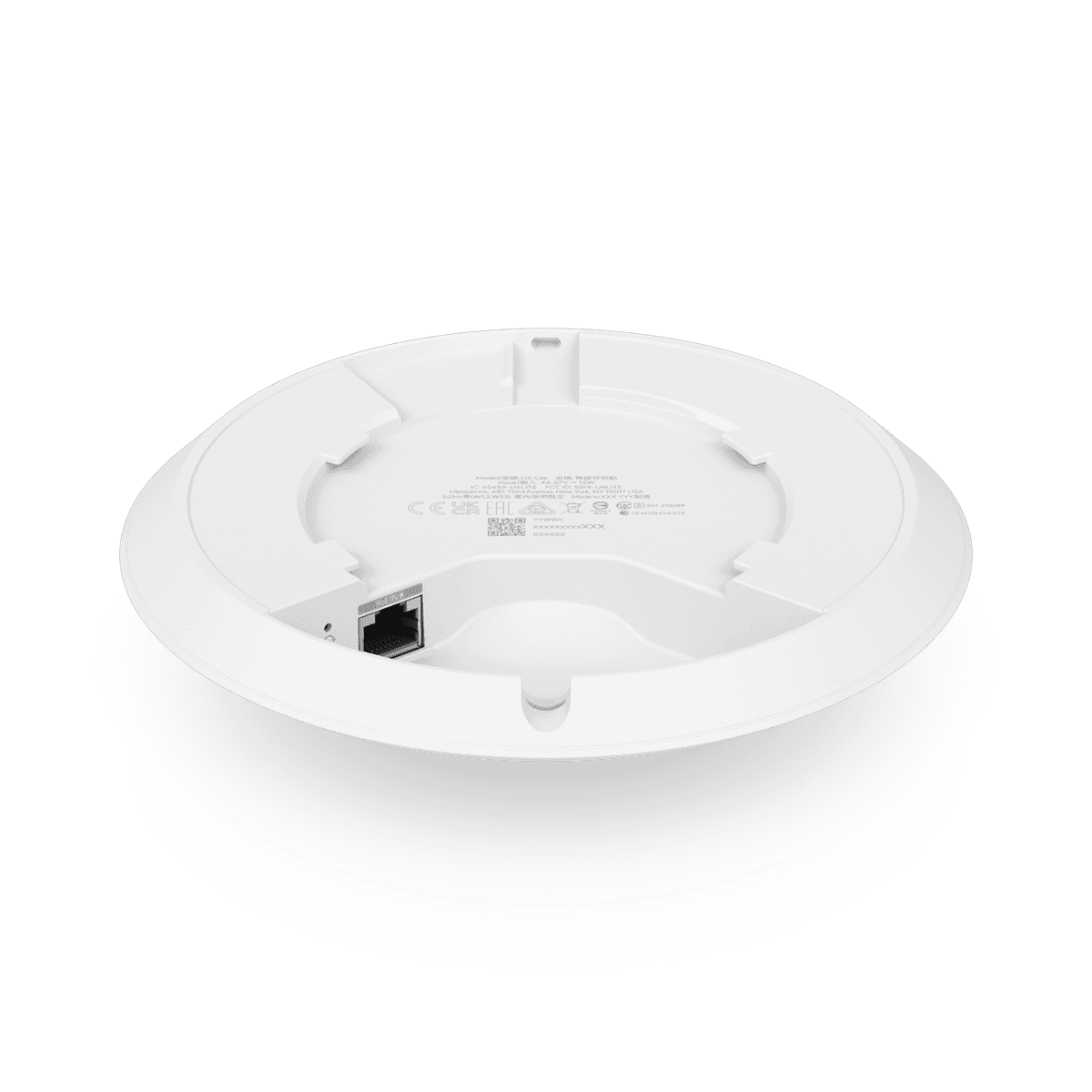
The U6 Lite includes one Gigabit Ethernet RJ45 interface.
A typical installation looks like:
Internet
↓
Router / Gateway
↓
PoE Switch
↓
U6 Lite
↓
Wireless Clients
The Gigabit port carries both network traffic and, when connected to suitable PoE infrastructure, electrical power.
Can U6 Lite Deliver More Than 1Gbps?
The 5GHz radio has a theoretical PHY rate of up to 1.2Gbps, but the AP has a 1GbE wired uplink.
This means the wired connection itself is limited to Gigabit Ethernet.
Furthermore, the 1.2Gbps Wi-Fi figure is a radio link rate rather than actual application throughput.
A user should therefore not expect 1.2Gbps internet speed through a U6 Lite.
PoE Powered Access Point
The U6 Lite is powered through Power over Ethernet, with Ubiquiti currently specifying a supported voltage range of 44–57V DC.
This means one Ethernet cable can provide both:
Data
and
Power
to the access point.
A typical ceiling installation therefore requires only one Ethernet cable running back to the network cabinet.
PoE Switch or PoE Injector
The U6 Lite can be powered from a suitable UniFi or standards-compatible PoE source.
A common network design is:
Router
↓
PoE Switch
↓
U6 Lite
This is normally the cleanest approach when multiple access points are being installed.
For a single AP, a compatible PoE adapter can also be used. Ubiquiti currently lists a 15W UniFi PoE Adapter as an accessory for the U6 Lite.
Always verify the injector or switch against the exact U6 Lite power requirements.
U6 Lite Power Consumption
Ubiquiti's current online technical specification lists maximum consumption at approximately 12W and a supported voltage range of 44–57V DC.
An older Ubiquiti datasheet lists 13.5W maximum, showing that published documentation has changed over time.
For current installations, the latest online technical specifications should be used when planning switch PoE budgets.
It is also good practice to leave adequate headroom in the total PoE budget instead of designing a switch to run continuously at its theoretical maximum.
115m² Manufacturer Coverage Rating
Ubiquiti currently lists the U6 Lite with a nominal coverage area of approximately:
115m²
or
1,250ft².
This is useful for initial planning, but it is not a guaranteed coverage radius.
Actual coverage can be reduced by:
-
Reinforced concrete
-
Stone walls
-
Metal
-
Glass
-
Furniture
-
Interference
-
Neighbouring networks
-
AP placement
-
Client-device transmit power
A site survey or signal measurement is preferable for commercial installations.
300+ Client Rating
Ubiquiti currently gives the U6 Lite a maximum client specification of 300+ associated devices.
This should not be interpreted as saying 300 users can all simultaneously stream, download and video-conference at full speed.
There is an important difference between:
Associated clients
and
actively transmitting high-bandwidth clients.
Real usable capacity depends on:
-
Traffic type
-
Channel width
-
Client radio capability
-
Interference
-
Airtime utilisation
-
Internet bandwidth
-
AP placement
For genuinely high-density environments, higher-tier UniFi models should be evaluated.
U6 Lite Antenna Gain
Ubiquiti specifies:
| Radio | Antenna Gain |
|---|---|
| 2.4GHz | 2.8dBi |
| 5GHz | 3dBi |
Maximum transmit power is listed as 23dBm on both bands, though permitted power can vary according to country and regulatory domain.
The antenna system is integrated into the AP.
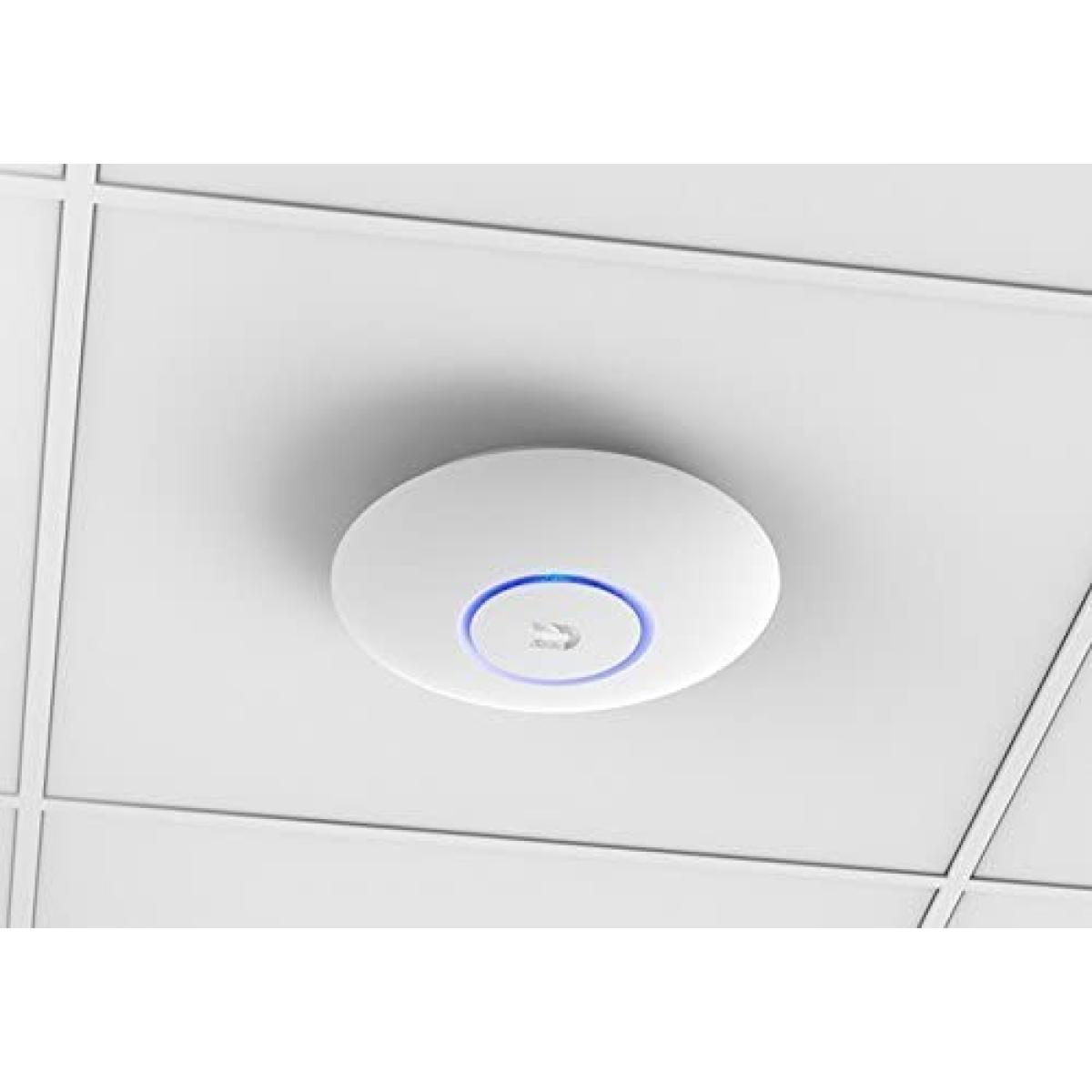
Ceiling Mounting
The U6 Lite's circular design is optimized for ceiling mounting.
Ubiquiti includes mounting support for both:
Ceiling
and
Wall
installation.
For many indoor environments, ceiling mounting provides a more predictable coverage pattern than placing an access point inside a cabinet or behind furniture.
Wall Mounting
The U6 Lite can also be installed on a wall using the included mounting hardware.
However, the orientation of an access point influences the way RF energy is distributed.
For professional installations, the mounting location should be chosen according to the intended coverage area rather than simply mounting the AP wherever Ethernet happens to be available.
Compact Dimensions
The U6 Lite measures approximately:
160mm diameter × 33mm depth
and weighs approximately:
300g without its mount
or
315g with the mount.
Its compact enclosure helps it blend into:
-
Office ceilings
-
Homes
-
Shops
-
Hotel corridors
-
Clinics
-
Reception areas
-
Meeting rooms
UniFi Network Management
The U6 Lite is managed through UniFi Network.
Ubiquiti currently states that the AP requires UniFi Network version 6.0.45 or later.
Through UniFi Network, administrators can centrally configure and monitor functions including:
-
SSIDs
-
Clients
-
VLANs
-
Wi-Fi schedules
-
Guest networks
-
Radio settings
-
Authentication
-
Band steering
-
Meshing
-
Client isolation
-
Rate limiting
This centralized architecture is one of the major reasons UniFi becomes attractive when multiple APs are installed.
Wireless Meshing
The U6 Lite supports wireless meshing.
This can allow another UniFi AP to connect wirelessly when an Ethernet backhaul cannot be provided.
However, where practical, a wired Ethernet backhaul is generally preferable for predictable performance and capacity.
A wired deployment looks like:
PoE Switch
↙ ↓ ↘
U6 Lite — U6 Lite — U6 Lite
rather than each AP relaying traffic through another AP.
Band Steering
The U6 Lite supports band steering, allowing UniFi to encourage compatible dual-band devices toward the more appropriate wireless band.
This can help move capable clients from congested 2.4GHz toward 5GHz.
The client device still has an important role in deciding which radio it ultimately uses.
Fast Roaming
The U6 Lite supports several Wi-Fi roaming-related technologies, including:
802.11k Radio Resource Management
802.11v BSS Transition Management
802.11r Fast Roaming
These features can improve mobility between access points for compatible clients.
However, roaming remains partly client-driven. A phone or laptop ultimately decides when it is time to leave one AP and associate with another.
Multiple SSIDs and BSSIDs
Ubiquiti currently supports up to eight BSSIDs per radio on the U6 Lite.
This makes it possible to create separate wireless networks such as:
Staff Wi-Fi
Guest Wi-Fi
Management Wi-Fi
IoT Wi-Fi
with appropriate VLAN and network policies.
In practice, administrators should avoid creating unnecessary SSIDs because each additional wireless network introduces management overhead into the radio environment.
VLAN Support
The U6 Lite supports integration with 802.1Q VLAN networks. The official datasheet documents VLAN support as part of the AP's software capabilities.
For example:
| VLAN | Purpose |
|---|---|
| 10 | Management |
| 20 | Staff |
| 30 | Guests |
| 40 | IoT |
| 50 | CCTV / Devices |
The access point does not replace the router or firewall.
Inter-VLAN security and routing should normally be handled at the gateway or firewall.
Guest Wi-Fi
The U6 Lite supports UniFi guest-network capabilities including:
-
Captive hotspot portal
-
Custom landing pages
-
Voucher authentication
-
Password authentication
-
External portal server support
-
Guest isolation
-
Payment-based authentication
This can be particularly useful in:
Hotels
Restaurants
Cafés
Reception areas
Clinics
Shared offices
PPSK Support
Ubiquiti currently lists Private Pre-Shared Key (PPSK) support for the U6 Lite.
PPSK can allow different users or groups to use different Wi-Fi passwords while connecting to the same SSID.
This can simplify segmented wireless deployments without creating a separate visible SSID for every group.
Dynamic VLAN Assignment
The U6 Lite also supports dynamic RADIUS-assigned VLANs.
This means a user's network access can potentially be assigned according to authentication rather than simply according to the SSID.
This is particularly useful in larger business or institutional wireless environments.
Client Isolation
Ubiquiti lists both:
Guest network isolation
and
client device isolation
among the U6 Lite's supported UniFi features.
Client isolation can be useful on public or guest Wi-Fi where one connected user should not be able to directly communicate with another wireless client.
Wi-Fi Speed Limiting
The U6 Lite supports Wi-Fi rate limiting through UniFi.
For example, a business might limit guest devices while leaving staff devices unrestricted.
This can help prevent a small number of guest users from consuming disproportionate bandwidth.
Ubiquiti U6 Lite for Small Offices
The U6 Lite is explicitly positioned by Ubiquiti for smaller offices.
A typical office design could be:
Fibre / Starlink
↓
Gateway / Router
↓
PoE Switch
↓
U6 Lite APs
↓
Staff + Guest Devices
Separate SSIDs and VLANs can then be used for staff, visitors and other network devices.
U6 Lite for Homes
The U6 Lite can also work well where a home needs dedicated ceiling-mounted access points instead of relying on one wireless router.
For example:
Router
↓
PoE Switch
↓
Ground Floor U6 Lite
Upper Floor U6 Lite
This can provide more predictable coverage across larger homes.
U6 Lite for Apartments
Apartment buildings can use several U6 Lite APs across:
-
Corridors
-
Common areas
-
Reception areas
-
Lounges
-
Smaller shared spaces
For room-by-room hotel or apartment deployments, a UniFi In-Wall model may sometimes be a better architectural fit.
U6 Lite for Restaurants and Cafés
The U6 Lite can provide Wi-Fi for:
POS terminals
Staff
Management
Guest internet
Separate SSIDs and VLANs can help ensure that guest users are not placed directly on the same logical network as POS and operational devices.
U6 Lite for Clinics
A small clinic can use separate wireless networks for:
Staff
Administration
Guests
IoT or approved devices
The AP handles wireless access, while the router and firewall enforce network segmentation and security.
U6 Lite for Schools
The U6 Lite can work in classrooms or smaller school environments.
However, schools with very high concurrent client density may benefit from higher-capacity APs such as U6 Pro, U6 Enterprise or appropriate U7 models.
Client density and application type matter more than simply counting the number of rooms.
U6 Lite for Hotels
The U6 Lite can be installed in:
-
Corridors
-
Lobbies
-
Reception areas
-
Smaller meeting rooms
-
Shared spaces
For guest rooms themselves, UniFi in-wall access points can often provide a more targeted room-by-room design.
U6 Lite for Starlink
The U6 Lite can distribute a Starlink connection across a property.
A typical architecture could be:
Starlink
↓
Router / Gateway
↓
PoE Switch
↓
Multiple U6 Lite APs
The access points improve local Wi-Fi coverage and capacity.
They do not increase the actual internet bandwidth provided by Starlink.
U6 Lite for Fibre Internet
The U6 Lite is also suitable for Gigabit-class fibre networks.
A typical deployment could be:
Fibre ONT
↓
Router / Firewall
↓
Gigabit PoE Switch
↓
U6 Lite
Because the AP uses a Gigabit uplink, businesses planning multi-gigabit LAN infrastructure may want to consider newer UniFi APs with 2.5GbE uplinks.
U6 Lite vs U6+
The U6+ is a newer UniFi entry-level WiFi 6 model and is an important comparison for buyers considering the U6 Lite today.
The U6 Lite's strengths include its proven UniFi platform, compact size and established deployment base.
For a completely new network, however, it is sensible to compare the U6 Lite with the U6+ and current U7 models rather than buying solely based on the “U6” name.
The final choice should consider price, stock, radio specifications and long-term network requirements.
U6 Lite vs U6 Pro
The U6 Pro occupies a higher performance class.
| Feature | U6 Lite | U6 Pro |
|---|---|---|
| Target | Smaller networks | Professional / higher-density |
| 5GHz | 2×2 | Higher-capacity radio design |
| Spatial Streams | 4 | More |
| Ethernet | 1GbE | 1GbE |
| Typical Use | Home / small office | Office / hospitality / commercial |
The U6 Lite can be an excellent fit for lower-density areas, while the U6 Pro is typically a stronger option where more simultaneous wireless activity is expected.
U6 Lite vs U6 Long-Range
The U6 Long-Range is designed around broader coverage and higher wireless capability.
The U6 Lite is smaller and usually better suited to tighter-budget or lower-density deployments.
A long-range AP is not automatically the correct solution for every large property because the client's own radio still needs to transmit back to the AP.
Multiple correctly positioned access points can often outperform one high-power access point.
U6 Lite vs U6 Enterprise
The U6 Enterprise is a much higher-end WiFi 6E solution.
Unlike the U6 Lite, it can use the 6GHz band with compatible clients and is intended for more demanding enterprise environments.
The U6 Lite has:
2.4GHz + 5GHz
while WiFi 6E-class devices can add:
6GHz
For basic offices and homes, the additional complexity of 6GHz may not be necessary.
U6 Lite vs U7 Lite
The U7 Lite belongs to Ubiquiti's newer WiFi 7 generation.
A buyer building a new network in 2026 should therefore compare:
U6 Lite
U6+
U7 Lite
rather than assuming the U6 Lite is still automatically the best entry-level UniFi option.
The U6 Lite remains a capable Wi-Fi access point, but newer models can provide a more future-oriented platform depending on local pricing and network requirements.
U6 Lite vs U7 Pro
The U7 Pro is in a considerably higher class.
It brings:
-
WiFi 7
-
6GHz support
-
2.5GbE uplink
-
Higher-performance wireless architecture
The U6 Lite offers:
-
Lower infrastructure requirements
-
Gigabit Ethernet
-
Lower-cost positioning
-
Good smaller-site capability
For a small office on a Gigabit LAN, the U6 Lite may be entirely sufficient.
For a new high-performance network using 2.5GbE switching and WiFi 7 clients, the U7 Pro is a more natural match.
U6 Lite vs Wi-Fi Range Extender
The U6 Lite is designed as a managed access point rather than a conventional plug-in range extender.
A preferred deployment is:
Router
↓
Ethernet / PoE Switch
↓
U6 Lite
This gives the AP a wired backhaul.
A conventional range extender typically receives and retransmits wireless traffic, which can reduce predictability and capacity.
The U6 Lite does support wireless meshing when cabling genuinely cannot be provided.
Advantages of Ubiquiti U6 Lite
The U6 Lite offers several useful advantages:
-
WiFi 6 on 5GHz
-
Dual-band wireless
-
4 spatial streams
-
1.2Gbps theoretical 5GHz PHY rate
-
300Mbps 2.4GHz PHY rate
-
Gigabit Ethernet
-
PoE power
-
Ceiling and wall mounting
-
UniFi Network management
-
Wireless meshing
-
Band steering
-
Fast roaming features
-
Guest networks
-
PPSK
-
Dynamic VLAN assignment
-
Client isolation
-
Captive portal
-
Compact design
Limitations of Ubiquiti U6 Lite
The U6 Lite also has several important limitations.
2.4GHz Is Not WiFi 6
Its 2.4GHz radio uses WiFi 4 rather than 802.11ax.
Gigabit Uplink Only
The Ethernet interface is 1GbE rather than 2.5GbE.
No 6GHz
It does not have the 6GHz capability found on WiFi 6E and selected WiFi 7 access points.
2×2 Radios
It is designed as a compact lower-tier AP rather than a high-density enterprise radio platform.
Indoor-Focused Design
It should not be substituted for a properly weather-rated UniFi outdoor AP.
Who Should Buy the Ubiquiti U6 Lite?
The U6 Lite is particularly suitable for:
Homes
Small offices
Retail shops
Restaurants
Cafés
Clinics
Smaller schools
Apartments
Reception areas
Small meeting rooms
UniFi users upgrading from older WiFi 5 APs
It is most attractive where Gigabit infrastructure is sufficient and a compact UniFi-managed access point is required.
Typical U6 Lite Network Architecture
A professional small-office deployment could look like:
Fibre / Starlink
↓
Gateway / Router
↓
UniFi PoE Switch
↓
U6 Lite Access Points
↓
Staff / Guest / IoT Clients
The gateway handles routing and security.
The switch provides Ethernet connectivity and PoE.
The U6 Lite provides wireless access.
UniFi Network provides centralized configuration and monitoring.
Ubiquiti U6 Lite Price in Kenya
The U6 Lite's actual Kenya selling price can vary according to:
-
Distributor
-
Exchange rate
-
Freight
-
Taxes
-
Stock availability
-
Included accessories
-
Whether a PoE injector is included separately
Contact Orbitlink Solutions for the current Ubiquiti U6 Lite price and stock availability in Kenya.
The AP price should also be considered alongside any required:
-
PoE switch
-
PoE injector
-
Ethernet cabling
-
Router
-
Network installation
-
Additional access points
Why Buy Ubiquiti U6 Lite from Orbitlink Solutions?
The most important question is not simply whether the U6 Lite is a good access point, but whether it is the correct AP for the particular site.
For a small office, home, clinic or shop on a Gigabit network, the U6 Lite can provide an effective managed Wi-Fi solution. For larger environments, higher client densities or new multi-gigabit networks, models such as the U6 Pro, U7 Lite or U7 Pro may be better suited.
Orbitlink Solutions can also help match the U6 Lite with compatible PoE switches, routers, structured cabling and additional access points, helping avoid situations where the AP is limited by unsuitable network infrastructure.
Watch the Ubiquiti U6 Lite Video
The U6 Lite became an important entry point into UniFi WiFi 6 because it combines a familiar compact ceiling-mount form factor with 802.11ax performance on 5GHz. Its 2×2 5GHz radio can negotiate PHY rates up to 1.2Gbps, while the 2.4GHz radio maintains compatibility with a large range of older devices.
Its specifications also illustrate why Wi-Fi product names need to be interpreted carefully. Although marketed as a WiFi 6 AP, the U6 Lite's 2.4GHz radio remains WiFi 4. Similarly, the 1.2Gbps 5GHz radio rate does not mean a client will receive 1.2Gbps internet throughput, particularly because the AP itself uses a Gigabit Ethernet uplink.
For the right deployment, these limitations are not necessarily a problem. A small office with a Gigabit switch, moderate client density and modern 5GHz-capable devices may have no practical need for 2.5GbE or 6GHz. The important part is matching the AP to the network rather than buying a higher-tier model simply because newer technology exists.
Frequently Asked Questions About Ubiquiti U6 Lite
What is the Ubiquiti U6 Lite?
The U6 Lite is a compact UniFi dual-band access point designed primarily for smaller offices and similar indoor environments.
Is U6 Lite WiFi 6?
Yes, but specifically on its 5GHz radio. The 2.4GHz radio uses WiFi 4.
Does U6 Lite support 5GHz?
Yes. Its 5GHz radio supports WiFi 6 / 802.11ax.
Does U6 Lite support 2.4GHz?
Yes. Its 2.4GHz radio supports WiFi 4 / 802.11n.
Does U6 Lite support 6GHz?
No.
What is the maximum 5GHz speed?
Ubiquiti specifies a theoretical PHY data rate of 1.2Gbps at 80MHz.
What is the maximum 2.4GHz speed?
Ubiquiti specifies up to 300Mbps at 40MHz.
Is U6 Lite 2×2 or 4×4?
Each radio is 2×2. Ubiquiti lists four total spatial streams across the AP.
Does U6 Lite have Gigabit Ethernet?
Yes. It has one GbE RJ45 port.
Does U6 Lite have 2.5GbE?
No. Its wired uplink is Gigabit Ethernet.
Does U6 Lite use PoE?
Yes. The AP is powered through PoE.
What voltage does U6 Lite use?
Ubiquiti currently specifies a supported range of 44–57V DC.
How much power does U6 Lite consume?
The current online specification lists a maximum of approximately 12W. An older official datasheet listed 13.5W, so current documentation should be used when planning PoE capacity.
Does U6 Lite come with a PoE injector?
The injector should not automatically be assumed to be included. Ubiquiti currently lists its 15W PoE adapter as an accessory.
How much area can U6 Lite cover?
Ubiquiti rates it at approximately 115m² / 1,250ft², but real coverage depends on the building and wireless environment.
How many users can U6 Lite support?
Ubiquiti publishes a 300+ maximum client count specification. This does not mean 300 simultaneously active high-bandwidth users will all receive high throughput.
Can U6 Lite be ceiling mounted?
Yes. Ceiling and wall mounting are supported and mounts are included.
Can U6 Lite be wall mounted?
Yes.
Is U6 Lite suitable for outdoor use?
It is primarily an indoor access point. For exposed outdoor installations, use a suitably weather-rated UniFi outdoor AP.
Does U6 Lite support mesh?
Yes. Wireless meshing is supported.
Does U6 Lite support fast roaming?
Yes. Ubiquiti lists 802.11k, 802.11v and 802.11r support.
Does it support guest Wi-Fi?
Yes. UniFi provides captive portal, guest isolation and several authentication options.
Does U6 Lite support VLANs?
Yes. The official Ubiquiti datasheet documents 802.1Q VLAN support.
Can U6 Lite work with MikroTik routers?
Yes. It can be used behind third-party gateways such as MikroTik, provided DHCP, VLAN, firewall and switching configuration is designed correctly.
Can U6 Lite work with Starlink?
Yes. It can distribute a Starlink internet connection through the local network.
Can I use several U6 Lite access points together?
Yes. Multiple UniFi APs can be centrally managed and deployed with common SSIDs across a property.
Can U6 Lite work without a Ubiquiti router?
Yes. The AP does not require a UniFi-branded router merely to provide wireless connectivity, although UniFi gateways and switches provide tighter ecosystem integration.
Is U6 Lite good for hotels?
It can be useful for corridors and common areas. In-wall UniFi models may be better for individual guest rooms.
Is U6 Lite good for offices?
Yes. Ubiquiti specifically positions it for smaller offices.
Is U6 Lite better than U6 Pro?
The U6 Pro is aimed at more demanding and higher-density deployments. The U6 Lite is a lower-tier compact option for smaller environments.
Should I buy U6 Lite or U7 Lite?
For a new installation, compare both based on current Kenya pricing, switching infrastructure, client devices and expected lifespan. U7 Lite offers a newer-generation platform, while U6 Lite can still make sense where Gigabit Wi-Fi infrastructure is sufficient.
What is the Ubiquiti U6 Lite price in Kenya?
Contact Orbitlink Solutions for the current exact-model price and stock availability.
Buy Ubiquiti UniFi U6 Lite in Kenya
The Ubiquiti UniFi U6 Lite remains a practical access point for homes, smaller offices and commercial environments that need centrally managed dual-band Wi-Fi, WiFi 6 on 5GHz, Gigabit Ethernet, PoE and UniFi network-management features. Its compact design, 115m² manufacturer coverage rating and support for advanced UniFi functions such as meshing, roaming assistance, guest networks, PPSK and dynamic VLAN assignment make it flexible for many smaller installations.
The main limitations are equally important: 2.4GHz uses WiFi 4, the uplink is Gigabit rather than 2.5GbE, and there is no 6GHz radio. For a completely new high-performance deployment, newer U6+ or U7 alternatives should therefore also be considered.
Contact Orbitlink Solutions
Orbitlink Solutions
Lyric House, 7th Floor, Room S9, Kimathi Street, Nairobi
Call / Text / WhatsApp: +254 743 720 551
Email: info@orbitlinksolutions.co.ke
Alternative Email: orbitlinksolutions@gmail.com
Opening Hours: Monday–Saturday, 9:00 AM–6:00 PM
Availability: Nairobi pickup and nationwide delivery
Contact Orbitlink Solutions for the current Ubiquiti U6 Lite price in Kenya, stock availability, PoE switch selection, UniFi configuration and installation guidance for homes, offices, hotels, clinics and commercial Wi-Fi networks.
Need Help Choosing? Ask a Technician
Get guidance on setup, compatibility, stock, and delivery before buying for your project.