TP-Link Access Points in Kenya
Buy TP-Link Access Points in Kenya from Orbitlink Solutions. Get Omada WiFi 6 access points for offices, hotels, schools, homes and businesses.
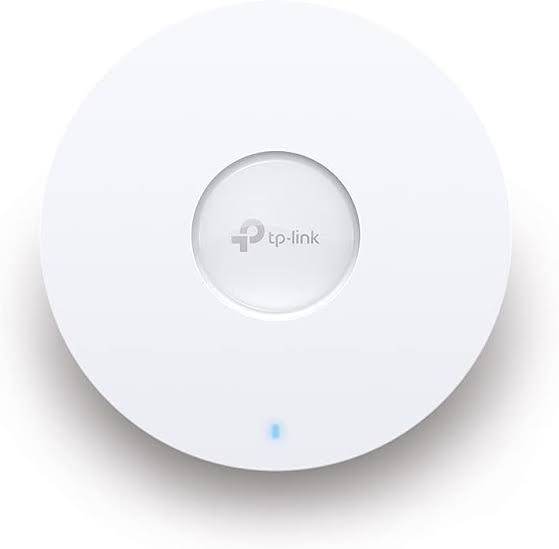
Top picks in TP-Link Access Points in Kenya
Compare price points, specs, and bundles tailored to Kenyan homes and businesses.
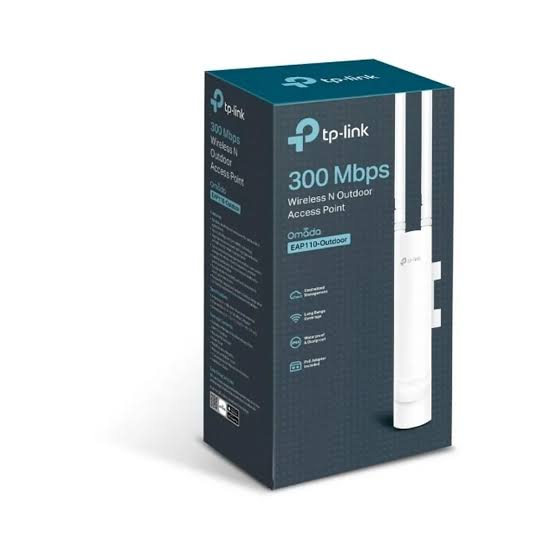
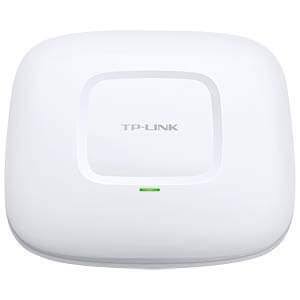
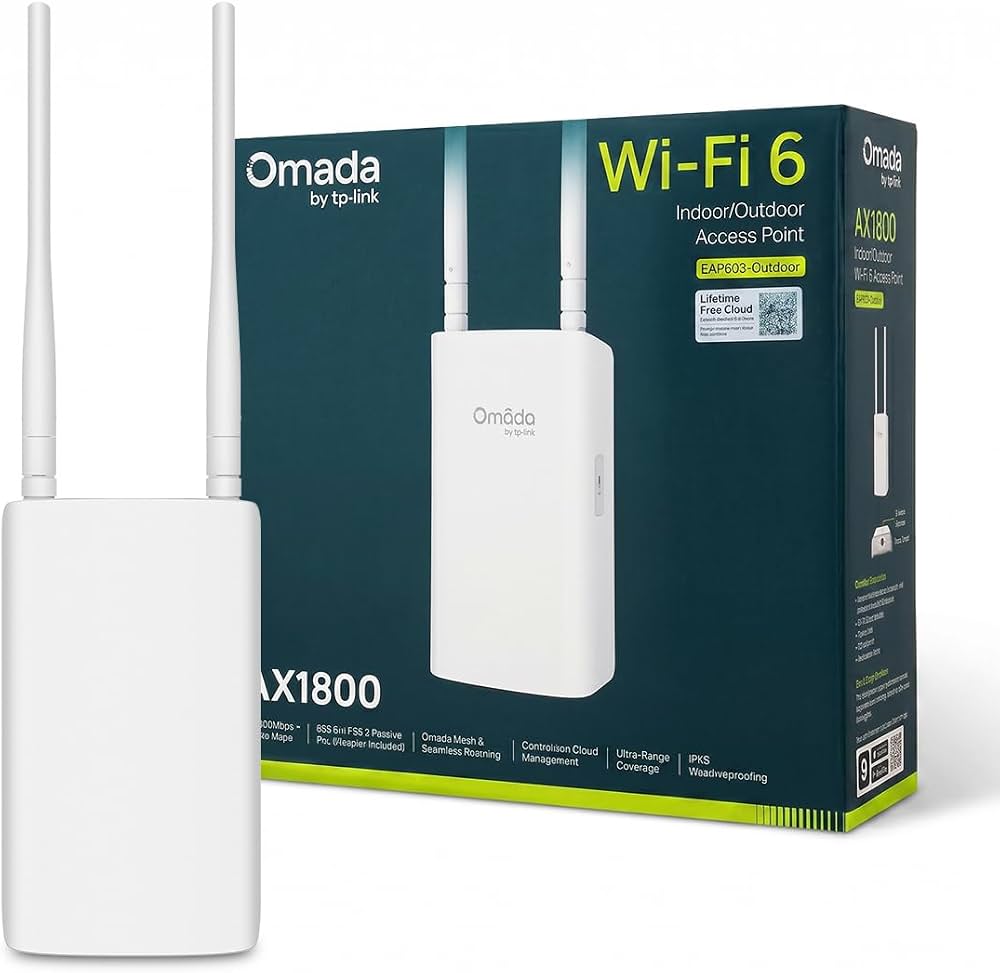
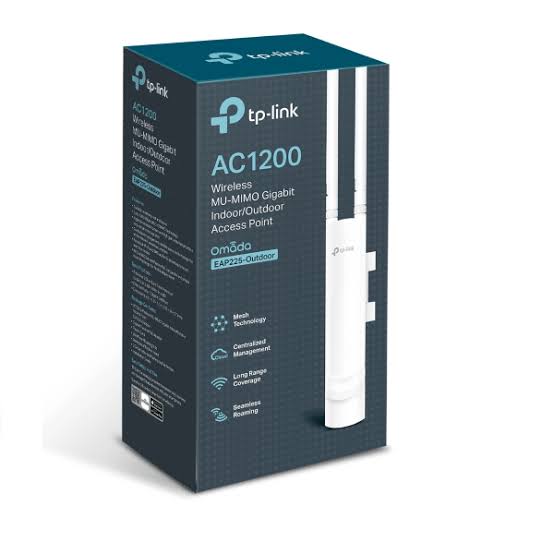
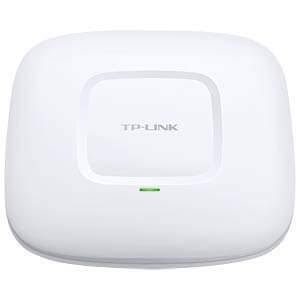
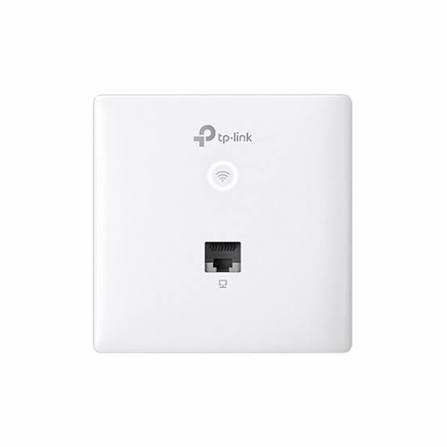
TP-Link Access Points in Kenya
TP-Link Access Points provide fast, stable and scalable wireless connectivity for homes, offices, hotels, schools, hospitals, restaurants, warehouses, apartments and enterprise environments. They are designed to distribute WiFi throughout a property, improve wireless coverage, reduce dead zones and provide reliable connectivity for multiple users and devices.
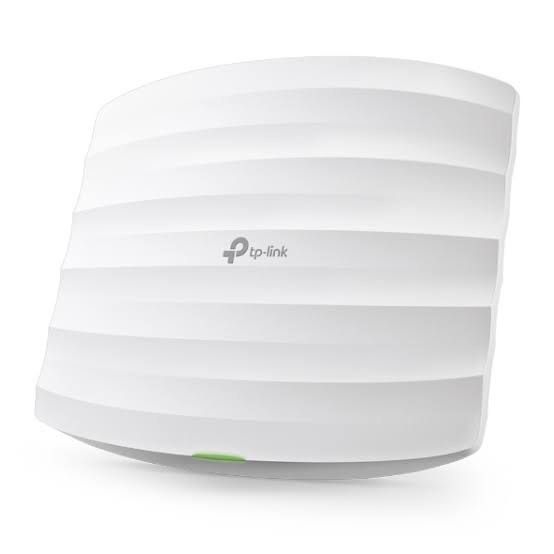
TP-Link offers an extensive selection of business access points through the Omada family, including ceiling-mount, wall-plate, desktop and outdoor access points. Customers can choose between different performance classes and WiFi generations depending on their coverage requirements, internet speed, number of connected devices and network infrastructure.
For larger deployments, compatible TP-Link Omada access points can be centrally managed through the Omada SDN ecosystem. This enables businesses to manage multiple access points and other compatible network devices from a centralized interface, making TP-Link APs particularly suitable for growing organizations and multi-AP installations.
Key Features of TP-Link Access Points
| Feature | Description | Benefit |
|---|---|---|
| High-Speed WiFi | Models available across several WiFi generations and speed classes | Match wireless performance to the application |
| 2.4 GHz WiFi | Provides broad compatibility and useful coverage | Suitable for numerous existing devices |
| 5 GHz WiFi | Higher wireless capacity on dual-band APs | Ideal for demanding applications |
| WiFi 6 | Available across many current Omada APs | Greater efficiency in busy networks |
| PoE Support | Many business models can receive power through Ethernet | Cleaner, easier professional installation |
| Omada SDN | Central management of compatible network devices | Simplifies larger deployments |
| Cloud Management | Available with supported Omada configurations | Remote network administration |
| Multiple SSIDs | Multiple wireless networks can be configured | Separate staff, guest and departmental WiFi |
| VLAN Support | Network segmentation on compatible APs | Better traffic organization |
| Guest WiFi | Dedicated visitor connectivity | Useful for hotels, offices and restaurants |
| Captive Portal | Available on supported configurations | Useful for managed guest access |
| Omada Mesh | Wireless interconnection between compatible APs | More flexible deployment |
| Seamless Roaming | Supported within compatible Omada deployments | Better mobility between AP coverage areas |
| OFDMA | Available on WiFi 6 models | Improves wireless efficiency |
| MU-MIMO | Supported by many modern models | Better handling of multiple devices |
| Indoor & Outdoor Options | Multiple AP form factors | Build networks across entire properties |
Why Use TP-Link Access Points?
A traditional wireless router may be adequate for a small home or office, but relying on one router becomes increasingly difficult as the property gets larger. Concrete walls, multiple floors, long corridors, interference and distance can all weaken WiFi signals.
TP-Link access points allow wireless coverage to be distributed strategically. Instead of attempting to make one router cover an entire hotel, school or office, several access points can be installed where users actually need connectivity.
A properly planned multi-AP network can therefore provide better coverage, capacity, reliability and scalability.
Where Can TP-Link Access Points Be Used?
| Environment | Typical Application |
|---|---|
| Homes | Extend WiFi throughout large houses |
| Offices | Staff, meeting-room and guest WiFi |
| Hotels | Guest rooms, reception, restaurants and conference areas |
| Schools | Classrooms, laboratories, offices and libraries |
| Universities | High-density campus networks |
| Hospitals | Connectivity across departments and facilities |
| Restaurants | Guest and staff wireless networks |
| Conference Centres | Connectivity for delegates and event teams |
| Retail Shops | POS, staff and customer connectivity |
| Warehouses | WiFi across large operational spaces |
| Apartment Buildings | Multi-area wireless coverage |
| Outdoor Compounds | Outdoor WiFi using weather-resistant APs |
TP-Link Omada Access Points
One of the biggest advantages of TP-Link's business access points is the Omada ecosystem. Compatible Omada equipment can be centrally managed rather than requiring administrators to configure every access point individually.
TP-Link's current Omada portfolio includes ceiling-mount WiFi 6 models such as the EAP610, EAP620 HD, EAP650, EAP653, EAP660 HD, EAP670 and EAP673, among others.
This makes Omada particularly attractive for businesses planning to expand their networks over time.
Omada Network Management Capabilities
| Capability | Business Benefit |
|---|---|
| Centralized AP Management | Manage multiple compatible APs centrally |
| Cloud Access | Manage supported networks remotely |
| Multi-Site Management | Useful for organizations operating several locations |
| SSID Management | Centrally manage wireless networks |
| VLAN Management | Separate different categories of traffic |
| Guest Networks | Create dedicated visitor WiFi |
| Client Management | Monitor connected wireless clients |
| Network Monitoring | Better visibility into network operation |
| Mesh | Flexible expansion using compatible APs |
| Seamless Roaming | Better user experience when moving between APs |
| Access Control | Apply appropriate network policies |
| Scalability | Add more compatible devices as requirements grow |
Popular TP-Link WiFi 6 Access Points Comparison
TP-Link provides different WiFi 6 performance levels, allowing customers to select an AP according to the expected wireless workload.
| Specification | EAP610 | EAP620 HD | EAP650 | EAP660 HD | EAP670 |
|---|---|---|---|---|---|
| WiFi Class | AX1800 | AX1800 | AX3000 | AX3600 | AX5400 |
| WiFi Generation | WiFi 6 | WiFi 6 | WiFi 6 | WiFi 6 | WiFi 6 |
| 2.4 GHz Maximum Rate | 574 Mbps | 574 Mbps | 574 Mbps | 1148 Mbps | 574 Mbps |
| 5 GHz Maximum Rate | 1201 Mbps | 1201 Mbps | 2402 Mbps | 2402 Mbps | 4804 Mbps |
| Total Theoretical Rate | 1775 Mbps | 1775 Mbps | 2976 Mbps | 3550 Mbps | 5378 Mbps |
| Ethernet | 1× Gigabit | 1× Gigabit | 1× Gigabit | 1× 2.5GbE | 1× 2.5GbE |
| 802.11ax | Yes | Yes | Yes | Yes | Yes |
| Typical Positioning | General business | Higher density | High-performance business | High density | High throughput |
The specifications above are based on TP-Link's official Omada datasheets. Wireless figures are theoretical link rates rather than guaranteed internet speeds or real-world throughput.
TP-Link EAP650 AX3000 WiFi 6 Access Point
The TP-Link EAP650 demonstrates what customers can expect from a modern Omada WiFi 6 access point. It provides up to 574 Mbps at 2.4 GHz and 2402 Mbps at 5 GHz, producing a combined theoretical wireless rate of 2976 Mbps.
TP-Link EAP650 Detailed Specifications
| Specification | Details |
|---|---|
| Product Type | AX3000 Ceiling Mount WiFi 6 Access Point |
| WiFi Generation | WiFi 6 |
| Wireless Standards | IEEE 802.11ax/ac/n/g/b/a |
| 2.4 GHz Maximum Rate | 574 Mbps |
| 5 GHz Maximum Rate | 2402 Mbps |
| Combined Maximum Rate | 2976 Mbps |
| Channel Width | Up to 160 MHz |
| Ethernet Interface | 1× Gigabit Ethernet |
| PoE | IEEE 802.3at PoE+ |
| DC Power | Supported |
| OFDMA | Yes |
| Multiple SSIDs | Up to 16 total; 8 per band |
| Omada SDN | Supported |
| Omada Mesh | Supported |
| Seamless Roaming | Supported with compatible Omada deployment |
| Mounting | Ceiling / Wall / Junction Box |
| Dimensions | 160 × 160 × 33.6 mm |
| Antenna | Internal omnidirectional |
| 2.4 GHz Antennas | 2× 4 dBi |
| 5 GHz Antennas | 2× 5 dBi |
TP-Link specifies these characteristics for the EAP650, although details can vary by hardware version and market.
TP-Link EAP610 vs EAP650 vs EAP670
Customers frequently need to decide whether paying for a higher-performance AP is worthwhile.
| Feature | EAP610 | EAP650 | EAP670 |
|---|---|---|---|
| WiFi Class | AX1800 | AX3000 | AX5400 |
| 2.4 GHz | 574 Mbps | 574 Mbps | 574 Mbps |
| 5 GHz | 1201 Mbps | 2402 Mbps | 4804 Mbps |
| Ethernet | Gigabit | Gigabit | 2.5 Gigabit |
| PoE | 802.3at | 802.3at | 802.3at |
| Best For | Standard business WiFi | Faster office/commercial WiFi | High-throughput environments |
The EAP610 is a strong option for general-purpose business WiFi. The EAP650 increases 5 GHz wireless capacity substantially, while the EAP670 adds both a higher theoretical 5 GHz rate and a 2.5 Gigabit Ethernet interface.
Power over Ethernet (PoE)
Many TP-Link business access points support Power over Ethernet, which can carry electrical power and network data through Ethernet infrastructure.
PoE is particularly useful when access points are mounted on ceilings because installers do not have to depend on a conventional electrical socket immediately beside every AP.
The precise PoE requirements vary between TP-Link models, so the AP should always be paired with a compatible PoE switch or injector.
Benefits of PoE
| Benefit | Why It Matters |
|---|---|
| Simpler Installation | Reduces separate power cabling requirements |
| Flexible AP Placement | Install APs where coverage is required |
| Cleaner Installation | Particularly useful for ceiling APs |
| Centralized Power | Multiple APs can receive power from a PoE switch |
| Easy Expansion | Additional APs can be connected to suitable infrastructure |
| Professional Deployment | Ideal for offices, hotels and institutions |
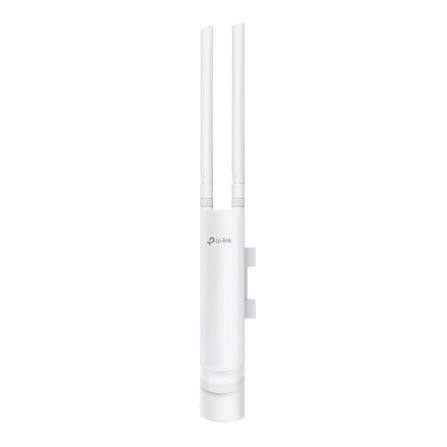
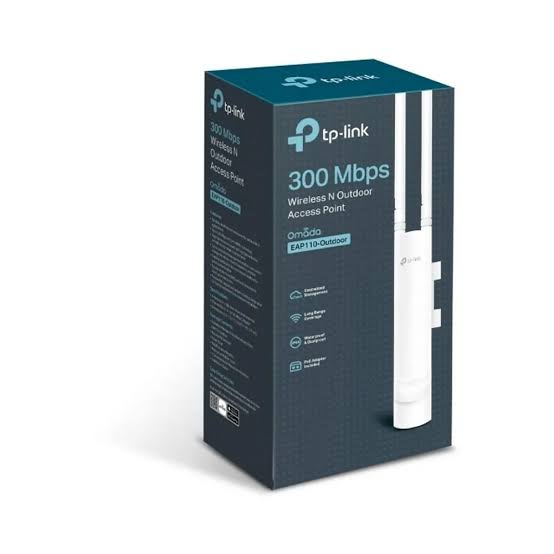
TP-Link Outdoor Access Points
TP-Link also provides outdoor access points for properties requiring WiFi beyond the walls of a building.
The EAP650-Outdoor, for example, is an AX3000 indoor/outdoor WiFi 6 access point with an IP68 weatherproof enclosure, high-power amplifier, professional antennas, 160 MHz channel support, OFDMA and MU-MIMO.
| Outdoor Environment | Possible Application |
|---|---|
| Hotels & Resorts | Pools, gardens and outdoor entertainment areas |
| Schools | Campus grounds |
| Businesses | Compounds and external workspaces |
| Warehouses | Outdoor operational areas |
| Restaurants | Outdoor seating areas |
| Residential Properties | Gardens and compounds |
| Institutions | Connectivity between outdoor facilities |
TP-Link Access Points for Hotels
Hotels can use multiple TP-Link access points to provide WiFi across guest rooms, corridors, restaurants, reception areas, conference rooms and outdoor spaces.
Ceiling-mounted APs can cover common areas, wall-plate models can address room-level requirements, while outdoor APs can extend connectivity to gardens, pools and compounds.
Omada management is particularly useful for larger hospitality deployments because compatible access points can be managed centrally.
TP-Link Access Points for Offices
TP-Link access points are suitable for offices that rely on WiFi for laptops, smartphones, tablets, printers, meeting-room systems, VoIP devices and IoT equipment.
Instead of having employees competing for coverage from a single router, multiple APs can be strategically positioned around the office.
Businesses can then expand the network with additional compatible access points when staff numbers or office space increase.
TP-Link Access Points for Schools and Universities
Schools can deploy TP-Link APs across classrooms, laboratories, libraries, offices, halls and administration buildings.
WiFi 6 technologies such as OFDMA can be particularly beneficial in environments containing many connected devices because they are designed to improve wireless efficiency.
Higher-density environments should be planned according to both coverage and capacity rather than simply installing an AP in every room.
How to Choose the Right TP-Link Access Point
| Factor | What to Consider |
|---|---|
| Coverage Area | How much space requires WiFi? |
| Building Construction | Are there concrete walls or multiple floors? |
| User Count | How many devices will connect simultaneously? |
| Internet Speed | How fast is the WAN connection? |
| Applications | Browsing, streaming, VoIP, cloud applications or large transfers? |
| WiFi Generation | WiFi 5, WiFi 6 or newer? |
| Ethernet Interface | Gigabit, 2.5GbE or higher depending on model |
| PoE | Is a compatible PoE switch available? |
| Indoor/Outdoor | Is weather resistance required? |
| Management | Is centralized Omada management required? |
| Guest WiFi | Do visitors require a separate network? |
| VLANs | Are staff, guests and devices being segmented? |
| Future Growth | Will more APs be required later? |
Why Buy TP-Link Access Points from Orbitlink Solutions?
Choosing a TP-Link access point involves more than buying the model with the largest Mbps figure. The right AP depends on the property size, number of users, building construction, available Ethernet infrastructure, PoE system, internet connection and applications running on the network.
Orbitlink Solutions helps customers select suitable TP-Link networking equipment for homes, offices, hotels, schools, businesses and institutions. Customers can source the access points together with compatible switches, routers, controllers, network cabling and other equipment required for a complete deployment.
Buying from Orbitlink Solutions also gives customers a local point of contact when planning a larger network. This is especially valuable when several APs, PoE switches and other network components need to work together.
Why Choose Orbitlink Solutions?
| Advantage | Customer Benefit |
|---|---|
| TP-Link Networking Equipment | Access to APs and supporting equipment |
| Product Selection Assistance | Choose equipment according to project requirements |
| Omada Solutions | Build centrally managed networks |
| PoE Equipment | Support professional AP installations |
| Network Switches | Build complete wired infrastructure |
| Routers & Gateways | Complete network solutions |
| Network Cabling | Connect APs and switches |
| Indoor & Outdoor Solutions | Equipment for different environments |
| Scalable Networks | Expand as the organization grows |
| Kenya-Based Support | Convenient sourcing and assistance |
Watch: Which TP-Link Access Point Do You Need?
TP-Link offers many access point models because wireless requirements vary significantly from one installation to another. A small office supporting a handful of users does not have the same requirements as a hotel, university, hospital or conference venue with hundreds of wireless devices. Choosing the right access point therefore requires evaluating the size and construction of the property, expected number of users, internet bandwidth and applications that will run across the wireless network.
Wireless speed is only one part of the decision. Customers should also consider WiFi generation, frequency bands, Ethernet interface speed, PoE requirements, mounting location, Omada management, Mesh, roaming and indoor or outdoor deployment requirements. For example, an AX3000 EAP650 may provide an excellent balance for many commercial deployments, while a higher-performance model such as the EAP670 offers substantially greater 5 GHz theoretical capacity and a 2.5GbE interface.
Orbitlink Solutions can help customers select TP-Link access points based on the actual requirements of their network instead of purchasing equipment purely from headline specifications. Whether the project involves improving WiFi in an office, connecting hotel rooms, building a school network, covering a commercial property or deploying managed WiFi across several areas, Orbitlink Solutions can supply the access points and supporting network infrastructure required to create a reliable and scalable solution.
Frequently Asked Questions About TP-Link Access Points
What is a TP-Link access point?
A TP-Link access point provides wireless connectivity to devices such as laptops, smartphones, tablets and IoT equipment while connecting those devices to an existing network.
What is the difference between an access point and a router?
A router primarily routes traffic between networks and typically provides internet gateway functions. An access point primarily provides WiFi connectivity to an existing network.
Are TP-Link access points suitable for businesses?
Yes. TP-Link's Omada range includes business access points for small offices through larger hotels, schools, institutions and commercial networks.
What is TP-Link Omada?
Omada is TP-Link's business networking ecosystem for managing compatible access points, switches, gateways and controllers.
Can several TP-Link access points work together?
Yes. Multi-AP deployments are commonly used to provide coverage throughout larger buildings, and compatible Omada APs can be centrally managed.
Do TP-Link access points support PoE?
Many TP-Link business APs support PoE, although the exact power standard depends on the model and hardware version.
Can TP-Link access points be installed on ceilings?
Yes. Many Omada EAP models are specifically designed for ceiling or wall mounting.
Does TP-Link manufacture outdoor access points?
Yes. Models such as the EAP650-Outdoor are designed for indoor/outdoor installations and use weather-resistant enclosures.
What is the difference between EAP610 and EAP650?
Both are WiFi 6 access points, but the EAP610 is AX1800 while the EAP650 is AX3000. The EAP650 provides up to 2402 Mbps on 5 GHz compared with up to 1201 Mbps for the EAP610.
Is the TP-Link EAP670 faster than the EAP650?
Yes, in theoretical wireless link rates. The EAP670 provides up to 4804 Mbps on 5 GHz and uses a 2.5GbE interface, while the EAP650 provides up to 2402 Mbps on 5 GHz and has a Gigabit interface.
Can TP-Link access points provide guest WiFi?
Compatible Omada APs support business wireless functionality that can be used to create separate guest networks.
How many TP-Link access points do I need?
This depends on property size, building materials, floors, interference, expected user count and bandwidth requirements. Larger commercial deployments should be planned according to both wireless coverage and client capacity.
Where can I buy TP-Link access points in Kenya?
You can buy TP-Link Access Points in Kenya from Orbitlink Solutions for residential, business and institutional network deployments.
Buy TP-Link Access Points in Kenya from Orbitlink Solutions
Get reliable and scalable wireless networking with TP-Link Access Points from Orbitlink Solutions. Whether you need one AP for an office or multiple centrally managed Omada access points for a hotel, school, institution or commercial property, Orbitlink Solutions can help you choose the right networking equipment.
Contact Orbitlink Solutions
Orbitlink Solutions
Address: Lyric House, 7th Floor, Room S9, Kimathi Street, Nairobi, Kenya
Phone: +254 743 720 551
Email: info@orbitlinksolutions.co.ke
Contact Orbitlink Solutions today for TP-Link access points, Omada networking equipment, PoE switches, routers, network cabling and complete networking solutions in Kenya.