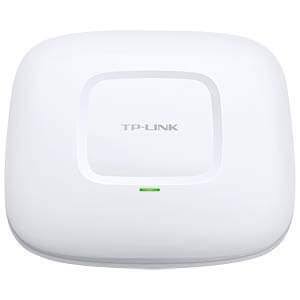
TP-Link EAP110 Indoor Access Point
Buy TP-Link EAP110 in Kenya from Orbitlink Solutions. Get N300 2.4GHz WiFi, passive PoE, Omada management, captive portal and ceiling mounting.
TP-Link EAP110 Indoor Access Point
The TP-Link EAP110 is a business-class N300 Wireless N ceiling and wall-mount access point designed for offices, schools, hotels, restaurants, clinics, retail businesses and other indoor environments that need reliable 2.4GHz WiFi with centralized management. The current V4 specification supports wireless speeds of up to 300Mbps on 2.4GHz using IEEE 802.11n/g/b standards.
The EAP110 is positioned as an affordable entry-level Omada access point. It combines 24V passive PoE, multiple SSIDs, captive portal authentication, client isolation, SSID-to-VLAN mapping, load balancing, rate limiting and Omada centralized management in a compact ceiling-mount design.
It is important to understand that the EAP110 is a 2.4GHz-only WiFi 4 access point with a Fast Ethernet port. It does not provide 5GHz WiFi, Gigabit Ethernet or WiFi 6 technologies. For basic business connectivity this can still be sufficient, but customers requiring higher throughput should consider models such as the EAP225 or newer Omada WiFi 6 access points.
TP-Link EAP110 Key Features
| Feature | Specification |
|---|---|
| Model | TP-Link EAP110 |
| Product Type | Indoor Ceiling/Wall Mount Access Point |
| WiFi Generation | WiFi 4 / Wireless N |
| Wireless Standards | IEEE 802.11n/g/b |
| Frequency Band | 2.4GHz only |
| Maximum Wireless Rate | Up to 300Mbps |
| Ethernet Interface | 1 × Fast Ethernet RJ45 |
| Ethernet Speed | 10/100Mbps |
| Power Supply | 24V Passive PoE |
| PoE Adapter | Included on referenced V4 |
| Maximum Power Consumption | 2.8W |
| Antennas | 2 × internal 4dBi omnidirectional |
| Coverage Test Figure | 60m² / 650ft² |
| Concurrent Client Test Figure | 100+ |
| Multiple SSIDs | Up to 8 |
| Captive Portal | Supported |
| Load Balancing | Supported |
| QoS / WMM | Supported |
| Rate Limiting | Supported |
| SSID-to-VLAN Mapping | Supported |
| Client Isolation | Supported |
| Omada App | Supported |
| Centralized Management | Supported |
| Cloud Access | Through compatible Omada Controller |
| Mounting | Ceiling or wall |
| Dimensions | 189.5 × 170.5 × 29.7mm |
| Kensington Lock Slot | Yes on referenced US V4 |
TP-Link's V4 specification lists a Fast Ethernet port, 24V passive PoE, two internal 4dBi antennas, ceiling/wall mounting, 60m² test coverage and support for 100+ concurrent clients under its test conditions.
N300 2.4GHz Wireless Performance
The TP-Link EAP110 operates exclusively on the 2.4GHz frequency band.
| Wireless Standard | Maximum Theoretical Rate |
|---|---|
| 802.11n | Up to 300Mbps |
| 802.11g | Up to 54Mbps |
| 802.11b | Up to 11Mbps |
| Frequency Range | 2.4–2.4835GHz |
The 2.4GHz band provides broad compatibility with smartphones, laptops, printers, IoT equipment and older wireless devices. It can also provide useful indoor propagation compared with higher frequencies.
However, 2.4GHz is often more congested than 5GHz because many WiFi networks, Bluetooth devices and other equipment share the same spectrum.
The advertised 300Mbps figure is a theoretical wireless link rate rather than guaranteed internet throughput. Actual performance varies with interference, distance, client hardware, network traffic and physical obstacles.
Fast Ethernet Connectivity
The EAP110 contains one 10/100Mbps Fast Ethernet RJ45 port.
| Wired Feature | Specification |
|---|---|
| Ethernet Ports | 1 |
| Interface | RJ45 |
| Maximum Wired Rate | 100Mbps |
| PoE Support | Passive PoE |
| Gigabit Ethernet | No |
This is an important consideration when planning a network. Even though the wireless link can theoretically negotiate at up to 300Mbps, the wired Ethernet connection is limited to 100Mbps.
For internet packages significantly above 100Mbps, a Gigabit-capable access point such as the EAP225 or a newer Omada model may therefore be a better choice.
24V Passive PoE
The TP-Link EAP110 V4 supports 24V passive PoE.
TP-Link specifies power on pins 4/5 positive and 7/8 negative, with a passive PoE adapter included in the referenced package.
| PoE Feature | Specification |
|---|---|
| Power Method | 24V Passive PoE |
| Polarity | +4,5 / -7,8 |
| PoE Adapter | Included |
| Maximum Power Consumption | 2.8W |
| Maximum TP-Link Installation Distance | Up to 100m under appropriate Ethernet conditions |
Passive PoE makes ceiling installation easier because the access point does not need to be mounted beside a mains socket.
However, installers should not assume passive PoE is interchangeable with every standard PoE system. The correct voltage and pin configuration must be confirmed before connection.
Easy Ceiling and Wall Mounting
The EAP110 is designed for ceiling or wall mounting, and TP-Link includes a mounting kit with the referenced V4 package.
Its low-profile enclosure makes it suitable for professional indoor spaces where a conventional router with external antennas would be visually intrusive.
| Installation Location | Typical Application |
|---|---|
| Ceiling | Offices |
| Ceiling | Schools |
| Ceiling | Restaurants |
| Ceiling | Hotels |
| Wall | Corridors |
| Wall | Meeting rooms |
| Wall | Small commercial areas |
Correct AP positioning remains important. Installing the access point centrally and away from large metal structures or heavy obstructions can improve coverage.
60m² Coverage Test Figure
TP-Link lists approximately 60m² / 650ft² coverage for the EAP110 V4 under its test conditions.
This should not be interpreted as guaranteed coverage in every building.
| Coverage Factor | Possible Effect |
|---|---|
| Concrete walls | Strong signal reduction |
| Metal partitions | Significant attenuation/reflection |
| Interference | Reduced throughput |
| Installation height | Changes signal distribution |
| Furniture and shelving | Can obstruct signal |
| Client quality | Affects usable range |
| User density | Can reduce practical performance |
A network with multiple rooms or thick concrete walls may require several access points even if the total floor area appears smaller than the manufacturer's test figure.
100+ Concurrent Client Specification
TP-Link lists 100+ concurrent clients for the EAP110 V4 under its test conditions.
This does not mean that 100 users can all stream high-bandwidth content at the same time with identical performance.
The practical number of users depends on:
-
Internet bandwidth
-
Type of applications
-
Signal strength
-
Network congestion
-
Client devices
-
Number of APs
-
Ethernet limitations
For example, 100 devices performing light messaging require far less capacity than 100 devices simultaneously streaming video.
Two Internal 4dBi Antennas
The EAP110 V4 uses two internal 4dBi omnidirectional antennas.
| Antenna Feature | Specification |
|---|---|
| Number | 2 |
| Gain | 4dBi each |
| Type | Internal omnidirectional |
| Frequency | 2.4GHz |
| External Antennas | No |
The internal design helps maintain the AP's clean ceiling-mounted appearance.
Multiple SSIDs
The EAP110 supports up to eight SSIDs.
This allows one access point to broadcast separate wireless networks for different types of users.
| Example SSID | Intended Users |
|---|---|
| Office-Staff | Employees |
| Office-Guest | Visitors |
| Management | Administrators |
| Operations | Operational equipment |
| Hotel-Guest | Visitors |
| Hotel-Staff | Employees |
| School-Students | Students |
| School-Staff | Teachers |
With appropriate VLAN-capable network infrastructure, SSIDs can also be mapped to VLANs for better network separation.
SSID-to-VLAN Mapping
The EAP110 supports SSID-to-VLAN mapping, which can help separate traffic belonging to different wireless networks.
For example, a company may place:
| Network | VLAN Example |
|---|---|
| Staff WiFi | Staff VLAN |
| Guest WiFi | Guest VLAN |
| Operations | Operations VLAN |
| Management | Management VLAN |
This requires suitable switches, gateways and VLAN configuration across the wider network.
Captive Portal Guest WiFi
The TP-Link EAP110 supports captive portal authentication, allowing organizations to present users with an authentication page before they access the network.
This can be useful for:
| Environment | Application |
|---|---|
| Hotels | Guest WiFi |
| Restaurants | Customer internet |
| Cafés | Visitor access |
| Offices | Guest network |
| Schools | Visitor/student access |
| Clinics | Patient/visitor WiFi |
| Retail Businesses | Customer connectivity |
Some TP-Link regional documentation also references additional authentication options such as SMS within supported controller environments.
Client Isolation
The EAP110 supports wireless client isolation.
Client isolation can prevent wireless users on a guest network from directly communicating with one another.
This is especially valuable in:
-
Hotels
-
Cafés
-
Restaurants
-
Public guest WiFi
-
Conference facilities
-
Waiting areas
TP-Link lists wireless isolation between clients among the EAP110's security functions.
Access Control and MAC Filtering
Administrators can also use:
-
Access control
-
Wireless MAC filtering
-
Rogue AP detection
-
802.1X authentication
-
WPA/WPA2 security
-
SSID-to-VLAN mapping
These capabilities give the EAP110 more business-oriented network controls than a basic consumer wireless extender.
Load Balancing
The EAP110 supports load balancing, which can be helpful when multiple compatible access points serve the same area.
TP-Link describes load balancing as a way to improve user experience where many users connect across a larger business wireless network.
For example, instead of allowing one AP to become overloaded while another remains lightly used, the network can better distribute clients across available APs.
Automatic Channel Assignment
The EAP110 supports automatic channel assignment.
In areas with several APs, choosing appropriate WiFi channels helps reduce interference between neighboring access points.
TP-Link also provides transmit power control, allowing administrators to adjust AP output in 1dBm increments on the referenced V4 specification.
QoS and Rate Limiting
The EAP110 supports WMM QoS and rate limiting.
Rate limiting can be particularly useful on guest networks.
For example, a hotel may want to prevent one guest from consuming all available internet bandwidth.
| Function | Purpose |
|---|---|
| WMM QoS | Wireless traffic prioritization |
| Rate Limit | Restrict bandwidth per user/network |
| Wireless Schedule | Control when wireless service operates |
| Reboot Schedule | Automate restart schedules |
| Statistics | Monitor SSID/AP/client activity |
Omada Centralized Management
The EAP110 can be centrally managed using compatible TP-Link Omada controllers.
TP-Link currently lists:
-
Omada Hardware Controller OC200
-
Omada Hardware Controller OC300
-
Omada Software Controller
-
Omada App
Cloud access is available through a compatible Omada controller.
| Omada Feature | Benefit |
|---|---|
| Central Management | Manage several APs together |
| Cloud Access | Remote administration |
| Omada App | Mobile management |
| Multi-Site Management | Manage different locations |
| Client Monitoring | View connected users |
| SSID Configuration | Manage wireless networks |
| Management VLAN | Separate management traffic |
Omada App
The EAP110 works with the Omada App, allowing administrators to configure settings, view network status and manage clients from a smartphone or tablet.
This is useful for smaller business installations where administrators want convenient local or controller-based management.
Standalone and Managed AP Modes
TP-Link lists both managed AP and standalone AP operation for the EAP110.
Standalone mode can work for a simple single-AP deployment.
Managed operation becomes more useful when multiple EAP devices need centralized configuration and monitoring.
TP-Link EAP110 for Offices
The EAP110 can provide basic business WiFi for smaller offices where most users perform activities such as:
-
Email
-
Web browsing
-
Messaging
-
Cloud applications
-
Light file access
-
Printer connectivity
Its low power consumption and ceiling-mount design make it convenient for fixed office installations.
For offices with fast fibre or Starlink connections above 100Mbps, however, a Gigabit dual-band AP may make better use of the available internet bandwidth.
TP-Link EAP110 for Hotels
The EAP110 can be deployed in hotel corridors, reception areas and smaller common areas where basic guest WiFi is sufficient.
| Hotel Area | Application |
|---|---|
| Reception | Staff/guest WiFi |
| Lobby | Public connectivity |
| Corridors | Guest coverage |
| Restaurant | Guest access |
| Meeting Area | Basic business WiFi |
Multiple SSIDs and captive portal functionality make it easier to maintain separate guest and operational networks.
TP-Link EAP110 for Schools
Schools and colleges can install EAP110 units in:
-
Classrooms
-
Libraries
-
Administrative offices
-
Computer laboratories
-
Staffrooms
-
Training rooms
Centralized Omada management is particularly useful when several APs need to be configured and monitored together.
For environments with many modern laptops and high-bandwidth applications, a dual-band model may provide a better long-term solution.
TP-Link EAP110 for Restaurants and Cafés
/product/86/5366723/1.jpg?5260)
Restaurants and cafés can use the EAP110 to provide a dedicated customer WiFi network.
Captive portal authentication, rate limiting and client isolation are useful where public visitors connect to the network.
The AP can also broadcast a separate SSID for staff or operational equipment.
TP-Link EAP110 Applications
| Application | Why It Fits |
|---|---|
| Offices | Affordable managed WiFi |
| Schools | Basic classroom connectivity |
| Hotels | Guest WiFi |
| Restaurants | Customer internet |
| Cafés | Public wireless access |
| Clinics | Staff and visitor WiFi |
| Shops | Business connectivity |
| Training Centres | Student access |
| Small Churches | Indoor WiFi |
| Small Commercial Buildings | Basic managed wireless networking |
TP-Link EAP110 vs EAP115
The EAP110 and EAP115 are both N300 2.4GHz Omada access points, but their hardware and powering options differ by version.
| Feature | EAP110 V4 | EAP115 V4 |
|---|---|---|
| WiFi Generation | WiFi 4 | WiFi 4 |
| Frequency | 2.4GHz | 2.4GHz |
| Maximum Rate | 300Mbps | 300Mbps |
| Ethernet | Fast Ethernet | Fast Ethernet |
| Antennas | 2 × 4dBi internal | Version dependent |
| PoE | 24V passive PoE | Different powering options by revision |
| Omada | Yes | Yes |
| Best Use | Basic managed indoor WiFi | Similar entry-level business use |
Before purchasing either model, customers should compare the exact hardware revision and PoE requirements available locally.
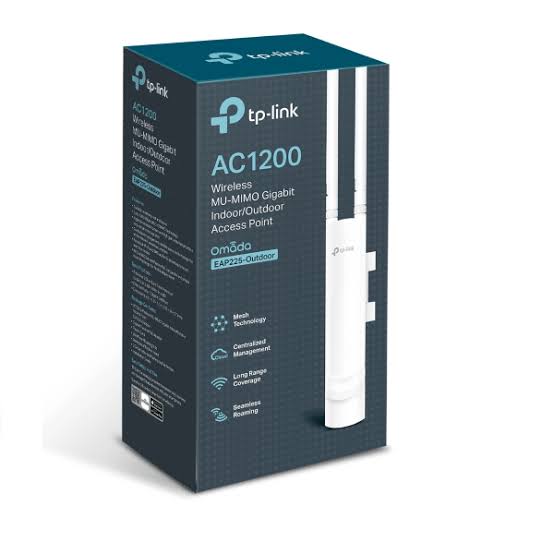
TP-Link EAP110 vs EAP225
For customers deciding whether to move to a higher-performance AP, the EAP225 provides a substantial upgrade.
| Feature | EAP110 | EAP225 V3 |
|---|---|---|
| WiFi Generation | WiFi 4 | WiFi 5 |
| 2.4GHz | 300Mbps | 450Mbps |
| 5GHz | No | 867Mbps |
| Dual Band | No | Yes |
| Ethernet | Fast Ethernet | Gigabit Ethernet |
| MU-MIMO | No | Yes |
| Beamforming | Limited | Yes |
| Omada | Yes | Yes |
| Best For | Basic WiFi | Higher-performance business WiFi |
For modern office, hotel or institutional networks, EAP225 provides significantly more capacity because it adds 5GHz and Gigabit Ethernet.
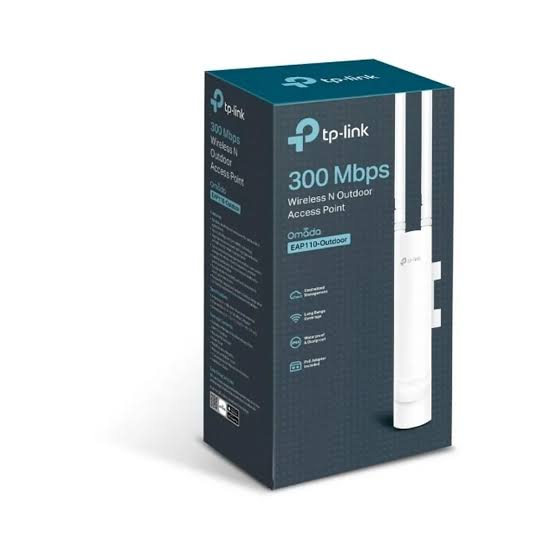
TP-Link EAP110 vs EAP110-Outdoor
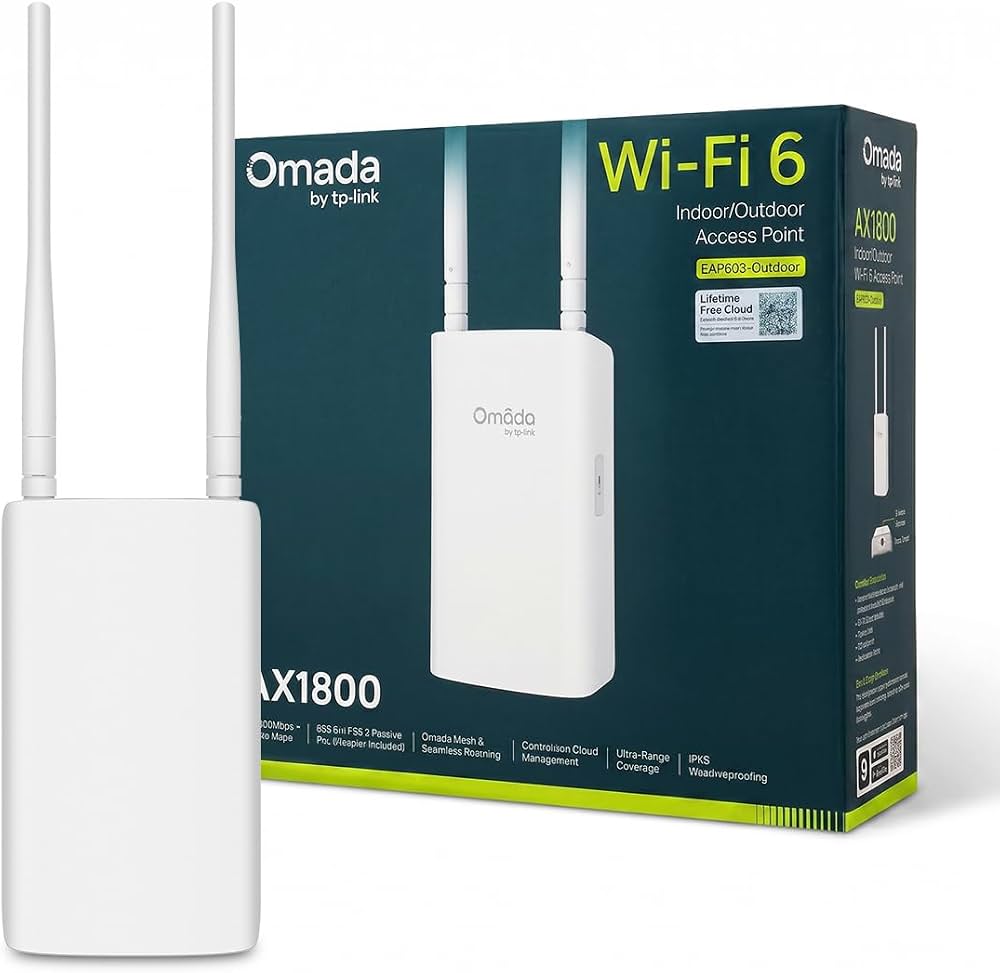
Do not confuse the indoor EAP110 with EAP110-Outdoor.
| Feature | EAP110 Indoor | EAP110-Outdoor |
|---|---|---|
| Environment | Indoor | Outdoor |
| WiFi | N300 | N300 |
| Frequency | 2.4GHz | 2.4GHz |
| Ethernet | Fast Ethernet | Fast Ethernet |
| Antennas | Internal | External waterproof |
| Weatherproof | No | Yes |
| Mounting | Ceiling/Wall | Pole/Wall |
| Best Use | Indoor rooms | Compounds/outdoor spaces |
The outdoor model uses a weatherproof enclosure and external antennas, while the standard EAP110 is intended for indoor deployment.
Advantages of TP-Link EAP110
| Advantage | Why It Matters |
|---|---|
| Affordable N300 WiFi | Suitable for basic business networks |
| 2.4GHz Compatibility | Supports many legacy and current devices |
| Passive PoE | Flexible installation |
| PoE Adapter Included | Easier deployment |
| Low Power Consumption | Maximum 2.8W |
| Ceiling Mounting | Professional appearance |
| Multiple SSIDs | Separate user groups |
| Captive Portal | Guest WiFi authentication |
| Load Balancing | Useful with multiple APs |
| Rate Limiting | Better guest bandwidth management |
| VLAN Mapping | Business network segmentation |
| Omada Management | Centralized administration |
| Omada App | Mobile management |
Limitations of TP-Link EAP110
Customers should also understand where the EAP110 is less suitable.
| Limitation | What It Means |
|---|---|
| 2.4GHz Only | No 5GHz network |
| Fast Ethernet | Wired connection limited to 100Mbps |
| WiFi 4 | Older wireless generation |
| No WiFi 6 OFDMA | Less efficient than modern WiFi 6 APs |
| Basic Throughput | Better suited to light/medium usage |
| Indoor Only | Not weatherproof |
For smaller installations these limitations may not matter. For new high-speed networks, newer dual-band Gigabit models are generally preferable.
Who Should Buy TP-Link EAP110?
The TP-Link EAP110 makes sense for customers who need a cost-effective, centrally manageable indoor access point for basic 2.4GHz WiFi.
It can be a practical option for small offices, schools, restaurants, clinics and commercial locations where the internet connection is below 100Mbps and 5GHz connectivity is not essential.
Customers installing a completely new network with a fast fibre or Starlink connection should also compare the EAP110 against Gigabit dual-band Omada access points before purchasing.
What You Need to Install TP-Link EAP110
| Equipment | Requirement | Purpose |
|---|---|---|
| TP-Link EAP110 | Required | Wireless access point |
| Router/Gateway | Required | Internet and routing |
| Ethernet Cable | Required | Network backhaul |
| 24V Passive PoE Adapter | Power source | Included on referenced V4 |
| Mounting Kit | Required | Included |
| Omada Controller | Optional | Centralized management |
| Managed Switch | Optional | VLAN/network segmentation |
Why Buy TP-Link EAP110 from Orbitlink Solutions?
The correct access point should be selected according to internet speed, user numbers, building layout and expected applications rather than price alone.
Orbitlink Solutions supplies TP-Link networking products and can help customers select suitable access points, routers, switches and cabling for home and business deployments.
| Why Orbitlink Solutions? | Customer Benefit |
|---|---|
| Genuine Networking Products | Dependable product sourcing |
| TP-Link Equipment | Access points and supporting hardware |
| Installer Pricing | Suitable for technicians and resellers |
| Project Pricing | Useful for larger deployments |
| Technical Support | Assistance selecting equipment |
| Routers and Gateways | Complete network infrastructure |
| PoE Equipment | AP powering solutions |
| Network Switches | Wired network expansion |
| Ethernet Cabling | Reliable wired backhaul |
| BOQ Support | Useful for commercial projects |
| Nairobi Pickup | Convenient local collection |
| Nationwide Delivery | Delivery across Kenya |
| Warranty Support | Local after-sales assistance |
Watch: TP-Link EAP110 Indoor Access Point
The TP-Link EAP110 is designed for customers who need straightforward, centrally manageable 2.4GHz WiFi without the cost of a more advanced dual-band access point. Its Wireless N radio supports theoretical speeds of up to 300Mbps, while two internal 4dBi antennas provide omnidirectional indoor coverage. TP-Link's current V4 documentation specifies around 60m² coverage and support for 100+ associated clients under controlled test conditions, although actual performance depends heavily on the building, interference and workload.
The access point is also convenient to install because it supports 24V passive PoE, allowing both network connectivity and power to be delivered through Ethernet infrastructure. Its ceiling and wall mounting design suits professional environments where a conventional desktop router would be unsuitable. Multiple SSIDs, captive portal authentication, client isolation, rate limiting and SSID-to-VLAN mapping give network administrators useful controls for separating staff, visitor and operational WiFi.
Buying the TP-Link EAP110 from Orbitlink Solutions also allows customers to source supporting network equipment such as routers, switches, Ethernet cabling and compatible Omada controllers. For customers with internet connections above 100Mbps or many modern 5GHz devices, Orbitlink Solutions can also help compare the EAP110 with higher-performance dual-band models so the access point does not become the limiting component in the network.
Frequently Asked Questions About TP-Link EAP110
What is TP-Link EAP110?
The TP-Link EAP110 is an N300 2.4GHz Wireless N ceiling/wall-mount business access point designed for managed indoor WiFi networks.
What speed does EAP110 support?
It supports up to 300Mbps theoretical wireless speed on 2.4GHz.
Does EAP110 support 5GHz?
No. The EAP110 is a 2.4GHz-only access point.
Is EAP110 dual-band?
No. It provides only 2.4GHz WiFi.
Is EAP110 WiFi 6?
No. It uses WiFi 4 / IEEE 802.11n technology.
Does EAP110 have Gigabit Ethernet?
No. It has a 10/100Mbps Fast Ethernet port.
Does EAP110 support PoE?
Yes. EAP110 V4 supports 24V passive PoE.
Does EAP110 include a PoE adapter?
Yes. TP-Link's referenced V4 package includes a 24V passive PoE adapter and power cord.
What is the maximum power consumption?
TP-Link lists 2.8W maximum power consumption for V4.
How many antennas does EAP110 have?
It uses two internal 4dBi omnidirectional antennas.
What is the coverage of EAP110?
TP-Link lists approximately 60m² / 650ft² under test conditions. Real coverage varies according to walls, interference, placement and client devices.
How many clients can EAP110 support?
TP-Link specifies 100+ concurrent clients under its test conditions. Practical capacity depends on user activity and network conditions.
How many SSIDs does EAP110 support?
It supports up to eight SSIDs.
Does EAP110 support captive portal?
Yes. Captive portal authentication is supported.
Does EAP110 support VLANs?
It supports SSID-to-VLAN mapping and management VLAN.
Does EAP110 support load balancing?
Yes. Load balancing is supported.
Can EAP110 be managed through Omada?
Yes. TP-Link lists support for Omada hardware controllers, Omada Software Controller and Omada App.
Can EAP110 be managed remotely?
Yes. Cloud access is available through a compatible Omada controller.
Can EAP110 be mounted on the ceiling?
Yes. It supports ceiling and wall mounting, with mounting hardware included.
Is EAP110 suitable for hotels?
Yes, particularly for basic guest and staff WiFi where 2.4GHz and sub-100Mbps wired throughput are sufficient.
Is EAP110 suitable for offices?
Yes. It can work well for smaller offices with modest bandwidth requirements.
Is EAP110 suitable for Starlink?
It can be connected behind a Starlink router or suitable network gateway, but its Fast Ethernet interface and 2.4GHz-only WiFi can limit the speeds available from a faster Starlink connection. A Gigabit dual-band access point is preferable where customers want to make fuller use of higher Starlink speeds.
Is TP-Link EAP110 still current?
TP-Link's US EAP110 V4 page currently labels the product End of Life, although TP-Link continues to maintain product and support information and regional availability can differ. Buyers should therefore confirm local stock and hardware version before ordering.
Where can I buy TP-Link EAP110 in Kenya?
You can buy the TP-Link EAP110 from Orbitlink Solutions together with routers, switches, Omada controllers, Ethernet cabling and related networking equipment.
Buy TP-Link EAP110 in Kenya
The TP-Link EAP110 N300 Wireless N Ceiling Mount Access Point is a practical option for businesses that need affordable managed 2.4GHz WiFi, passive PoE, captive portal functionality, multiple SSIDs and Omada centralized management. TP-Link's V4 hardware provides up to 300Mbps theoretical wireless speed, a Fast Ethernet port, two 4dBi internal antennas and low 2.8W maximum power consumption.
For offices, schools, cafés, restaurants, clinics and smaller commercial networks with modest bandwidth requirements, the EAP110 can provide a simple and manageable WiFi solution. For higher-speed installations, customers should consider a dual-band Gigabit Omada access point.
Contact Orbitlink Solutions
Orbitlink Solutions
Address: Lyric House, Kimathi Street, Nairobi
Phone: +254 743 720 551
Email: info@orbitlinksolutions.co.ke
Opening Hours: Monday–Saturday, 9:00 AM–6:00 PM
Availability: Nairobi pickup and nationwide delivery
Contact Orbitlink Solutions for the TP-Link EAP110, Omada access points, routers, network switches, PoE equipment, Ethernet cabling and complete networking solutions in Kenya.
Need Help Choosing? Ask a Technician
Get guidance on setup, compatibility, stock, and delivery before buying for your project.