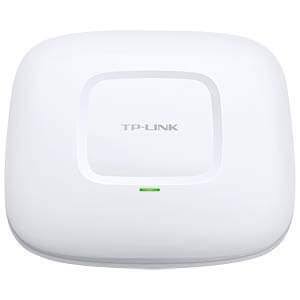
TP-Link eap 225 indoor
Buy TP-Link EAP225 Indoor in Kenya from Orbitlink Solutions. Get dual-band AC1350 WiFi, Gigabit Ethernet, PoE, MU-MIMO and Omada management.
TP-Link EAP225 Indoor Access Point
The TP-Link EAP225 Indoor is a business-class dual-band WiFi 5 ceiling and wall-mount access point designed for offices, hotels, schools, hospitals, restaurants, conference facilities, retail businesses and other commercial indoor networks. The widely deployed EAP225 V3 specification provides up to 450Mbps on 2.4GHz and 867Mbps on 5GHz, giving a combined theoretical wireless rate of 1317Mbps and the AC1350 classification.
The EAP225 combines a Gigabit Ethernet uplink, Power over Ethernet, MU-MIMO, beamforming, band steering, airtime fairness, load balancing, multiple SSIDs, captive portal and centralized Omada management. These capabilities make it more suitable for professional multi-user networks than a conventional home WiFi router or basic extender.
One important point when buying the EAP225 is that hardware and regional versions differ. For example, TP-Link's US V3 documentation lists 450Mbps on 2.4GHz and 867Mbps on 5GHz, whereas some V3.20 regional pages market the unit as AC1200 with 300Mbps on 2.4GHz plus 867Mbps on 5GHz. PoE voltage and some controller compatibility details also vary. For this reason, Orbitlink customers should confirm the exact hardware version supplied for a project.
TP-Link EAP225 Key Features
| Feature | Specification |
|---|---|
| Model | TP-Link EAP225 |
| Product Type | Indoor Ceiling/Wall Mount Access Point |
| WiFi Generation | WiFi 5 |
| Wireless Standard | IEEE 802.11a/b/g/n/ac |
| WiFi Class | AC1350 on commonly referenced V3 |
| 2.4GHz Rate | Up to 450Mbps on V3 |
| 5GHz Rate | Up to 867Mbps |
| Combined Rate | Up to 1317Mbps |
| Frequency Bands | 2.4GHz + 5GHz |
| Ethernet Interface | 1 × Gigabit Ethernet RJ45 |
| MU-MIMO | Supported |
| Beamforming | Supported |
| Band Steering | Supported |
| Airtime Fairness | Supported |
| Load Balancing | Supported |
| Multiple SSIDs | Up to 16 total, 8 per band |
| Seamless Roaming | Supported in compatible Omada deployments |
| Omada Mesh | Supported on compatible versions/deployments |
| PoE | IEEE 802.3af/at on referenced V3 |
| Passive PoE | Supported on referenced V3 |
| Ethernet Speed | 10/100/1000Mbps |
| Antennas | Internal omnidirectional |
| 2.4GHz Antenna Gain | 4dBi |
| 5GHz Antenna Gain | 5dBi |
| Mounting | Ceiling or wall |
| Dimensions | 205.5 × 181.5 × 37.1mm |
| Coverage Test Figure | Up to 115m² / 1,250ft² on selected regional documentation |
| Concurrent Client Test Figure | 220+ on selected regional documentation |
TP-Link's V3 and V3.20 pages confirm the Gigabit port, internal antennas, dual-band operation, multiple SSIDs and ceiling/wall mounting arrangement. Selected regional V3.20 documentation also states 115m² coverage and 220+ concurrent clients under TP-Link test conditions.
AC1350 Dual-Band WiFi
The commonly referenced TP-Link EAP225 V3 provides simultaneous 2.4GHz and 5GHz WiFi.
| Wireless Band | Maximum Theoretical Signal Rate |
|---|---|
| 2.4GHz | Up to 450Mbps |
| 5GHz | Up to 867Mbps |
| Combined | Up to 1317Mbps |
| WiFi Class | AC1350 |
The 2.4GHz band provides broad compatibility and useful indoor propagation, while 5GHz gives compatible devices access to substantially more bandwidth and usually less congestion than 2.4GHz.
The advertised figures are theoretical physical-layer wireless rates rather than guaranteed internet throughput. Actual performance varies with building materials, interference, client capabilities, AP placement, network load and internet bandwidth.
Important EAP225 Version Difference
The EAP225 name covers several hardware revisions, so specifications should not be assumed to be identical across every unit.
| Specification | Common EAP225 V3 | Some EAP225 V3.20 Regions |
|---|---|---|
| 2.4GHz | 450Mbps | 300Mbps |
| 5GHz | 867Mbps | 867Mbps |
| Marketing Class | AC1350 | AC1200 |
| Ethernet | Gigabit | Gigabit |
| Standard PoE | Supported | Supported |
| Passive PoE | 24V on referenced V3 | 48V on Australian V3.20 listing |
| Omada Management | Supported | Supported, with controller-version caveats |
For example, TP-Link's US EAP225 V3 page lists 450 + 867Mbps, while TP-Link Australia's V3.20 page lists 300 + 867Mbps and 48V passive PoE.
For a Kenya deployment, check the exact hardware version printed on the box or device label before finalizing PoE and controller requirements.
Gigabit Ethernet Connectivity
The EAP225 provides one Gigabit Ethernet RJ45 port, supporting the AP's network uplink and PoE power input.
| Ethernet Feature | Specification |
|---|---|
| Number of Ports | 1 |
| Port Type | RJ45 |
| Ethernet Rate | 10/100/1000Mbps |
| PoE Input | Supported |
| Gigabit Backhaul | Yes |
Gigabit Ethernet is an important advantage over older access points using 100Mbps Fast Ethernet. Since the EAP225 can serve many wireless devices simultaneously, a Gigabit wired uplink provides considerably more capacity between the access point and the rest of the network.
Power over Ethernet
The referenced EAP225 V3 supports both IEEE 802.3af/at PoE and passive PoE, allowing installation without a separate electrical socket beside the access point.
| Power Option | EAP225 V3 |
|---|---|
| IEEE 802.3af PoE | Yes |
| IEEE 802.3at PoE | Listed on current V3 documentation |
| Passive PoE | Yes |
| Passive PoE Voltage | 24V on referenced V3 |
| PoE Adapter | Included on referenced V3 |
| PoE Switch Compatible | Yes, when standards match |
PoE is particularly useful for ceiling-mounted APs because the access point can be positioned according to wireless coverage requirements rather than according to the location of electrical sockets.
Regional and hardware revisions can use different passive PoE requirements, so installers should verify the exact version before connecting passive PoE equipment.
MU-MIMO Technology
The EAP225 supports MU-MIMO, or Multi-User Multiple Input Multiple Output.
MU-MIMO improves how compatible clients are served when several devices are active on the network. Instead of treating every wireless client exactly like older single-user WiFi systems, the access point can make more efficient use of wireless resources.
This is particularly useful in:
-
Offices with many laptops and smartphones
-
Hotels with multiple guest devices
-
Schools with student tablets and laptops
-
Restaurants offering customer WiFi
-
Conference rooms
-
Training centres
-
Retail environments
TP-Link lists MU-MIMO as one of the EAP225's advanced wireless technologies.
Beamforming
The EAP225 supports beamforming, helping improve wireless communication with compatible client devices.
Rather than treating radio transmission as completely uniform, beamforming helps the access point optimize signal transmission toward connected devices.
| Technology | Main Purpose |
|---|---|
| MU-MIMO | Improve multi-user efficiency |
| Beamforming | Improve transmission toward compatible clients |
| Band Steering | Encourage capable clients toward 5GHz |
| Airtime Fairness | Better distribute wireless airtime |
| Load Balancing | Help distribute clients across APs |
These technologies are especially valuable in commercial environments where many different wireless devices are active simultaneously.
Band Steering
Because the EAP225 operates on both 2.4GHz and 5GHz, band steering can encourage compatible dual-band devices to use 5GHz.
This can help prevent the 2.4GHz network from becoming unnecessarily congested.
For example:
| Device | Preferred Band |
|---|---|
| Modern laptop | 5GHz where suitable |
| Modern smartphone | 5GHz where suitable |
| Legacy WiFi device | 2.4GHz |
| Older IoT equipment | Often 2.4GHz |
| Modern tablet | 5GHz where suitable |
TP-Link specifically highlights automatic band steering as an EAP225 feature.
Airtime Fairness
Wireless networks share radio airtime.
When older or slower clients take too long to transmit data, they can consume a disproportionate amount of available airtime. The EAP225's airtime fairness feature is designed to improve how airtime is distributed between connected clients.
This can improve overall network efficiency in environments where users have a mixture of older and newer smartphones, laptops and tablets.
Load Balancing
In a network with several EAP225 access points, load balancing can help distribute connected devices across APs.
For example, if one AP in a hotel lobby is heavily loaded while another nearby AP has fewer devices connected, appropriate network configuration can help prevent too many clients from concentrating on a single access point.
This is particularly useful for:
-
Hotels
-
Schools
-
Offices
-
Conference facilities
-
Training centres
-
Hospitals
-
Large restaurants
TP-Link lists load balancing among the EAP225's supported wireless functions.
Seamless Roaming
The EAP225 supports seamless roaming in compatible Omada deployments.
This is important where several access points cover a large building. A user walking from one coverage zone to another may need to transition between APs.
TP-Link states that seamless roaming is designed so applications such as voice calls and video streams can continue with less interruption as users move between locations.
Typical applications include:
| Environment | Roaming Scenario |
|---|---|
| Hotel | Room to lobby |
| Office | Department to meeting room |
| School | Classroom to library |
| Hospital | Ward to corridor |
| Conference Centre | Hall to breakout room |
| University | Office to lecture space |
Client support, controller configuration and network design still influence roaming behaviour.
Omada Mesh
Compatible EAP225 versions also support Omada Mesh, providing additional flexibility when Ethernet cannot easily reach every AP location.
A wired Ethernet backhaul is normally preferable where practical because it provides predictable capacity, but mesh can be useful in situations where cabling is difficult.
Examples include building extensions, temporary areas or sites where additional cabling would be disruptive.
Omada SDN Centralized Management
One of the most important advantages of the TP-Link EAP225 is integration with the Omada ecosystem.
Administrators can centrally manage compatible Omada access points, switches and gateways instead of configuring every device independently.
| Omada Capability | Benefit |
|---|---|
| Centralized AP Management | Manage several APs from one platform |
| Cloud Access | Remote management |
| Omada App | Mobile administration |
| Client Monitoring | View connected devices |
| SSID Configuration | Centrally configure wireless networks |
| Network Monitoring | Monitor AP status |
| Multi-Site Management | Useful for multiple branches |
| Zero-Touch Provisioning | Available in supported controller environments |
| Intelligent Monitoring | Central network visibility |
TP-Link's V3 documentation highlights Omada SDN integration, centralized cloud management and intelligent monitoring.
There is an important version caveat: TP-Link's regional documentation notes differences in Cloud-Based Controller support for EAP225 V3.20, so exact controller compatibility should be verified against the device hardware revision.
Omada App
The Omada App provides mobile access to compatible network-management features.
TP-Link describes the app as allowing administrators to configure settings, monitor network status and manage clients from a smartphone or tablet.
For small installations, this provides convenient administration without needing to remain at a desktop computer.
For larger projects, a dedicated Omada controller can provide more comprehensive centralized management.
Multiple SSIDs
The TP-Link EAP225 supports up to 16 SSIDs, with eight per frequency band.
This allows organizations to create separate wireless networks for different users.
| Example SSID | Intended User |
|---|---|
| Company-Staff | Employees |
| Company-Guest | Visitors |
| Management | Managers |
| Operations | Operational equipment |
| Hotel-Guests | Hotel visitors |
| Hotel-Staff | Employees |
| School-Students | Students |
| School-Staff | Teachers |
With suitable VLAN-capable infrastructure, different SSIDs can also be mapped to separate VLANs.
Guest WiFi and Captive Portal
The EAP225 supports a captive portal and multiple guest authentication methods in compatible Omada deployments.
This is useful for businesses that offer wireless internet to visitors.
| Environment | Guest WiFi Application |
|---|---|
| Hotel | Guest internet |
| Restaurant | Customer WiFi |
| Office | Visitor network |
| School | Guest/student access |
| Hospital | Patient/visitor internet |
| Conference Venue | Delegate connectivity |
| Retail Business | Customer WiFi |
The exact authentication options available can depend on controller/software version.
Wireless Security Features
TP-Link lists several security and access-control functions for the EAP225.
| Security Feature | Supported |
|---|---|
| Captive Portal | Yes |
| Access Control | Yes |
| MAC Filtering | Yes |
| Client Isolation | Yes |
| SSID-to-VLAN Mapping | Yes |
| Rogue AP Detection | Yes |
| 802.1X | Yes |
These capabilities make the EAP225 more suitable for business networks than simple consumer access points where user segregation and managed authentication are required.
Internal Omnidirectional Antennas
The commonly referenced EAP225 V3 uses internal omnidirectional antennas.
| Frequency | Antenna Specification |
|---|---|
| 2.4GHz | 4dBi internal omni |
| 5GHz | 5dBi internal omni |
| External Antennas | No |
TP-Link's documentation lists three internal omnidirectional antennas and the respective 2.4GHz and 5GHz gain specifications.
The internal antenna design helps maintain a clean ceiling-mounted appearance without protruding antenna rods.
TP-Link EAP225 Coverage
Selected current regional documentation lists approximately 115m² / 1,250ft² of coverage under TP-Link test conditions.
This should not be interpreted as a guarantee that a single AP will cover exactly 115m² in every building.
Actual coverage depends heavily on:
| Factor | Effect |
|---|---|
| Concrete walls | Can significantly weaken WiFi |
| Glass partitions | Can reflect or attenuate signals |
| Metal structures | Can interfere with propagation |
| Installation height | Affects distribution |
| Interference | Can reduce performance |
| Client antenna quality | Influences usable coverage |
| AP placement | Critical to network performance |
| User density | Influences required AP count |
A professional office or hotel WiFi deployment should therefore be designed around the actual floor plan rather than simply multiplying a manufacturer coverage figure.
220+ Concurrent Clients
Selected TP-Link regional documentation lists 220+ concurrent clients under manufacturer test conditions for the EAP225 V3.20.
This figure refers to association capability rather than a guarantee that 220 users can all stream high-bandwidth content simultaneously.
Practical capacity depends on:
-
Internet bandwidth
-
Application type
-
Signal strength
-
Client capability
-
Channel utilization
-
Number of APs
-
Network design
For high-density venues, several correctly positioned access points are usually preferable to attempting to serve every user from one AP.
Ceiling and Wall Mounting

The EAP225 can be installed on either a ceiling or wall, with mounting kits included.
Ceiling mounting is generally preferred for open commercial areas because it keeps the AP away from furniture and can provide more balanced indoor coverage.
| Mounting Location | Typical Application |
|---|---|
| Ceiling | Offices |
| Ceiling | Schools |
| Ceiling | Restaurants |
| Ceiling | Hotel common areas |
| Wall | Corridors |
| Wall | Meeting rooms |
| Wall | Selected indoor areas |
TP-Link EAP225 for Offices
The EAP225 is especially well suited to offices requiring reliable connectivity for:
-
Laptops
-
Smartphones
-
Tablets
-
Cloud applications
-
VoIP applications
-
Printers
-
Meeting-room equipment
-
Business systems
Dual-band WiFi helps distribute modern devices between 2.4GHz and 5GHz, while Gigabit Ethernet provides fast backhaul to the wired network.
Multiple EAP225 units can be centrally managed through Omada for larger offices.
TP-Link EAP225 for Hotels
Hotels can use EAP225 access points in areas such as:
| Hotel Area | Application |
|---|---|
| Reception | Staff and guest connectivity |
| Lobby | Public WiFi |
| Restaurant | Guest and operational WiFi |
| Conference Room | Delegate connectivity |
| Meeting Room | Business WiFi |
| Corridors | Guest-room coverage |
| Business Centre | Higher-demand connectivity |
For individual hotel rooms, wall-plate APs may sometimes provide better room-level coverage, while the EAP225 is particularly effective in common areas, corridors and larger indoor spaces.
TP-Link EAP225 for Schools and Universities
Educational institutions can use EAP225 units in:
-
Classrooms
-
Libraries
-
Offices
-
Laboratories
-
Computer rooms
-
Meeting spaces
-
Lecture rooms
-
Common areas
Omada centralized management can simplify administration where dozens of access points are deployed across a campus.
TP-Link EAP225 for Restaurants and Cafés
Restaurants and cafés can provide separate networks for staff and customers.
A customer SSID can be configured with captive portal access, while operational equipment can remain on another network.
Band steering can also encourage capable customer devices toward 5GHz, reducing unnecessary congestion on 2.4GHz.
TP-Link EAP225 for Conference Facilities
Conference facilities often experience sudden increases in connected devices when delegates arrive.
The EAP225's combination of dual-band WiFi, MU-MIMO, load balancing and centralized management makes it more appropriate for this type of environment than a standard home router.
For very high-density conferences, however, AP quantity, channel planning, backhaul capacity and internet bandwidth remain critical.
Common Applications
| Application | Why EAP225 Fits |
|---|---|
| Offices | Business dual-band WiFi |
| Hotels | Guest and staff connectivity |
| Schools | Managed multi-user WiFi |
| Universities | Centralized AP deployments |
| Restaurants | Staff and guest networks |
| Cafés | Customer WiFi |
| Hospitals | Indoor managed connectivity |
| Clinics | Staff and visitor WiFi |
| Conference Centres | Delegate access |
| Retail Shops | Business and customer connectivity |
| Churches | Indoor wireless coverage |
| Training Centres | Student connectivity |
TP-Link EAP225 vs EAP115
| Feature | EAP115 | EAP225 V3 |
|---|---|---|
| WiFi Generation | WiFi 4 | WiFi 5 |
| 2.4GHz | 300Mbps | 450Mbps |
| 5GHz | No | 867Mbps |
| Combined Rate | 300Mbps | 1317Mbps |
| Dual Band | No | Yes |
| Ethernet | Fast Ethernet | Gigabit |
| MU-MIMO | No | Yes |
| Beamforming | No/limited | Yes |
| Band Steering | No | Yes |
| Omada | Yes | Yes |
| Best For | Basic WiFi | Faster business WiFi |
The EAP225 represents a major upgrade over entry-level Wireless N models, particularly because of its 5GHz radio, Gigabit Ethernet and advanced wireless features.
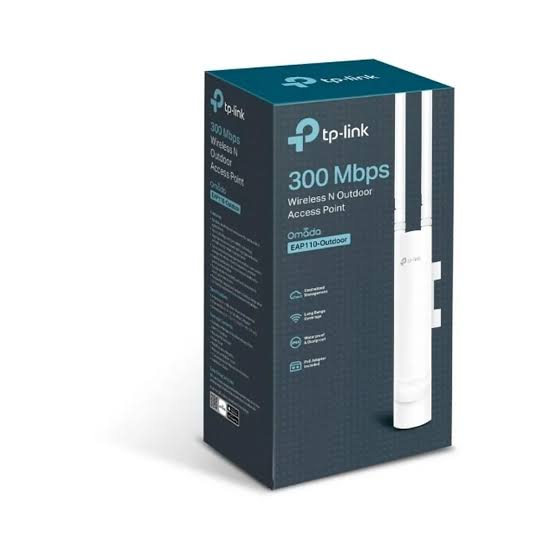
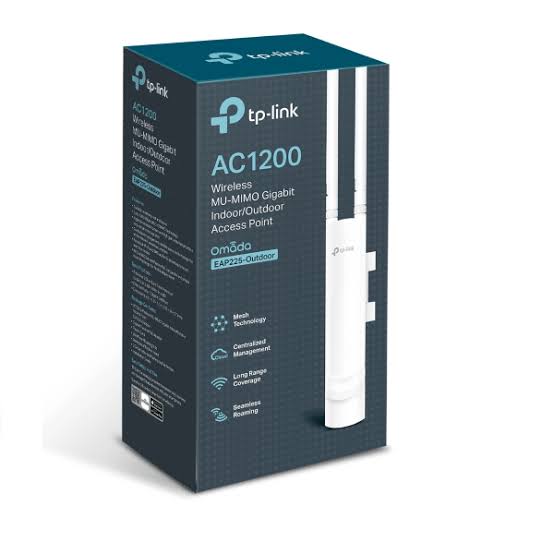
TP-Link EAP225 vs EAP225-Outdoor
| Feature | EAP225 Indoor | EAP225-Outdoor |
|---|---|---|
| Environment | Indoor | Indoor/Outdoor |
| WiFi Generation | WiFi 5 | WiFi 5 |
| 2.4GHz | Up to 450Mbps on V3 | Up to 300Mbps |
| 5GHz | 867Mbps | 867Mbps |
| Ethernet | Gigabit | Gigabit |
| Mounting | Ceiling/Wall | Pole/Wall |
| Weatherproofing | No | IP-rated outdoor enclosure |
| Antennas | Internal | Outdoor external antenna design |
| Best Use | Offices, hotels, schools | Compounds, gardens, outdoor spaces |
The decision should mainly depend on the installation location. The standard EAP225 is designed for indoor use, while the EAP225-Outdoor is built for external environments.
TP-Link EAP225 vs EAP245
| Feature | EAP225 | EAP245 |
|---|---|---|
| WiFi Generation | WiFi 5 | WiFi 5 |
| 2.4GHz | 450Mbps | 450Mbps |
| 5GHz | 867Mbps | 1300Mbps |
| Combined Rate | 1317Mbps | 1750Mbps |
| Ethernet | Gigabit | Gigabit |
| Omada | Yes | Yes |
| MU-MIMO | Yes | Yes |
| Best For | General business WiFi | Higher WiFi 5 throughput |
TP-Link's Omada datasheet lists the EAP225 V3 at 450 + 867Mbps and EAP245 at 450 + 1300Mbps.
TP-Link EAP225 vs Modern WiFi 6 Access Points
The EAP225 remains useful where customers want affordable business-class WiFi 5, but a new installation may also benefit from comparing it with TP-Link Omada WiFi 6 APs.
| Feature | EAP225 | Modern WiFi 6 AP |
|---|---|---|
| WiFi Generation | WiFi 5 | WiFi 6 |
| OFDMA | No WiFi 6 OFDMA | Yes |
| 1024-QAM | No | Typically yes |
| Modern High-Density Efficiency | Good | Better |
| Legacy Device Compatibility | Good | Good |
| Purchase Cost | Often lower | Usually higher |
| Best Use | Budget/business WiFi | Newer high-capacity networks |
Businesses deploying a completely new network with many current-generation laptops and smartphones may want to compare EAP225 with newer Omada models before finalizing a BOQ.
Advantages of TP-Link EAP225 Indoor
| Advantage | Why It Matters |
|---|---|
| Dual-Band WiFi | 2.4GHz and 5GHz connectivity |
| AC1350 V3 Performance | Up to 1317Mbps theoretical capacity |
| Gigabit Ethernet | Fast wired backhaul |
| MU-MIMO | Improved multi-device operation |
| Beamforming | Better communication with compatible clients |
| Band Steering | Encourages clients toward 5GHz |
| Airtime Fairness | Better airtime utilization |
| Load Balancing | Useful across multiple APs |
| PoE | Flexible installation |
| Omada SDN | Centralized administration |
| Seamless Roaming | Better mobility in multi-AP networks |
| Omada Mesh | Flexible network expansion |
| Multiple SSIDs | Separate user groups |
| Captive Portal | Managed guest WiFi |
| Ceiling Mounting | Clean professional installation |
Who Should Buy TP-Link EAP225?
The TP-Link EAP225 is a strong choice for businesses that want affordable dual-band managed WiFi with Gigabit Ethernet and Omada integration.
It is particularly suitable for:
-
Offices
-
Hotels
-
Schools
-
Colleges
-
Restaurants
-
Clinics
-
Hospitals
-
Conference facilities
-
Retail businesses
-
Training centres
-
Churches
-
Commercial buildings
For basic installations, the EAP225 provides substantially more capability than an entry-level 2.4GHz AP. For brand-new high-density networks, however, newer WiFi 6 models may offer greater long-term efficiency.
What You Need to Install TP-Link EAP225
| Equipment | Requirement | Purpose |
|---|---|---|
| TP-Link EAP225 | Required | Wireless access point |
| Router/Gateway | Required | Routing and internet |
| Ethernet Cable | Required | Backhaul |
| Compatible PoE Switch | Optional power method | Centralized power |
| Passive PoE Adapter | Alternative on compatible version | AP power |
| Mounting Kit | Required | Included |
| Omada Controller | Optional | Centralized management |
| Managed Switch | Recommended for advanced deployments | VLANs and network segmentation |
Why Buy TP-Link EAP225 from Orbitlink Solutions?
A good WiFi deployment requires more than choosing an access point based on the highest Mbps number. Building materials, floor layout, number of users, internet bandwidth, PoE infrastructure, Ethernet cabling and AP placement all affect the result.
Orbitlink Solutions supplies TP-Link access points and supporting networking equipment for homes, offices, hotels, schools and commercial projects across Kenya.
| Why Orbitlink Solutions? | Customer Benefit |
|---|---|
| Genuine Networking Products | Reliable product sourcing |
| TP-Link Omada Equipment | Compatible networking ecosystem |
| Installer Pricing | Suitable for technicians and installers |
| Project Pricing | Useful for multi-unit deployments |
| Technical Support | Assistance selecting compatible equipment |
| PoE Switches | Power APs centrally |
| Routers and Gateways | Complete networking infrastructure |
| Managed Switches | VLAN and business networking support |
| Ethernet Cabling | Reliable wired backhaul |
| BOQ Support | Useful for project planning |
| Nairobi Pickup | Convenient collection |
| Nationwide Delivery | Supply across Kenya |
| Warranty Support | After-sales assistance |
Watch: TP-Link EAP225 Indoor Access Point
The TP-Link EAP225 Indoor is a practical step up from basic wireless access points because it combines dual-band WiFi 5 with a Gigabit Ethernet uplink and business-oriented wireless technologies. On the commonly referenced V3 hardware, it delivers theoretical rates of up to 450Mbps at 2.4GHz and 867Mbps at 5GHz. This enables modern laptops, smartphones and tablets to make use of the 5GHz band while maintaining compatibility with older 2.4GHz devices. MU-MIMO, beamforming, band steering and airtime fairness further improve how available wireless capacity is used across a busy network.
For larger properties, the EAP225 becomes even more useful when several units are centrally managed through the TP-Link Omada ecosystem. Compatible deployments can use seamless roaming, load balancing, multiple SSIDs, captive portal authentication and centralized monitoring to create a more structured network. A hotel, school or office can therefore deploy several access points across different floors or rooms while managing them through a common platform instead of treating every access point as an isolated device.
Buying the TP-Link EAP225 from Orbitlink Solutions also allows customers to source the supporting infrastructure required for a professional installation, including compatible PoE switches, routers, managed switches, Omada controllers and Ethernet cabling. Because EAP225 specifications vary between hardware revisions, Orbitlink customers should confirm the exact unit supplied when passive PoE voltage or controller compatibility is important. This is particularly relevant for larger business installations where all equipment needs to work together reliably.
Frequently Asked Questions About TP-Link EAP225
What is the TP-Link EAP225?
The TP-Link EAP225 is a dual-band WiFi 5 MU-MIMO Gigabit ceiling/wall-mount business access point designed for managed indoor wireless networks.
Is TP-Link EAP225 dual-band?
Yes. It operates on both 2.4GHz and 5GHz.
What speed does TP-Link EAP225 support?
The commonly referenced EAP225 V3 supports theoretical rates of up to 450Mbps on 2.4GHz and 867Mbps on 5GHz, totaling 1317Mbps.
Why do some EAP225 listings say AC1200?
Hardware and regional versions differ. For example, TP-Link's Australian V3.20 listing specifies 300Mbps on 2.4GHz plus 867Mbps on 5GHz and markets that version as AC1200.
Is EAP225 WiFi 6?
No. The EAP225 uses WiFi 5 / IEEE 802.11ac.
Does EAP225 have Gigabit Ethernet?
Yes. It includes one Gigabit Ethernet RJ45 port.
Does EAP225 support PoE?
Yes. The referenced V3 supports 802.3af/at PoE and passive PoE.
Does EAP225 include a PoE adapter?
The referenced V3 documentation states that a passive PoE adapter is included. Package contents can differ according to region and revision, so confirm the exact version supplied.
Does EAP225 support MU-MIMO?
Yes. MU-MIMO is one of its advanced wireless capabilities.
Does EAP225 support beamforming?
Yes. TP-Link lists beamforming as a supported feature.
Does EAP225 support band steering?
Yes. Band steering helps direct suitable dual-band devices toward the 5GHz network.
Does EAP225 support load balancing?
Yes. Load balancing is listed among its wireless functions.
Does EAP225 support seamless roaming?
Yes, within an appropriately configured compatible Omada network.
Does EAP225 support Omada Mesh?
Compatible EAP225 versions support Omada Mesh.
How many SSIDs does EAP225 support?
It supports up to 16 SSIDs, with eight per band.
Does EAP225 support guest WiFi?
Yes. It supports captive portal functionality and guest authentication options within suitable Omada deployments.
Can EAP225 be mounted on a ceiling?
Yes. It supports ceiling and wall mounting, with the mounting kit included.
What is the coverage of TP-Link EAP225?
Selected regional documentation lists approximately 115m² / 1,250ft² under TP-Link test conditions. Actual coverage varies substantially with walls, interference and installation conditions.
How many clients can EAP225 support?
Selected TP-Link regional specifications list 220+ concurrent clients under test conditions. Practical user capacity depends on applications, internet bandwidth and network design.
Is EAP225 suitable for offices?
Yes. Its Gigabit Ethernet, dual-band WiFi, Omada management and business wireless features make it well suited to office networks.
Is EAP225 suitable for hotels?
Yes. It can be used for guest and staff connectivity in hotel common areas, corridors, restaurants, conference rooms and similar indoor locations.
Is EAP225 suitable for schools?
Yes. Multiple EAP225 units can be centrally managed for classrooms, offices, libraries and other school environments.
Where can I buy TP-Link EAP225 in Kenya?
You can buy the TP-Link EAP225 Indoor Access Point from Orbitlink Solutions, together with compatible PoE switches, routers, Omada controllers, managed switches and Ethernet cabling.
Buy TP-Link EAP225 Indoor in Kenya
The TP-Link EAP225 Indoor AC1350 Wireless MU-MIMO Gigabit Ceiling Mount Access Point offers a strong combination of dual-band WiFi, Gigabit Ethernet, PoE, MU-MIMO, beamforming, band steering, seamless roaming and Omada centralized management for business networks. On the commonly referenced V3 hardware, it provides theoretical speeds of up to 450Mbps on 2.4GHz and 867Mbps on 5GHz.
It is an excellent option for offices, hotels, schools, restaurants, clinics, conference facilities and other commercial properties requiring reliable centrally managed indoor WiFi.
Contact Orbitlink Solutions
Orbitlink Solutions
Address: Lyric House, Kimathi Street, Nairobi
Phone: +254 743 720 551
Email: info@orbitlinksolutions.co.ke
Opening Hours: Monday–Saturday, 9:00 AM–6:00 PM
Availability: Nairobi pickup and nationwide delivery
Contact Orbitlink Solutions for the TP-Link EAP225, TP-Link Omada access points, PoE switches, routers, controllers, network cabling and complete business networking solutions in Kenya.
Need Help Choosing? Ask a Technician
Get guidance on setup, compatibility, stock, and delivery before buying for your project.