Starlink Installation Uganda
Learn about Starlink installation in Uganda, including setup, roof and pole mounting, obstruction checks, Wi-Fi, installation costs and business networks.
Starlink Kenya Prices
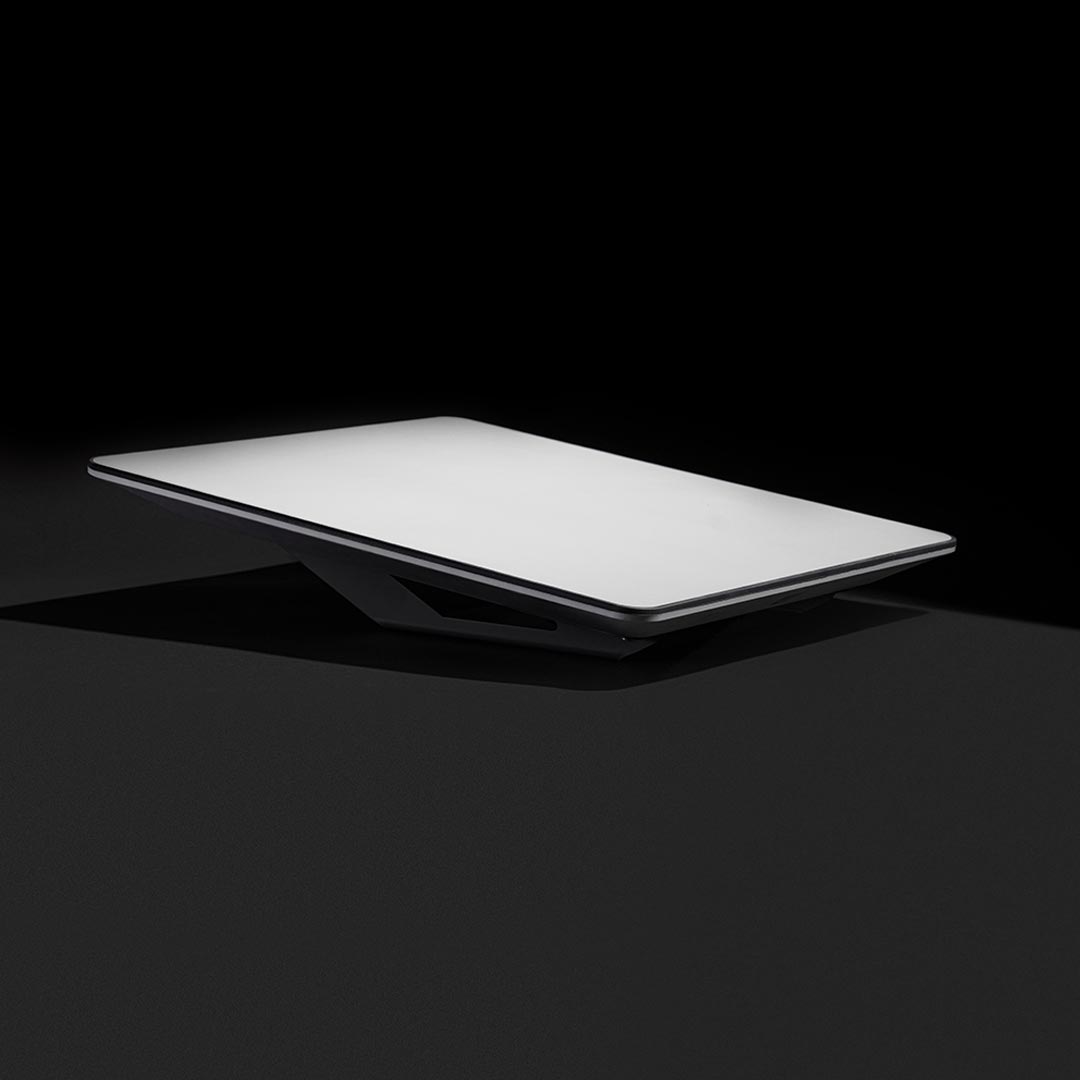
Starlink Installation Uganda 2026: Cost, Setup, Mounting and Professional Installation
Last updated: September 2026
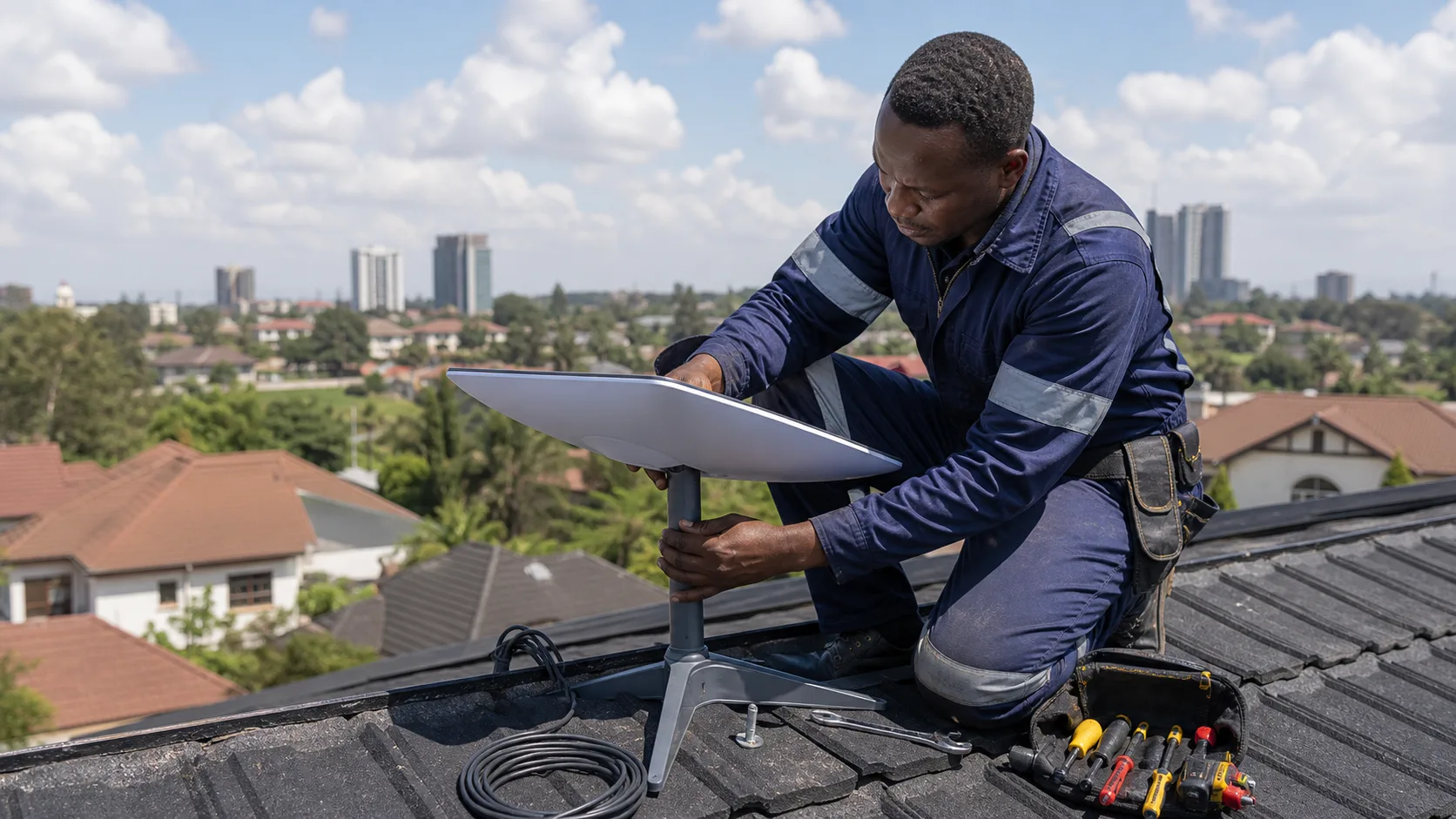
Starlink installation Uganda customers undertake is one of the most important factors determining whether their satellite internet connection performs reliably after purchasing the equipment. Starlink is designed so that many users can complete a basic installation themselves, but choosing the correct mounting location, avoiding obstructions, routing cables safely and building adequate Wi-Fi coverage become increasingly important for permanent homes, businesses, schools, lodges, farms and other commercial properties.
A Starlink kit may connect within a relatively short time when temporarily positioned in an open location, but permanent installation requires more planning. Trees, neighbouring buildings, roof structures and other obstructions can interrupt communication between the Starlink terminal and satellites. Starlink recommends using its app to check the intended location for obstructions before permanently mounting the equipment.
This complete guide explains Starlink installation in Uganda, including how installation works, where to position the terminal, Standard Kit and Mini installation, mounting options, cable routing, Wi-Fi setup, business networking, installation costs and when professional installation may be worthwhile. If you are still choosing equipment, begin with our main Starlink Uganda guide, compare Starlink Uganda Prices, review Starlink Uganda Packages, or read our guide on How to Buy Starlink in Uganda.
1. How Is Starlink Installed in Uganda?
A basic Starlink installation involves four main stages:
-
finding a suitable location with a clear view of the sky;
-
positioning or mounting the Starlink terminal;
-
connecting the Starlink cable, router and power;
-
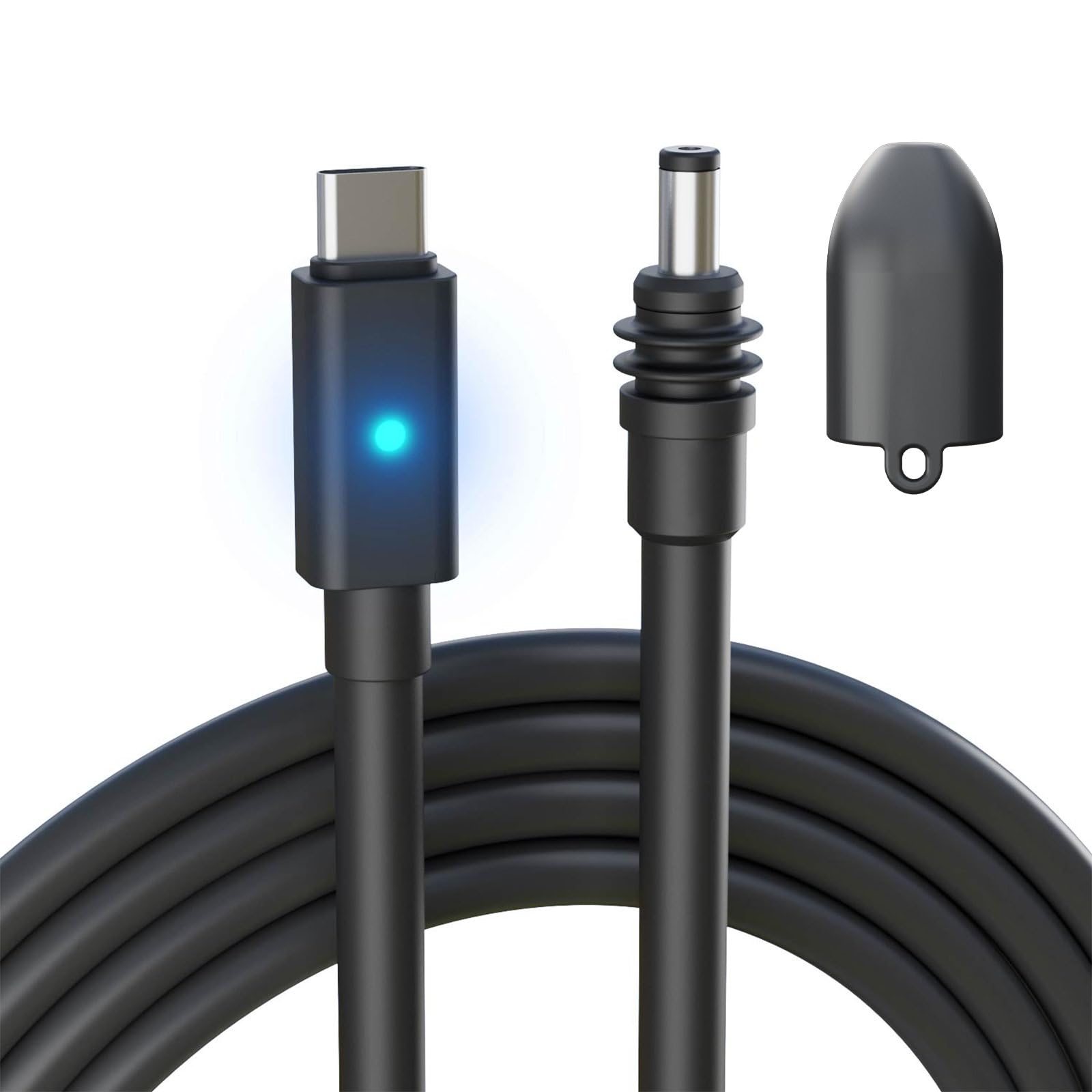
configuring and testing the network.
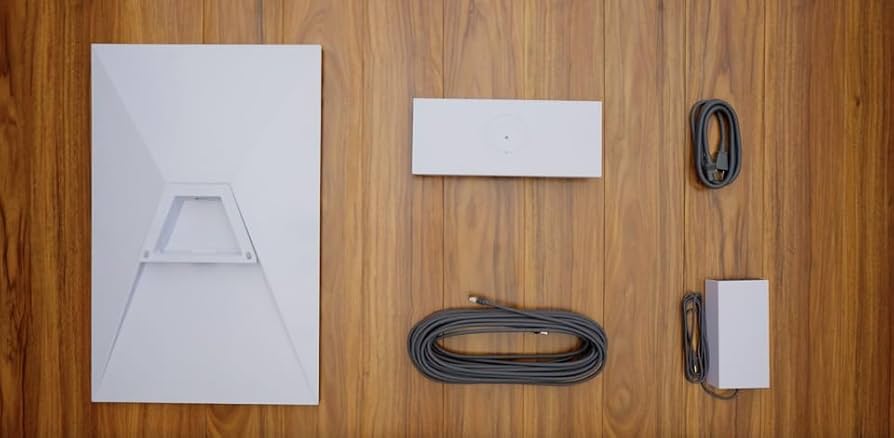
Starlink's current Standard installation guide instructs users to download the Starlink app, connect the supplied cables, select an unobstructed location and connect the terminal to the router and power.
For a temporary installation, the included stand or kickstand may be sufficient.
A permanent installation may instead require a:
-
roof mount;
-
wall mount;
-
pole mount;
-
pipe adapter;
-
suitable mounting bracket.
The best method depends on the property.
2. Can You Install Starlink Yourself in Uganda?
Yes.
Starlink is designed for self-installation. Starlink's own residential installation guidance describes the equipment as built for self-installation and directs users to the Starlink app to identify a suitable location.
Self-installation can make sense when:
-
the property is single-storey;
-
the mounting position is easy to access;
-
the sky is largely unobstructed;
-
no special pole is required;
-
cable routing is straightforward;
-
the user is comfortable following installation instructions.
Professional assistance becomes more valuable when:
-
the roof is high or steep;
-
large trees surround the property;
-
the installation requires a tall pole;
-
cables must pass through several rooms;
-
the property contains multiple buildings;
-
the system needs business networking;
-
Starlink will serve a school, hotel or office;
-
failover with another ISP is required.
Safety should always take priority over saving installation labour.
Starlink specifically advises users not to proceed when they cannot safely install the equipment or remove obstructions and recommends seeking professional assistance in such situations.
3. Download the Starlink App Before Installation
The Starlink app is one of the most important installation tools.
It can help with:
-
checking obstructions;
-
identifying a mounting location;
-
alignment;
-
setup;
-
network management;
-
troubleshooting.
Before drilling into a roof or installing a pole, use the obstruction-checking feature.
The app uses the phone camera to estimate the terminal's potential field of view.
Starlink advises users to test the intended position as close as possible to the eventual height and perspective of the terminal.
This can prevent one of the most common installation mistakes: permanently mounting the equipment before discovering that a tree or building blocks part of the required sky view.
4. Find a Clear View of the Sky
Sky visibility is critical.
Starlink satellites move across the sky, so the terminal needs more than a narrow opening pointing in one direction.
Starlink states that objects including:
-
tree branches;
-
poles;
-
roofs;
-
nearby structures
can obstruct the satellite connection and cause service interruptions.
This means an apparently convenient installation position is not automatically a good position.
For example, placing Starlink immediately beside a tall tree may result in repeated interruptions.
Moving the terminal a few metres away or raising it above the obstruction can dramatically improve the result.
5. Why Obstructions Matter
Starlink differs from a terrestrial point-to-point antenna.
A terrestrial wireless link may communicate with one fixed tower.
Starlink communicates with moving satellites.
As satellites move across the terminal's field of view, objects that block part of the sky can temporarily interrupt the connection.
Possible symptoms include:
-
brief outages;
-
dropped video calls;
-
interrupted gaming;
-
slow periods;
-
packet loss;
-
unstable VPN sessions.
Starlink's installation guidance recommends an unobstructed sky view for the best reliability.
6. Common Starlink Obstructions in Uganda
Properties in Uganda can present several installation challenges.
Typical obstructions include:
Trees
Mature trees can create significant blockage.
This is particularly relevant for:
-
residential compounds;
-
farms;
-
lodges;
-
schools;
-
rural properties.
Multi-storey buildings
A lower roof or balcony can be blocked by taller structures nearby.
Water tanks
Rooftop tanks can interfere with the terminal's field of view when positioned too close.
Communication masts
Existing antennas and poles may create obstructions depending on placement.
Roof structures
Chimneys, parapets and raised roof sections can obstruct the view.
The Starlink app should therefore be used before final mounting.
7. Where Should Starlink Be Installed?
Starlink recommends elevated permanent locations such as:
-
roofs;
-
poles;
-
walls
where these positions provide better sky visibility.
However, elevation alone is not the objective.
The best position is the location that provides:
clear sky + secure mounting + safe cable routing + reasonable maintenance access.
A very high pole may be unnecessary if a lower roof position already provides an unobstructed view.
Likewise, the easiest-to-access position is not useful if trees repeatedly block satellite visibility.
8. Starlink Roof Installation Uganda
Roof mounting is one of the most common permanent installation methods.
A roof can provide:
-
elevation;
-
clearer sky visibility;
-
distance from ground-level obstructions.
Before mounting Starlink on a roof, consider:
-
roof material;
-
roof pitch;
-
wind exposure;
-
water sealing;
-
cable entry;
-
maintenance access.
The mounting hardware should be securely attached to an appropriate structural point.
Avoid drilling holes without properly sealing penetrations.
Poor installation can introduce roof leaks even when Starlink itself works perfectly.
9. Starlink Installation on Mabati Roofs
Metal-sheet roofs are common in Uganda.
A Starlink installation on a mabati roof needs careful planning.
The mounting method should:
-
avoid weakening the roofing sheet;
-
prevent water ingress;
-
remain mechanically stable;
-
withstand wind;
-
permit safe cable routing.
Where possible, mounting loads should be transferred to appropriate structural members rather than relying only on thin roofing material.
The specific method depends on the building.
10. Starlink Tile Roof Installation
Tile roofs require different mounting considerations.
Walking directly on unsuitable tiles can cause damage.
Installation should avoid:
-
cracked tiles;
-
poorly sealed penetrations;
-
unstable brackets.
A wall or fascia position may sometimes be preferable to drilling through roofing materials.
Professional assistance is worth considering when roof access presents a safety or waterproofing risk.
11. Starlink Wall Mount Installation
A wall mount can provide an excellent alternative to roof mounting.
It can be useful when:
-
roof access is difficult;
-
the wall extends above nearby obstructions;
-
cable routing is easier through the wall;
-
maintenance access is important.
The mount needs to be secured to a suitable structural surface.
Do not simply screw heavy mounting hardware into weak finishing material without appropriate anchors.
12. Starlink Pole Installation Uganda
Pole mounting is common when the main building is surrounded by obstructions.
A pole can raise Starlink above:
-
roof edges;
-
fences;
-
shrubs;
-
smaller trees.
However, raising the terminal does not mean using the tallest pole possible.
The pole should be:
-
structurally strong;
-
properly anchored;
-
suitable for local wind conditions;
-
safely accessible where necessary.
For a tall mast installation, professional assistance is recommended.
13. How High Should a Starlink Pole Be?
There is no universal height.
The pole only needs to be high enough to provide adequate sky visibility.
One property may need less than two metres above a roofline.
Another may require a substantially higher installation because of nearby trees or buildings.
The Starlink obstruction tool should guide the decision rather than choosing an arbitrary pole height.
14. Starlink Standard Kit Installation Uganda
The Standard Kit is particularly suitable for permanent installations.
Customers researching hardware costs can read our Starlink Standard Kit Price Uganda guide.
Starlink's current Standard installation guide follows this general sequence:
-
download the Starlink app;
-
connect the Starlink cable;
-
connect the router and power;
-
find a clear sky position;
-
use the obstruction tool;
-
establish the connection;
-
configure Wi-Fi.
For permanent use, the temporary stand can be replaced with suitable mounting hardware where required.
15. Starlink Mini Installation Uganda
The Starlink Mini is designed around portability and compact deployment.
It can be useful for:
-
travellers;
-
safari operators;
-
field teams;
-
NGOs;
-
construction projects;
-
farms;
-
temporary offices.
If you are comparing costs, see our complete Starlink Mini Price Uganda article.
Mini installation still needs a suitable satellite view.
Portability does not eliminate the basic rule:
the terminal needs clear sky visibility.
A Mini placed underneath dense trees may perform poorly regardless of how convenient the location is.
16. Temporary vs Permanent Starlink Installation
A temporary setup and permanent installation serve different purposes.
Temporary installation
Useful for:
-
testing;
-
travel;
-
field work;
-
short projects;
-
temporary accommodation.
Permanent installation
Better for:
-
homes;
-
offices;
-
schools;
-
hotels;
-
fixed farms;
-
permanent branches.
Starlink itself recommends permanent installation for best performance, cable protection and long-term reliability.
17. Connect the Starlink Cable Correctly
Cable connections need to be fully inserted.
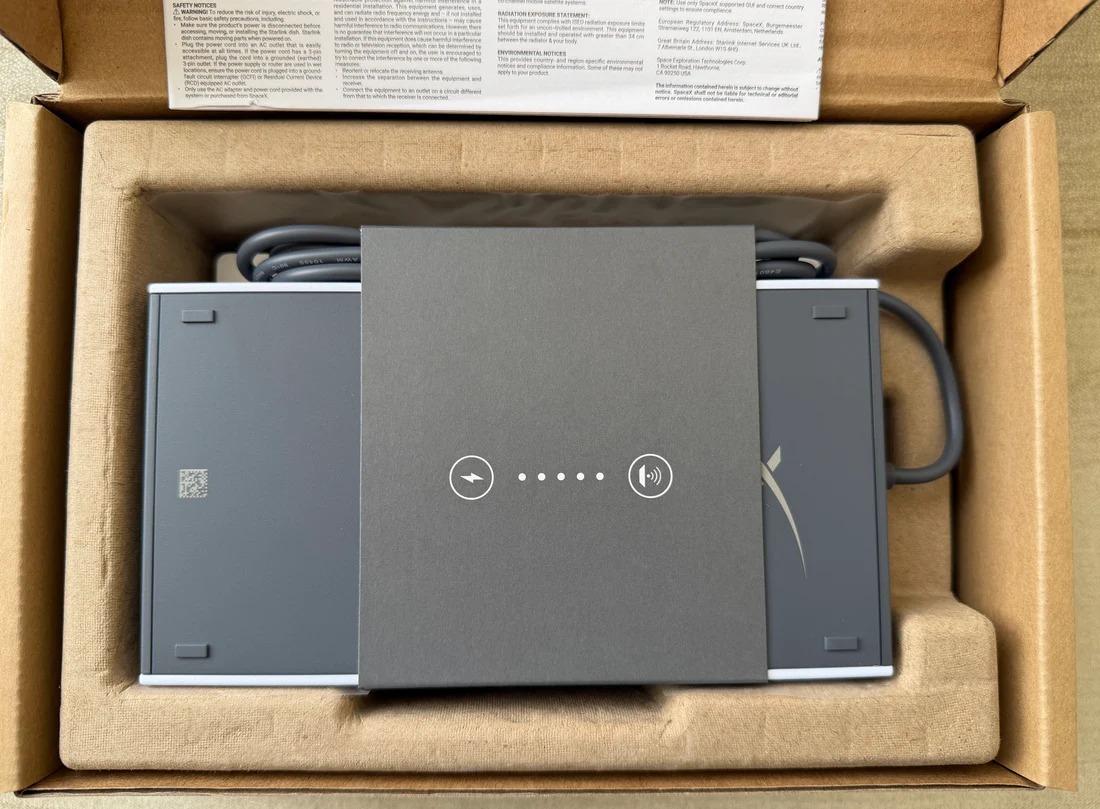
The current Standard installation guide instructs users to ensure the Starlink plug is fully seated and flush with the terminal connection. The other end routes to the router, which then connects to its power supply.
Poor connections can cause:
-
intermittent power;
-
lost connectivity;
-
troubleshooting errors.
Do not force connectors at an incorrect angle.
18. How to Route the Starlink Cable
Plan the cable path before making permanent holes.
A good route should avoid:
-
sharp bends;
-
crushing;
-
door hinges;
-
moving machinery;
-
standing water;
-
unnecessary exposure;
-
excessive tension.
The shortest route is not always the safest route.
Commercial installations may need cable management using:
-
conduit;
-
trunking;
-
clips;
-
glands;
-
appropriate wall penetrations.
19. Protecting Starlink Cables Outdoors
Outdoor cable sections should be protected from accidental damage.
Possible risks include:
-
foot traffic;
-
animals;
-
lawn equipment;
-
construction work;
-
sharp metal edges.
Do not loosely run cables across a pathway.
A professional installation should make the route intentional and secure.
20. Bringing the Cable Into the Building
Cable entry points should be:
-
appropriately sized;
-
properly positioned;
-
protected from sharp edges;
-
sealed against water.
Where the cable passes through an exterior wall, create a weather-resistant penetration.
A badly routed cable can create water ingress even when the electronic equipment itself is properly installed.
21. Where Should the Starlink Router Be Installed?
Starlink recommends positioning the router centrally in the home where practical.
Avoid placing the router:
-
inside a metal cabinet;
-
behind thick concrete structures;
-
in an isolated corner;
-
directly on the floor where possible.
The ideal position should balance:
-
cable reach;
-
power availability;
-
central Wi-Fi coverage;
-
physical security.
22. Starlink Installation in Large Homes
Large houses often need more than one Wi-Fi access point.
Problems become particularly common when a property has:
-
multiple floors;
-
thick masonry walls;
-
detached buildings;
-
long corridors.
Starlink can deliver internet successfully to the router while users on the opposite side of the building still experience weak Wi-Fi.
That is a LAN design problem, not necessarily a Starlink problem.
23. Starlink Mesh Wi-Fi
Mesh systems can improve coverage when one router does not reach the entire property.
Starlink supports compatible mesh expansion, and its current Router Mini guidance notes that router placement should account for walls and other obstructions between mesh nodes.
Mesh may suit:
-
large homes;
-
small offices;
-
multi-room lodges.
For larger businesses, wired access points are often more predictable.
24. Starlink Installation for Businesses
Business Starlink installation should go beyond mounting the terminal.
A complete commercial deployment should consider:
-
routing;
-
firewall security;
-
failover;
-
managed switches;
-
VLANs;
-
access points;
-
backup power;
-
monitoring.
A typical architecture could be:
Starlink → Business Router → Managed Switch → Access Points / PCs / CCTV / Phones
Businesses can explore MikroTik routers for routing and network switches for larger wired deployments.
25. Starlink With MikroTik Router
Starlink can be integrated with MikroTik networks.
A MikroTik router can provide:
-
dual-WAN failover;
-
firewall rules;
-
VLANs;
-
bandwidth queues;
-
VPN connectivity;
-
hotspot control.
This becomes especially useful when Starlink is part of a larger commercial network.
26. Starlink Failover Installation
One of the strongest Starlink business applications is internet redundancy.
A company might use:
Fibre → WAN1
and
Starlink → WAN2
on a multi-WAN router.
If fibre fails, the router can redirect internet traffic to Starlink.
This can help maintain:
-
email;
-
cloud applications;
-
payments;
-
VoIP;
-
remote access.
The failover should be tested rather than assumed to work.
27. Starlink Hotspot Installation
Hotels, schools and commercial hotspots may use Starlink as the upstream internet connection.
A hotspot network can look like:
Starlink → MikroTik → Managed Switch → Access Points → Users
A subscriber-management or billing platform such as Tajira can be integrated into appropriate managed hotspot environments.
The Starlink package should always support the intended use under current service terms.
28. Starlink Installation for Hotels in Uganda
Hotels require more than internet at reception.
A complete network may need connectivity in:
-
guest rooms;
-
restaurant areas;
-
reception;
-
offices;
-
conference rooms;
-
outdoor spaces.
Starlink can provide the internet backhaul.
The hotel still needs a professionally designed Wi-Fi network.
Businesses can source related networking equipment when building access-point and switching infrastructure.
29. Starlink Installation for Safari Lodges
Safari lodges can be ideal Starlink candidates because many are located away from fibre infrastructure.
Installation planning should consider:
-
trees;
-
separate cottages;
-
terrain;
-
power;
-
lightning risk;
-
Wi-Fi distribution.
A lodge may require Starlink at one central location with additional wireless links to other buildings.
For wider satellite installation information, readers can also explore Satellite Internet Installers and SpaceLink Kenya.
30. Starlink Installation for Schools
A school deployment should begin with coverage planning.
Starlink may feed a central router, but the campus could require multiple access points.
Potential locations include:
-
administration block;
-
computer laboratory;
-
classrooms;
-
library;
-
staff rooms.
Schools should avoid broadcasting one Wi-Fi network from a single router and expecting it to cover an entire campus.
31. Starlink Installation for Farms
A farm can use Starlink for:
-
CCTV;
-
irrigation monitoring;
-
cloud software;
-
farm offices;
-
staff communications.
But distributing internet across a large farm requires additional infrastructure.
Possible methods include:
-
outdoor point-to-point wireless links;
-
fibre;
-
outdoor access points.
The Starlink terminal solves the external internet connection, not necessarily every internal connectivity problem.
32. Starlink Installation for NGOs
NGOs can deploy Starlink at:
-
field offices;
-
temporary camps;
-
rural facilities;
-
project sites.
The installation method should match how long the equipment will remain at the site.
Mini may suit frequently moving teams.
Standard may be more appropriate for a permanent field office.
33. Starlink Installation for Construction Sites
Construction sites can use Starlink before permanent telecom infrastructure becomes available.
A project may require:
-
office Wi-Fi;
-
cloud software;
-
CCTV;
-
VoIP;
-
remote meetings.
Temporary mounts should still be structurally secure and positioned away from active construction hazards.
34. Starlink Installation for CCTV Systems
Starlink can provide internet for remotely monitored CCTV.
However, cameras can create substantial upload traffic.
Consider:
-
camera quantity;
-
recording resolution;
-
cloud uploads;
-
remote viewing.
The local network may require a PoE switch and dedicated router.
35. Starlink Installation for Remote Work
A home worker needs more than raw download speed.
Important requirements include:
-
stable Wi-Fi;
-
low obstruction levels;
-
reliable power;
-
backup connectivity where necessary.
If video meetings are important, test from the exact room where work will occur.
36. Starlink Installation Cost Uganda
There is no single universal Starlink installation cost in Uganda.
Installation cost depends on factors such as:
-
building height;
-
roof type;
-
mount type;
-
pole requirements;
-
cable route;
-
location;
-
additional networking;
-
labour.
A simple ground-level or accessible roof installation costs less than a commercial installation requiring a tall pole and several access points.
Always ask what the quotation includes.
37. What Should a Starlink Installation Quote Include?
A professional quotation can separate:
-
installation labour;
-
mounting hardware;
-
pole or mast;
-
cable management;
-
transport;
-
additional network equipment;
-
configuration.
This makes it easier to compare quotations fairly.
A cheap labour-only quote should not be compared directly with another quote containing a mount, cabling and router configuration.
38. Is Professional Starlink Installation Worth It?
Professional installation becomes valuable when incorrect installation could create expensive problems.
Examples include:
-
roof leaks;
-
unstable poles;
-
recurring obstructions;
-
damaged cables;
-
poor Wi-Fi coverage.
For a simple ground installation, professional help may be unnecessary.
For a hotel or multi-storey office, it can be worthwhile.
Readers can also review Starlink Kenya Installers for related professional Starlink installation information.
39. Starlink Power Requirements
Starlink requires continuous electrical power while operating.
Therefore, users in areas experiencing outages should consider:
-
UPS systems;
-
inverter systems;
-
solar systems;
-
battery storage;
-
generators.
A business using Starlink as backup internet should also back up its router and switch.
Backing up only the Starlink terminal is not enough if the internal network loses power.
40. Starlink Installation With Solar Power
Solar power can be particularly attractive for:
-
farms;
-
lodges;
-
field operations;
-
remote offices.
The power system needs to account for:
-
Starlink consumption;
-
router;
-
switches;
-
access points;
-
other equipment.
Battery capacity should be calculated around required operating hours.
41. Lightning and Surge Protection
Satellite equipment installed on exposed rooftops should be considered as part of the building's overall electrical and lightning-protection strategy.
Uganda experiences thunderstorms, so commercial and exposed rural installations should pay particular attention to:
-
proper electrical protection;
-
suitable surge protection;
-
safe grounding practices where applicable;
-
professional electrical advice.
Do not improvise grounding arrangements without understanding the electrical system.
42. Waterproofing Cable Entry Points
Water ingress is a common installation problem that has nothing to do with Starlink technology.
Every exterior penetration should be finished properly.
Installers should consider:
-
cable orientation;
-
sealing;
-
drip loops where appropriate;
-
conduit entry.
The objective is to prevent rainwater following the cable into the building.
43. Test Before Permanent Mounting
One useful approach is to test Starlink before permanently drilling or mounting.
Confirm:
-
the location has acceptable obstruction results;
-
the system comes online;
-
the cable path is practical;
-
router placement makes sense.
Once these are confirmed, complete the permanent mounting.
This can reduce unnecessary rework.
44. Testing Starlink After Installation
After installation, test more than whether a webpage opens.
Check:
-
Starlink app status;
-
obstruction information;
-
speed;
-
latency;
-
Wi-Fi coverage;
-
business applications;
-
video calls;
-
wired devices.
If a business uses failover, disconnect the primary ISP temporarily and confirm that the secondary path works as designed.
45. Starlink Installation and Speed Problems
A customer may blame Starlink when the actual issue is local Wi-Fi.
Test systematically.
If performance is good beside the router but poor in another room, the issue is probably Wi-Fi coverage.
If the app reports obstructions, mounting location may be the problem.
If every device is slow at certain times, network congestion or service-plan priority may be relevant.
46. What to Do if Starlink Reports Obstructions
Starlink's guidance recommends using the obstruction tool to find a clearer position and relocating the terminal where possible. Other options can include clearing an obstruction or raising the terminal using an appropriate mounting solution.
Do not automatically install a taller pole.
First identify exactly what is blocking the field of view.
47. Can You Cut Trees to Improve Starlink?
Removing a small branch may solve an obstruction, but cutting mature trees should not be the first assumption.
Alternative mounting locations may provide clear visibility without removing vegetation.
Use the app to test several positions first.
48. Starlink Installation in Kampala
Kampala installations can face different challenges from rural installations.
Common issues include:
-
neighbouring buildings;
-
multi-storey structures;
-
limited roof access;
-
dense construction.
Roof or pole mounting may therefore be necessary even when the property has no trees.
Kampala businesses may also use Starlink as secondary connectivity behind fibre.
49. Starlink Installation in Entebbe
Entebbe homes, businesses, tourism properties and offices can use the same installation principles:
-
check availability;
-
scan for obstructions;
-
select a mounting position;
-
secure the hardware;
-
test the connection.
Large compounds may require additional Wi-Fi infrastructure.
50. Starlink Installation in Jinja
Properties in and around Jinja may range from urban buildings to rural sites.
The installation should be designed around the property rather than using a one-size-fits-all mount.
Tree coverage can be particularly important at larger compounds and tourism properties.
51. Starlink Installation in Mbarara
Mbarara users can apply Starlink to:
-
homes;
-
farms;
-
businesses;
-
schools;
-
remote projects.
For agricultural properties, distributing the connection beyond the main building may require point-to-point equipment.
52. Starlink Installation in Gulu
Starlink can provide another connectivity option for sites where terrestrial broadband infrastructure is limited.
Commercial properties should design power and networking infrastructure together with the satellite installation.
53. Starlink Installation in Fort Portal
Fort Portal and surrounding tourism areas can present strong use cases for satellite connectivity.
Lodges and rural properties should pay close attention to trees and terrain before choosing the mounting location.
54. Can Starlink Be Moved After Installation?
Physically moving the equipment is possible, but service-plan rules determine where it may be used.
A permanently installed Residential system should not automatically be treated as a roaming terminal.
If mobility is important, review the current Starlink Uganda Packages before choosing a plan.
55. Should You Install Mini or Standard?
Choose Standard for a permanent installation when fixed-site performance and a conventional home or office setup are the priority.
Choose Mini when portability is more important.
Compare our:
before purchasing.
56. Buying Networking Equipment for a Starlink Installation
Depending on the project, you may also need:
-
managed switches;
-
routers;
-
Wi-Fi access points;
-
Ethernet cable;
-
cabinets;
-
patch panels;
-
UPS systems.
Orbitlink Solutions supplies a range of networking equipment alongside Starlink-related products.
For specialist categories, you can also explore Tawa, MikroTik Kenya and Network Switch Kenya.
57. Starlink Installation and Other Satellite Internet Options
Low Earth orbit satellite broadband is becoming more competitive.
Amazon is developing a competing LEO satellite system.
Readers following future satellite connectivity alternatives can visit Amazon LEO Internet.
For current satellite-internet installation information, you can also explore Starlite Internet Kenya, SpaceLink Kenya and Satellite Internet Installers.
58. Common Starlink Installation Mistakes
Installing before checking obstructions
Scan first.
Mounting underneath trees
Satellite visibility matters.
Choosing a convenient location instead of the best location
Convenience should not override connectivity.
Leaving cables exposed
Protect them from physical damage.
Poorly sealing wall penetrations
This can cause water damage.
Mounting equipment insecurely
Permanent installations require suitable structural support.
Putting the router in a poor location
Wi-Fi coverage matters.
Expecting one router to cover a large hotel
Large properties need proper network design.
Ignoring power backup
An outage disconnects Starlink unless the system has backup power.
Never testing failover
Business backup systems need actual testing.
59. Starlink Installation Checklist Uganda
Before installation, confirm:
-
Starlink service is available;
-
the correct hardware has been purchased;
-
the Starlink app is installed;
-
an obstruction scan has been completed;
-
the mounting position is safe;
-
mounting hardware is available;
-
cable routing has been planned;
-
power is available;
-
router placement has been considered;
-
additional Wi-Fi equipment is available if necessary.
After installation, verify:
-
Starlink is online;
-
obstruction status is acceptable;
-
Wi-Fi is configured;
-
important rooms have coverage;
-
wired connections work;
-
business failover works;
-
cables and mounts are secure.
60. Frequently Asked Questions About Starlink Installation Uganda
Can I install Starlink myself in Uganda?
Yes. Starlink is designed for self-installation, and its app provides tools for checking the installation location. Complex roof, pole and business installations may justify professional assistance.
Where should Starlink be installed?
Install Starlink where it has a clear, unobstructed view of the sky. Roof, wall and pole installations are commonly used when they provide better visibility.
Do trees affect Starlink?
Yes. Trees and branches can obstruct satellite visibility and cause service interruptions.
How much does Starlink installation cost in Uganda?
There is no single universal price. Cost depends on roof access, mounting requirements, pole height, cable routing, travel and additional networking.
Does Starlink need a pole?
Not always. A pole is useful when additional elevation is needed to clear obstructions.
Can Starlink be mounted on a roof?
Yes. Permanent elevated locations such as roofs, walls and poles are commonly used when they provide an unobstructed sky view.
Does Starlink installation include Wi-Fi?
The Starlink system provides Wi-Fi functionality, but additional access points may be needed for large buildings.
Can Starlink work with MikroTik?
Yes. Starlink can be integrated with MikroTik routers for firewalling, failover, hotspot management and other advanced functions.
Which is easier to install, Starlink Mini or Standard?
Mini offers a compact portable design, while Standard is well suited to permanent installations. The easiest option depends on the intended use and mounting conditions.
Where can I get more Starlink information?
Read our Starlink Uganda, Starlink Uganda Prices, Starlink Uganda Packages and How to Buy Starlink in Uganda guides, or contact Orbitlink Solutions for Starlink and networking equipment guidance.
61. Conclusion: Planning a Reliable Starlink Installation in Uganda
A reliable Starlink installation in Uganda begins with choosing the correct location. The terminal needs a clear view of the sky, and Starlink recommends using the obstruction-checking tool before permanent installation. Once a suitable position has been identified, the equipment should be securely mounted, cables should be routed safely and the router should be positioned where it can provide effective local connectivity.
Simple installations can often be completed by users themselves, while complex properties may benefit from professional installation. Hotels, schools, offices, farms and large homes should also think beyond the satellite terminal. Additional routers, switches, access points and backup power may be needed to turn the Starlink connection into a reliable network throughout the property.
Before starting your project, read our complete Starlink Uganda guide, compare Starlink Uganda Prices, review Starlink Uganda Packages, and see How to Buy Starlink in Uganda. You can also browse Starlink kits and accessories, explore the Orbitlink Solutions shop, or contact Orbitlink Solutions when planning your Starlink and networking requirements.