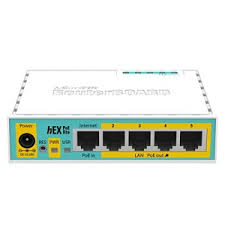
MikroTik RB951Ui-2HnD
Buy MikroTik RB951Ui-2HnD in Kenya from Orbitlink Solutions. 2.4GHz WiFi 4, five Ethernet ports, USB, PoE input/output and RouterOS Level 4.
MikroTik RB951Ui-2HnD Router in Kenya
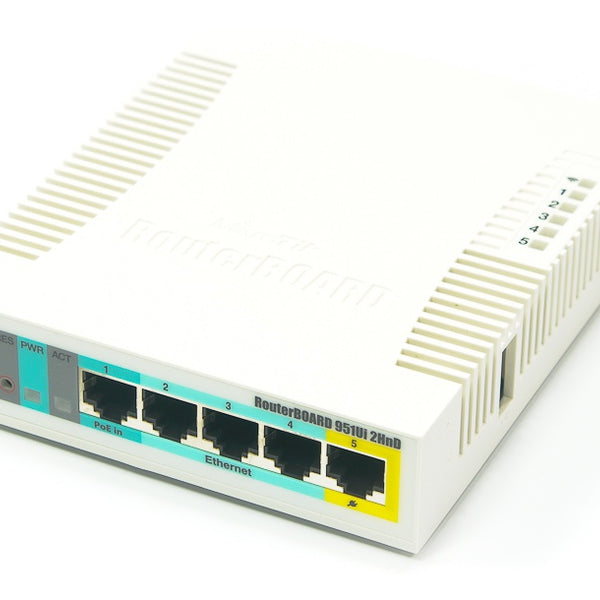
The MikroTik RB951Ui-2HnD is a compact wireless SOHO router and access point designed for homes, small offices, training labs, hotspots and basic RouterOS networks. It combines five Fast Ethernet ports, dual-chain 2.4GHz WiFi 4, a 600MHz Atheros processor, 128MB RAM, USB 2.0, passive PoE input and passive PoE output on Ether5.
One of the distinguishing features of the RB951Ui-2HnD is its relatively high-power 2.4GHz wireless radio. MikroTik specifies two wireless chains, integrated 2.5dBi antennas and a theoretical wireless PHY rate of up to 300Mbps. However, this is an older 802.11n platform and the five Ethernet ports are limited to 10/100Mbps, so it should not be positioned as a modern high-speed fibre router.
The RB951Ui-2HnD remains useful where the priorities are RouterOS flexibility, basic Wi-Fi, USB connectivity, PoE functionality and modest network speeds. MikroTik still maintains the model in its current product catalogue and provides RouterOS v7 packages for its MIPSBE architecture.
MikroTik RB951Ui-2HnD Key Features
| Feature | Specification |
|---|---|
| Product Code | RB951Ui-2HnD |
| Architecture | MIPSBE |
| CPU | AR9344 |
| CPU Cores | 1 |
| CPU Frequency | 600MHz |
| RAM | 128MB |
| Storage | 128MB NAND |
| Ethernet Ports | 5 × 10/100Mbps |
| Wi-Fi Band | 2.4GHz |
| Wi-Fi Standard | 802.11b/g/n |
| Wi-Fi Generation | WiFi 4 |
| Wireless Chains | 2 |
| Maximum Wireless PHY Rate | 300Mbps |
| Antenna Gain | 2.5dBi |
| USB | 1 × USB 2.0 Type-A |
| PoE-In | Passive PoE |
| PoE-Out | Passive PoE on Ether5 |
| RouterOS Licence | Level 4 |
| Cooling | Passive |
| Dimensions | 113 × 138 × 29mm |
| Tested Temperature | -20°C to +60°C |
| Best For | Basic SOHO, hotspot, RouterOS labs, low-speed networks |
MikroTik's current specifications confirm the 600MHz AR9344 processor, 128MB RAM, 128MB NAND storage and RouterOS Level 4 licence.
Five Fast Ethernet Ports
The RB951Ui-2HnD provides five 10/100Mbps Ethernet interfaces.
A basic configuration might be:
| Port | Example Use |
|---|---|
| Ether1 | Internet / WAN / PoE-In |
| Ether2 | Desktop PC |
| Ether3 | CCTV or printer |
| Ether4 | Switch or access point |
| Ether5 | Compatible passive-PoE device |
RouterOS allows the ports to be assigned to WAN, LAN, bridge, VLAN and other network roles rather than locking the router into one fixed consumer-style configuration.
Important: The Ports Are Not Gigabit
The RB951Ui-2HnD has Fast Ethernet rather than Gigabit Ethernet. Each physical Ethernet port is therefore limited to 100Mbps before normal protocol overhead.
This is one of the most important considerations when buying the model today.
For modern:
200Mbps fibre
300Mbps fibre
500Mbps fibre
1Gbps fibre
or faster local networks, the Ethernet interfaces become a significant bottleneck.
2.4GHz WiFi 4
The RB951Ui-2HnD provides 2.4GHz 802.11b/g/n wireless, corresponding to WiFi 4.
MikroTik specifies:
2 wireless chains
300Mbps maximum PHY rate
2.5dBi integrated antenna gain
The router can therefore provide basic wireless access for:
-
Smartphones
-
Laptops
-
Printers
-
IoT equipment
-
POS devices
-
Older Wi-Fi equipment
The advertised 300Mbps figure is a theoretical radio link rate rather than guaranteed internet throughput.
No 5GHz Wi-Fi
The RB951Ui-2HnD is a 2.4GHz-only wireless router.
It does not provide:
5GHz
WiFi 5 / 802.11ac
WiFi 6 / 802.11ax
Dual-band operation
This matters in busy Wi-Fi environments because 2.4GHz is commonly shared by neighbouring wireless networks, Bluetooth and other devices.
For a modern high-density office or home network, dual-band WiFi 5 or WiFi 6 hardware is generally preferable.
Dual-Chain Wireless
The RB951Ui-2HnD uses a dual-chain 2.4GHz radio, supporting a maximum theoretical wireless data rate of 300Mbps.
With compatible 802.11n clients, the two chains can improve wireless performance compared with older single-chain equipment.
Actual performance still depends heavily on:
-
Client capabilities
-
Distance
-
Walls
-
Interference
-
Channel width
-
Neighbouring networks
-
Router configuration
High-Power 2.4GHz Radio
MikroTik describes the RB951Ui-2HnD as a high-power 2.4GHz wireless AP.
The manufacturer's current radio specifications show transmit power reaching up to 30dBm at lower modulation rates, while power decreases at higher data rates. For example, MikroTik lists 23dBm at MCS7.
That distinction is important: maximum radio power is not maintained at every modulation and speed.
Wireless settings must also comply with local regulatory limits.
Integrated 2.5dBi Antennas
The RB951Ui-2HnD uses integrated antennas with a manufacturer-specified gain of 2.5dBi.
There are no standard external antenna connectors on the factory model.
The integrated design helps keep the unit compact and suitable for indoor desktop or wall installations.
Wi-Fi coverage should not be advertised using one guaranteed distance because walls, building materials, interference and client-device radios can substantially affect range.
600MHz Atheros Processor
The RB951Ui-2HnD uses the Atheros AR9344 single-core processor running at 600MHz.
The CPU can handle basic RouterOS workloads such as:
-
NAT
-
Firewall
-
DHCP
-
Wireless management
-
Hotspot
-
Basic VLANs
-
Simple queues
-
Static routing
-
Basic VPN
-
User management
It is an older processor and should not be compared directly with modern ARM or ARM64 MikroTik routers.
128MB RAM and 128MB NAND
The RB951Ui-2HnD includes 128MB RAM and 128MB NAND storage.
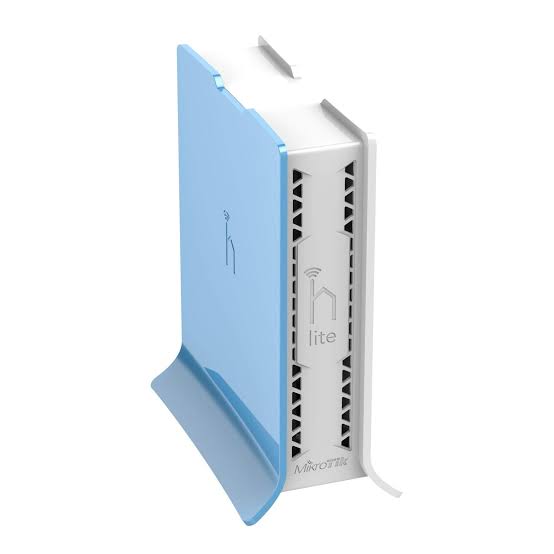
This is considerably more memory than very basic legacy devices such as the hAP lite, which makes the RB951Ui-2HnD more flexible for RouterOS configurations.
However, it remains an older SOHO platform rather than a modern enterprise gateway.
RouterOS Level 4
The RB951Ui-2HnD includes a RouterOS Level 4 licence.
RouterOS can provide functions such as:
-
Firewall
-
NAT
-
DHCP
-
VLANs
-
Hotspot
-
PPPoE
-
VPN
-
Queues
-
QoS
-
Static routing
-
OSPF
-
Basic BGP functionality
-
Monitoring
-
Scripting
-
Wireless management
The operating system comes preinstalled and licensed, so no separate RouterOS licence purchase is required.
RouterOS v7 Support
Despite being an older product, the RB951Ui-2HnD remains supported by MikroTik's MIPSBE RouterOS packages.
At the time of this page update, MikroTik's product page lists RouterOS v7.24.2 as the latest stable download for the platform.
For deployed units, administrators should keep RouterOS updated to an appropriate stable release rather than relying on the firmware originally installed years ago.
USB 2.0 Type-A Port
The RB951Ui-2HnD includes one USB Type-A port on a USB 2.0 platform. MikroTik specifies up to 1A maximum USB current and supports USB power reset functionality.
Depending on RouterOS compatibility, USB can be useful for:
-
Supported 3G/4G modems
-
Storage
-
Network peripherals
-
Logging applications
Compatibility should be confirmed for the exact modem or USB device before purchasing.
3G/4G Backup Possibilities
One practical use for the USB port is connecting a compatible USB cellular modem.
A network could therefore be designed as:
Primary Fibre / Ethernet ISP
↓
RB951Ui-2HnD
↑
Compatible USB 3G/4G Modem
RouterOS can then be configured to use the cellular connection as a backup in supported configurations.
Because USB modem compatibility varies, the exact modem should be checked before deployment.
Passive PoE-In
The RB951Ui-2HnD can be powered either through its DC jack or through passive PoE input.
MikroTik specifies:
DC jack: 8–30V
Passive PoE-In: 8–30V
This provides useful flexibility for network installations where the router needs to be powered through Ethernet.
Important
This is passive PoE, not a blanket claim of 802.3af/at compatibility.
The voltage and power source should be verified before connecting the router.
Passive PoE-Out on Ether5
Ether5 provides passive PoE output. MikroTik states that it can power another PoE-capable device using the same voltage supplied to the RB951Ui-2HnD, with a maximum load of 500mA.
This could potentially be useful for powering a compatible:
-
MikroTik access point
-
Wireless CPE
-
Outdoor radio
-
Other passive-PoE device
The downstream device must support the voltage being supplied.
PoE Compatibility Is Important
Because the output is passive, users should check:
Voltage
Polarity
Maximum current
Powered-device requirements
before connecting equipment.
Do not assume that every device labelled “PoE” can safely be connected to Ether5.
Power Consumption
| Power Specification | Value |
|---|---|
| DC Inputs | 2 |
| DC Jack Voltage | 8–30V |
| PoE-In | Passive |
| PoE-In Voltage | 8–30V |
| Without Attachments | 7W |
| Maximum Consumption | 24W |
| PoE-Out Maximum | 500mA |
MikroTik's current specification lists 7W consumption without attachments and up to 24W maximum when attached loads are taken into account.
Passive Cooling
The RB951Ui-2HnD is passively cooled, meaning it does not require a fan.
Advantages include:
-
Silent operation
-
No fan maintenance
-
Fewer moving parts
-
Low basic power consumption
The router should still be installed where there is adequate ventilation.
Indoor Installation
The RB951Ui-2HnD is intended for indoor installation.
MikroTik's hardware documentation advises keeping the product away from water, excessive humidity, fire and hot environments and using manufacturer-approved power accessories.
Its dimensions are approximately:
113 × 138 × 29mm.
The compact plastic enclosure makes it practical for desktops, small network areas and wall installations.
MikroTik RB951Ui-2HnD Routing Performance
MikroTik publishes RFC2544 Ethernet test results for the RB951Ui-2HnD.
With 1518-byte packets, current manufacturer testing reports approximately:
| Test | Aggregate Lab Result |
|---|---|
| Fast-path Bridging | ~485.8Mbps |
| Fast-path Routing | ~485.8Mbps |
| 25 Simple Queues | ~485.8Mbps |
| 25 IP Filter Rules | ~485.8Mbps |
These are aggregate multi-port laboratory figures. They do not mean that one 100Mbps Ethernet interface can deliver 485Mbps.
Each physical Ethernet interface remains limited to Fast Ethernet speeds.
Small-Packet Performance
The difference becomes more visible with smaller packets.
At 64-byte packet sizes, MikroTik reports approximately:
| Test | Aggregate Result |
|---|---|
| Fast-path Routing | ~116Mbps |
| 25 Simple Queues | ~55Mbps |
| 25 IP Filter Rules | ~31Mbps |
This illustrates why CPU load, firewall rules and packet size matter when evaluating older RouterOS hardware.
MikroTik Performance Disclaimer
MikroTik states that these tests use specialized Xena Networks equipment according to RFC2544 methodology.
The company also warns that published results represent maximum performance under the specified hardware and software configuration and that different configurations will most likely produce lower results.
The RB951Ui-2HnD should therefore be evaluated primarily as an older Fast Ethernet SOHO router, not as a 400Mbps+ internet gateway.
MikroTik RB951Ui-2HnD for Home Internet
The RB951Ui-2HnD can still serve a home connection where internet speeds are relatively modest.
A simple topology is:
ISP
↓
RB951Ui-2HnD
↓
2.4GHz Wi-Fi + Ethernet Users
RouterOS can manage:
-
DHCP
-
Firewall
-
NAT
-
Wi-Fi
-
Bandwidth limits
-
User access
For connections approaching or exceeding 100Mbps, a Gigabit router is preferable.
MikroTik RB951Ui-2HnD for Small Offices
The router can support small offices where traffic requirements are light.
Possible uses include:
Internet gateway
Basic firewall
Staff Wi-Fi
DHCP server
Simple bandwidth management
Guest network
Basic VPN
Its 128MB RAM gives it more configuration headroom than very basic hAP lite hardware, but the Fast Ethernet ports remain the primary limitation.
MikroTik RB951Ui-2HnD for Hotspot Networks
RouterOS Level 4 makes the RB951Ui-2HnD useful for smaller hotspot environments.
A possible configuration is:
Internet
↓
RB951Ui-2HnD
↓
Local Wi-Fi / Additional AP
↓
Hotspot Users
RouterOS can provide:
-
Login pages
-
User management
-
Bandwidth limits
-
Session control
-
Firewall rules
For larger hotels, apartments or high-density public Wi-Fi, a more powerful router and modern dedicated access points should be used.
MikroTik RB951Ui-2HnD for RouterOS Training
The RB951Ui-2HnD can also be useful as an affordable RouterOS training device.
Students can practise:
-
WinBox
-
DHCP
-
NAT
-
Firewall rules
-
Bridges
-
VLANs
-
Static routing
-
Queues
-
Hotspot
-
Wireless configuration
-
Basic multi-WAN concepts
This can make older RB951 units useful in networking laboratories even where their hardware specifications are no longer ideal for production broadband.
MikroTik RB951Ui-2HnD for CCTV
The router can provide basic routing and segmentation for a small CCTV system.
A typical topology might be:
Internet
↓
RB951Ui-2HnD
↓
PoE Switch
↓
Cameras + NVR
The router can separate CCTV traffic using subnets or VLANs and apply firewall restrictions.
However, modern IP cameras and NVRs commonly use Gigabit infrastructure, so a newer Gigabit router is preferable for larger CCTV deployments.
MikroTik RB951Ui-2HnD for Starlink
The RB951Ui-2HnD can technically operate behind a suitable Starlink Ethernet connection.
However, its 100Mbps Ethernet ports create a significant bottleneck if the Starlink connection is capable of delivering higher speeds.
For modern Starlink installations, Gigabit MikroTik routers such as the L009, hAP ax series or RB5009 are generally better choices depending on the network requirements.
MikroTik RB951Ui-2HnD for Fibre Internet
The same limitation applies to modern fibre.
For a connection below approximately Fast Ethernet speeds, the RB951Ui-2HnD can still provide basic routing.
For:
100Mbps+
300Mbps
500Mbps
1Gbps
internet packages, a modern Gigabit router should normally be selected instead.
RB951Ui-2HnD vs RB941-2nD-TC hAP lite TC
| Feature | RB951Ui-2HnD | RB941-2nD-TC |
|---|---|---|
| CPU | 600MHz AR9344 | 650MHz QCA9533 |
| RAM | 128MB | 32MB |
| Storage | 128MB NAND | 16MB Flash |
| Ethernet | 5 × Fast Ethernet | 4 × Fast Ethernet |
| Wi-Fi | 2.4GHz N300 | 2.4GHz N300 |
| Antenna Gain | 2.5dBi | 1.5dBi |
| USB Data Port | Yes | No |
| PoE-In | Yes | No |
| PoE-Out | Yes | No |
| RouterOS Licence | L4 | L4 |
The RB951Ui-2HnD provides significantly more RAM and storage, an extra Ethernet port, USB and PoE capabilities.
For legacy RouterOS deployments, it is therefore considerably more flexible than the hAP lite TC.
RB951Ui-2HnD vs MikroTik hAP
The MikroTik hAP RB951Ui-2nD is a related but different model.
| Feature | RB951Ui-2HnD | hAP RB951Ui-2nD |
|---|---|---|
| CPU | AR9344 600MHz | QCA9531 650MHz |
| RAM | 128MB | 64MB |
| Storage | 128MB NAND | 16MB Flash |
| Ethernet | 5 × 100M | 5 × 100M |
| Wi-Fi | 2.4GHz N300 | 2.4GHz N300 |
| Antenna Gain | 2.5dBi | 1.5dBi |
| USB | Yes | Yes |
| PoE-Out | Yes | Yes |
The names are similar, so the exact product code should be checked when purchasing.
RB951Ui-2HnD vs hAP ac lite
The hAP ac lite adds dual-band wireless, including 5GHz 802.11ac, while retaining five Fast Ethernet ports, USB and PoE-Out. MikroTik currently lists both devices in its indoor wireless catalogue.
The hAP ac lite is therefore more appropriate where dual-band Wi-Fi is needed, although its Fast Ethernet interfaces can still limit high-speed broadband.
RB951Ui-2HnD vs hAP ac²
The hAP ac² represents a much larger upgrade.
MikroTik describes the hAP ac² as a dual-band 2.4/5GHz 802.11ac router with five Gigabit Ethernet ports, a quad-core ARM CPU, USB and IPsec hardware acceleration.
For modern internet connections, this addresses two major limitations of the RB951Ui-2HnD:
Fast Ethernet → Gigabit Ethernet
2.4GHz-only → Dual-band Wi-Fi
For most performance-focused installations, the hAP ac² or a newer ax-generation device is therefore preferable.
RB951Ui-2HnD vs hAP ax lite
For new budget installations, the hAP ax lite is another important upgrade path.
It moves to a newer ARM platform, WiFi 6 and Gigabit Ethernet while maintaining MikroTik's compact RouterOS concept.
The RB951Ui-2HnD can still be useful where its high-power legacy 2.4GHz radio, USB or PoE features specifically suit an existing installation, but the hAP ax generation is generally more appropriate for modern broadband.
RB951Ui-2HnD vs L009UiGS-2HaxD-IN
These devices belong to very different generations.
| Feature | RB951Ui-2HnD | L009UiGS-2HaxD-IN |
|---|---|---|
| CPU Cores | 1 | 2 |
| RAM | 128MB | 512MB |
| Ethernet | 5 × 100M | 8 × Gigabit |
| SFP | No | Up to 2.5G |
| Wi-Fi | WiFi 4 | WiFi 6 |
| USB | USB 2.0 | USB 3.0 |
| PoE | Yes | Yes |
| Main Role | Legacy SOHO | Modern SMB gateway |
For a new professional network, the L009 provides substantially more performance and expansion capability.
Advantages of MikroTik RB951Ui-2HnD
The RB951Ui-2HnD offers several useful features despite its age:
-
128MB RAM
-
128MB NAND
-
Five Ethernet ports
-
High-power 2.4GHz WiFi 4
-
Dual-chain wireless
-
USB 2.0
-
Passive PoE-In
-
Passive PoE-Out
-
RouterOS Level 4
-
Current RouterOS v7 packages
-
Passive cooling
-
Flexible RouterOS configuration
Its main strength today is providing a substantial set of RouterOS features on inexpensive legacy hardware.
Limitations of MikroTik RB951Ui-2HnD
The main limitations are:
No Gigabit Ethernet
100Mbps maximum per Ethernet port
No 5GHz
No WiFi 5
No WiFi 6
Single-core 600MHz CPU
Older MIPSBE architecture
USB 2.0
Passive rather than standard PoE
No SFP
These limitations are important when comparing the RB951Ui-2HnD with current MikroTik routers.
Who Should Buy the MikroTik RB951Ui-2HnD?
The RB951Ui-2HnD makes the most sense for:
Basic small-office networks
RouterOS training
Legacy MikroTik deployments
Hotspot experiments
Low-speed internet connections
USB modem applications
Networks requiring basic passive PoE-Out
It is less suitable for:
High-speed fibre
Modern Starlink deployments
Busy offices
High-density Wi-Fi
Gigabit LANs
Heavy VPN workloads
What's Included in the Box?
MikroTik currently lists:
| Included Item | Status |
|---|---|
| RB951Ui-2HnD Router | Included |
| 24V 0.8A Power Adapter | Included |
| RouterOS Level 4 | Preinstalled |
No separate RouterOS licence needs to be purchased.
MikroTik RB951Ui-2HnD Price in Kenya
MikroTik currently lists a manufacturer suggested price of US$59.95 for the RB951Ui-2HnD. This is MikroTik's international reference price and not an Orbitlink Solutions Kenya retail quotation.
Actual pricing in Kenya can vary depending on stock, exchange rates, freight, taxes and whether the unit is new or from older inventory.
Contact Orbitlink Solutions for the current MikroTik RB951Ui-2HnD price and stock availability in Kenya.
Because this is an older Fast Ethernet model, buyers should also compare its local price with newer Gigabit MikroTik alternatives before purchasing.
Why Buy MikroTik RB951Ui-2HnD from Orbitlink Solutions?

The key consideration when buying the RB951Ui-2HnD today is whether its Fast Ethernet and 2.4GHz-only wireless limitations fit the intended network. For a modest internet connection, RouterOS training environment or an existing legacy installation, it can still perform useful work. For modern fibre or Starlink, a newer Gigabit model is usually the better investment.
Orbitlink Solutions can help compare the RB951Ui-2HnD with alternatives such as the hAP ac², hAP ax series, L009 and RB5009 according to the required internet speed, Wi-Fi coverage, user count and RouterOS features.
The router can also be integrated with switches, access points, cabling and compatible networking accessories for a complete installation.
Watch the MikroTik RB951Ui-2HnD Video
The RB951Ui-2HnD is an example of an older MikroTik router that remains useful because RouterOS provides far more control than the basic hardware specifications might suggest. Its 600MHz processor and 128MB RAM can handle ordinary firewalling, NAT, DHCP, queues, hotspot functions and basic routing, while the integrated 2.4GHz radio allows it to operate as both router and wireless access point.
Its connectivity is also unusually flexible for a legacy SOHO product. Alongside five Ethernet interfaces, the router provides USB 2.0, passive PoE input and passive PoE output on Ether5. This makes it possible to build small installations involving USB cellular backup or a compatible downstream PoE device without requiring several separate power supplies.
The major issue for a buyer today is performance expectations. The Ethernet ports are limited to 100Mbps and the wireless radio is 2.4GHz WiFi 4 only. The RB951Ui-2HnD can therefore remain useful for training, legacy networks and modest broadband connections, but a modern Gigabit MikroTik router is generally a better choice when building a new fibre, Starlink or high-traffic business network.
Frequently Asked Questions About MikroTik RB951Ui-2HnD
What is the MikroTik RB951Ui-2HnD?
The RB951Ui-2HnD is a MikroTik wireless SOHO router and access point featuring five Fast Ethernet ports, 2.4GHz WiFi 4, USB, passive PoE and RouterOS Level 4.
How many Ethernet ports does RB951Ui-2HnD have?
It has five 10/100Mbps Ethernet ports.
Are the Ethernet ports Gigabit?
No. All five are Fast Ethernet ports.
Does RB951Ui-2HnD have Wi-Fi?
Yes. It provides dual-chain 2.4GHz 802.11b/g/n WiFi 4.
Does it support 5GHz?
No. It operates only on 2.4GHz.
Does it support WiFi 6?
No. It is a WiFi 4 / 802.11n device.
What is its maximum wireless rate?
MikroTik specifies a theoretical maximum PHY rate of 300Mbps.
What antenna gain does it have?
MikroTik specifies 2.5dBi integrated antenna gain.
What CPU does RB951Ui-2HnD use?
It uses the AR9344 single-core 600MHz processor.
How much RAM does it have?
It has 128MB RAM.
How much storage does it have?
It provides 128MB NAND storage.
What RouterOS licence does it include?
It includes RouterOS Level 4.
Does RB951Ui-2HnD support RouterOS v7?
Yes. MikroTik currently provides RouterOS v7 packages for its MIPSBE architecture.
Does it have USB?
Yes. It has one USB 2.0 Type-A port.
Can I use a 4G modem with it?
Potentially, yes, if the USB modem is supported by the installed RouterOS version. Exact compatibility should be checked first.
Does RB951Ui-2HnD support PoE-In?
Yes. It supports 8–30V passive PoE input.
Does it provide PoE-Out?
Yes. Ether5 provides passive PoE output with a documented maximum load of 500mA.
Is its PoE 802.3af/at?
MikroTik specifies passive PoE for this model. Voltage and device compatibility should therefore be checked rather than assuming standard 802.3af/at interoperability.
Is the RB951Ui-2HnD fanless?
Yes. It uses passive cooling.
Can it work with fibre?
Yes, when connected through an ONT or other suitable Ethernet equipment, but the router's 100Mbps ports limit throughput.
Can it work with Starlink?
Technically yes, but its Fast Ethernet interfaces can prevent users from taking advantage of higher Starlink speeds.
Can it create VLANs?
Yes. RouterOS supports VLAN configuration.
Can it be used for a hotspot?
Yes. RouterOS Level 4 supports hotspot applications.
Can it be used for CCTV?
Yes for smaller installations, although modern Gigabit equipment is generally preferable for larger CCTV networks.
Is RB951Ui-2HnD better than hAP lite TC?
It provides significantly more RAM and storage, five rather than four Ethernet ports, USB, passive PoE-In and passive PoE-Out.
Is it better than hAP ac²?
Not for modern performance. The hAP ac² provides five Gigabit Ethernet ports, dual-band WiFi 5 and a quad-core ARM processor.
Is RB951Ui-2HnD suitable for a 500Mbps fibre connection?
No. Its Ethernet ports are limited to 100Mbps, so a Gigabit router should be used.
What is the MikroTik RB951Ui-2HnD price in Kenya?
Contact Orbitlink Solutions for the current exact-model price and stock availability.
Buy MikroTik RB951Ui-2HnD in Kenya
The MikroTik RB951Ui-2HnD remains a versatile legacy RouterOS device for basic networks requiring 2.4GHz Wi-Fi, five Ethernet ports, USB connectivity, passive PoE input/output and RouterOS Level 4. Its 128MB RAM and 128MB NAND also give it considerably more resources than some other entry-level MikroTik models from the same era.
For new high-speed fibre, Starlink or business deployments, however, the 100Mbps Ethernet ports and 2.4GHz-only WiFi 4 radio are important limitations. A modern Gigabit MikroTik router should be considered where higher throughput or newer wireless technology is required.
Contact Orbitlink Solutions
Orbitlink Solutions
Lyric House, 7th Floor, Room S9, Kimathi Street, Nairobi
Call / Text / WhatsApp: +254 743 720 551
Email: info@orbitlinksolutions.co.ke
Alternative Email: orbitlinksolutions@gmail.com
Opening Hours: Monday–Saturday, 9:00 AM–6:00 PM
Availability: Nairobi pickup and nationwide delivery
Contact Orbitlink Solutions for the current MikroTik RB951Ui-2HnD price in Kenya, stock availability and guidance on choosing between the RB951Ui-2HnD and newer MikroTik Gigabit or WiFi 6 routers for your network.
Need Help Choosing? Ask a Technician
Get guidance on setup, compatibility, stock, and delivery before buying for your project.