TP-Link Switches in Kenya
Buy TP-Link switches in Kenya from Orbitlink Solutions. Shop unmanaged, PoE, Omada managed, Gigabit, 2.5G and 10G switches for homes and businesses.
Top picks in TP-Link Switches in Kenya
Compare price points, specs, and bundles tailored to Kenyan homes and businesses.
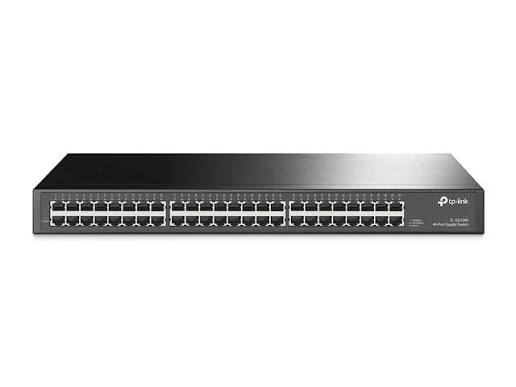
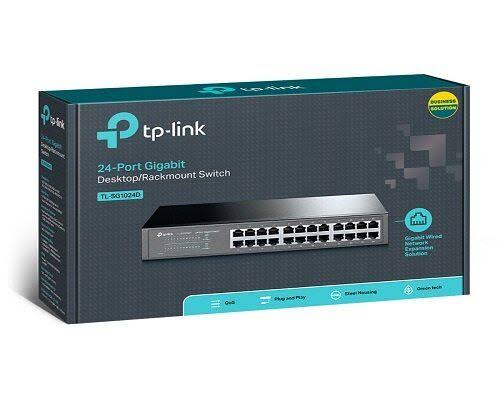
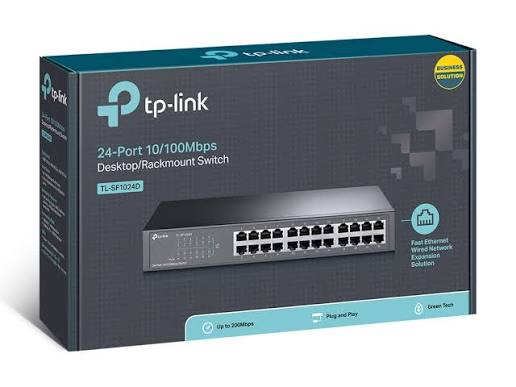
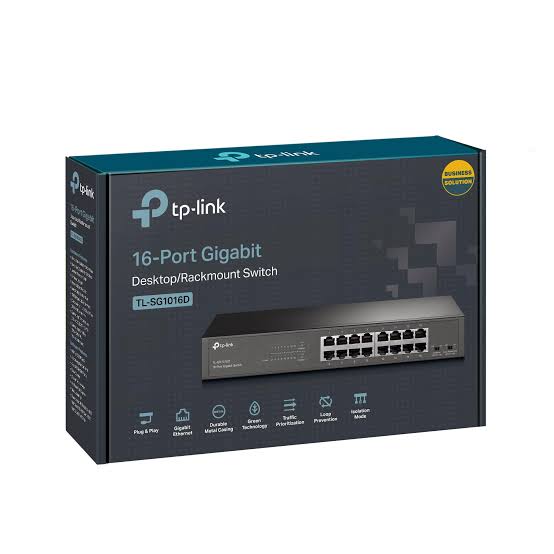
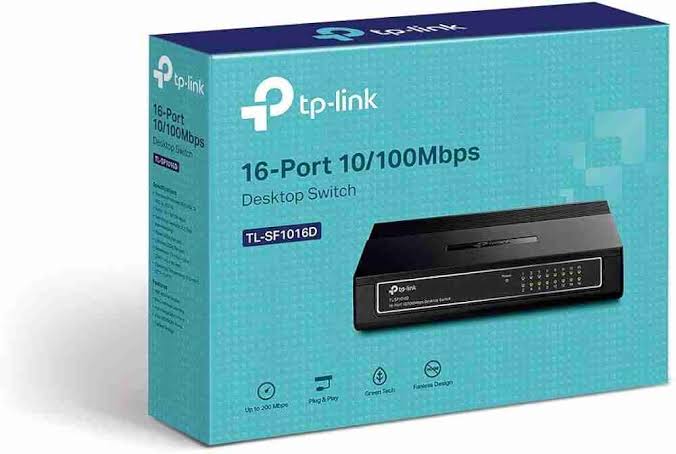
TP-Link Switches in Kenya – Unmanaged, PoE, Omada Managed, Gigabit, 2.5G & 10G Network Switches
TP-Link network switches provide a practical way to expand wired networks for homes, offices, schools, hotels, CCTV installations, access points, servers and enterprise infrastructure. TP-Link currently offers switch families ranging from simple unmanaged desktop models to Easy Managed, Smart, L2+, L3, PoE+, PoE++, 2.5 Gigabit, 10 Gigabit and high-capacity Omada enterprise switches.
For a small network, a compact 5-port or 8-port Gigabit switch may be enough to connect computers, printers, smart TVs and routers. Larger installations may require 16-, 24- or 48-port switches, while wireless access points, IP cameras and VoIP phones often benefit from PoE switches that carry both power and data through Ethernet cabling.
Modern TP-Link Omada switches add capabilities such as VLANs, QoS, ACLs, static routing, cloud management, PoE+, PoE++, SFP/SFP+ uplinks and multi-Gigabit ports. This makes them suitable for networks built around fibre, Starlink, Wi-Fi 6, Wi-Fi 7, CCTV and multi-site business infrastructure.
Main Types of TP-Link Switches
| TP-Link Switch Type | Typical Features | Best For |
|---|---|---|
| Unmanaged Switches | Plug-and-play, no configuration | Homes, small offices, simple network expansion |
| Unmanaged PoE Switches | Plug-and-play plus PoE/PoE+ | CCTV, IP phones, access points |
| Easy Smart / Easy Managed | Basic VLAN, QoS and management | SMEs and structured small networks |
| Omada Smart Switches | VLAN, ACL, QoS, cloud management | Offices, hotels, schools |
| L2+ Managed Switches | Static routing, VLAN, ACL, 10G uplinks | Growing businesses and enterprise access networks |
| L3 Managed Switches | Inter-VLAN routing, advanced routing, stacking | Campuses, enterprise networks, core/aggregation |
| 2.5G Multi-Gigabit Switches | 2.5GbE access ports, often 10G uplinks | Wi-Fi 6E/7, NAS, high-speed offices |
| 10G Switches | 10 Gigabit SFP+/RJ45 connectivity | Servers, storage, aggregation and backbone links |
| PoE++ Switches | Higher-power 802.3bt ports | Wi-Fi 7 APs, PTZ cameras and high-power devices |
TP-Link currently categorizes Omada switches across several levels, including L3, L2+, Smart, Easy Managed, Easy Smart and Unmanaged.
TP-Link Unmanaged Switches
Unmanaged TP-Link switches are the simplest option when the goal is only to add more Ethernet ports.
They generally require no network configuration. Connect the router to one switch port, then connect computers, printers, smart TVs, NVRs or other Ethernet equipment to the remaining ports.
One common example is the TP-Link TL-SG105, a compact 5-port Gigabit desktop switch. TP-Link specifies five 10/100/1000Mbps Ethernet ports, making it suitable for simple Gigabit network expansion.
A typical installation is:
Fibre / Starlink Router → TP-Link Gigabit Switch → PCs, Smart TVs, NVR, Printer and Other Devices
For users who do not need VLANs, monitoring or remote management, an unmanaged switch is usually the easiest and most economical solution.
5-Port and 8-Port TP-Link Gigabit Switches
Small Gigabit switches are particularly useful in homes and smaller offices.
| Port Count | Suitable Applications |
|---|---|
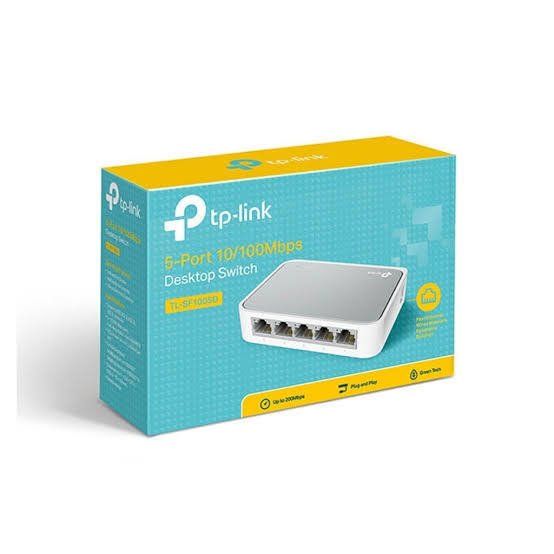
| 5 Ports | Home entertainment, small office desk, router expansion |
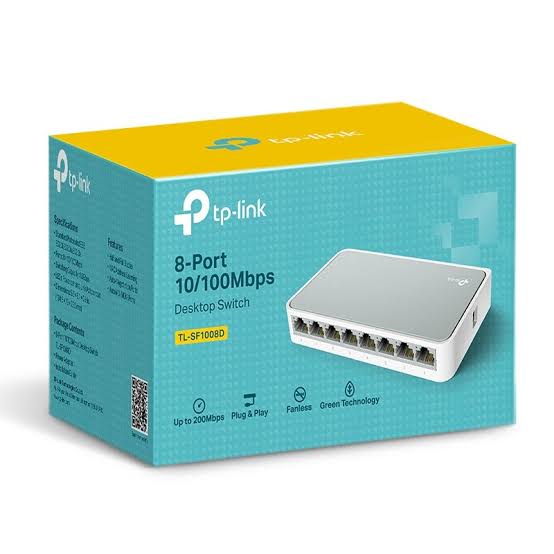
| 8 Ports | Small office, CCTV, multiple PCs, access points |
| 16 Ports | Growing office, school lab, medium CCTV deployment |
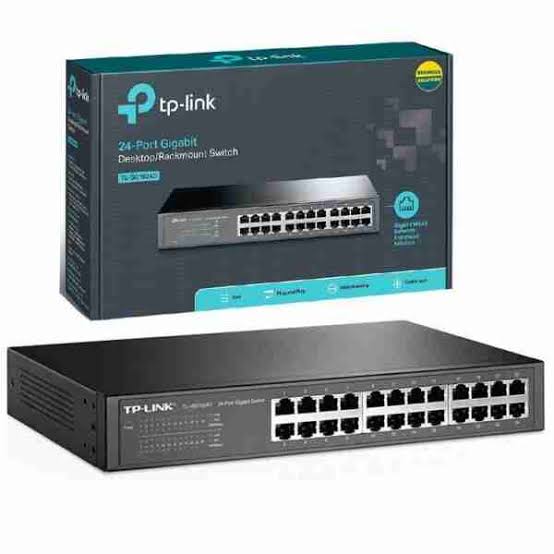
| 24 Ports | Business network, hotel, school or larger CCTV system |
| 48 Ports | Large office, campus, enterprise access network |
A 5-port switch normally uses one port for the uplink to the router, leaving four ports for devices. An 8-port switch provides more expansion capacity and may reduce the need to replace the switch as the network grows.
TP-Link PoE Switches
A TP-Link PoE switch can carry both electrical power and network data through Ethernet cabling.
This is particularly useful for devices such as IP cameras, VoIP phones and compatible wireless access points.
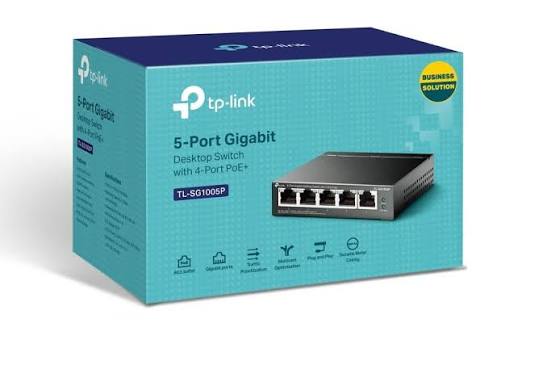
For example, the current TL-SG1005P V2 provides five Gigabit ports, four of which support IEEE 802.3af/at PoE+, with up to 30W per PoE port and a total PoE budget of up to 65W on that revision.
Typical installation:
Router → TP-Link PoE Switch → IP Cameras / Omada APs / IP Phones
PoE can reduce installation complexity because compatible powered devices do not require a separate electrical socket beside each device.
PoE, PoE+ and PoE++
Not every PoE switch provides the same amount of power.
| Standard | Common Name | Typical Maximum Power Class | Common Applications |
|---|---|---|---|
| IEEE 802.3af | PoE | Lower-power | Basic APs, phones, cameras |
| IEEE 802.3at | PoE+ | Up to 30W class per port | Wi-Fi APs, stronger cameras, phones |
| IEEE 802.3bt | PoE++ | Higher power | Wi-Fi 7 APs, PTZ cameras, advanced equipment |
For example, TP-Link's SG3428XPP-M2 provides eight 2.5G PoE++ ports, sixteen 2.5G PoE+ ports, four 10G SFP+ uplinks and a total PoE budget of 500W.
When choosing a PoE switch, the most important factor is not only the number of PoE ports but also the total PoE power budget.
What Is PoE Budget?
The PoE budget is the maximum total electrical power that a switch can provide to connected PoE devices.
For example, a switch may have eight PoE+ ports but only a 61W total budget. This means the total power used across those connected devices must remain within that limit.
The SG2210P, for example, provides eight Gigabit PoE+ ports, two Gigabit SFP slots and a 61W total PoE budget, with up to 30W available from an individual supported port.
For CCTV or access-point projects, calculate the combined power consumption of all devices before choosing the switch.
TP-Link Switches for CCTV
TP-Link PoE switches are widely suited to IP-surveillance networks.
A simple CCTV architecture can be:
Router → TP-Link PoE Switch → IP Cameras
TP-Link PoE Switch → NVR
A PoE switch allows cameras to receive network connectivity and power through one Ethernet cable. This reduces the need for separate power adapters at each camera position.
For a four-camera installation, a small 5- or 8-port PoE switch may be adequate. Larger systems with 16, 24 or more cameras require additional ports and a sufficiently high PoE budget.
For professionally segmented surveillance networks, managed Omada switches can also provide VLANs and access controls.
TP-Link Switches for Wi-Fi Access Points
TP-Link PoE switches are also ideal for powering Omada EAP wireless access points.
A professional installation may look like:
Internet → Omada Gateway → TP-Link PoE Switch → Omada EAPs
The PoE switch provides both connectivity and power to compatible ceiling, wall-plate and outdoor access points.
For larger Wi-Fi networks, an Omada-managed PoE switch also allows the wired infrastructure to be managed alongside compatible gateways and access points through the Omada ecosystem.
TP-Link Omada Managed Switches
TP-Link's current Omada managed-switch portfolio is designed for organizations that need more control than a simple plug-and-play switch provides.
Current models span roughly 5 to 48 access ports, with combinations of Gigabit, multi-Gigabit, PoE+, PoE++, SFP and SFP+ depending on the model.
Managed features can include:
VLANs, ACLs, QoS, static routing, IGMP Snooping, centralized management and network monitoring.
Cloud management depends on the switch model and Omada controller architecture.
Omada Smart Switches
Smart switches sit between basic unmanaged switches and more advanced managed switching.
The current SG2210P is a good example. It combines eight Gigabit PoE+ ports and two SFP slots with VLAN, ACL, QoS, IGMP Snooping, static routing and centralized Omada management.
For a growing business, this provides significantly more network control than a standard unmanaged switch while remaining suitable for access-layer deployment.
TP-Link L2+ Managed Switches
L2+ switches provide more routing capability than basic Layer 2 switches while remaining simpler than full Layer 3 infrastructure.
TP-Link describes its current Omada L2+ portfolio as supporting capabilities such as static routing, inter-VLAN routing, 10G uplinks and multi-Gigabit PoE options.
They are suitable for larger offices, schools, hotels and multi-department networks that need separate VLANs while keeping local traffic efficient.
TP-Link Layer 3 Switches
Layer 3 switches are designed for larger and more sophisticated network environments.
TP-Link's current Omada L3 switch family includes 24- and 48-port models, as well as high-capacity core and aggregation platforms with Gigabit, 10G, 25G and even 100G interfaces depending on model.
Layer 3 switching can route traffic between VLANs directly within the switching infrastructure instead of requiring every inter-VLAN packet to travel back through the gateway.
This is particularly useful in campuses, enterprise offices and large multi-VLAN environments.
TP-Link 2.5 Gigabit Switches
Modern Wi-Fi 6, Wi-Fi 6E and Wi-Fi 7 access points can require more than a single Gigabit Ethernet link.
TP-Link's current Omada 2.5G family includes models such as:
| Example Model | Main Connectivity | Typical Role |
|---|---|---|
| ES206X-M2 | 5 × 2.5G + 1 × 10G SFP+ | Small multi-Gigabit network |
| ES206XPP-M2 | 2.5G ports + PoE++ + 10G SFP+ | High-speed PoE access |
| SG2210XMP-M2 | 8 × 2.5G + 2 × 10G SFP+ | Wi-Fi 6/7 access layer |
| SG3210XHP-M2 | 8 × 2.5G PoE+ + 2 × 10G SFP+ | Managed multi-Gigabit PoE |
TP-Link specifically positions 2.5G switches for Wi-Fi 6, Wi-Fi 6E, Wi-Fi 7, high-throughput servers and dense-device environments.
TP-Link 10G Switches
10 Gigabit connectivity is increasingly useful for network backbones, servers, NAS devices, aggregation switches and uplinks between floors or network cabinets.
The TL-SG3428X, for example, provides 24 Gigabit RJ45 access ports combined with four 10G SFP+ uplinks.
This architecture allows ordinary client devices to remain on Gigabit Ethernet while high-capacity uplinks connect the switch to servers, core switches or other network sections at 10Gbps.
TP-Link SFP and SFP+ Switches
Some TP-Link business switches include SFP or SFP+ slots.
SFP is commonly used for Gigabit fibre uplinks, while SFP+ commonly supports 10 Gigabit links.
This is useful where switches are located far apart, such as between floors, buildings or network cabinets.
A typical network could be:
Main Switch → Fibre SFP/SFP+ Link → Remote Switch → Users and Access Points
Always confirm the supported transceiver, fibre type, speed and distance before purchasing modules.
TP-Link Switches for Fibre Networks
A switch does not replace the fibre ONT or router.
A typical setup is:
Fibre ISP → ONT → Router/Gateway → TP-Link Switch
The switch then distributes network connectivity to wired equipment.
If fibre internet exceeds 1Gbps, using only Gigabit switches may restrict local network or WAN throughput. For these environments, 2.5G or 10G switches may be more appropriate.
TP-Link Switches for Starlink
TP-Link switches work well in Starlink installations where additional Ethernet ports are required.
Typical setup:
Starlink → Router/Gateway → TP-Link Switch → PCs, Cameras, APs and Other Devices
For a simple home Starlink installation, an unmanaged Gigabit switch may be sufficient.
For a business Starlink installation:
Starlink + Fibre → Omada Gateway → Omada Managed PoE Switch → Access Points / CCTV / PCs
This configuration allows Starlink to form part of a larger structured network while the switch handles wired distribution and PoE.
TP-Link Switches for Offices
An office network may combine desktops, printers, wireless APs, CCTV, IP phones and servers.
A typical setup could be:
Fibre / Starlink → ER605 or Other Gateway → Managed PoE Switch → Office Network
For a small office, an 8-port Gigabit switch may be sufficient.
A larger office may require 24- or 48-port managed switching with VLANs separating departments, guest Wi-Fi, CCTV and VoIP.
TP-Link Switches for Hotels
Hotels commonly require a combination of:
Guest Wi-Fi, front-office systems, CCTV, VoIP, POS equipment and staff networks.
A managed PoE switch can power access points and cameras while VLANs separate different network functions.
For larger hotel networks, Gigabit access ports combined with 10G uplinks can help avoid backbone congestion.
TP-Link Switches for Schools
Schools can use TP-Link switches to connect:
Computer labs, administration offices, access points, CCTV cameras, smart classrooms and servers.
Managed switches allow student, teacher, administration, guest Wi-Fi and CCTV traffic to be separated using VLANs.
PoE models are especially useful for ceiling-mounted Wi-Fi access points and IP cameras.
TP-Link Switches for SMEs
For many SMEs, the right choice is usually between an unmanaged Gigabit switch and an Omada Smart PoE switch.
If the business only requires more Ethernet ports, unmanaged switching is adequate.
If the network requires VLANs, access points, cameras, remote management or traffic policies, an Omada-managed model is usually the better long-term investment.
Popular TP-Link Switch Models and Their Uses
| Model / Family | Main Feature | Suitable For |
|---|---|---|
| TL-SG105 | 5-port Gigabit unmanaged | Homes and very small offices |
| TL-SG108 class | 8-port Gigabit unmanaged | Small offices and media networks |
| TL-SG1005P | 5-port Gigabit, 4 PoE/PoE+ ports depending revision | Small CCTV/AP deployments |
| SG2210P | 8 Gigabit PoE+ + 2 SFP | SMEs and Omada networks |
| SG2428P | 24 Gigabit PoE+ + 4 SFP | Hotels, schools, offices |
| TL-SG3428X / successor class | 24 Gigabit + 4 × 10G SFP+ | Aggregation and larger offices |
| SG3210XHP-M2 | 8 × 2.5G PoE+ + 2 × 10G SFP+ | Wi-Fi 6 high-speed networks |
| SG3428XPP-M2 | 24 × 2.5G PoE+/PoE++ + 4 × 10G | Wi-Fi 7 and enterprise access |
| Omada L3 S6500/S7500 families | Advanced L3 and high-speed uplinks | Campus/core networks |
Current TP-Link portfolio naming and availability varies by country and hardware generation, and some older TL- prefixed JetStream models have newer SG- successors.
TP-Link SG2210P
The SG2210P is a versatile Omada access switch for businesses that need a manageable PoE network.
It provides eight Gigabit PoE+ ports and two Gigabit SFP slots, a 61W total PoE budget and centralized Omada management. It also supports VLANs, ACLs, QoS, IGMP Snooping and static routing.
This makes it suitable for smaller offices, Wi-Fi deployments and CCTV systems.
TP-Link SG2428P
The current SG2428P provides 24 Gigabit PoE+ RJ45 ports and four Gigabit SFP slots with a 250W total PoE budget.
It supports centralized Omada management together with VLAN, ACL, QoS, IGMP Snooping and static routing.
This is a strong option for schools, hotels, offices and medium-sized access-point installations requiring many PoE devices.
TP-Link SG3428XPP-M2
The SG3428XPP-M2 is designed for significantly more demanding networks.
It provides 24 × 2.5Gbps RJ45 ports, including eight PoE++ and sixteen PoE+ ports, plus four 10G SFP+ slots and a 500W PoE budget.
It is particularly relevant for newer Wi-Fi 6E and Wi-Fi 7 deployments where Gigabit Ethernet could limit access-point performance.
Unmanaged vs Managed TP-Link Switch
| Feature | Unmanaged | Managed / Omada |
|---|---|---|
| Plug-and-play | Yes | Yes, but configuration available |
| VLAN | Generally no | Yes |
| QoS controls | Limited/basic | Advanced |
| ACL | No | Selected managed models |
| Centralized management | No | Supported Omada models |
| Static routing | No | Selected managed models |
| Monitoring | Minimal | Advanced |
| Best Use | Simple networks | Business networks |
| Technical Skill Required | Low | Moderate |
An unmanaged switch is best when simplicity is the priority. A managed switch becomes valuable when the network needs segmentation, monitoring or centralized control.
Gigabit vs 2.5G vs 10G Switch
| Ethernet Speed | Maximum Link Class | Best Use |
|---|---|---|
| Fast Ethernet | 100Mbps | Legacy/basic networks |
| Gigabit | 1Gbps | Most current homes and SMEs |
| 2.5 Gigabit | 2.5Gbps | Wi-Fi 6/7, NAS and high-speed office |
| 10 Gigabit | 10Gbps | Servers, backbone, aggregation |
| 25G+ | 25Gbps and above | Enterprise core infrastructure |
Gigabit remains sufficient for many users, but multi-Gigabit switching is increasingly relevant when deploying modern Wi-Fi APs and fast internal storage.
How to Choose the Right TP-Link Switch
| Requirement | Recommended Switch Type |
|---|---|
| Add a few wired devices | 5/8-port unmanaged Gigabit |
| Connect IP cameras | PoE/PoE+ Gigabit switch |
| Power Omada access points | PoE+ switch |
| Separate guest and staff networks | Managed Omada switch |
| Small business | 8/16-port Smart or managed switch |
| Medium business | 24/48-port managed switch |
| Multiple Wi-Fi 6 APs | PoE+ managed switch |
| Wi-Fi 7 deployment | 2.5G PoE+/PoE++ switch |
| Fibre uplinks between buildings | SFP/SFP+ switch |
| Server/NAS backbone | 10G switch |
| Campus/core network | L3 managed/stackable switch |
When selecting a switch, consider the number of ports, Ethernet speed, PoE requirements, PoE budget, uplink speed, VLAN requirements, management level and future expansion.
Does a Network Switch Increase Internet Speed?
A switch does not increase the speed supplied by the ISP.
Its role is to distribute network connectivity.
However, using a switch that is too slow can create a bottleneck. For example, a Fast Ethernet switch limits an Ethernet link to approximately 100Mbps class, while Gigabit and multi-Gigabit switches provide much more capacity.
Does a TP-Link Switch Need a Router?
In most internet-connected home and office networks, yes.
The router handles functions such as routing between the local network and the internet, DHCP, NAT and firewall services.
The switch primarily adds Ethernet ports and forwards traffic between local devices.
Typical architecture:
Internet → Router → Switch → Devices
Why Buy TP-Link Switches from Orbitlink Solutions?
Orbitlink Solutions supplies TP-Link networking switches, routers, Omada gateways, access points and related networking equipment for homes, SMEs and larger projects across Kenya.
Customers can get help selecting the right switch according to the number of devices, PoE requirement, internet speed, access-point model, CCTV deployment, fibre uplinks and future network growth.
Orbitlink can also assist with complete designs combining Starlink, fibre, TP-Link Omada gateways, managed PoE switches, Wi-Fi access points, CCTV and structured Ethernet cabling.
Watch: TP-Link Network Switches
TP-Link's switch portfolio covers networks ranging from a few Ethernet devices in a home to complex campus infrastructures. A simple unmanaged Gigabit model can solve basic port-expansion requirements, while managed Omada models add VLANs, routing, traffic controls and centralized administration for more structured business networks.
PoE is particularly important for CCTV and wireless networking because compatible cameras and access points can receive both power and data from the switch. Models range from compact desktop PoE switches to enterprise products with hundreds of watts of available PoE capacity.
For newer networks, switching speed also matters. Gigabit remains suitable for most current applications, while 2.5G and 10G options are increasingly important for Wi-Fi 6E, Wi-Fi 7, servers, NAS systems and high-capacity uplinks. TP-Link now maintains dedicated multi-Gigabit and high-speed managed switch families for these environments.
Frequently Asked Questions About TP-Link Switches
What is a TP-Link network switch?
A TP-Link network switch connects multiple Ethernet devices within the same network and allows them to communicate through wired connections.
What is the difference between a router and a switch?
A router connects different networks and normally provides internet routing, DHCP, NAT and firewall functions. A switch primarily expands the number of wired LAN connections.
Which TP-Link switch is best for a home?
A 5-port or 8-port unmanaged Gigabit switch is usually enough for a typical home requiring more Ethernet connections.
Which TP-Link switch is best for CCTV?
A PoE or PoE+ Gigabit switch is generally preferred because compatible cameras can receive both power and data over Ethernet.
Which TP-Link switch is best for Omada access points?
A managed PoE+ Omada switch is usually the most flexible solution, particularly when centralized management and VLANs are required.
What is the difference between managed and unmanaged TP-Link switches?
Unmanaged switches are plug-and-play. Managed switches allow network configuration such as VLANs, QoS, ACLs, monitoring and, on compatible Omada models, centralized management.
Does TP-Link make PoE+ switches?
Yes. TP-Link offers many PoE+ models, ranging from compact desktop switches to large managed Omada switches.
Does TP-Link make PoE++ switches?
Yes. Models such as the SG3428XPP-M2 include 802.3bt PoE++ ports.
Does TP-Link have 2.5G switches?
Yes. TP-Link currently offers multiple 2.5 Gigabit Omada switches for high-speed business networking and modern access points.
Does TP-Link make 10G switches?
Yes. TP-Link offers switches with 10G SFP+ ports and other high-speed interfaces for aggregation, servers and enterprise networks.
Can I use a TP-Link switch with Starlink?
Yes. Connect the switch downstream of a Starlink router or another gateway with Ethernet connectivity.
Can I use TP-Link switches with fibre internet?
Yes. A normal setup is fibre ONT → router/gateway → TP-Link switch.
Can a switch improve Wi-Fi?
A switch does not produce Wi-Fi itself, but a PoE switch can connect and power additional Wi-Fi access points, which can significantly improve overall coverage.
Can one Ethernet cable power an access point?
Yes, when both the switch and access point support compatible PoE standards and the switch has sufficient PoE budget.
What is an SFP port?
An SFP slot accepts compatible transceivers, commonly used to create fibre or specialized Ethernet uplinks.
What is SFP+?
SFP+ is commonly used for 10 Gigabit Ethernet links between switches, servers and other network equipment.
How many ports should I buy?
Count the devices required today and leave spare capacity for future expansion. For example, if seven ports are already required, buying an 8-port switch leaves almost no room for growth, so a 16-port model may be more practical.
What is a VLAN?
A VLAN logically separates network traffic even when devices share the same physical switching infrastructure. It is commonly used to separate staff, guest Wi-Fi, CCTV, VoIP and management networks.
Do all TP-Link switches support VLANs?
No. Advanced VLAN configuration is mainly found on Easy Smart, Smart and managed models. Basic unmanaged switches generally do not provide configurable VLAN management.
Are Omada switches cloud managed?
Compatible Omada models can be centrally managed through the Omada controller architecture and cloud access. The exact management method depends on the model and controller deployment.
Which switch should I use for Wi-Fi 7 access points?
A 2.5G or faster PoE+/PoE++ switch is usually preferable for high-performance Wi-Fi 7 APs so the wired uplink does not become the bottleneck. TP-Link specifically positions its current multi-Gigabit switches for Wi-Fi 7, Wi-Fi 6E and Wi-Fi 6 deployments.
TP-Link Switch Prices in Kenya
TP-Link switch prices in Kenya vary widely because the range includes small 5-port unmanaged models, PoE switches, 24- and 48-port managed switches and enterprise multi-Gigabit equipment.
Rather than publishing one broad price range that quickly becomes inaccurate, the Orbitlink website can use:
Price: Contact Orbitlink Solutions for current TP-Link switch prices in Kenya, stock availability and project quotations.
For larger CCTV, office, Wi-Fi or enterprise deployments, customers can also send their BOQ or required port count for model selection and project pricing.
Buy TP-Link Switches in Kenya
TP-Link offers networking switches for almost every level of deployment, from 5-port unmanaged Gigabit switches to Omada PoE+, 2.5G, 10G and enterprise Layer 3 switching platforms. The correct choice depends on whether the network requires simple Ethernet expansion, PoE, VLANs, centralized management, fibre uplinks or multi-Gigabit performance.
For homes and small offices, unmanaged Gigabit switches provide a simple plug-and-play solution. For businesses, hotels, schools, CCTV installations and professional Wi-Fi deployments, Omada-managed PoE switching provides significantly greater control and scalability.
Contact Orbitlink Solutions
Orbitlink Solutions
Address: Lyric House, Kimathi Street, Nairobi
Phone: +254 743 720 551
Email: info@orbitlinksolutions.co.ke
Opening Hours: Monday–Saturday, 9:00 AM–6:00 PM
Availability: Nairobi pickup and nationwide delivery
Contact Orbitlink Solutions for current TP-Link switch prices in Kenya, unmanaged switches, managed switches, Omada switches, PoE and PoE++ switches, 2.5G and 10G networking, CCTV switches, access-point switching and complete fibre or Starlink network solutions.