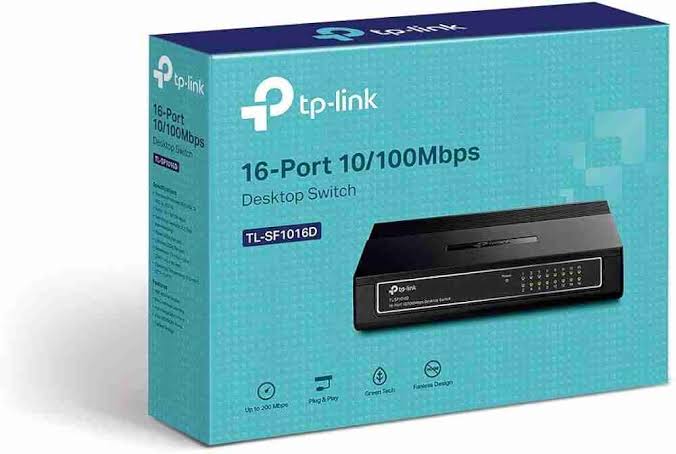
TP-Link 16-Port Fast Ethernet Switch
Buy TP-Link TL-SF1016D 16-Port Fast Ethernet Switch in Kenya from Orbitlink Solutions. Get 16× 10/100Mbps ports, plug-and-play setup and reliable LAN expansion.
TP-Link TL-SF1016D 16-Port Fast Ethernet Switch in Kenya
/product/92/4479072/1.jpg?2733)
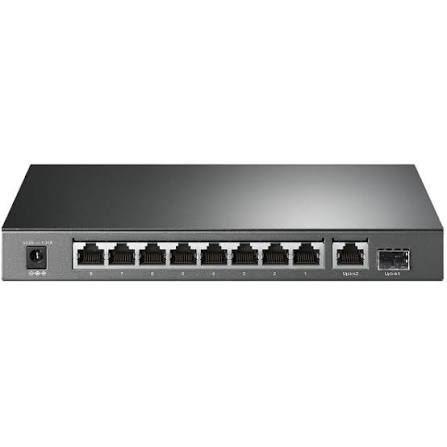
The TP-Link TL-SF1016D 16-Port 10/100Mbps Desktop Switch is an affordable unmanaged network switch designed for homes, small offices, workgroups, CCTV environments and other networks that need additional Ethernet connections without complicated configuration. It provides 16 auto-negotiating 10/100Mbps RJ45 ports and supports Auto MDI/MDIX, allowing users to connect compatible Ethernet devices without worrying about crossover cables.
The TL-SF1016D is designed as a plug-and-play unmanaged switch, meaning there is no software configuration, VLAN setup or controller required. Simply connect the switch to a router or existing LAN and then connect computers, printers, NVRs, IP devices and other Ethernet equipment to the remaining ports.
Its biggest limitation is also important to understand: every port is Fast Ethernet rather than Gigabit Ethernet. This means each individual Ethernet link operates at a maximum negotiated rate of 100Mbps. For modern fibre, Starlink, high-speed servers or heavy local file transfers, a Gigabit TP-Link switch is usually the better choice.
TP-Link TL-SF1016D Key Features
| Feature | Specification |
|---|---|
| Model | TP-Link TL-SF1016D |
| Product Type | 16-Port Fast Ethernet Desktop Switch |
| Switch Type | Unmanaged |
| Ethernet Ports | 16 × 10/100Mbps RJ45 |
| Auto-Negotiation | Supported |
| Auto MDI/MDIX | Supported |
| Flow Control | IEEE 802.3x |
| Switching Architecture | Non-blocking |
| Transfer Method | Store-and-Forward |
| Switching Capacity | 3.2Gbps |
| Configuration Required | No |
| PoE | No |
| VLAN Management | No configurable VLAN management |
| Installation | Desktop or wall mount |
| Housing | Plastic enclosure |
| Energy Saving | TP-Link Green Ethernet |
| Typical Use | Homes, SOHO, workgroups and basic LAN expansion |
TP-Link specifically positions the TL-SF1016D for SOHO and workgroup users, with automatic port negotiation and simple network expansion.
16 Fast Ethernet Ports
The TL-SF1016D provides 16 Ethernet ports, each supporting 10Mbps or 100Mbps operation.
This allows one compact switch to connect a relatively large number of wired devices.
| Connection Requirement | TL-SF1016D |
|---|---|
| 10Mbps Ethernet devices | Supported |
| 100Mbps Fast Ethernet devices | Supported |
| 1Gbps Gigabit devices | Can connect, but link falls back to 100Mbps |
| PoE devices requiring power | Data only; no PoE power |
| VLAN configuration | Not supported as a managed feature |
| Plug-and-play network expansion | Supported |
The switch automatically detects the supported speed of each connected device and selects the appropriate 10Mbps or 100Mbps link rate.
Plug-and-Play Installation
One of the main advantages of the TP-Link TL-SF1016D is simplicity.
A typical network can be arranged as:
Internet → Router → TL-SF1016D → Computers / Printers / NVR / TVs / Network Devices
No IP address needs to be assigned to the switch and there is no administration interface to configure.
This makes it suitable for customers who simply need more Ethernet connections and do not require advanced network management.
Auto MDI/MDIX
All 16 ports support Auto MDI/MDIX.
This means the switch automatically detects the Ethernet cable connection type, eliminating the need to differentiate between traditional straight-through and crossover cables for normal connections.
For most users, this means installation is simply a matter of plugging in the cables.
Auto-Negotiation
Each Ethernet port automatically detects whether the connected device supports 10Mbps or 100Mbps and adjusts the link accordingly.
This is useful when older and newer Fast Ethernet devices are connected to the same switch.
For example, one port may connect at 10Mbps while another operates at 100Mbps.
Non-Blocking Switching Architecture
TP-Link describes the TL-SF1016D as using a non-blocking switching architecture designed to forward and filter packets at wire speed for its supported Fast Ethernet interfaces.
The switch also supports IEEE 802.3x flow control in full-duplex mode and backpressure in half-duplex mode to help manage traffic congestion.
IEEE 802.3x Flow Control
IEEE 802.3x flow control can help regulate traffic when a receiving port becomes temporarily overwhelmed.
This helps reduce packet loss and contributes to reliable network operation within the capabilities of Fast Ethernet.
TP-Link lists IEEE 802.3x as one of the TL-SF1016D's core network features.
3.2Gbps Switching Capacity
The TL-SF1016D has a listed 3.2Gbps switching capacity on current Kenyan retailer specifications.
This figure reflects the total internal switching bandwidth across the switch, not the speed that one Ethernet port can deliver.
Each individual port remains limited to 100Mbps Fast Ethernet.
Green Ethernet Technology
TP-Link incorporates energy-saving technology into the TL-SF1016D.
The switch can adjust power consumption according to link status and cable characteristics, helping reduce unnecessary energy use. Some older TP-Link regional materials state savings of up to 80% under specific conditions.
Actual electricity savings depend on the number of active ports, cable lengths, connected equipment and network usage.
Desktop or Wall-Mount Installation
The TL-SF1016D uses a compact plastic enclosure and can be deployed on a desk, shelf or wall. TP-Link officially lists both desktop and wall-mounting installation.
This makes the switch useful in small network cabinets, reception areas, offices or other locations where a full rackmount switch is unnecessary.
TP-Link TL-SF1016D for Small Offices
The TL-SF1016D is designed particularly well for smaller offices where the internet connection and internal network do not require Gigabit speeds.
A typical small-office deployment can look like:
Router → TL-SF1016D → PCs + Printer + NVR + Smart TV + Other LAN Equipment
Because the switch has 16 ports, it can support more wired endpoints than smaller 5-port or 8-port models.
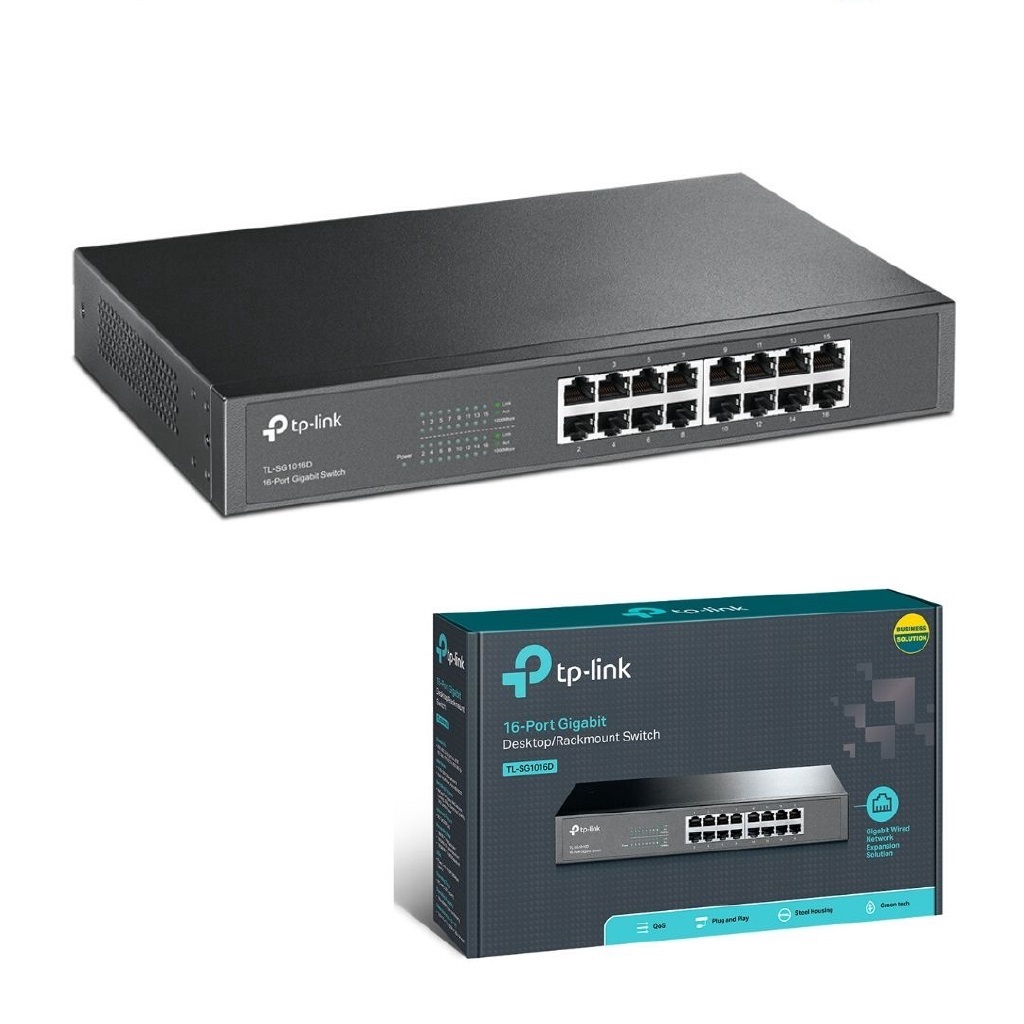
For offices using 200Mbps, 500Mbps or Gigabit fibre, however, a Gigabit switch such as the TL-SG1016D is a much better match.
TP-Link TL-SF1016D for CCTV
The TL-SF1016D can be used for network CCTV data connectivity where the cameras or NVR have separate power sources.
For example:
Router → TL-SF1016D → NVR + Network Cameras
However, the TL-SF1016D does not provide PoE power.
If the cameras require Power over Ethernet, customers should choose a TP-Link PoE or PoE+ switch instead.
For low-bitrate CCTV streams, Fast Ethernet may be adequate in some installations, but larger multi-camera systems should be designed around total bandwidth requirements.
TP-Link TL-SF1016D for Printers and Office Equipment
The switch is suitable for connecting network printers, point-of-sale terminals, desktop PCs and other equipment that does not require high-speed LAN transfers.
A printer with a 100Mbps Ethernet interface, for example, gains little benefit from being connected to a Gigabit switch purely for print traffic.
For such use cases, the TL-SF1016D remains a practical budget option.
TP-Link TL-SF1016D for Fibre Internet
The switch can be used downstream of a fibre router:
Fibre ONT → Router → TL-SF1016D → Wired Devices
However, each connection through the switch is limited to 100Mbps.
| Fibre Internet Plan | TL-SF1016D Suitability |
|---|---|
| 10Mbps | Excellent |
| 20Mbps | Excellent |
| 50Mbps | Very suitable |
| 80Mbps | Suitable |
| 100Mbps | Near Fast Ethernet limit |
| 200Mbps | Not ideal |
| 500Mbps | Not recommended |
| 1Gbps | Use a Gigabit switch |
For internet packages above 100Mbps, a TP-Link Gigabit switch is strongly preferable.
TP-Link TL-SF1016D for Starlink
The TL-SF1016D can technically be used downstream of Starlink where Ethernet connectivity is available:
Starlink → Router → TL-SF1016D → Wired Devices
However, Starlink connections can exceed 100Mbps, which means the Fast Ethernet ports may become a bottleneck.
For most modern Starlink installations, Orbitlink Solutions should generally recommend a Gigabit TP-Link switch instead.
The TL-SF1016D is more appropriate where the connected equipment only needs modest bandwidth or where the switch is being used for a legacy or low-speed network segment.
Fast Ethernet vs Gigabit Ethernet
| Feature | Fast Ethernet | Gigabit Ethernet |
|---|---|---|
| Maximum Link Rate | 100Mbps | 1,000Mbps |
| Relative Capacity | 1× | 10× |
| Basic Office Devices | Suitable | Suitable |
| High-Speed Fibre | Limited | Recommended |
| Starlink | May bottleneck | Better |
| Large File Transfers | Slow | Much faster |
| Modern Wi-Fi AP Backhaul | Limited | Recommended |
| CCTV | Suitable for lighter deployments | Better for larger systems |
Fast Ethernet remains useful for basic networks, but Gigabit Ethernet is the preferred standard for most new installations.
TL-SF1016D vs TL-SG1016D
The model numbers are similar, but the performance difference is significant.
| Feature | TL-SF1016D | TL-SG1016D |
|---|---|---|
| Port Count | 16 | 16 |
| Ethernet Speed | 10/100Mbps | 10/100/1000Mbps |
| Maximum Per-Port Rate | 100Mbps | 1Gbps |
| Management | Unmanaged | Unmanaged |
| Plug-and-Play | Yes | Yes |
| Best For | Basic/legacy networks | Modern Gigabit networks |
| Fibre Above 100Mbps | Not recommended | Recommended |
| Starlink | Limited by Fast Ethernet | Better suited |
The key difference is the letter:
SF = Fast Ethernet
SG = Gigabit Ethernet
For most new installations today, the TL-SG1016D Gigabit model offers much greater future capacity.
TL-SF1016D vs 8-Port Fast Ethernet Switch
| Feature | 8-Port Model | TL-SF1016D |
|---|---|---|
| Ethernet Ports | 8 | 16 |
| Speed | 10/100Mbps | 10/100Mbps |
| Management | Unmanaged | Unmanaged |
| Best For | Very small networks | Larger workgroups |
| Expansion Capacity | Limited | Higher |
Customers who already require seven or eight devices may benefit from selecting the 16-port model rather than immediately filling an 8-port switch.
Is the TL-SF1016D Managed?
No. The TL-SF1016D is an unmanaged switch.
This means it does not provide the configurable VLAN, ACL, QoS, port monitoring or centralized management capabilities found on TP-Link Easy Smart or Omada managed switches.
Its advantage is simplicity.
Does the TL-SF1016D Support PoE?
No.
The switch carries Ethernet data only and does not supply electrical power through the network cables.
If you need to power IP cameras, VoIP phones or wireless access points, choose a compatible TP-Link PoE or PoE+ switch.
Does the TL-SF1016D Provide Wi-Fi?
No.
A network switch does not normally generate Wi-Fi.
To provide wireless connectivity, connect a Wi-Fi router or wireless access point to one of the switch ports.
Can the TL-SF1016D Connect to a Router?
Yes.
The normal arrangement is:
Router LAN Port → TL-SF1016D → Ethernet Devices
Because Auto MDI/MDIX is supported, there is no dedicated uplink port requirement. Any appropriate port can be used for the connection.
Advantages and Limitations
| Advantages | Limitations |
|---|---|
| 16 Ethernet ports | Maximum 100Mbps per port |
| Plug-and-play | Not Gigabit |
| No configuration required | No PoE |
| Auto MDI/MDIX | No managed VLAN configuration |
| Auto-negotiation | No cloud management |
| IEEE 802.3x flow control | Not ideal for high-speed fibre |
| Compact design | Can bottleneck Starlink |
| Desktop/wall mount | Limited for high-speed LAN transfers |
| Energy-saving technology | No SFP fibre uplinks |
| Affordable LAN expansion | Not suitable as an enterprise managed switch |
Who Should Buy the TP-Link TL-SF1016D?
The TL-SF1016D is most appropriate for customers who need many Ethernet ports but do not require Gigabit speed, PoE or advanced management.
Suitable environments include basic office networks, older desktop computers, printers, point-of-sale systems, low-bandwidth CCTV equipment, workgroups and network devices with 100Mbps interfaces.
For a new modern network using fibre, Starlink, Wi-Fi 6 access points, servers or high-speed NAS equipment, Orbitlink Solutions should generally recommend a Gigabit switch instead.
Detailed TP-Link TL-SF1016D Specifications
| Specification | Details |
|---|---|
| Model | TP-Link TL-SF1016D |
| Product Type | 16-Port 10/100Mbps Desktop Switch |
| Switch Type | Unmanaged |
| Ports | 16 × 10/100Mbps RJ45 |
| Auto-Negotiation | Yes |
| Auto MDI/MDIX | Yes |
| Switching Capacity | 3.2Gbps |
| Transfer Method | Store-and-Forward |
| Flow Control | IEEE 802.3x Full Duplex / Backpressure Half Duplex |
| PoE | No |
| Configuration | Plug-and-play |
| Housing | Plastic |
| Mounting | Desktop / Wall Mount |
| Energy Saving | Green Ethernet Technology |
| Application | SOHO / Workgroups / Basic LAN Expansion |
TP-Link maintains several hardware revisions of the TL-SF1016D, including V1 through V7 in its current support system, and notes that hardware availability varies by region.
TP-Link TL-SF1016D Price in Kenya
Recent Kenyan listings show the TL-SF1016D at around KES 4,200–4,500 excluding VAT from one current retailer. One listing shows KES 4,200 ex-VAT, while another lists KES 4,500 ex-VAT.
| Kenya Market Reference | Recent Listed Price |
|---|---|
| TDK Networks | KES 4,200 ex-VAT |
| TDK Networks alternate listing | KES 4,500 ex-VAT |
These are market-reference prices only and should not be treated as Orbitlink Solutions' fixed selling price.
For the Orbitlink website, use:
Price: Contact Orbitlink Solutions for the current TP-Link TL-SF1016D price in Kenya and stock availability.
Why Buy TP-Link TL-SF1016D from Orbitlink Solutions?
Orbitlink Solutions supplies TP-Link switches, routers, access points and other networking equipment for homes, SMEs and larger projects across Kenya.
Customers can receive guidance on whether a Fast Ethernet, Gigabit, PoE, managed or multi-Gigabit switch is the correct choice based on internet speed, device count, CCTV requirements, access points and future expansion.
Orbitlink Solutions can also assist with network equipment selection for fibre, Starlink, CCTV, structured LAN and office networking projects.
Watch: TP-Link 16-Port Fast Ethernet Switch
The TP-Link TL-SF1016D is designed around simplicity. Its 16 Fast Ethernet ports make it useful when a network requires many wired connections but does not need Gigabit throughput. Auto-negotiation and Auto MDI/MDIX further simplify installation because the switch automatically adjusts to compatible devices and Ethernet cable arrangements.
Its unmanaged design also means there is virtually no configuration burden. A user can connect the switch to an existing router and immediately begin expanding the LAN. This makes it particularly suitable for small offices, printers, basic CCTV systems and legacy devices where sophisticated management is unnecessary.
The biggest purchasing consideration is speed. Because each TL-SF1016D port is limited to 100Mbps, it is not the ideal switch for high-speed fibre, modern Starlink installations or networks where large files are transferred frequently. For those environments, moving to a 16-port Gigabit model such as the TP-Link TL-SG1016D provides substantially more headroom.
Frequently Asked Questions About TP-Link TL-SF1016D
What is the TP-Link TL-SF1016D?
The TL-SF1016D is a 16-port unmanaged Fast Ethernet desktop switch designed for SOHO and workgroup networks.
How many ports does the TL-SF1016D have?
It has 16 RJ45 Ethernet ports.
What is the speed of each port?
Each port supports 10Mbps or 100Mbps Fast Ethernet.
Is the TL-SF1016D Gigabit?
No. It is a Fast Ethernet switch with a maximum negotiated link speed of 100Mbps per port.
Does the TL-SF1016D support Auto MDI/MDIX?
Yes. All ports support Auto MDI/MDIX.
Does the TL-SF1016D require configuration?
No. It is a plug-and-play unmanaged switch.
Does the TL-SF1016D support PoE?
No. It does not power cameras, access points or other devices over Ethernet.
Can I use the TL-SF1016D for CCTV?
Yes, provided the cameras have separate power or are connected through other PoE equipment and the total network bandwidth remains within Fast Ethernet limits.
Can I use the TL-SF1016D with fibre internet?
Yes, but devices connected through it are limited to a 100Mbps Ethernet link.
Can I use it with Starlink?
Yes, technically, but it may restrict a faster Starlink connection. A Gigabit switch is generally a better choice.
Can the TL-SF1016D be wall mounted?
Yes. TP-Link lists desktop and wall-mount installation.
Does TL-SF1016D support VLANs?
It does not provide configurable VLAN management because it is an unmanaged switch.
What is the difference between TL-SF1016D and TL-SG1016D?
The TL-SF1016D is limited to 100Mbps per port, while the TL-SG1016D provides Gigabit Ethernet up to 1,000Mbps per port.
Is the TL-SF1016D suitable for a modern office?
It can work for light networking, printers and older devices, but a Gigabit switch is generally preferable for new office installations.
What is the TP-Link TL-SF1016D price in Kenya?
Recent Kenyan listings have been around KES 4,200–4,500 excluding VAT, although prices vary by retailer and availability.
Buy TP-Link 16-Port Fast Ethernet Switch in Kenya
The TP-Link TL-SF1016D 16-Port Fast Ethernet Switch is a practical option for users who need to expand a basic wired network without paying for advanced management features. Its 16 auto-negotiating ports, Auto MDI/MDIX, flow control and plug-and-play operation make installation straightforward.
For light office networking, printers, workstations and basic network devices, the TL-SF1016D can provide affordable Ethernet expansion. For fibre, Starlink, Wi-Fi access points or networks where more than 100Mbps is required, a Gigabit TP-Link switch should be considered instead.
Contact Orbitlink Solutions
Orbitlink Solutions
Address: Lyric House, Kimathi Street, Nairobi
Phone: +254 743 720 551
Email: info@orbitlinksolutions.co.ke
Opening Hours: Monday–Saturday, 9:00 AM–6:00 PM
Availability: Nairobi pickup and nationwide delivery
Contact Orbitlink Solutions for the current TP-Link TL-SF1016D price in Kenya, TP-Link Fast Ethernet and Gigabit switches, PoE switches, Omada managed switches, routers, access points, CCTV networking and complete fibre or Starlink network solutions.
Need Help Choosing? Ask a Technician
Get guidance on setup, compatibility, stock, and delivery before buying for your project.