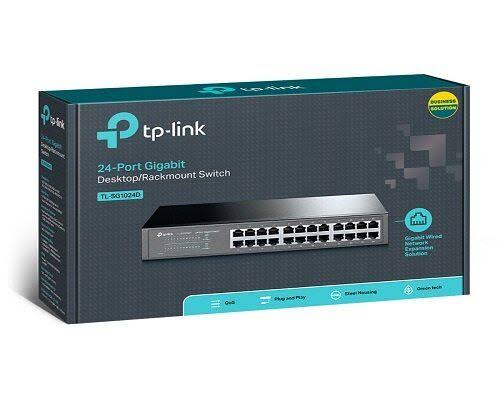
TP-Link 24-Port Gigabit Switch in Kenya
Buy TP-Link TL-SG1024D 24-Port Gigabit Switch in Kenya from Orbitlink Solutions. Get 24 Gigabit ports, 48Gbps switching, fanless operation and plug-and-play networking.
TP-Link TL-SG1024D 24-Port Gigabit Switch in Kenya

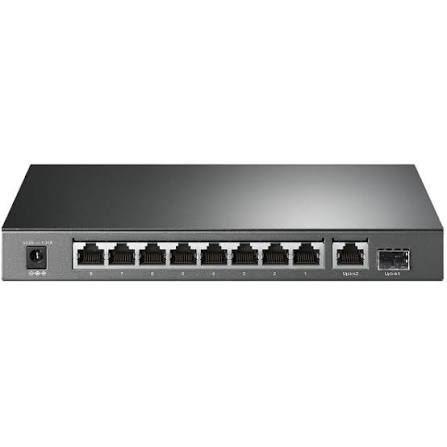
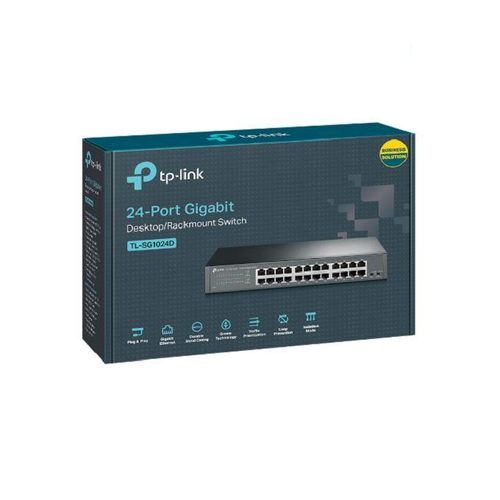
The TP-Link TL-SG1024D 24-Port Gigabit Desktop/Rackmount Switch is an unmanaged Ethernet switch designed for offices, schools, hotels, CCTV installations, computer labs and business networks that need a large number of reliable wired connections. It provides 24 × 10/100/1000Mbps RJ45 ports, allowing compatible devices to communicate at Gigabit Ethernet speeds without requiring switch configuration.
Compared with the TL-SF1024D 24-Port Fast Ethernet Switch, which is limited to 100Mbps per port, the TL-SG1024D provides up to 1,000Mbps per Ethernet link. This makes it much better suited to modern fibre internet, Starlink, NVRs, servers, NAS storage, PCs and high-speed office networks.
The latest V11 specification also adds convenient unmanaged features including Isolation Mode and Loop Prevention, while retaining plug-and-play operation, Auto MDI/MDIX, Auto-Negotiation, MAC address learning and energy-efficient technology. Feature availability can vary by hardware revision, so the exact version should be checked before purchase.
TP-Link TL-SG1024D Key Features
| Feature | Specification |
|---|---|
| Model | TP-Link TL-SG1024D |
| Product Type | 24-Port Gigabit Desktop/Rackmount Switch |
| Switch Type | Unmanaged |
| Ethernet Ports | 24 × 10/100/1000Mbps RJ45 |
| Maximum Port Link Rate | 1Gbps |
| Switching Capacity | 48Gbps |
| Packet Forwarding Rate | 35.7 Mpps |
| MAC Address Table | 8K |
| Jumbo Frame | 10KB |
| Auto-Negotiation | Yes |
| Auto MDI/MDIX | Yes |
| Transmission Method | Store-and-Forward |
| IEEE 802.3x Flow Control | Supported |
| Fan | Fanless |
| Isolation Mode | Supported on current V11 |
| Loop Prevention | Supported on current V11 |
| PoE | No |
| Management | Unmanaged |
| Installation | Rackmount |
| Power Input | 100–240V AC |
| Green Ethernet | Supported |
TP-Link's current V11 specifications list 48Gbps switching capacity, 35.7 Mpps forwarding, an 8K MAC table and 10KB Jumbo Frames.
24 Gigabit Ethernet Ports
The TL-SG1024D provides 24 Gigabit RJ45 interfaces, each supporting automatic negotiation between 10Mbps, 100Mbps and 1,000Mbps.
| Connected Device | Supported Link |
|---|---|
| Legacy Ethernet equipment | 10Mbps |
| Fast Ethernet device | 100Mbps |
| Gigabit PC | 1Gbps |
| Gigabit router | 1Gbps |
| NVR | Up to 1Gbps |
| NAS | Up to 1Gbps |
| Server | Up to 1Gbps per port |
| Wi-Fi access point | Up to 1Gbps wired link |
This backward compatibility means older 100Mbps equipment can continue working while newer devices benefit from Gigabit Ethernet.
48Gbps Switching Capacity
The TL-SG1024D provides a 48Gbps switching fabric.
That figure represents the total internal switching capacity rather than the speed available to one device. Each individual RJ45 port remains a Gigabit Ethernet interface.
The capacity is particularly useful when multiple PCs, servers, NVRs and other network devices are transmitting data simultaneously.
35.7 Mpps Packet Forwarding Rate
TP-Link specifies a forwarding rate of 35.7 million packets per second for the current V11 TL-SG1024D.
This allows the switch to efficiently process large amounts of network traffic across its 24 ports, making it suitable for busy office LANs and other environments with many simultaneously active devices.
Plug-and-Play Installation
The TL-SG1024D is an unmanaged switch, meaning no software configuration is required.
A typical installation is:
Internet → Router → TL-SG1024D → PCs / Printers / NVR / Access Points / Servers
There is no need to configure an IP address, install a controller or create switching policies before using it.
Simply connect Ethernet cables and power on the switch.
Auto-Negotiation
Each port automatically detects the Ethernet capability of the connected device and negotiates an appropriate link speed.
For example:
100Mbps Printer → 100Mbps
Gigabit Computer → 1Gbps
Gigabit Router → 1Gbps
This allows devices with different Ethernet generations to coexist on the same network.
Auto MDI/MDIX
All 24 ports support Auto MDI/MDIX, eliminating the traditional need to select straight-through or crossover Ethernet cables for normal connections.
This simplifies deployment in offices and structured network cabinets.
8K MAC Address Table
The current TL-SG1024D specification includes an 8K MAC address table.
The switch automatically learns the MAC addresses of connected equipment and uses this information to forward Ethernet frames toward the correct ports.
This process happens automatically without user configuration.
10KB Jumbo Frames
TP-Link specifies support for Jumbo Frames up to 10KB on the current model.
Jumbo frames can improve efficiency during certain high-volume local data transfers when all devices in the network path support and are correctly configured for larger frame sizes.
This can be useful for NAS storage, servers and large-file workflows.
Fanless Operation
The TL-SG1024D uses a fanless design, helping it operate quietly and eliminating a mechanical cooling fan.
It is therefore suitable for locations such as:
| Location | Advantage |
|---|---|
| Office | Quiet operation |
| Reception | Minimal noise |
| Computer lab | No fan disturbance |
| Network cabinet | Fewer moving components |
| CCTV room | Suitable for continuous operation |
| Home office | Quiet networking |
Adequate ventilation around the switch should still be maintained.
Durable Metal Enclosure
Current TP-Link documentation describes the TL-SG1024D as using a durable metal casing.
This makes it suitable for structured business-network installations where the switch may operate continuously inside a network rack or cabinet.
Rackmount Design
The TL-SG1024D is designed to be rack mountable, with rackmount kits included in the current package specification.
Its listed dimensions are:
294 × 140 × 44 mm
A structured office installation can therefore look like:
Router/Gateway → TL-SG1024D → Patch Panel → Office Network Points
This creates a cleaner installation than using several smaller desktop switches.
Isolation Mode
One useful feature on the current V11 TL-SG1024D is Isolation Mode.
TP-Link specifies that ports 1–22 can be isolated, helping prevent direct client-to-client communication while still allowing appropriate uplink access.
This can be useful in environments such as:
-
Hotels
-
Guest networks
-
CCTV networks
-
Shared office networks
-
Student environments
Because this feature depends on the hardware generation, buyers should confirm that the supplied TL-SG1024D revision supports it.
Loop Prevention
Current V11 specifications also include Loop Prevention across ports 1–24.
Network loops can occur when Ethernet connections accidentally create a circular traffic path, potentially causing severe disruption.
Loop Prevention provides a simple safeguard for unmanaged networks where advanced spanning-tree configuration is unavailable.
TP-Link TL-SG1024D for Office Networks
/product/89/2651723/1.jpg?7619)
The TL-SG1024D is particularly well suited to offices requiring many wired Gigabit connections.
A typical network could be:
Fibre / Starlink → Router → TL-SG1024D → Office PCs + Printers + NVR + Access Points + Servers
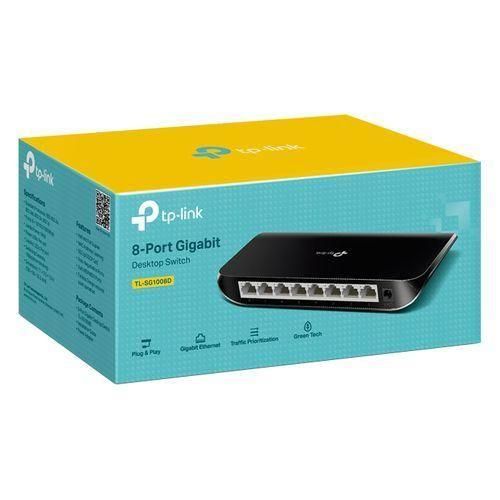
With 24 ports available, a business can centralize most wired connections through one switch rather than combining several 5-port or 8-port switches.
For networks requiring VLANs, ACLs, detailed QoS or centralized Omada management, however, a managed TP-Link switch is more appropriate.
TP-Link TL-SG1024D for Fibre Internet
The TL-SG1024D is a much better fit for modern fibre services than the Fast Ethernet TL-SF1024D.
Typical architecture:
Fibre ONT → Router/Gateway → TL-SG1024D → Network Devices
| Fibre Speed | TL-SG1024D Suitability |
|---|---|
| 20Mbps | Excellent |
| 50Mbps | Excellent |
| 100Mbps | Excellent |
| 200Mbps | Excellent |
| 500Mbps | Very suitable |
| 1Gbps | Suitable |
| Above 1Gbps | Consider 2.5G/10G switching |
Because each port is Gigabit, the switch avoids the basic 100Mbps limitation associated with Fast Ethernet models.
For internet or LAN connections exceeding 1Gbps, TP-Link 2.5G or 10G equipment should be considered.
TP-Link TL-SG1024D for Starlink
The TL-SG1024D is also suitable for expanding wired connectivity from a Starlink installation where Ethernet connectivity is available.
Typical setup:
Starlink → Router/Gateway → TL-SG1024D → PCs / TVs / NVR / Access Points
Its Gigabit ports make it considerably better suited to Starlink than a 100Mbps Fast Ethernet switch.
For business Starlink deployments requiring features such as fibre backup, load balancing, VLANs or centralized management, consider:
Starlink + Fibre → Omada Gateway → Omada Managed Switch → Network
TP-Link TL-SG1024D for CCTV
The 24 Gigabit ports make the switch useful for CCTV networks where devices are powered separately.
A possible topology is:
Router → TL-SG1024D → NVR + IP Cameras
Gigabit switching provides significantly more aggregate capacity than Fast Ethernet, which can be advantageous when multiple high-resolution camera streams are being transferred simultaneously.
However, the TL-SG1024D does not provide PoE.
For PoE cameras, a TP-Link PoE or PoE+ switch is normally more convenient.
TP-Link TL-SG1024D for Schools
The 24-port design makes the TL-SG1024D suitable for:
-
Computer laboratories
-
Administration offices
-
Network printers
-
Library systems
-
CCTV equipment
-
Wired classroom connections
Gigabit Ethernet is particularly useful where many computers access cloud applications or local servers simultaneously.
TP-Link TL-SG1024D for Hotels
Hotels can use a 24-port Gigabit switch to connect devices such as:
Reception PCs, NVRs, smart TVs, access points, POS systems and administrative equipment.
For hotel networks requiring separate staff, guest, CCTV and management VLANs, an Omada managed switch should be used instead.
TP-Link TL-SG1024D for NAS and Servers
Gigabit switching makes the TL-SG1024D useful for local file sharing.
Example:
NAS → TL-SG1024D → Office PCs
Compared with Fast Ethernet's nominal 100Mbps link speed, Gigabit Ethernet provides up to ten times the nominal link rate.
Actual transfer speeds depend on disk performance, protocols, Ethernet overhead and the capabilities of the connected devices.
TL-SG1024D vs TL-SF1024D
| Feature | TL-SF1024D | TL-SG1024D |
|---|---|---|
| Ports | 24 | 24 |
| Ethernet | Fast Ethernet | Gigabit Ethernet |
| Maximum Port Link | 100Mbps | 1,000Mbps |
| Switching Capacity | Lower | 48Gbps |
| Management | Unmanaged | Unmanaged |
| Fibre 200Mbps+ | Limited | Recommended |
| Starlink | Can bottleneck | Better choice |
| NAS Transfers | Limited | Much faster |
| Modern Office | Basic | Recommended |
| Future Capacity | Limited | Better |
The most important model-name distinction is:
SF = Fast Ethernet
SG = Gigabit Ethernet
For most new network installations, the TL-SG1024D is the stronger long-term choice.
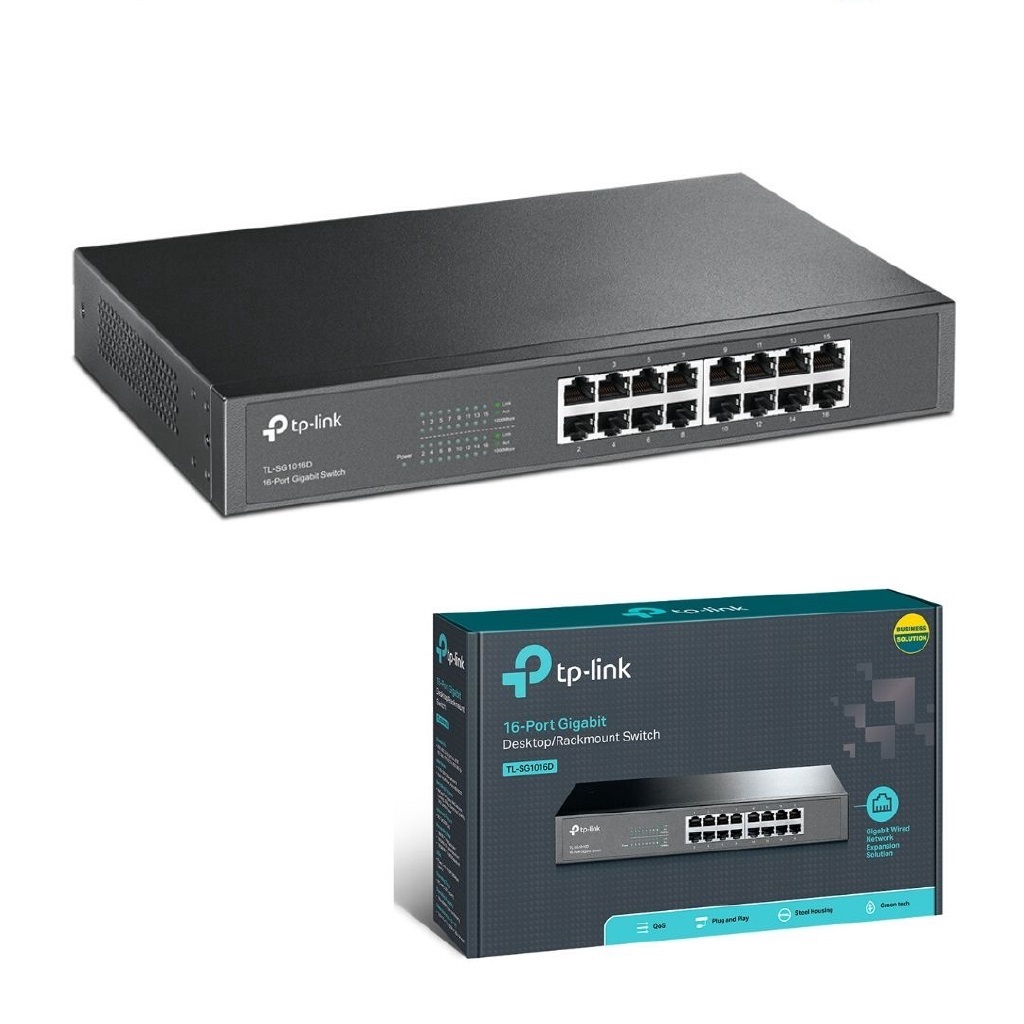
TL-SG1024D vs TL-SG1016D
| Feature | TL-SG1016D | TL-SG1024D |
|---|---|---|
| Gigabit Ports | 16 | 24 |
| Maximum Port Rate | 1Gbps | 1Gbps |
| Management | Unmanaged | Unmanaged |
| PoE | No | No |
| Best For | Smaller office | Medium-sized network |
| Expansion Capacity | Moderate | Higher |
If you already expect more than 14–15 wired connections, the 24-port model provides more space for future expansion.
TL-SG1024D vs Managed 24-Port TP-Link Switch
| Feature | TL-SG1024D | Omada Managed Switch |
|---|---|---|
| Gigabit Ethernet | Yes | Yes |
| Plug-and-Play | Excellent | Yes |
| VLAN Configuration | No advanced management | Yes |
| ACL | No | Supported on selected models |
| Centralized Omada | No | Yes |
| Network Monitoring | Basic LEDs | Advanced |
| Setup Complexity | Very low | Higher |
| Best For | Simple LAN expansion | Professional networks |
Choose the TL-SG1024D when the main requirement is simply 24 reliable Gigabit ports.
Choose a managed Omada switch when network segmentation, centralized control or security policies are required.
Does the TP-Link TL-SG1024D Support PoE?
No.
The TL-SG1024D carries network data but does not provide Power over Ethernet.
If you need to power:
-
IP cameras
-
Omada access points
-
VoIP phones
-
Other PoE equipment
choose a TP-Link PoE/PoE+ switch or use suitable PoE injectors.
Is the TP-Link TL-SG1024D Managed?
No.
It is primarily an unmanaged plug-and-play switch.
Current hardware revisions add convenient physical-switch features such as Isolation Mode and Loop Prevention, but this does not make it equivalent to an Omada managed switch.
Does the TL-SG1024D Have Wi-Fi?
No.
The TL-SG1024D is a wired network switch.
Connect a wireless router or access point to the switch if Wi-Fi coverage is required.
Does the TL-SG1024D Need a Router?
For ordinary internet access, it is normally connected downstream of a router or gateway.
Internet → Router → TL-SG1024D → Network Devices
The router handles NAT, DHCP, firewall and internet routing, while the switch expands Ethernet connectivity.
Advantages and Limitations
| Advantages | Limitations |
|---|---|
| 24 Gigabit Ethernet ports | No PoE |
| 48Gbps switching capacity | Unmanaged |
| 35.7 Mpps forwarding | No full configurable VLAN management |
| 8K MAC table | No SFP/SFP+ uplinks |
| 10KB Jumbo Frames | No 2.5GbE |
| Auto MDI/MDIX | No 10GbE |
| Auto-Negotiation | No Omada centralized management |
| Fanless | — |
| Metal enclosure | — |
| Rackmountable | — |
| Plug-and-play | — |
| Energy efficient | — |
| Isolation Mode on current V11 | Revision dependent |
| Loop Prevention on current V11 | Revision dependent |
Who Should Buy the TP-Link TL-SG1024D?
The TL-SG1024D is ideal for users who need many wired Gigabit Ethernet ports without the cost or complexity of a managed switch.
It is particularly suitable for:
-
Offices
-
Computer laboratories
-
Schools
-
Hotels
-
CCTV networks
-
Fibre installations
-
Starlink networks
-
NAS and file-sharing networks
-
Network printers
-
Smart TVs
-
Workgroups
If you need PoE, VLANs, fibre uplinks, centralized management or multi-Gigabit Ethernet, another TP-Link switch category will be more appropriate.
Detailed TP-Link TL-SG1024D Specifications
| Specification | Details |
|---|---|
| Model | TL-SG1024D |
| Type | 24-Port Gigabit Desktop/Rackmount Switch |
| Ports | 24 × 10/100/1000Mbps RJ45 |
| Auto-Negotiation | Yes |
| Auto MDI/MDIX | Yes |
| Standards | IEEE 802.3i, 802.3u, 802.3ab, 802.3x |
| Switching Capacity | 48Gbps |
| Packet Forwarding | 35.7 Mpps |
| MAC Table | 8K |
| Jumbo Frame | 10KB |
| Transmission | Store-and-Forward |
| Fan | Fanless |
| PoE | No |
| Power Supply | 100–240VAC, 50/60Hz |
| Max Power Consumption | 13.62W on current V11 specification |
| Maximum Heat Dissipation | 46.44 BTU/h |
| Dimensions | 294 × 140 × 44mm |
| Mounting | Rackmountable |
| Operating Temperature | 0°C–40°C |
| Green Ethernet | Yes |
| Isolation Mode | Ports 1–22 on current V11 |
| Loop Prevention | Ports 1–24 on current V11 |
These specifications reflect TP-Link's current V11 product page. TP-Link maintains numerous earlier hardware revisions, and model/version availability varies by region.
QoS Support on Some Revisions
TP-Link's V9 datasheet also lists 802.1p/DSCP QoS functionality, together with Isolation Mode and Loop Prevention. Exact feature sets can therefore depend on hardware revision.
When a particular feature is important for a project, confirm the hardware revision before ordering.
What's Included in the Box?
TP-Link's current specification lists:
| Package Item | Included |
|---|---|
| TP-Link TL-SG1024D Switch | Yes |
| Power Cord | Yes |
| Installation Guide | Yes |
| Rackmount Kits | Yes |
| Rubber Feet | Yes |
TP-Link TL-SG1024D Price in Kenya
Current Kenyan retail listings show significant seller variation. TDK recently listed the TL-SG1024D at KES 12,300 excluding VAT, while a recent Jumia listing showed KES 9,967. Another marketplace listing was considerably higher, illustrating why customers should compare availability, warranty and seller terms rather than relying on one marketplace price.
| Kenya Market Reference | Recent Listed Price |
|---|---|
| Jumia Kenya example | KES 9,967 |
| TDK Networks | KES 12,300 ex-VAT |
These are market-reference prices only, not Orbitlink Solutions' fixed selling price.
For the Orbitlink website, use:
Price: Contact Orbitlink Solutions for the current TP-Link TL-SG1024D 24-Port Gigabit Switch price in Kenya and stock availability.
Why Buy TP-Link TL-SG1024D from Orbitlink Solutions?
Orbitlink Solutions supplies TP-Link switches, routers, access points and related networking equipment for homes, SMEs and larger projects across Kenya.
Customers can get assistance choosing between Fast Ethernet, Gigabit, PoE, managed Omada, 2.5G and 10G switches according to port count, internet speed, CCTV requirements, access points, server requirements and future network expansion.
Orbitlink Solutions can also assist with complete networking solutions involving Starlink, fibre internet, TP-Link routers, Omada gateways, switches, Wi-Fi access points and structured Ethernet networks.
Watch: TP-Link 24-Port Gigabit Switch
The TP-Link TL-SG1024D provides a straightforward way to expand a network to 24 Gigabit Ethernet connections without adding configuration complexity. Its 24 auto-negotiating ports support 10Mbps, 100Mbps and 1Gbps devices, while Auto MDI/MDIX simplifies cabling.
Its 48Gbps switching capacity, 35.7 Mpps packet-forwarding rate, 8K MAC table and 10KB Jumbo Frame support provide substantially more LAN capacity than a comparable Fast Ethernet switch. The fanless metal enclosure and rackmount design also make it well suited to structured office and network-cabinet installations.
For fibre, Starlink, office networks, NAS storage and modern CCTV environments, the TL-SG1024D is generally a better investment than the Fast Ethernet TL-SF1024D. Customers who need PoE, VLAN management, fibre uplinks or centralized control should move to a suitable TP-Link Omada managed or PoE switch instead.
Frequently Asked Questions About TP-Link TL-SG1024D
What is the TP-Link TL-SG1024D?
The TL-SG1024D is a 24-port unmanaged Gigabit Ethernet desktop/rackmount switch designed for plug-and-play wired network expansion.
How many ports does the TL-SG1024D have?
It has 24 × 10/100/1000Mbps Gigabit RJ45 ports.
Is the TL-SG1024D Gigabit?
Yes. Compatible devices can establish Ethernet links at up to 1Gbps per port.
What is the switching capacity of TL-SG1024D?
The current V11 specification lists 48Gbps.
What is its packet-forwarding rate?
TP-Link lists 35.7 Mpps on the current V11 specification.
Does the TL-SG1024D support Jumbo Frames?
Yes. Current specifications list 10KB Jumbo Frame support.
Is TL-SG1024D managed?
No. It is an unmanaged switch designed primarily for plug-and-play operation.
Does TL-SG1024D support PoE?
No. It does not provide PoE power to cameras, access points or phones.
Does TL-SG1024D support Auto MDI/MDIX?
Yes. All 24 RJ45 ports support Auto MDI/MDIX.
Is TL-SG1024D fanless?
Yes. The current specification lists a fanless design.
Can TL-SG1024D be rack mounted?
Yes. It is rackmountable and the current package specification includes rackmount kits.
Can I use TL-SG1024D with fibre internet?
Yes. It is suitable downstream of a Gigabit router or gateway and is significantly better suited to connections above 100Mbps than a Fast Ethernet switch.
Can I use TL-SG1024D with Starlink?
Yes. Its Gigabit interfaces make it suitable for distributing a Starlink Ethernet connection to multiple wired devices.
Can TL-SG1024D handle 500Mbps internet?
Yes, provided the router, connected device and cabling can also support the required throughput.
Can TL-SG1024D handle Gigabit internet?
It supports Gigabit Ethernet links. Real-world throughput will be lower than the nominal line rate because of Ethernet, protocol and equipment overhead.
Does TL-SG1024D support Isolation Mode?
The current V11 model supports Isolation Mode on ports 1–22. Earlier hardware revisions may differ.
Does TL-SG1024D have Loop Prevention?
Current V11 specifications list Loop Prevention across ports 1–24.
What is the difference between TL-SF1024D and TL-SG1024D?
The TL-SF1024D supports Fast Ethernet up to 100Mbps per port, while the TL-SG1024D supports Gigabit Ethernet up to 1,000Mbps per port.
Is TL-SG1024D suitable for CCTV?
Yes. Gigabit switching can handle substantial CCTV traffic, although the switch itself does not provide PoE power.
Is TL-SG1024D suitable for access points?
Yes for data connectivity. If the access points need PoE, use injectors or choose a PoE switch.
What is the TP-Link TL-SG1024D price in Kenya?
Recent listings include approximately KES 9,967 to KES 12,300, although seller pricing varies significantly.
Buy TP-Link 24-Port Gigabit Switch in Kenya
The TP-Link TL-SG1024D 24-Port Gigabit Desktop/Rackmount Switch is an excellent choice for customers who need reliable high-speed wired network expansion without advanced configuration. Its 24 Gigabit ports, 48Gbps switching capacity, 35.7 Mpps forwarding rate, fanless metal enclosure and rackmount design make it suitable for offices, schools, hotels, CCTV networks and other business environments.
Compared with a 24-port Fast Ethernet switch, the TL-SG1024D offers substantially greater capacity for fibre internet, Starlink, file sharing, NVR traffic and modern wired devices while remaining easy to deploy.
Contact Orbitlink Solutions
Orbitlink Solutions
Address: Lyric House, Kimathi Street, Nairobi
Phone: +254 743 720 551
Email: info@orbitlinksolutions.co.ke
Opening Hours: Monday–Saturday, 9:00 AM–6:00 PM
Availability: Nairobi pickup and nationwide delivery
Contact Orbitlink Solutions for the current TP-Link TL-SG1024D 24-Port Gigabit Switch price in Kenya, TP-Link unmanaged switches, PoE switches, Omada managed switches, routers, access points and complete fibre or Starlink network solutions.
Need Help Choosing? Ask a Technician
Get guidance on setup, compatibility, stock, and delivery before buying for your project.