What Is MikroTik
What is MikroTik? Learn how RouterOS, routers, switches and wireless products work, who they suit, and get local guidance from Orbitlink Solutions.

Products Available

Last updated: 30 July 2026 · Reviewed by Orbitlink Solutions networking team
What is MikroTik? MikroTik is a networking technology company best known for RouterOS software and RouterBOARD hardware, including routers, switches, wireless access points and fibre devices. Kenyan homes, organisations and internet service providers use MikroTik to control internet access, Wi-Fi, security, VLANs, VPNs and high-speed network links.
For a practical product shortlist and local advice, explore MikroTik router prices in Kenya or ask Orbitlink Solutions for help.
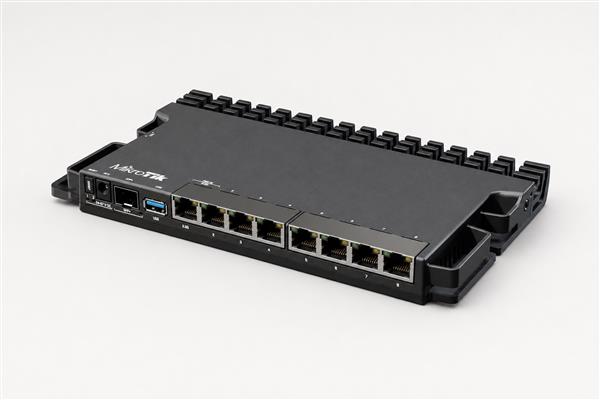
A MikroTik router can be the control point for internet, security and local network traffic.
What Is MikroTik? A Direct Definition
MikroTik combines network operating software with purpose-built hardware. RouterOS is the operating system: it provides routing, firewall rules, wireless control, VPNs, traffic shaping, hotspot access and monitoring. RouterBOARD devices and Cloud Core Routers run that software, while MikroTik switches, access points and fibre products extend a network from the internet connection to each user and device.
Why Kenyan networks choose MikroTik
The appeal is flexibility. A small office can use a compact router to separate staff and guest Wi-Fi; a school can apply bandwidth rules; a hotel can run a branded hotspot; and an ISP can authenticate subscribers and monitor links. The same platform can grow from a carefully configured home connection to a multi-site business or fibre deployment.
- Control: define who can access which network, service or device.
- Visibility: monitor traffic, interfaces, uptime and bottlenecks.
- Scalability: choose hardware with the ports, wireless radios and processing power required.
- Value: select only the features your project needs, then plan capacity for growth.
MikroTik product categories explained
| Category | What it does | Best for |
|---|---|---|
| Routers | Connect networks and apply routing, firewall, VPN and QoS policy. | Homes, branches, offices and internet gateways. |
| Switches | Connect wired devices; managed models support VLANs and fibre uplinks. | Desks, cameras, APs and server rooms. |
| Wireless APs | Provide Wi-Fi coverage and client access. | Homes, offices, hotels and campuses. |
| Fibre equipment | Uses SFP interfaces and optical links to move data over fibre. | Long runs, buildings and backbone links. |
| CCR devices | High-capacity routing for demanding traffic and services. | Enterprises and ISPs. |
Compare options in the Orbitlink shop, read about RouterOS features, or explore MikroTik fibre routers in Kenya.
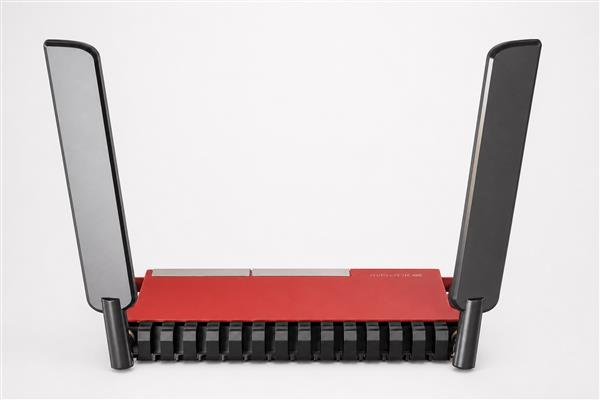
Match Ethernet, Wi-Fi and fibre interfaces to the network you are building.
How RouterOS works in everyday use
RouterOS processes traffic according to rules and services an administrator configures. A typical installation starts with a WAN connection, a LAN subnet and secure administrator access. From there, the network can add DHCP addresses, DNS forwarding, firewall filters, VLANs, wireless security, VPN users and monitoring. Configuration can be performed through WinBox, WebFig, the command line or approved management practices.
Do not copy an unknown configuration from the internet into a live network. Start with a backup, change default credentials, limit management access and test changes during a maintenance window. Our guides cover how to configure a MikroTik router, router setup, firewall configuration and VPN configuration.
Buying guide: choosing the right MikroTik equipment
Start with your internet speed and user count
Choose processor capacity and Ethernet speed for real usage, not just today’s connection speed. A household with a few devices needs a different solution from an office with cloud applications, cameras, voice calls and remote staff. Where fibre or multiple uplinks are planned, confirm interface types before purchase.
Plan wired, wireless and power requirements
Count the ports you need, including access points, IP phones and cameras. A PoE switch may simplify installation, but its power budget must cover the attached devices. For wireless coverage, assess walls, floors, client density and placement; an access point is not a substitute for a site survey.
Build security into the design
Use separate VLANs for staff, guests, cameras and management where appropriate. Apply least-privilege firewall rules, strong unique passwords, updates that fit your change-control process and tested backups. See the MikroTik network security guide and troubleshooting guide.
Recommendations by use case
| Use case | Recommended starting approach |
|---|---|
| Home | A compact router plus a correctly placed Wi-Fi access point. |
| Office | Router, managed switch, segmented Wi-Fi and documented firewall policy. |
| Hotel | Guest/staff separation, multiple APs and a managed hotspot design. |
| School or hospital | VLAN separation, resilient switching, coverage planning and controlled access. |
| Business/enterprise | Capacity planning, monitoring, backups and specialist configuration. |
| ISP | Appropriate CCR/router capacity, subscriber controls and link monitoring. |
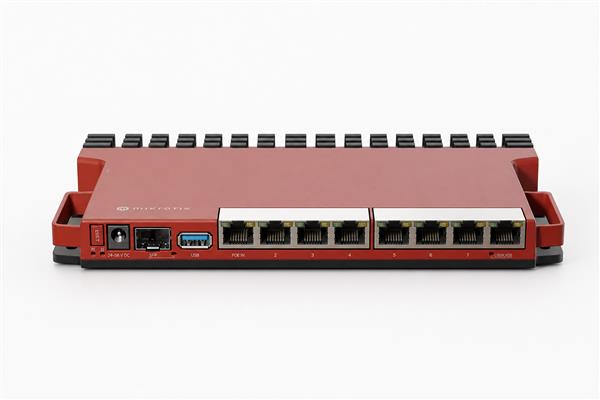
Rack-ready equipment can support organised business and ISP network installations.
Common mistakes to avoid
- Buying on port count alone and overlooking throughput, PoE budget or fibre interfaces.
- Leaving default passwords or management services exposed to the internet.
- Running guest Wi-Fi, cameras and staff devices on one flat network.
- Skipping configuration backups and documentation.
- Expecting one access point to cover every room without a coverage assessment.
For specialist projects, review MikroTik network installation, Wi-Fi installation, network monitoring and RouterOS load balancing.
Frequently asked questions
What is MikroTik used for?
MikroTik is used to connect, secure and manage networks. Its products can route internet traffic, create Wi-Fi, segment devices with VLANs, connect sites by VPN, limit bandwidth, run hotspots and monitor links. The right model and configuration depend on speed, users, services and future growth.
Is MikroTik suitable for a home network?
Yes. A properly selected MikroTik router can suit a home that needs stable internet, guest access, parental or device controls, VPN access or better Wi-Fi planning. It is most effective when securely configured and paired with access points placed for the home’s layout.
Is MikroTik good for business networks?
MikroTik can serve business networks when the model and design match the workload. Businesses commonly use it for routing, firewalling, VPNs, VLANs, managed Wi-Fi and traffic control. Critical deployments should have documented configuration, backups, monitoring and qualified support.
What is RouterOS?
RouterOS is MikroTik’s network operating system. It runs services such as routing, firewalling, wireless management, VPNs, hotspot functions and traffic management. Administrators use it to define how a MikroTik device treats network traffic and which services users can access.
Do I need a switch as well as a router?
A router connects networks and applies policy; a switch connects many local wired devices. Small sites may use a router with enough ports, while offices commonly add a managed switch for more ports, VLANs, PoE devices or fibre uplinks.
Can MikroTik run a VPN?
Many MikroTik deployments use VPN services for secure remote access or site-to-site connectivity. The correct protocol, authentication method and firewall policy should be selected for the organisation’s requirements, and remote management should never be left unnecessarily exposed.
Can I use MikroTik for guest Wi-Fi?
Yes. A guest network can be separated from staff devices with VLANs and firewall rules, then delivered through suitable access points. Hotels, cafés and offices should plan coverage, client limits, acceptable-use requirements and a safe management process before launch.
How do I keep a MikroTik router secure?
Use a unique strong administrator password, restrict management access, remove services you do not need, apply a reviewed firewall policy, keep backups and monitor logs. Updates should be tested and scheduled responsibly, especially on networks that support business-critical services.
Which MikroTik router should I buy?
Select by internet speed, concurrent users, Ethernet and SFP interfaces, Wi-Fi requirement, VPN/firewall workload, PoE needs and expected growth. Orbitlink Solutions can help compare suitable choices rather than recommending a device based solely on a headline specification.
Does MikroTik support fibre?
Many MikroTik routers and switches support fibre through SFP or SFP+ ports, subject to the specific model and compatible module. Check port speed, optical type, connector, distance and the equipment at the other end before ordering.
Where can I get help in Kenya?
Orbitlink Solutions can assist with product selection, supply and network planning. Contact the team with your connection speed, number of users, existing equipment, locations and desired services so the recommendation can be matched to the real project.
Final thoughts: what is MikroTik?
What is MikroTik? It is a flexible networking platform of RouterOS software and hardware that can help Kenyan homes, offices, institutions and ISPs build controlled, secure and scalable networks. Choose equipment around the actual workload, document the configuration and get advice before a complex deployment. Visit the MikroTik router category or contact Orbitlink Solutions for a tailored quotation and support.
Useful industry resources: MikroTik product information, official RouterOS documentation, MikroTik Kenya resources, fibre networking resources, connectivity installation resources and Kenya connectivity information.