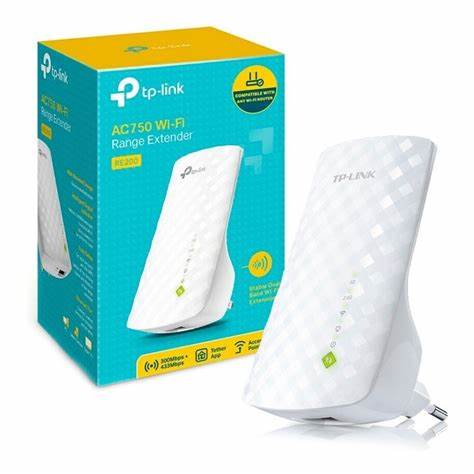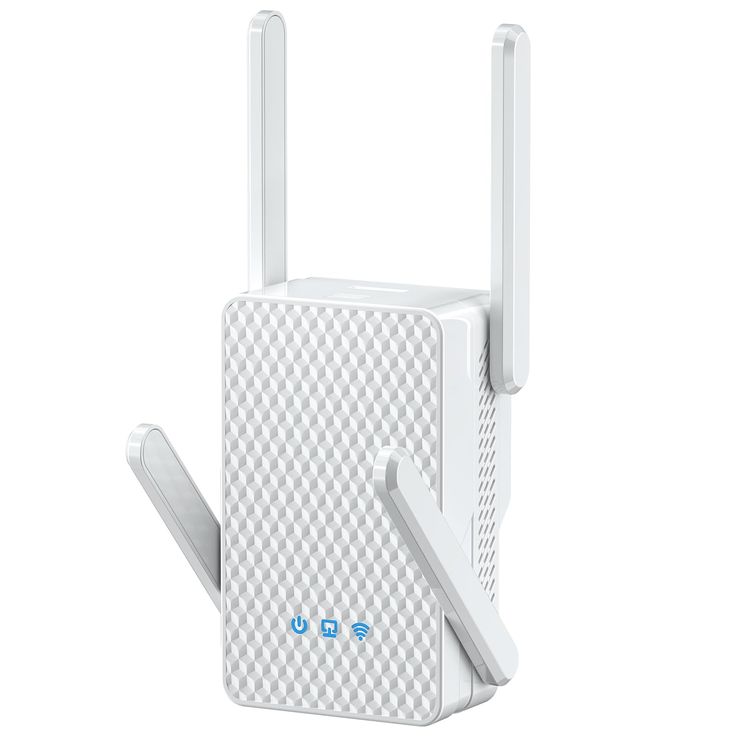
Tp-Link RE210 AC750 Wifi Range Extender 5,000.00
Tp-Link RE210 AC750 Wifi Range Extender | Orbitlink Solutions
Free delivery for orders over KSh 10,000
Wishlist Sign in +254743720551

Tp-Link RE210 AC750 Wifi Range Extender

KSh 5,000.00

TP-Link RE210 AC750 Wi-Fi Range Extender: In-Depth Overview The TP-Link RE210 AC750 Wi-Fi Range Extender is designed to eliminate Wi-Fi dead zones by extending and strengthening your existing wireless network. With support for dual-band connectivity and the latest 802.11ac Wi-Fi...

Fast delivery Warranty support Expert help
  • Availability: Available in store

TP-Link RE210 AC750 Wi-Fi Range Extender: In-Depth Overview

The TP-Link RE210 AC750 Wi-Fi Range Extender is designed to eliminate Wi-Fi dead zones by extending and strengthening your existing wireless network. With support for dual-band connectivity and the latest 802.11ac Wi-Fi standard, it ensures faster and more reliable connections for all your devices.

Key Features and Specifications – Explained in Depth

1. Dual-Band Connectivity – 2.4GHz & 5GHz for Maximum Speed & Stability

The TP-Link RE210 AC750 operates on two frequency bands, 2.4GHz and 5GHz, providing a combined total speed of up to 750Mbps. But what does this mean for real-world performance?

Understanding Dual-Band Technology

Wi-Fi signals operate on different frequency bands, each with its own strengths and weaknesses:

  • 2.4GHz Band (Up to 300Mbps)
    Pros: Longer range, better penetration through walls, works well with older devices.
    Cons: More interference from other household devices (microwaves, Bluetooth, etc.), slower speeds.

  • 5GHz Band (Up to 433Mbps)
    Pros: Faster speeds, less interference, better for gaming, HD streaming, and video calls.
    Cons: Shorter range, struggles to penetrate thick walls.

By combining both bands, the TP-Link RE210 intelligently distributes devices based on their needs. Devices that require higher bandwidth (like streaming and gaming) automatically connect to the 5GHz band, while lower-bandwidth tasks like browsing and emails use 2.4GHz.

Real-World Benefits of Dual-Band

More stable connections for multiple devices.
Less congestion compared to single-band extenders.
Smooth video streaming, gaming, and video calls with lower latency.
Supports modern smart homes with IoT devices using 2.4GHz while PCs, consoles, and smart TVs get the benefits of 5GHz.


2. External Antennas – Improved Range & Signal Stability

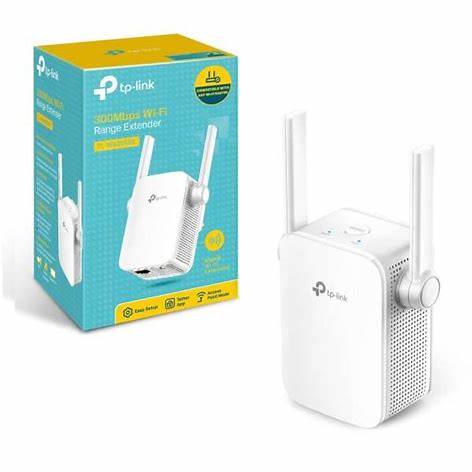
One of the biggest issues with Wi-Fi extenders is signal strength and stability. The TP-Link RE210 is equipped with two high-gain external antennas, dramatically improving both range and connection reliability.

Why External Antennas Matter?

Better Signal Reception – External antennas pull in the signal from your router more effectively.
Wider Coverage – They rebroadcast the extended signal across a larger area.
Stronger Penetration – Helps the signal reach through walls, floors, and ceilings, reducing dead zones.

Technical Explanation of Antenna Performance

Wi-Fi signals operate on radio waves, and their range is affected by several factors:

  • Physical Barriers: Walls, metal objects, and furniture weaken Wi-Fi signals.
  • Interference: Other Wi-Fi networks, microwaves, and cordless phones cause congestion.
  • Device Placement: The height and direction of antennas affect signal reach.

The TP-Link RE210’s antennas are strategically designed to:
Extend signal coverage further than internal-antenna extenders.
Strengthen the signal for weak areas like basements, garages, and large homes.
Improve stability for multiple devices connected at once.


3. Gigabit Ethernet Port – Wired Speed & Reliability

The TP-Link RE210 is equipped with a Gigabit Ethernet port, allowing you to connect wired devices for maximum speed and reliability. But why is this important?

Why Use a Gigabit Ethernet Port?

Many smart home devices, gaming consoles, and streaming devices still perform better with a wired connection. Unlike Wi-Fi, wired connections provide:Zero interference from other wireless signals.
Lower latency for gaming and VoIP calls.
More stable speeds, avoiding Wi-Fi fluctuations.

How the Ethernet Port Works in AP Mode

The Gigabit Ethernet port allows the RE210 to act as a Wi-Fi access point. Instead of just extending Wi-Fi, it can:
✔ Convert a wired network connection into a Wi-Fi hotspot.
✔ Create a dedicated wireless network for better speed and security.
✔ Provide lag-free gaming and streaming for wired devices.

Real-World Example:
If your router is in the living room but your gaming PC is in a bedroom, you can use an Ethernet cable to connect the RE210 to your PC for a faster, more stable connection.


4. High-Speed Mode – Faster Performance for Streaming & Gaming

The TP-Link RE210 features a High-Speed Mode, which allows it to maximize bandwidth for devices that need it the most.

How Does High-Speed Mode Work?

✔ The RE210 dedicates one band to receiving data from the router and another band to transmitting data to devices.
✔ This reduces congestion, improving speed and stability.
✔ Ideal for gaming, streaming, and video calls where even a small lag causes issues.

Real-World Benefits of High-Speed Mode

Smoother HD/4K streaming without buffering.
Lower ping for online gaming (critical for FPS and competitive games).
Better video conferencing performance for remote work and online meetings.


5. Compact Wall-Mounted Design – Space-Saving & Efficient

Unlike bulky range extenders that take up desk or shelf space, the TP-Link RE210 plugs directly into a power outlet.

No extra cables or adapters – fully self-contained.
Blends into home décor without taking up unnecessary space.
Better signal distribution when placed at higher wall outlets.


Performance: How Well Does the TP-Link RE210 Work?

The TP-Link RE210 delivers reliable performance, but its effectiveness depends on placement and interference levels.

Real-World Testing & Performance Results

5GHz performance is strong, with speeds reaching over 300Mbps in real-world tests (depending on router quality).
2.4GHz performance drops slightly with distance, especially past 20-30 feet.
Gaming and streaming work well, but signal strength weakens through multiple walls.
✔ Works best when placed in open areas without major obstructions.

Key Recommendation:
📌 Position the RE210 halfway between your router and the area needing coverage to maximize performance.


User Feedback & Common Issues

Most users praise the TP-Link RE210 for its easy setup and strong signal extension, but there are a few common complaints:

Pros (User Reviews)

Easy setup with WPS button – connects to routers quickly.
Stable signal with good range extension.
Gigabit Ethernet port adds wired flexibility.
Compact and unobtrusive design.

Cons (User Reviews)

5GHz setup can be tricky, requiring manual configuration in some cases.
Speeds drop slightly when extending very far distances.
Not ideal for large multi-story homes – better suited for apartments or single-floor houses.


Final Verdict: Is the TP-Link RE210 Worth It?

The TP-Link RE210 AC750 Wi-Fi Range Extender is a solid, cost-effective solution for improving home and office Wi-Fi coverage.

Who Should Buy the TP-Link RE210?

Home users needing better Wi-Fi in dead zones.
Gamers and streamers looking for a stable connection.
Small office users needing an affordable range extender.
Anyone with a weak Wi-Fi signal in specific rooms.

Who Should Consider Other Options?

Large homes or buildings with multiple floors – consider a mesh system instead.
Users who need gigabit speeds throughout their home – go for a Wi-Fi 6 extender.

Final Score: 8.5/10 – Highly Recommended for Mid-Size Homes

Great balance of price, performance, and features.
Best for boosting Wi-Fi speeds for gaming, streaming, and everyday use.
Simple to install and configure.

For the price, the TP-Link RE210 remains one of the best mid-range Wi-Fi extenders available today. 🚀

For a visual review and setup guide, you might find this video helpful:

Need help?

Talk to an expert about Tp-Link RE210 AC750 Wifi Range Extender

Get guidance on setup, compatibility, and delivery tailored to your needs.

💬 Chat with us