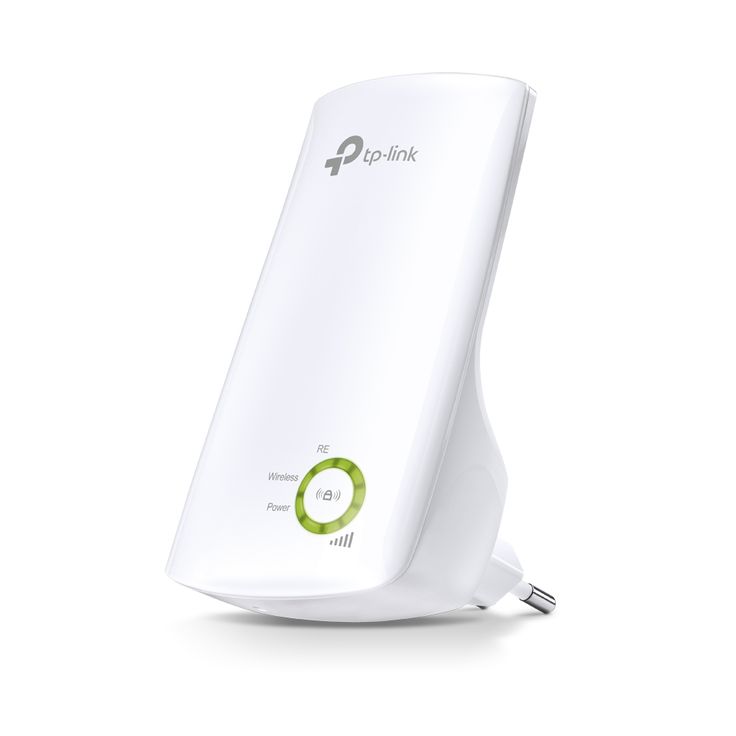
Range Extender Tplink
Introduction In today's world, where seamless internet connectivity is essential for work, entertainment, and smart home automation, weak Wi-Fi signals can be frustrating. TP-Link Wi-Fi Range Extenders provide a reliable and cost-effective solution to expand wireless coverage, eliminate dead zones,...
Introduction
In today's world, where seamless internet connectivity is essential for work, entertainment, and smart home automation, weak Wi-Fi signals can be frustrating. TP-Link Wi-Fi Range Extenders provide a reliable and cost-effective solution to expand wireless coverage, eliminate dead zones, and improve connection stability.
This comprehensive guide covers:
✔ What TP-Link Wi-Fi range extenders are
✔ How they work
✔ Types of TP-Link extenders
✔ Key features and benefits
✔ Step-by-step installation guide
✔ Comparison with other network expansion solutions
✔ Best TP-Link extenders in the market
What is a TP-Link Wi-Fi Range Extender?
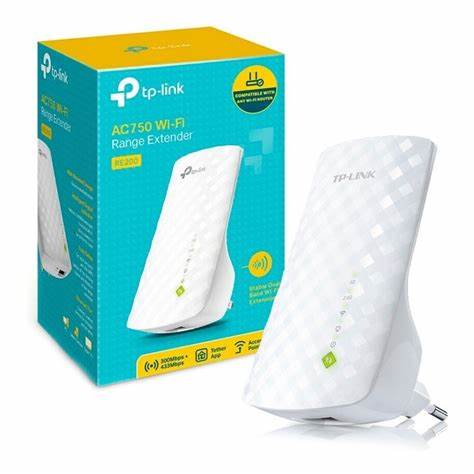
A Wi-Fi range extender (or Wi-Fi booster) is a device designed to expand the reach of an existing wireless network. It does this by receiving the router’s Wi-Fi signal, amplifying it, and retransmitting it to areas with poor connectivity.
TP-Link, a leading global networking brand, offers some of the best Wi-Fi range extenders that cater to homes, offices, and commercial spaces. TP-Link extenders work with most routers and mesh networks, making them versatile and widely compatible.
How Does a TP-Link Wi-Fi Range Extender Work?
A TP-Link Wi-Fi extender follows a three-step process to enhance network coverage:
- Receives the Existing Wi-Fi Signal
- The extender detects the Wi-Fi signal from the main router and connects to it.
- Amplifies and Strengthens the Signal
- Using high-gain antennas and internal amplifiers, the extender boosts the signal.
- Re-broadcasts the Enhanced Signal
- The extender creates a new access point, allowing devices in weak-signal areas to connect seamlessly.
This process helps eliminate buffering, lag, and slow connectivity in large homes and office spaces.
Types of TP-Link Wi-Fi Extenders
TP-Link offers several types of range extenders, each designed for specific needs and environments:
1. Plug-in Wi-Fi Extenders
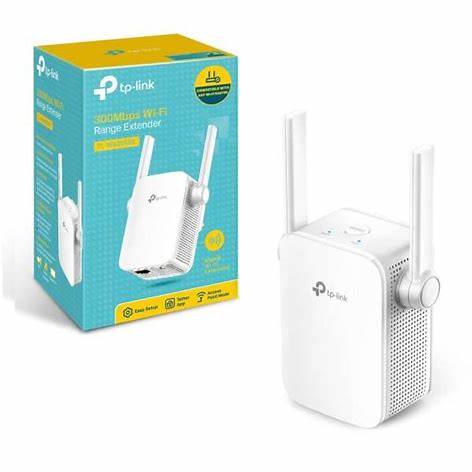
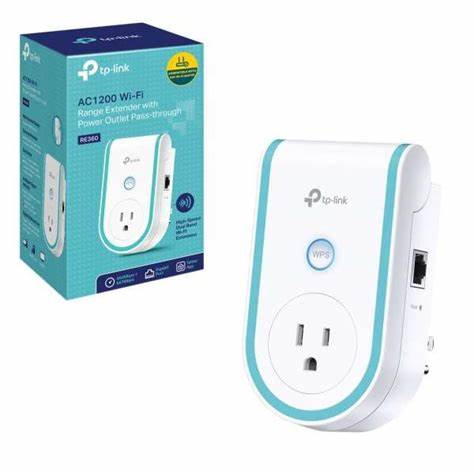
✔ Compact design, plugs directly into a wall outlet
✔ Ideal for small homes and apartments
✔ Example: TP-Link TL-WA850RE (300 Mbps)
2. Desktop Wi-Fi Extenders
✔ Larger in size with external antennas for better coverage
✔ Often includes Ethernet ports for wired connections
✔ Suitable for gaming and streaming
✔ Example: TP-Link RE650 (AC2600 Mbps)
3. Dual-Band and Tri-Band Wi-Fi Extenders
✔ Supports 2.4 GHz and 5 GHz bands for better performance
✔ Reduces congestion and enhances speed
✔ Ideal for large households with multiple devices
✔ Example: TP-Link RE715X (AX3000 Wi-Fi 6)
4. Mesh-Compatible Extenders
✔ Seamlessly integrates with TP-Link's Deco Mesh Wi-Fi system
✔ Eliminates the need for multiple SSIDs
✔ Example: TP-Link RE605X (Wi-Fi 6 Mesh Extender)
Key Features of TP-Link Wi-Fi Extenders
When selecting a TP-Link Wi-Fi extender, consider these features:
1. Extended Wi-Fi Coverage
✔ Covers up to 2,500 sq. ft., eliminating dead zones in homes or offices
2. High-Speed Internet (Dual-Band & Tri-Band)
✔ Supports speeds up to AC2600, AX3000, or higher for smooth gaming and 4K streaming
3. Ethernet Port for Wired Devices
✔ Connects PCs, gaming consoles, and smart TVs via Ethernet for stable performance
4. Smart Signal Indicators
✔ Helps find optimal placement for the extender to maximize performance
5. OneMesh™ and EasyMesh Compatibility
✔ Works with TP-Link’s OneMesh routers to create a seamless mesh network
6. Security & Parental Controls
✔ Supports WPA2/WPA3 encryption for secure browsing
✔ Guest network support to restrict access
Benefits of Using a TP-Link Wi-Fi Range Extender
✔ 1. Eliminates Wi-Fi Dead Zones
Expands network coverage to all rooms, outdoor areas, and multi-floor buildings.
✔ 2. Enhances Online Gaming & Streaming
Improves latency and stability for high-speed gaming and HD/4K video streaming.
✔ 3. Cost-Effective Alternative to Mesh Wi-Fi
Upgrading to a mesh Wi-Fi system can be expensive—extenders offer a budget-friendly alternative.
✔ 4. Supports Multiple Devices Simultaneously
Handles laptops, smartphones, smart TVs, gaming consoles, and IoT devices without congestion.
How to Set Up a TP-Link Wi-Fi Range Extender
Step 1: Choose the Best Placement
✔ Place the extender midway between the router and weak signal area
✔ Avoid obstacles like walls, microwaves, and metal surfaces
Step 2: Connect the Extender to Your Router
✔ Use the WPS button for automatic setup
✔ Alternatively, configure through the TP-Link Tether app or web interface
Step 3: Optimize Performance
✔ Adjust antennas for maximum signal coverage
✔ Use Wi-Fi Analyzer apps to minimize interference
Step 4: Test Connection & Adjust Settings
✔ Walk around your home to check signal strength
✔ Fine-tune settings in the TP-Link Tether app
Comparison: TP-Link Extenders vs Other Wi-Fi Solutions
| Feature | TP-Link Range Extender | Mesh Wi-Fi System | Powerline Adapter |
|---|---|---|---|
| Best for | Homes with dead zones | Large homes, businesses | Homes with thick walls |
| Cost | Affordable | Expensive | Mid-range |
| Ease of Setup | Easy | Medium | Medium |
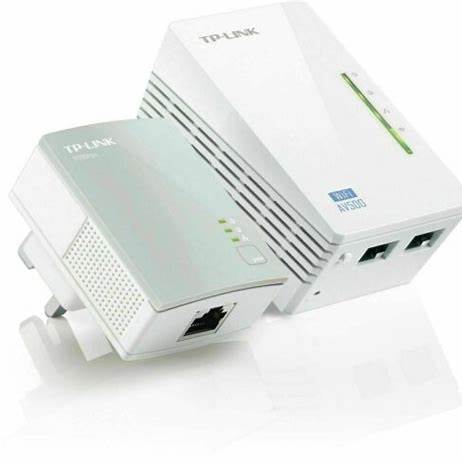
| Performance | Moderate to high | Excellent | Moderate |
While mesh Wi-Fi systems provide the best experience, TP-Link extenders are a budget-friendly alternative for expanding network range.
Conclusion
TP-Link Wi-Fi range extenders provide a cost-effective and powerful solution to eliminate dead zones and enhance internet speed. Whether you need basic coverage expansion or high-performance dual-band support, TP-Link has the perfect range extender for your needs.
For seamless connectivity, gaming, streaming, and smart home use, investing in a TP-Link Wi-Fi extender ensures strong, reliable, and uninterrupted internet access across all your devices.
Talk to an expert about Range Extender Tplink
Get guidance on setup, compatibility, and delivery tailored to your needs.