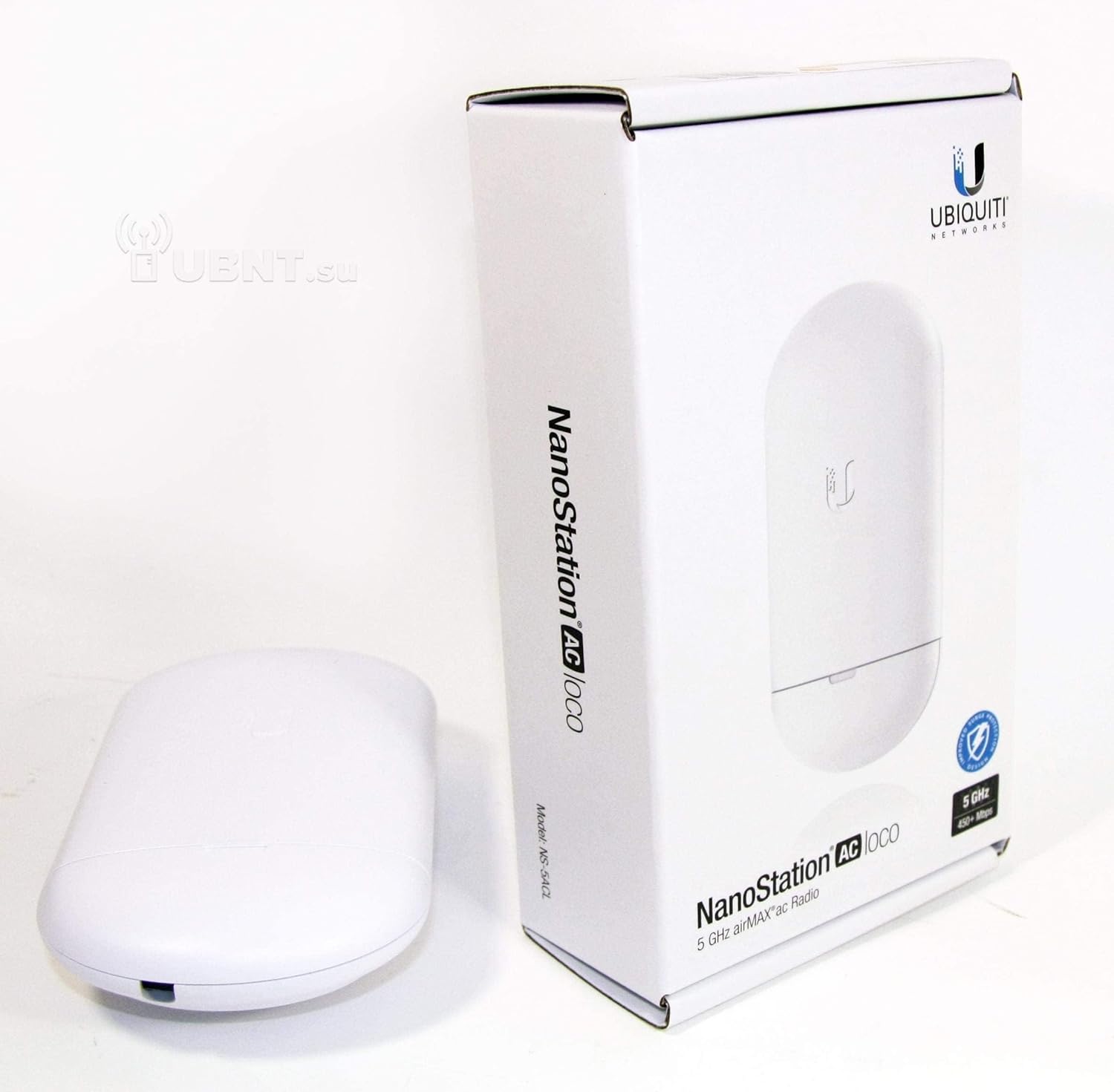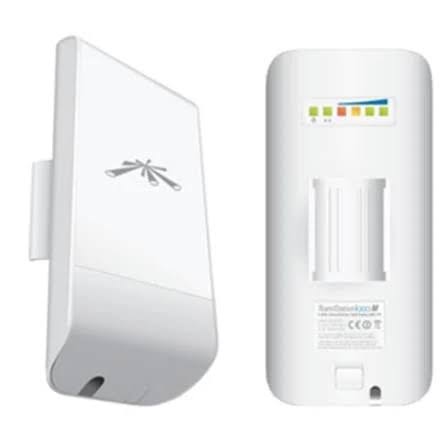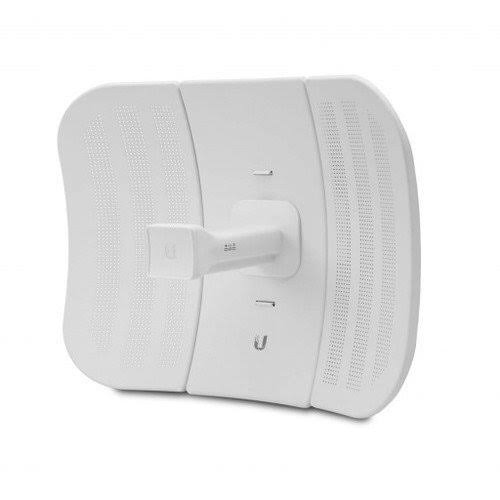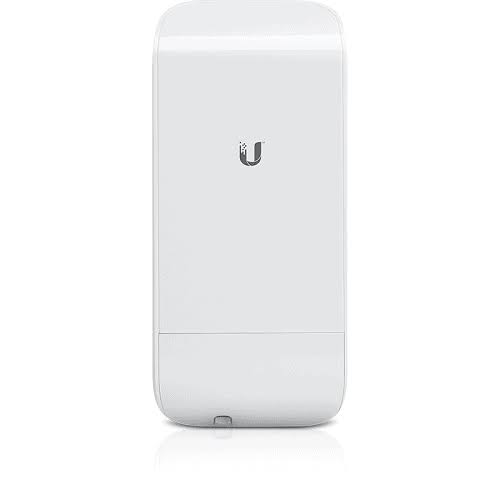
Ubiquiti loco M2
Buy Ubiquiti loco M2 in Kenya from Orbitlink Solutions. Compact 2.4 GHz airMAX CPE with 8.5 dBi antenna, passive PoE and outdoor wireless connectivity.
Ubiquiti loco M2 in Kenya – airMAX NanoStation M2 loco 2.4 GHz Outdoor CPE
The Ubiquiti loco M2, officially named the airMAX NanoStation M2 loco (LocoM2), is a compact outdoor 2.4 GHz wireless CPE and bridge designed for fixed wireless links, WISP subscriber connections, point-to-point (PtP) networking and point-to-multipoint (PtMP) deployments. Ubiquiti currently describes it as a low-cost, efficient 2.4 GHz broadband CPE.
Unlike the 5 GHz LiteBeam models, the loco M2 operates in the 2.4 GHz band. Its current specifications include an 8.5 dBi dual-polarized integrated antenna, 60° beamwidth, one 10/100 Mbps Ethernet port, 24V passive PoE and 5.5W maximum power consumption.
The compact design makes the loco M2 useful for WISP customers, CCTV connections, farms, schools, compounds, remote buildings and other installations where a relatively inexpensive outdoor wireless bridge is required. However, because it uses 2.4 GHz and Fast Ethernet, its capabilities and interference environment should be considered carefully when comparing it with newer airMAX AC equipment.
Ubiquiti loco M2 Key Specifications
| Feature | Specification |
|---|---|
| Official Name | airMAX NanoStation M2 loco |
| Model | LocoM2 |
| Wireless Platform | airMAX M / 802.11n |
| Frequency | 2.4 GHz |
| Operating Frequency | 2412–2462 MHz on current worldwide spec |
| Integrated Antenna Gain | 8.5 dBi |
| Polarization | Dual linear |
| Beamwidth | 60° H / 60° V / 60° elevation |
| Ethernet | 1 × 10/100 Mbps RJ45 |
| Processor | Atheros MIPS 24Kc, 400 MHz |
| Memory | 32 MB SDRAM |
| Flash | 8 MB |
| Power Method | 2-pair passive PoE |
| PoE Adapter | 24V, 0.5A included |
| Supported Voltage | 22–27V DC |
| Maximum Consumption | 5.5W |
| Dimensions | 161 × 31 × 80 mm |
| Weight | 180 g |
| Operating Temperature | -30°C to 75°C |
| Mounting | Pole-mount kit included |
| Enclosure | Outdoor UV-stabilized plastic |
Ubiquiti's current exact-model technical page confirms these core specifications.
2.4 GHz airMAX Wireless
The loco M2 operates on:
2.4 GHz
Ubiquiti's current specifications give an operating range of:
2412–2462 MHz.
This is an important distinction from products such as:
LocoM5
LBE-M5-23
LBE-5AC-GEN2
and many PowerBeam models, which operate in 5 GHz.
The 2.4 GHz band can be useful where its propagation characteristics are desirable, but it is also widely used by ordinary Wi-Fi, Bluetooth and other wireless systems. Consequently, local interference can be a significant consideration.
8.5 dBi Integrated Antenna
The current loco M2 has an integrated:
8.5 dBi antenna
with dual-linear polarization.
Ubiquiti specifies approximately:
60° horizontal beamwidth
60° vertical-polarization beamwidth
and:
60° elevation beamwidth.
This is considerably broader than the highly directional 23 dBi antenna used by a LiteBeam LBE-M5-23.
That makes the two products useful for somewhat different wireless designs.
Dual-Polarized 2×2 MIMO Antenna
The loco M2's antenna architecture supports 2×2 MIMO, with dual-linear polarization. Ubiquiti's datasheet identifies the product as part of its NanoStation M family using MIMO and airMAX TDMA technology.
Using multiple spatial streams can improve wireless capacity compared with older single-polarization equipment when radio conditions support it.
However, actual network performance still depends on signal quality, channel conditions and the radio at the other end.
airMAX TDMA Technology
The loco M2 belongs to Ubiquiti's airMAX M generation.
airMAX uses a TDMA-based approach designed for outdoor wireless broadband networks, particularly where several subscriber stations communicate with a central AP.
A typical PtMP topology could be:
                   loco M2
                      /
                     /
                    /
airMAX AP ---------- loco M2
                    \
                     \
                      \
                   loco M2
The central access point manages wireless connectivity while the remote CPE devices provide network access at each subscriber location.
Ubiquiti loco M2 for Point-to-Point Wireless
The loco M2 can also form part of a fixed point-to-point wireless bridge.
For example:
MAIN BUILDING                         REMOTE BUILDING

Internet
   ↓
Router
   ↓
loco M2  )))))) 2.4 GHz ((((((  loco M2
                                      ↓
                                    Switch
                                  ↙   ↓   ↘
                                CCTV  AP  PCs
This allows network traffic to travel between buildings without installing a continuous Ethernet cable between them.
The quality of the connection depends heavily on the RF path.
loco M2 for Point-to-Multipoint Networks
The loco M2 can also operate as a subscriber/CPE in a compatible airMAX M point-to-multipoint network.
A typical WISP architecture is:
                  Customer A
                    loco M2
                       /
                      /
WISP airMAX AP ------ loco M2
                      Customer B
                      \
                       \
                    loco M2
                  Customer C
Each CPE points toward the central wireless infrastructure.
At the customer's premises, Ethernet from the loco M2 can feed a conventional indoor router.
loco M2 as a WISP CPE
One of the primary applications of the loco M2 is fixed wireless internet.
The network can be arranged as:
WISP Tower
    ↓
2.4 GHz airMAX
    ↓
loco M2
    ↓
PoE Injector
    ↓
Wi-Fi Router
    ↓
Phones / Laptops / TVs
The loco M2 handles the outdoor wireless connection.
The customer's indoor router handles ordinary Wi-Fi and local networking.
loco M2 Is Not a Normal Wi-Fi Router
The loco M2 should not be confused with a home Wi-Fi router.
Although it operates in the familiar 2.4 GHz band, its primary purpose is fixed outdoor wireless infrastructure.
A normal deployment uses:
loco M2 → Ethernet → router/access point → client devices
rather than relying on the loco M2 itself as the primary Wi-Fi system for phones and laptops.
This distinction is particularly important when advising customers who see "2.4 GHz" and assume it is simply an outdoor home Wi-Fi extender.
10/100 Mbps Ethernet Port
The loco M2 provides:
1 × 10/100 Mbps Ethernet port.
It does not have Gigabit Ethernet.
This means the wired side cannot transport Gigabit-class traffic.
For relatively modest WISP connections, CCTV links and legacy installations, Fast Ethernet may be sufficient.
For modern links expected to carry several hundred megabits per second, newer Gigabit-equipped equipment should be considered.
Fast Ethernet Can Become a Bottleneck
Suppose the main site has a 300 Mbps fibre connection.
The network might be:
300 Mbps Fibre
      ↓
    Router
      ↓
   loco M2
      ↓
Wireless Link
      ↓
   loco M2
      ↓
Remote Site
The remote site cannot receive the full 300 Mbps through the loco M2's 100 Mbps Ethernet interface.
The port itself becomes a bottleneck.
Therefore, the loco M2 is better selected according to the bandwidth actually required rather than simply whether a wireless connection can be established.
24V Passive PoE
The loco M2 uses:
24V passive PoE
with Ubiquiti specifying two-pair powering:
Pins 4,5 = positive
Pins 7,8 = return.
The supported voltage range is:
22–27V DC
and the current product includes a:
24V, 0.5A PoE adapter.
This means one Ethernet cable carries both power and network connectivity to the outdoor unit.
Passive PoE Is Not Standard PoE+

This is an important installation warning.
The loco M2's passive PoE is not the same thing as automatically supporting:
802.3af
802.3at PoE+
or:
802.3bt PoE++.
Do not assume that any switch labelled "PoE" can safely power the loco M2.
The voltage, pinout and power method must be checked before connecting an alternative power source.
Typical loco M2 PoE Connection
Router / Switch
      ↓
     LAN
┌─────────────┐
│ PoE Injector│
└─────────────┘
     PoE
      ↓
Outdoor Ethernet
      ↓
   loco M2
The supplied injector can normally remain indoors while the Ethernet cable runs to the outdoor radio.
Low 5.5W Power Consumption
Ubiquiti specifies maximum power consumption of:
5.5W.
This relatively low power requirement can be useful for:
remote sites
solar-powered installations
CCTV systems
rural WISP installations
and other locations where minimizing power demand is beneficial.
For an off-grid site, however, the solar and battery system should be sized around the complete network load rather than the loco M2 alone.
Atheros 400 MHz Processor
Ubiquiti's NanoStation M datasheet specifies:
Atheros MIPS 24Kc 400 MHz
with:
32 MB SDRAM
and:
8 MB flash storage.
These specifications reflect the loco M2's generation.
It should therefore be viewed as established airMAX M infrastructure rather than a modern high-capacity wireless platform.
Compact Outdoor Design
One of the loco M2's strongest physical advantages is its small size.
The current model measures only:
161 × 31 × 80 mm
and weighs approximately:
180 g.
Its enclosure uses outdoor UV-stabilized plastic, and Ubiquiti includes a pole-mount kit.
This makes it considerably smaller and lighter than many dish-style outdoor radios.
Outdoor Operating Temperature
Ubiquiti currently specifies:
-30°C to 75°C
with:
5–95% non-condensing humidity.
The device is designed for outdoor fixed-wireless deployment.
That does not eliminate the need for correct outdoor cabling and electrical protection.
Line of Sight for loco M2
Like other fixed outdoor wireless products, the loco M2 benefits from a clear radio path.
Good installation
loco M2 -------------------------- loco M2
             Clear path
Obstructed installation
loco M2 -------- TREES ----------- loco M2
                  ↑
              Obstruction
Buildings, dense trees, hills and other structures can reduce signal quality.
The 2.4 GHz band can behave differently from 5 GHz around obstacles, but it should not be treated as a substitute for proper link planning.
Fresnel-Zone Clearance
For longer wireless links, installers should also consider the Fresnel zone.
             Fresnel Zone
          /---------------\
loco M2 ------------------- loco M2
          \---------------/
Even if the two radios can visually "see" each other, trees or buildings entering this zone can reduce wireless performance.
Increasing mounting height can sometimes improve Fresnel clearance substantially.
2.4 GHz Interference
A major consideration with the loco M2 is the popularity of the 2.4 GHz spectrum.
The same general band is heavily used by:
home Wi-Fi
office Wi-Fi
wireless hotspots
Bluetooth devices
IoT equipment
and many other wireless systems.
In a dense urban area, spectrum congestion can therefore reduce performance.
This is one reason a 5 GHz fixed-wireless system may be preferred where the RF environment and link requirements make it suitable.
Why 2.4 GHz Can Still Be Useful
2.4 GHz is not automatically inferior.
Its propagation characteristics can be useful in certain deployments, and it remains relevant for existing airMAX M networks and locations where 5 GHz spectrum or equipment is not the desired solution.
The decision should therefore consider:
RF environment
distance
required throughput
existing equipment
line of sight
and:
local regulatory requirements.
loco M2 for CCTV Backhaul
The loco M2 can provide a wireless connection to a remote CCTV site.
REMOTE CCTV

IP Cameras
    ↓
PoE Switch
    ↓
loco M2
    ↓
2.4 GHz Wireless
    ↓
loco M2
    ↓
Main Network
    ↓
NVR
The combined bitrate of the cameras should be calculated because the radio has a 10/100 Ethernet interface.
For a small CCTV installation, this may be sufficient.
For a large high-resolution camera network, higher-capacity wireless equipment may be preferable.
loco M2 for Farms
The loco M2 can be considered for connecting remote farm locations such as:
gatehouses
staff quarters
stores
offices
CCTV points
and:
workshops.
Its compact size and low power consumption are useful characteristics for remote installations.
loco M2 for Schools
Schools and campuses can use fixed wireless links to connect detached:
classroom blocks
libraries
administration offices
gatehouses
laboratories
and:
staff buildings.
At the destination, Ethernet can connect to a switch and conventional Wi-Fi access points.
loco M2 for Estates and Compounds
A loco M2 link can also connect buildings within an estate or compound.
For example:
MAIN HOUSE

Internet
   ↓
Router
   ↓
loco M2
   ↓
Wireless
   ↓
loco M2
   ↓
Switch
   ↓
GATEHOUSE
This can avoid running a long copper cable across the property.
loco M2 for Hotels and Lodges
Hotels and lodges can use outdoor wireless backhaul to connect:
cottages
security gates
staff quarters
restaurants
remote CCTV
and other detached facilities.
The loco M2 carries the backhaul traffic.
A separate Wi-Fi access point can provide local guest or staff Wi-Fi at the remote site.
loco M2 for Warehouses
Two warehouses separated by an open yard may be connected wirelessly:
Warehouse A                         Warehouse B

Router
  ↓
loco M2 ))))))))))))))))))))) loco M2
                                   ↓
                                 Switch
                               ↙   ↓   ↘
                             CCTV PCs   AP
For modest bandwidth requirements, this can provide a practical alternative to trenching cable.
Using Ubiquiti loco M2 with Starlink
The loco M2 can carry a LAN downstream of a Starlink router:
Starlink
   ↓
Router
   ↓
loco M2
   ↓
Wireless Link
   ↓
loco M2
   ↓
Remote Network
However, the loco M2 has a 100 Mbps Ethernet interface, so it can limit the speed reaching the remote location when the upstream Starlink service exceeds that capacity.
The loco M2 does not increase Starlink speed; it simply transports network traffic.
Using loco M2 with Fibre
The same principle applies to fibre:
Fibre ONT
   ↓
Router
   ↓
loco M2
   ↓
Wireless
   ↓
loco M2
   ↓
Remote LAN
If the fibre service is substantially faster than 100 Mbps, a newer Gigabit-equipped bridge may be more appropriate when preserving that speed matters.
Using loco M2 with MikroTik
The network router can be MikroTik:
Internet
   ↓
MikroTik Router
   ↓
Switch
   ↓
loco M2
   ↓
Wireless Link
The MikroTik device handles routing, DHCP, firewalling or bandwidth management while the Ubiquiti radio provides the fixed wireless link.
Using loco M2 with TP-Link

Likewise, the destination can use TP-Link equipment:
loco M2
   ↓
Ethernet
   ↓
TP-Link Switch
   ↓
Omada / TP-Link AP
   ↓
Users
Standard Ethernet devices from different manufacturers can coexist on the wired network.
The wireless radios forming the airMAX link require separate compatibility consideration.
Ubiquiti loco M2 vs NanoStation M2
These two products are related, but they are not identical.
| Feature | loco M2 | NanoStation M2 (NSM2) |
|---|---|---|
| Frequency | 2.4 GHz | 2.4 GHz |
| Antenna Gain | 8.5 dBi | 10.4–11.2 dBi |
| Ethernet Ports | 1 × Fast Ethernet | 2 × Fast Ethernet |
| Power | 24V Passive PoE | 24V Passive PoE |
| Max Consumption | 5.5W | 5.5W |
| Dimensions | 161 × 31 × 80 mm | 294 × 31 × 80 mm |
| Weight | 180 g | 400 g |
| Main Advantage | Compact, economical | Higher gain, second Ethernet port |
Ubiquiti's current technical pages confirm these differences.
The loco M2 is essentially the more compact option, while the full NanoStation M2 provides a larger antenna system and an additional Ethernet interface.
loco M2 vs loco M5
The biggest difference is frequency.
| Feature | loco M2 | loco M5 |
|---|---|---|
| Frequency | 2.4 GHz | 5 GHz |
| Antenna Gain | 8.5 dBi | About 13 dBi |
| Ethernet | 10/100 | 10/100 |
| PoE | Passive | Passive |
| Main Consideration | 2.4 GHz propagation / congestion | 5 GHz spectrum / directional gain |
Ubiquiti's installation documentation identifies the loco M2 at 2.4 GHz and the loco M5 at 5 GHz.
Neither frequency is automatically best for every deployment.
loco M2 vs LBE-M5-23
These products differ considerably.
| Feature | loco M2 | LBE-M5-23 |
|---|---|---|
| Frequency | 2.4 GHz | 5 GHz |
| Antenna Gain | 8.5 dBi | 23 dBi |
| Antenna Pattern | Broader directional panel | Highly directional |
| Ethernet | 10/100 | 10/100 |
| Main Role | Compact CPE / shorter fixed links | Longer-range directional CPE |
| Weight | 180 g | ~750 g |
The LiteBeam M5 is considerably more directional, while the loco M2 provides a compact 2.4 GHz CPE architecture.
loco M2 vs LBE-5AC-GEN2
The newer LiteBeam 5AC Gen2 belongs to a substantially higher-performance class.
| Feature | loco M2 | LBE-5AC-GEN2 |
|---|---|---|
| Frequency | 2.4 GHz | 5 GHz |
| Platform | airMAX M | airMAX AC |
| Antenna | 8.5 dBi | 23 dBi |
| Ethernet | 100 Mbps | Gigabit |
| Typical Role | Compact legacy CPE | Higher-capacity directional CPE |
| Management Radio | No Gen2 management radio | Yes |
For a new high-throughput link, the LBE-5AC-GEN2 is much more appropriate to compare against modern bandwidth requirements.
loco M2 vs Fibre

| Consideration | loco M2 Wireless | Fibre |
|---|---|---|
| Trenching | Usually unnecessary | Usually required |
| Deployment | Relatively quick | Civil works may be required |
| RF interference | Possible | None |
| Line of sight | Important | Not required |
| Capacity | Limited | Very high |
| Physical cable between sites | No | Yes |
| Relocation | Relatively easy | More difficult |
| Long-term scalability | Limited | Excellent |
The loco M2 can make sense where moderate bandwidth is enough and installing fibre is impractical.
Fibre remains the stronger long-term option for very high-capacity permanent backbone connections.
Advantages of Ubiquiti loco M2
The loco M2's main strengths are its compact 180 g outdoor design, integrated 8.5 dBi dual-polarized antenna, low 5.5W power requirement and simple passive-PoE installation.
It is particularly useful for existing airMAX M installations and lower-bandwidth wireless links where a small and inexpensive outdoor CPE is preferable to a larger dish-style radio.
Its 2.4 GHz operation can also be useful in specific RF environments, although local spectrum congestion should always be assessed.
Limitations of Ubiquiti loco M2
The most important limitation is the 10/100 Mbps Ethernet port. This prevents the device from serving as a high-throughput modern bridge where several hundred megabits are required.
The second consideration is 2.4 GHz congestion. In densely populated areas, the band may contain substantial interference from Wi-Fi and other devices.
Finally, the loco M2 belongs to the older airMAX M generation. For a new high-capacity deployment, it is worth comparing newer airMAX AC or other current UISP wireless equipment before selecting it.
Who Should Buy the Ubiquiti loco M2?
The loco M2 is particularly relevant for users who need:
-
a compact 2.4 GHz outdoor CPE
-
an existing airMAX M network expansion
-
a modest-bandwidth PtP bridge
-
a WISP subscriber connection
-
CCTV backhaul
-
a farm network extension
-
school or campus connectivity
-
estate or compound links
-
remote-building connectivity
-
a low-power outdoor wireless radio
For a new network expected to carry well above 100 Mbps, a newer Gigabit-equipped model should be considered.
Ubiquiti loco M2 Price in Kenya
The Ubiquiti loco M2 price in Kenya can vary depending on stock availability, exchange rates, supplier source and warranty arrangements.
A complete wireless installation may also require a compatible radio at the opposite site, outdoor Ethernet cable, surge protection, a router or switch, mounting accessories and professional configuration.
Contact Orbitlink Solutions for current price and stock availability.
Why Buy Ubiquiti loco M2 from Orbitlink Solutions?

The correct outdoor wireless device depends on more than distance. Frequency congestion, required throughput, line of sight, Fresnel clearance and the equipment at the opposite end all influence whether the loco M2 is suitable.
For existing 2.4 GHz airMAX M networks and moderate-bandwidth links, the loco M2 remains a compact option that Ubiquiti continues to list in its current UISP wireless catalogue.
For new higher-capacity installations, Orbitlink Solutions can also help customers compare the loco M2 with 5 GHz LiteBeam, NanoBeam, PowerBeam and other Ubiquiti wireless options based on the actual link requirements.
Watch the Ubiquiti loco M2 Video
The Ubiquiti loco M2 is best understood as a compact fixed-wireless CPE rather than a conventional outdoor Wi-Fi router. Its 8.5 dBi directional antenna and airMAX architecture are designed to establish an infrastructure link to another compatible wireless site. Once that connection reaches the destination, a separate router or access point can provide normal Wi-Fi to phones, laptops and other users.
Its 2.4 GHz operation is one of the biggest factors to consider before deployment. The band can offer useful propagation characteristics, but it can also be crowded, especially in urban and densely populated environments. A spectrum assessment, suitable channel selection and good antenna placement can therefore be important to obtaining reliable performance.
The Fast Ethernet interface is the other major limitation. For a 20 Mbps, 50 Mbps or similar moderate-bandwidth connection, this may not be a problem. For a new network expected to transport 200 Mbps, 500 Mbps or more, a Gigabit-equipped wireless bridge is the more appropriate class of equipment.
Frequently Asked Questions About Ubiquiti loco M2
What is the Ubiquiti loco M2?
The LocoM2 is a compact outdoor 2.4 GHz airMAX NanoStation CPE with an integrated 8.5 dBi directional antenna.
What frequency does loco M2 use?
It operates at 2.4 GHz, with the current technical specification listing 2412–2462 MHz.
What is the antenna gain?
Ubiquiti's current specification lists 8.5 dBi.
What is the antenna beamwidth?
The current specification lists approximately 60° horizontal, 60° vertical and 60° elevation beamwidth.
Is loco M2 directional?
Yes. Its integrated panel antenna is directional, although its beam is much broader than high-gain dish-style products such as LiteBeam.
Does loco M2 have Gigabit Ethernet?
No. It has one 10/100 Mbps Ethernet port.
What PoE does loco M2 use?
It uses 2-pair passive PoE, with pins 4/5 positive and 7/8 return.
Is a PoE adapter included?
Yes. Ubiquiti's current specification lists a 24V, 0.5A PoE adapter as included.
What voltage does loco M2 support?
The current supported range is 22–27V DC.
How much power does loco M2 consume?
Maximum consumption is 5.5W.
Is loco M2 an outdoor device?
Yes. It uses an outdoor UV-stabilized enclosure and is rated for -30°C to 75°C operation.
Can two loco M2 units create a point-to-point bridge?
They can be configured as part of a compatible fixed wireless bridge, subject to proper RF design and configuration.
Can loco M2 be used for point-to-multipoint?
Yes. It can serve as a CPE/station in an appropriately compatible airMAX M PtMP network.
Can loco M2 be used for WISP internet?
Yes. Ubiquiti currently describes it specifically as an efficient 2.4 GHz broadband CPE.
Is loco M2 a Wi-Fi router?
No. It is primarily an outdoor fixed-wireless CPE/bridge. A separate router or Wi-Fi access point is normally used for local client connectivity.
Can loco M2 be used for CCTV?
Yes, provided the required CCTV traffic fits within the capacity of the wireless link and its 100 Mbps Ethernet interface.
Can loco M2 work with Starlink?
Yes. It can transport a network downstream of Starlink, although its Fast Ethernet port may limit the speed delivered to the remote site.
Can loco M2 work with fibre?
Yes. However, a fibre service faster than 100 Mbps cannot be transported at full speed through its 10/100 Ethernet interface.
Can loco M2 work with MikroTik?
Yes. MikroTik routers and switches can be used on the Ethernet side of the network.
Can TP-Link equipment be connected to loco M2?
Yes. Standard Ethernet switches, routers and access points can be used downstream.
What is the difference between loco M2 and NanoStation M2?
The loco M2 is smaller, has one Ethernet port and 8.5 dBi gain. The full NanoStation M2 is larger, has two Ethernet ports and approximately 10.4–11.2 dBi antenna gain on Ubiquiti's current specification.
What is the difference between loco M2 and loco M5?
The loco M2 operates at 2.4 GHz, while loco M5 operates at 5 GHz. Their antenna gains and RF characteristics also differ.
Is Ubiquiti loco M2 still listed?
Yes. Ubiquiti's current UISP technical catalogue continues to list the airMAX NanoStation M2 loco (LocoM2).
What is the Ubiquiti loco M2 price in Kenya?
Contact Orbitlink Solutions for the current price and stock availability.
Buy Ubiquiti loco M2 in Kenya
The Ubiquiti airMAX NanoStation M2 loco remains a compact option for 2.4 GHz fixed wireless networking. Its combination of an 8.5 dBi dual-polarized antenna, 10/100 Ethernet, 24V passive PoE, 5.5W power consumption and lightweight 180 g enclosure makes it suitable for modest-bandwidth outdoor links and existing airMAX M deployments.
For WISP subscribers, CCTV, farms, schools, compounds and remote buildings where Fast Ethernet-class connectivity is sufficient, the loco M2 can provide a practical outdoor wireless solution. For higher-throughput new installations, compare it with newer Gigabit-equipped airMAX alternatives before purchasing.
Contact Orbitlink Solutions
Orbitlink Solutions
Lyric House, 7th Floor, Room S9, Kimathi Street, Nairobi
Call / Text / WhatsApp: +254 743 720 551
Email: info@orbitlinksolutions.co.ke
Alternative Email: orbitlinksolutions@gmail.com
Opening Hours: Monday–Saturday, 9:00 AM–6:00 PM
Availability: Nairobi pickup and nationwide delivery
Contact Orbitlink Solutions for the current Ubiquiti loco M2 price in Kenya, stock availability and assistance selecting compatible Ubiquiti airMAX radios, passive-PoE equipment, outdoor Ethernet cabling, routers, switches and other wireless networking equipment.
Need Help Choosing? Ask a Technician
Get guidance on setup, compatibility, stock, and delivery before buying for your project.