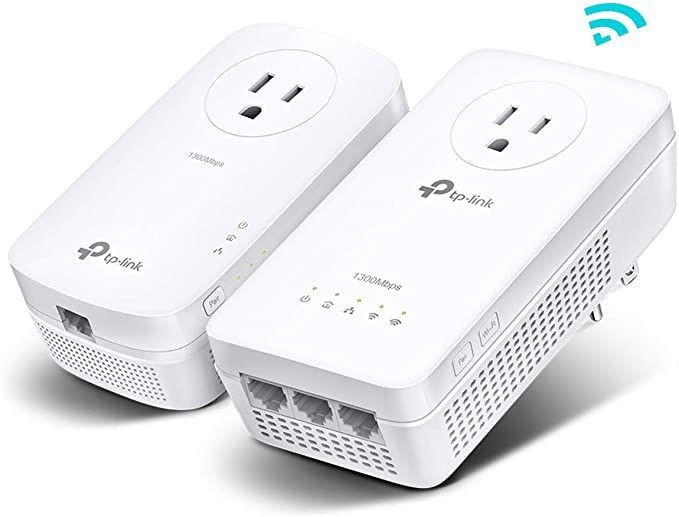
TP-Link 300Mbps Wi-Fi Range Extender with AC Passthrough TL-WA860RE
The TP-Link TL-WA860RE is a compact yet powerful Wi-Fi extender that enhances existing networks by boosting coverage and eliminating weak signals. Unlike many standard extenders, it features an AC passthrough socket, meaning you won’t lose access to a power outlet...
The TP-Link TL-WA860RE is a compact yet powerful Wi-Fi extender that enhances existing networks by boosting coverage and eliminating weak signals. Unlike many standard extenders, it features an AC passthrough socket, meaning you won’t lose access to a power outlet when plugging it in.
Key Features & Technical Specifications
| Feature | Details |
|---|---|
| Wi-Fi Speed | 300Mbps (2.4GHz) |
| Wi-Fi Band | 2.4GHz only |
| Antennas | 2 external adjustable antennas |
| Ethernet Port | 1 × 10/100Mbps Fast Ethernet Port |
| AC Passthrough | Yes (power socket available on device) |
| Plug & Play | Yes (WPS Button for easy setup) |
| Signal Strength Indicator | Yes (LEDs for optimal placement) |
| Power Consumption | ≈ 3W |
| Operating Mode | Range Extender, Access Point |
| Security Standards | WPA/WPA2-PSK |
In-Depth Feature Analysis
1. Wi-Fi Speed & Performance (300Mbps on 2.4GHz)
The TP-Link TL-WA860RE operates exclusively on the 2.4GHz frequency band, providing speeds of up to 300Mbps. While this may not match the faster dual-band extenders, it is more than sufficient for web browsing, HD streaming, VoIP calls, and smart home device connectivity.
Why 2.4GHz?
✔ Better Range – 2.4GHz signals travel farther and penetrate walls more effectively than 5GHz.
✔ Better Compatibility – Works with older routers and IoT devices like smart bulbs, cameras, and speakers.
✔ Lower Power Consumption – Consumes less energy compared to high-performance 5GHz extenders.
Potential Drawbacks:
❌ Slower than 5GHz – While 300Mbps is adequate, modern dual-band extenders offer higher speeds.
❌ More Interference – 2.4GHz is more congested due to Bluetooth devices, microwaves, and other Wi-Fi networks.
2. External Antennas – Extended Coverage & Stronger Signals
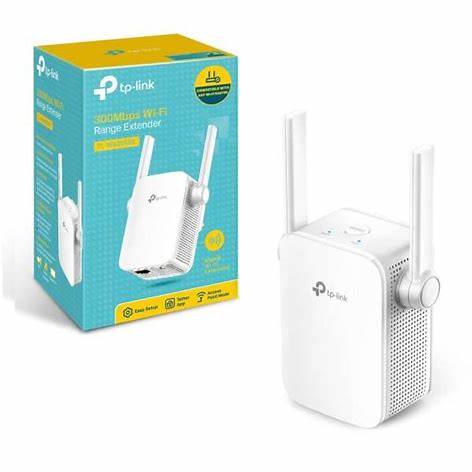
Unlike many compact range extenders, the TL-WA860RE includes two external, adjustable antennas, significantly improving Wi-Fi reception.
How External Antennas Improve Performance:
✔ Better Signal Capture – Pulls in weak Wi-Fi signals more effectively.
✔ Stronger Re-Broadcasting – Expands the range of your router into dead zones.
✔ Adjustable Positioning – Allows users to optimize antenna angles for better signal distribution.
💡 Placement Tip: Position the antennas vertically for better floor-to-floor coverage or horizontally for wider area coverage in a single floor.
3. Built-In AC Passthrough – No Lost Power Outlet
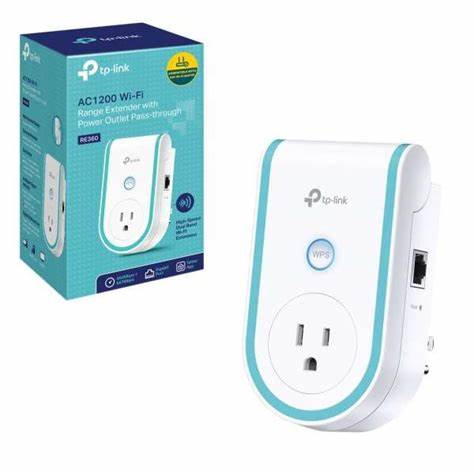
One of the most unique features of the TL-WA860RE is its integrated power socket, allowing you to continue using the outlet even while the extender is plugged in.
Benefits of AC Passthrough
✔ No Lost Outlets – Other extenders occupy power sockets, reducing available outlets.
✔ Convenience – Plug in household appliances like TVs, lamps, or chargers while using the extender.
✔ Stable Power Supply – The built-in socket ensures consistent power flow without affecting network performance.
💡 Ideal For: Users who need Wi-Fi extension but have limited power sockets in their home or office.
4. Fast Ethernet Port – Wired Connection for Maximum Stability
The TL-WA860RE features a 10/100Mbps Fast Ethernet port, allowing users to connect wired devices for a more stable, lag-free experience.
Why Use the Ethernet Port?
✔ Gaming & Streaming – Reduces latency and buffering issues.
✔ Smart TVs & Consoles – Ensures faster, uninterrupted connectivity.
✔ PCs & Laptops – Provides a wired alternative when wireless performance is unstable.
💡 Pro Tip: The Ethernet port also allows the extender to act as a Wi-Fi access point, turning a wired internet connection into a new Wi-Fi hotspot.
5. Simple Setup – WPS Button & Signal Indicator LEDs
Setting up the TL-WA860RE is quick and user-friendly, thanks to two key features:
1. WPS Button – One-Click Connection
✔ Press the WPS button on your router.
✔ Press the WPS button on the TL-WA860RE.
✔ The extender automatically pairs with the router and extends the network.
💡 Alternative Setup: If your router does not support WPS, you can configure the extender manually via a web-based interface or the TP-Link Tether app.
2. Intelligent Signal Indicator LEDs
✔ Green Light = Strong signal; ideal placement.
✔ Red Light = Weak signal; move closer to the router.
💡 Best Placement Strategy: Position the TL-WA860RE halfway between your router and the Wi-Fi dead zone for optimal coverage.
Performance Review – How Well Does It Work?
The TL-WA860RE performs exceptionally well for small-to-medium homes, offices, and apartments.
✔ Good Range Extension: Covers dead zones up to 1500 sq. ft. effectively.
✔ Strong 2.4GHz Performance: Ideal for basic browsing, HD streaming, and smart devices.
✔ Reliable AC Passthrough: Maintains full power socket functionality.
User Feedback – What Are Customers Saying?
Users highly rate the TL-WA860RE for its ease of use, compact design, and AC passthrough feature.
Pros (User Reviews)
✔ Simple Setup – WPS pairing works flawlessly.
✔ Excellent Range Extension – Effectively removes dead zones.
✔ Retains Power Outlet – AC passthrough is a game-changer.
Final Verdict – Is the TL-WA860RE Worth It?
✅ Recommended For:
✔ Small-to-Medium Homes needing better 2.4GHz coverage.
✔ Smart Home Users needing Wi-Fi extension for IoT devices.
✔ Offices & Apartments where power outlets are limited.
Final Score: 8.5/10 – Excellent for Basic Wi-Fi Extension with AC Passthrough 🚀
If you need a simple, reliable way to boost Wi-Fi without losing a power outlet, the TP-Link TL-WA860RE is one of the best budget-friendly solutions available today!
Talk to an expert about TP-Link 300Mbps Wi-Fi Range Extender with AC Passthrough TL-WA860RE
Get guidance on setup, compatibility, and delivery tailored to your needs.