Ubiquiti PoE Adapters in Kenya
Buy Ubiquiti PoE adapters in Kenya from Orbitlink Solutions. Explore 15W PoE, 30W PoE+, 60W PoE++, 24V and 48V injectors for UniFi and UISP devices.
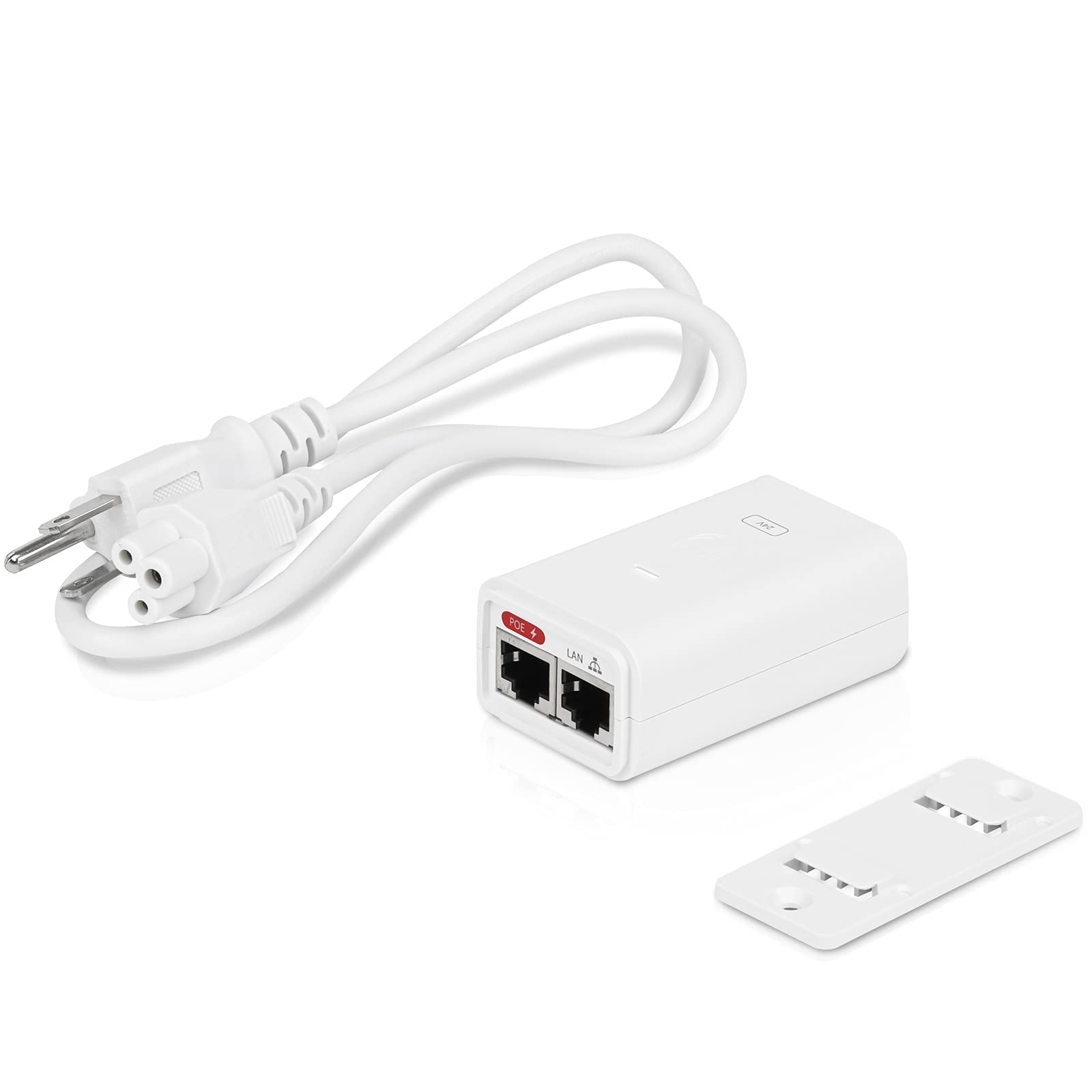
Top picks in Ubiquiti PoE Adapters in Kenya
Compare price points, specs, and bundles tailored to Kenyan homes and businesses.
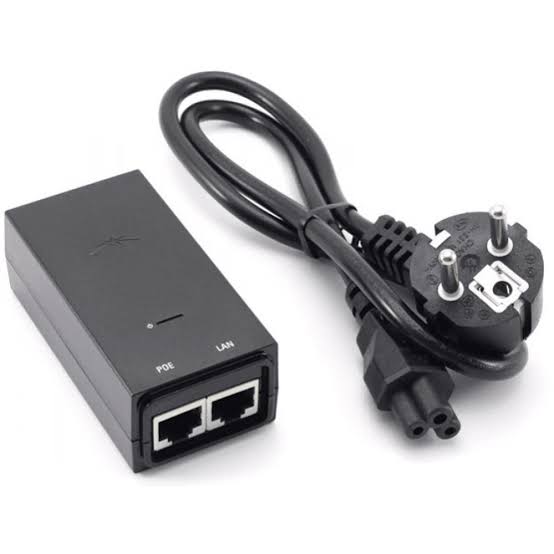
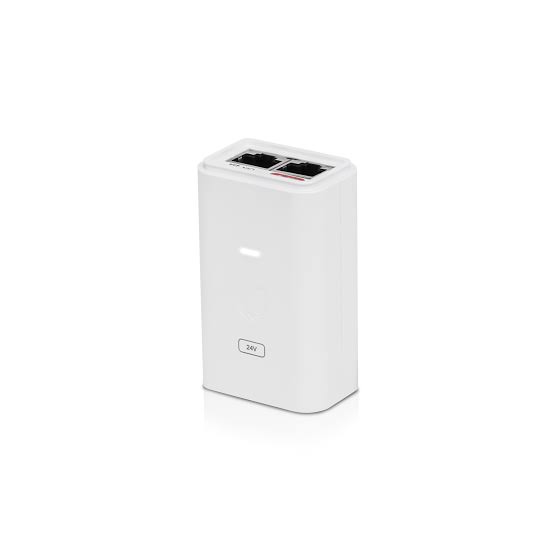
Ubiquiti POE-24-12W-G 24V 0.5A PoE Adapter
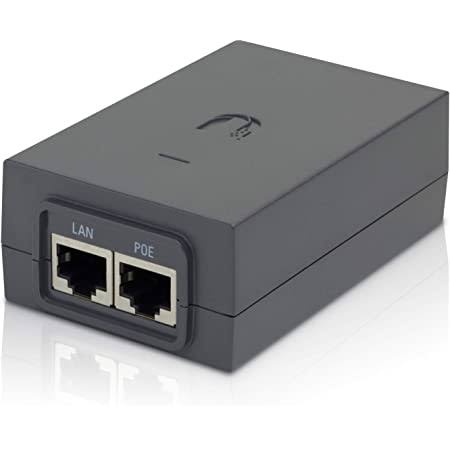
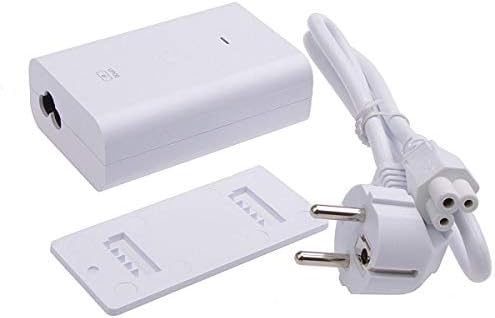
Ubiquiti PoE Adapters in Kenya – Power over Ethernet Injectors
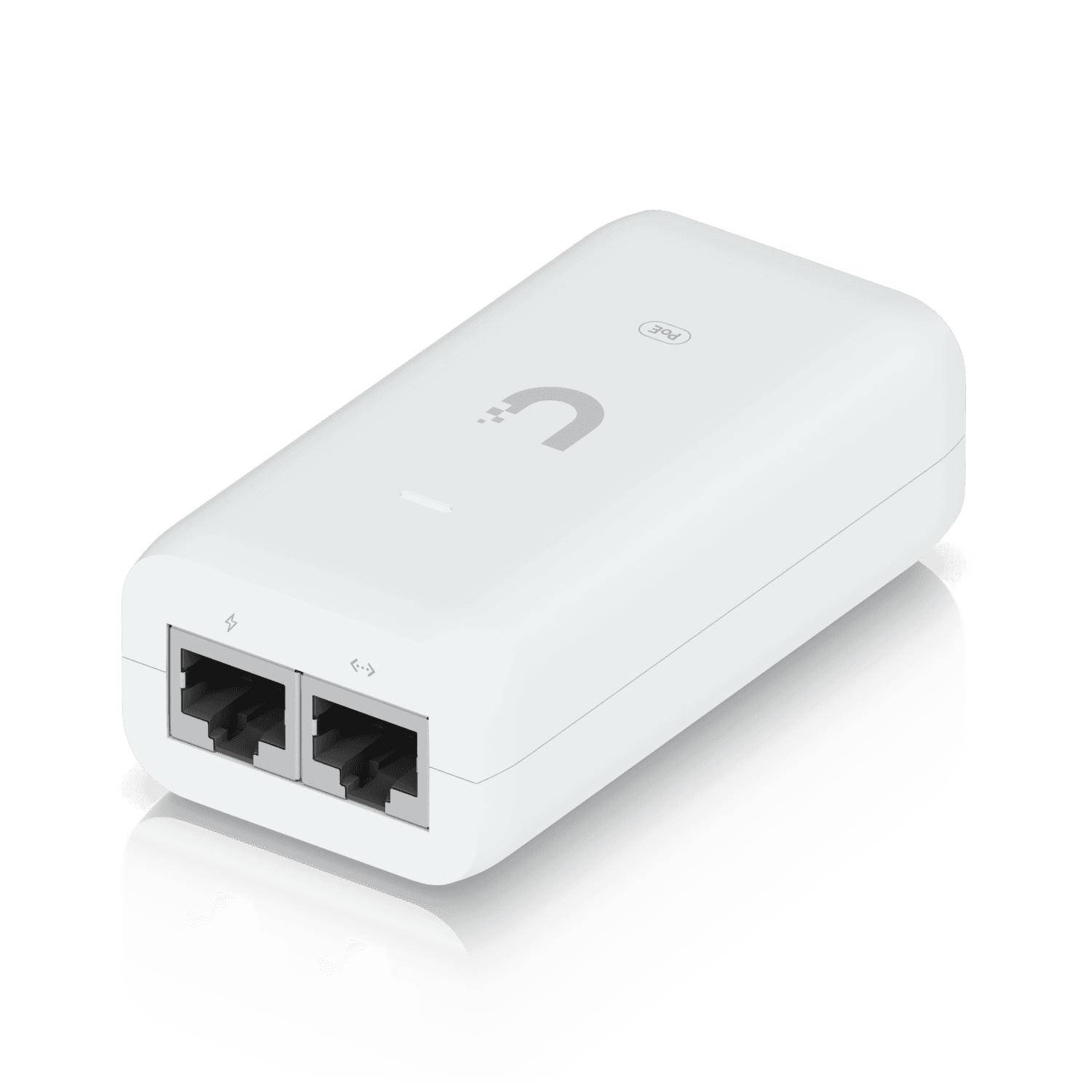
Ubiquiti PoE adapters, also commonly called PoE injectors, provide electrical power and network data to compatible devices through Ethernet cabling. They are useful when a network does not have a PoE switch, when an existing switch does not provide the required PoE standard, or when an installer wants to reduce the PoE load placed on a switch.
Ubiquiti offers several PoE adapter classes for different equipment, including 15W PoE, 30W PoE+, 60W PoE++, higher-power PoE+++, 24V passive PoE and 48V PoE adapters. Selecting the correct model is important because voltage, wattage, number of powered pairs and device requirements differ.
A PoE adapter can be used with compatible UniFi access points, UISP radios, cameras, door-access equipment and other Ethernet-powered devices. However, Ubiquiti specifically warns that its UniFi and UISP PoE adapters continuously output voltage rather than negotiating power like a standards-based PoE switch port, so compatibility must be checked before connecting a device.
What Is a Ubiquiti PoE Adapter?
A PoE adapter combines:
AC mains electricity
plus
Ethernet data
into a single powered Ethernet connection.
A normal installation looks like this:
Router / Network Switch
↓
Ethernet Cable
↓
PoE Adapter – LAN/Data Input
↓
PoE Adapter – PoE Output
↓
Ethernet Cable
↓
Ubiquiti Device
The adapter therefore allows the Ethernet cable running to the device to carry both data and electrical power.
This can eliminate the need for an electrical socket next to an access point, outdoor radio, camera or other compatible network device.
How a Ubiquiti PoE Adapter Works
A typical Ubiquiti PoE adapter has:
1 × Data/LAN RJ45 input
and
1 × PoE RJ45 output.
The LAN port connects to the router or switch.
The PoE port connects to the powered device.
The adapter itself connects to an AC electrical outlet.
Ubiquiti's current 15W, 30W and 60W adapters accept 100–240V AC at 50/60Hz, making them suitable for a wide range of electrical systems.
Main Ubiquiti PoE Adapter Types
| Adapter | Typical Class | Output | Data Interface | Powering |
|---|---|---|---|---|
| U-PoE | PoE | 48V DC @ 0.32A | Gigabit | 2-pair |
| U-PoE+ | PoE+ | 48V DC @ 0.65A | Gigabit | 2-pair |
| U-PoE++ | PoE++ | 48V DC @ 1.25A | Gigabit / selected 10G version | 4-pair |
| UACC-PoE+++-10G | PoE+++ | Up to 90W | Multi-Gigabit / 10G-class | 4-pair |
| POE-48 | 48V Passive PoE | 48V DC; model dependent | Selected models Gigabit | 2-pair |
| POE-24 | 24V Passive PoE | 24V DC; model dependent | Selected models Gigabit | 2-pair |
The correct adapter should always be chosen according to the exact powered-device specification, not merely because the connector physically fits.
Ubiquiti U-PoE 15W PoE Adapter
The U-PoE, also referenced in Ubiquiti documentation as U-PoE-af, is the standard 15W-class UniFi PoE adapter.
Its current specifications include:
| Specification | U-PoE |
|---|---|
| Maximum PoE Class | 15W |
| Output | 48V DC @ 0.32A |
| AC Input | 100–240V AC, 50/60Hz |
| LAN Interface | Gigabit Ethernet |
| Powering | 2 pairs |
| Positive Pins | 4, 5 |
| Negative Pins | 7, 8 |
| Dimensions | 86 × 46 × 33mm |
| Weight | 100g |
| AC Connector | IEC-320 C6 |
| Power Cable | Included |
| Operating Temperature | 0–40°C |
| Surge Protection | Yes |
Ubiquiti states that the adapter provides up to 15W of PoE, includes a Gigabit LAN connection and incorporates surge, peak-pulse and overcurrent protection.
U-PoE 15W Applications
The 15W adapter is intended for compatible lower-power UniFi PoE equipment.
It can be useful when:
-
A router or switch has no PoE ports
-
A small deployment has only one PoE device
-
The existing switch has exhausted its PoE budget
-
A separate injector is preferable to replacing the switch
-
A compatible UniFi AP requires a dedicated power source
The powered device's exact requirements should still be checked before installation.
Ubiquiti U-PoE+ 30W PoE+ Adapter
For equipment requiring more power, Ubiquiti offers the U-PoE+ 30W PoE+ adapter.
Its current specifications include:
| Specification | U-PoE+ |
|---|---|
| Power Class | PoE+ |
| Output | 48V DC @ 0.65A |
| AC Input | 100–240V AC, 50/60Hz |
| LAN Interface | Gigabit Ethernet |
| Powering | 2-pair |
| Positive Pins | 4, 5 |
| Negative Pins | 7, 8 |
| Dimensions | 93 × 62 × 35mm |
| Weight | 156g |
| Efficiency | 87% |
| Operating Temperature | 0–40°C |
| Power Cable | Included |
The U-PoE+ provides the higher power level required by compatible PoE+ equipment while maintaining a Gigabit Ethernet data path.
Which UniFi APs May Require PoE+?
Ubiquiti's current PoE guidance shows several higher-performance APs with power requirements above basic PoE device levels.
Examples include models such as:
U6 Long-Range – 18.5W
U7 Outdoor – 19W
U7 Pro – 21W
U7 Pro Wall – 22W
U7 Pro Max – 25W.
The exact PoE requirement should always be checked against the particular device specification.
For example, a U7 Pro should not be selected for power merely because another UniFi AP works with a lower-powered injector.
Ubiquiti U-PoE++ 60W PoE++ Adapter
The U-PoE++ is designed for substantially higher-power UniFi equipment.
Ubiquiti specifies:
| Specification | U-PoE++ |
|---|---|
| Power Class | PoE++ |
| Maximum Output | 60W |
| Output Voltage | 48V DC @ 1.25A |
| AC Input | 100–240V AC, 50/60Hz |
| Powering | 4-pair |
| LAN | Gigabit |
| Dimensions | 106 × 63 × 34mm |
| Weight | 210g |
| Efficiency | 85%+ |
| Operating Temperature | 0–40°C |
| Surge Protection | Yes |
| Power Cable | Included |
Unlike the 15W and 30W models, the 60W adapter uses all four Ethernet pairs for power delivery.
Four-Pair PoE++ Power
The U-PoE++ supplies power using:
Pins 1, 2, 4 and 5 → Positive
Pins 3, 6, 7 and 8 → Negative.
Using all four pairs enables higher power delivery than conventional two-pair PoE.
This is important for equipment requiring significantly more power than a standard wireless access point.
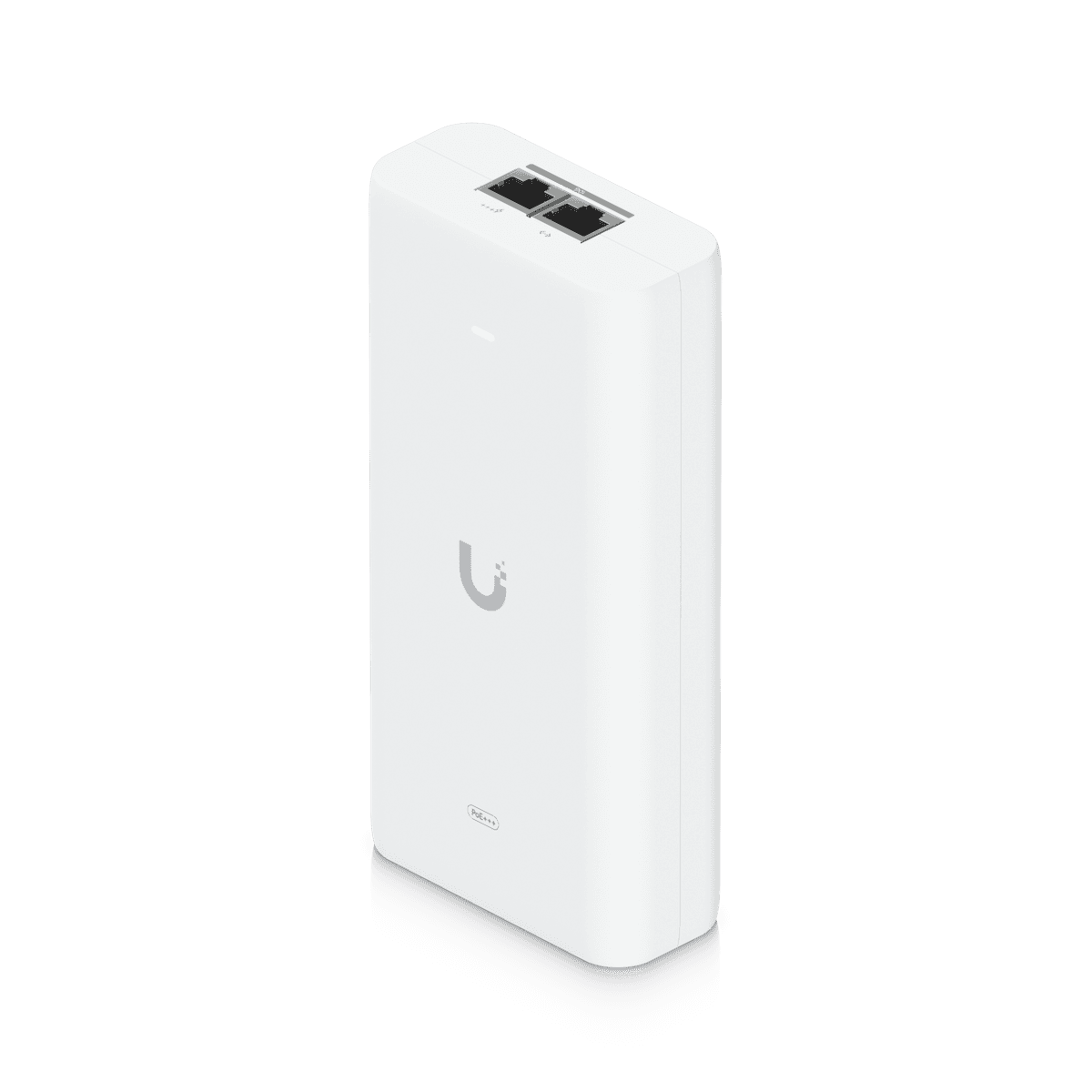
Ubiquiti 10G PoE+++ Adapter – 90W
Ubiquiti also offers a significantly higher-capacity 10G PoE+++ Adapter, model UACC-PoE+++-10G.
It is designed to provide:
Up to 90W of PoE+++
while supporting a Multi-Gigabit LAN connection.
Ubiquiti also includes surge, peak-pulse and overcurrent protection.
This type of injector is intended for higher-powered UniFi equipment where both substantial electrical power and faster Ethernet connectivity are required.
PoE vs PoE+ vs PoE++ vs PoE+++
Understanding the PoE classes is important before selecting an adapter.
| Standard | IEEE Type | Maximum PSE Power | Maximum Device Power | Powered Pairs |
|---|---|---|---|---|
| PoE | 802.3af Type 1 | 15.4W | 12.95W | 2 |
| PoE+ | 802.3at Type 2 | 30W | 25.5W | 2 |
| PoE++ | 802.3bt Type 3 | 60W | 51W | 4 |
| PoE+++ | 802.3bt Type 4 | 100W | 71W | 4 |
Ubiquiti distinguishes between the power available at the power-sourcing equipment and the maximum power reaching the powered device because some energy is lost through cabling.
Why PoE Wattage Matters

A device must receive sufficient electrical power to operate reliably.
For example, if an access point requires around 21W, a basic 15W-class power source is not sufficient.
A suitable PoE+ power source would normally be required.
Similarly, equipment requiring more than the PoE+ class can require PoE++.
The correct rule is:
Check device PoE requirement
↓
Check required voltage
↓
Check required wattage
↓
Check Ethernet speed
↓
Select compatible adapter
Do not select a PoE injector based only on its physical RJ45 connector.
Ubiquiti 24V PoE Adapters
Ubiquiti also maintains 24V PoE adapters, particularly for UISP and legacy passive-PoE equipment.
Current POE-24 variants include different power levels.
For example, Ubiquiti lists a low-power POE-24-7W-G-WH with:
24V DC @ 0.3A
and a mid-power POE-24-12W-G with:
24V DC @ 0.5A.
These are not interchangeable with 48V adapters simply because both use Ethernet connectors.
Ubiquiti 24V Passive PoE
24V passive PoE has historically been common across Ubiquiti outdoor wireless products.
Depending on the exact model, this may include certain:
airMAX radios
NanoStation devices
LiteBeam devices
PowerBeam devices
older UniFi equipment
and other UISP products.
However, compatibility varies considerably by hardware model and revision.
The exact device specification should therefore be checked before selecting a 24V injector.
Ubiquiti 48V PoE Adapter
Ubiquiti also offers dedicated 48V PoE adapters.
One current Gigabit variant, POE-48-24W-G, provides:
48V DC @ 0.5A
and uses a Gigabit Ethernet interface.
Its technical specifications include:
-
100–240V AC input
-
Gigabit Ethernet
-
Two-pair powering
-
Surge protection
-
IEC-320 C6 AC connector
-
0–40°C operating range
It supplies power through pins 4/5 positive and 7/8 negative.
Passive PoE vs IEEE PoE
This distinction is extremely important.
Standards such as:
802.3af
802.3at
and
802.3bt
define standardized PoE classes.
However, Ubiquiti notes that its UniFi and UISP PoE adapters themselves operate as passive power sources and continuously output voltage without negotiation.
This differs from a standards-based PoE switch port that negotiates power with a compatible powered device.
Important Ubiquiti PoE Safety Warning
Because Ubiquiti PoE adapters continuously output voltage, the PoE output should never be casually connected to an ordinary Ethernet-only device.
Ubiquiti specifically advises caution and states that PoE adapter output ports should not be connected to devices such as:
Computers
Printers
and other non-PoE equipment.
Always connect:
LAN/Data port → switch/router
and
PoE port → compatible powered device.
Reversing the connections or connecting the powered output to incompatible equipment can potentially damage hardware.
Gigabit Ethernet Support
Modern Ubiquiti PoE adapters such as the U-PoE, U-PoE+ and U-PoE++ provide Gigabit LAN connectivity.
This is important when powering access points capable of more than 100Mbps.
For example:
Gigabit Router
↓
Gigabit Ethernet
↓
Ubiquiti PoE Adapter
↓
Gigabit Ethernet + Power
↓
UniFi Access Point
Using a Fast Ethernet injector with a high-performance AP could create an unnecessary 100Mbps bottleneck.
Multi-Gigabit PoE Adapters
The Ethernet capability of the injector becomes even more important with modern WiFi 6 and WiFi 7 access points.
Some modern UniFi APs use:
2.5GbE
or faster network interfaces.
If the adapter's data path is limited to Gigabit Ethernet, the wired connection can become a bottleneck even if the AP itself supports multi-gigabit networking.
For such installations, a suitable multi-gigabit PoE adapter or compatible multi-gigabit PoE switch should be used.
Surge Protection
Ubiquiti incorporates electrical protection into its current PoE adapters.
The 15W, 30W and 60W models specify protection against:
Surges
peak pulses
and related electrical events.
For example, Ubiquiti specifies a maximum surge discharge of 1,500A using an 8/20μs waveform for these adapters.
However, an injector's integrated protection should not automatically be treated as a substitute for a properly designed external surge-protection and grounding system in exposed outdoor installations.
PoE Adapter for Outdoor Access Points
PoE adapters are particularly useful for outdoor AP installations because the access point can be installed far from an electrical outlet.
For example:
Indoor Router
↓
PoE Adapter
↓
Outdoor-rated Ethernet
↓
Outdoor UniFi AP
The injector remains indoors while the Ethernet cable supplies power to the remote AP.
For outdoor cable runs, suitable grounding, shielding and Ethernet surge protection should be considered according to the installation environment.
PoE Adapter for Ubiquiti Access Points
Depending on the model, a Ubiquiti PoE adapter may power compatible access points such as:
UniFi U6 series
UniFi U7 series
older UniFi AC models
outdoor UniFi APs
and other supported devices.
However, there is no single Ubiquiti PoE adapter that should automatically be assumed to be correct for every AP.
For example, Ubiquiti currently lists the U7 Pro at 21W maximum consumption, while other models have lower or higher requirements.
PoE Adapter for Ubiquiti U7 Pro
The U7 Pro has a maximum published consumption of approximately:
21W
and uses PoE+.
Therefore, a suitable PoE+ power source should be used.
A 15W-class adapter should not be chosen simply because it physically connects to the U7 Pro.
PoE Adapter for Ubiquiti U6 Long-Range
Ubiquiti currently lists the U6 Long-Range at approximately:
18.5W maximum consumption.
That requirement places it above basic 15W PoE adapter capacity.
A suitable PoE+ source is therefore appropriate.
PoE Adapter vs PoE Switch
Both approaches can power Ethernet devices, but they serve different installation requirements.
| Feature | PoE Adapter | PoE Switch |
|---|---|---|
| Best for | One/few devices | Multiple devices |
| Separate power per device | Yes | No |
| Centralized power | Limited | Yes |
| Installation cost | Lower for small deployments | Better at scale |
| Rack organization | More adapters/cables | Cleaner |
| PoE budget | Dedicated per adapter | Shared switch budget |
| UPS backup | Individual/central AC needed | Easy to centralize |
| Scalability | Limited | Better |
A PoE adapter is particularly practical when only one or two devices require power.
A PoE switch generally becomes cleaner and easier to manage as the number of PoE devices increases.
When Should You Use a PoE Adapter?
A dedicated PoE adapter makes sense when:
-
Your switch does not support PoE
-
You only have one PoE access point
-
Your switch has insufficient PoE budget
-
The device requires a different PoE class
-
You are replacing a failed injector
-
You need to power a remote AP or radio
-
Replacing the entire network switch would be unnecessary
Ubiquiti specifically identifies adapters as an alternative when a PoE switch is unavailable or when the switch's PoE availability has been exhausted.
When Should You Use a PoE Switch Instead?

A PoE switch is normally preferable for installations involving:
Several access points
Multiple IP cameras
Door access devices
VoIP phones
Large office networks
Hotels
Schools
CCTV deployments
Enterprise Wi-Fi
For example, installing ten separate injectors can create considerably more cabling and power connections than using a properly sized managed PoE switch.
Understanding PoE Switch Power Budget
PoE switches have a total amount of electrical power available for connected devices.
For example:
AP 1 = 21W
AP 2 = 21W
AP 3 = 18.5W
Total theoretical requirement:
60.5W
The switch must provide enough PoE availability for all connected devices.
Ubiquiti recommends that a switch's PoE availability exceed the combined requirements of connected clients to prevent instability or failure.
Using PoE Adapters to Offload a PoE Switch
Suppose a switch has enough Ethernet ports but insufficient remaining PoE power.
Instead of immediately replacing the switch, selected high-power devices can sometimes be moved to dedicated PoE adapters.
For example:
Existing Switch
├── AP 1 powered by switch
├── AP 2 powered by switch
└── LAN → PoE Adapter → AP 3
Ubiquiti explicitly identifies this as one reason to use a PoE adapter.
Ubiquiti PoE Adapter for Starlink Networks
Ubiquiti PoE adapters can also be useful when UniFi access points are added to a Starlink network.
For example:
Starlink
↓
Router / Gateway
↓
Ethernet Switch
↓
Ubiquiti PoE Adapter
↓
UniFi Access Point
↓
Wi-Fi Clients
The PoE adapter powers the access point.
It does not increase the internet speed supplied by Starlink.
Ubiquiti PoE Adapter for Fibre Networks
A typical fibre deployment could use:
Fibre ONT
↓
Router / Firewall
↓
Non-PoE Gigabit Switch
↓
Ubiquiti PoE Adapter
↓
UniFi AP
This allows an existing non-PoE switch to remain in service while adding a PoE-powered access point.
Ubiquiti PoE Adapter for MikroTik Networks
Ubiquiti PoE adapters can also be used in networks with MikroTik routers and switches.
For example:
Internet
↓
MikroTik Router
↓
MikroTik Non-PoE Switch
↓
Ubiquiti PoE Adapter
↓
UniFi AP
The router brand does not determine whether the injector works.
The important factors are:
Ethernet compatibility
PoE voltage
PoE power requirement
device compatibility
and
link speed.
Ubiquiti PoE Adapter for TP-Link Networks
The same principle applies to TP-Link networks.
For example:
TP-Link Router
↓
TP-Link Gigabit Switch
↓
Ubiquiti PoE Adapter
↓
Ubiquiti Access Point
A Ubiquiti AP does not require a Ubiquiti switch simply because it uses a Ubiquiti injector.
Correct VLAN, DHCP and network configuration remain important.
Choosing the Correct Ubiquiti PoE Adapter
Before buying an adapter, check five things.
1. Device Voltage
Is the device designed for:
24V
48V
or another supported voltage?
2. PoE Requirement
Does it require:
PoE
PoE+
PoE++
PoE+++
or a specific passive-PoE implementation?
3. Maximum Device Consumption
Make sure the adapter can supply enough power.
4. Ethernet Speed
Check whether the installation requires:
100Mbps
1Gbps
2.5Gbps
or faster Ethernet.
5. Powering Method
Check whether the device and adapter use compatible powering arrangements.
These checks are much more reliable than selecting an injector merely by wattage.
Common Mistakes When Buying a Ubiquiti PoE Adapter
One of the most common mistakes is assuming that all PoE is the same.
It is not.
Another mistake is buying a 24V passive injector for equipment designed for a different power arrangement.
A third mistake is using an injector whose Ethernet interface is slower than the access point's uplink.
A fourth is assuming that a higher-wattage injector is automatically safe for every lower-powered Ethernet device.
Because Ubiquiti states that its adapters continuously output voltage, exact device compatibility should be confirmed first.
Advantages of Ubiquiti PoE Adapters
Ubiquiti PoE adapters provide several practical benefits:
-
Power and data over Ethernet
-
No electrical socket required beside the powered device
-
Useful with non-PoE switches
-
Dedicated power for individual devices
-
Multiple wattage classes
-
Gigabit options
-
Higher-power PoE++ options
-
Multi-gigabit options for selected models
-
Integrated surge protection
-
Wide 100–240V AC input on current models
-
Useful for UniFi and UISP deployments
They can be especially cost-effective for small networks where replacing an existing switch with a PoE switch would be unnecessary.
Limitations of Ubiquiti PoE Adapters
PoE injectors are less convenient when dozens of devices need power.
Each adapter requires its own:
AC connection
LAN connection
and
PoE connection.
This can create considerable cabling in large deployments.
Compatibility must also be checked carefully because Ubiquiti offers different voltages and power levels.
For larger networks, a centrally managed PoE switch is normally cleaner and more scalable.
Ubiquiti PoE Adapters Price in Kenya
The price of a Ubiquiti PoE adapter in Kenya depends heavily on the model.
A basic 15W injector will not normally be priced the same as a 30W PoE+ adapter, 60W PoE++ injector or 90W multi-gigabit PoE+++ model.
International manufacturer pricing should also not be treated as Orbitlink Solutions' Kenya selling price.
Contact Orbitlink Solutions for the current Ubiquiti PoE adapter prices and stock availability in Kenya.
When requesting a quotation, provide the exact device you want to power so that the appropriate adapter can be identified.
Why Buy Ubiquiti PoE Adapters from Orbitlink Solutions?
Selecting a PoE adapter should start with the powered device, not with the injector. The access point, radio, camera or other device determines the required voltage, PoE class, power capacity and Ethernet performance.
This is particularly important across Ubiquiti's product families because older UISP and UniFi equipment may use different powering arrangements from modern UniFi devices. A 24V passive injector, 48V injector, 15W PoE adapter and 60W PoE++ adapter should not be treated as interchangeable.
Orbitlink Solutions can help match Ubiquiti access points and networking equipment with suitable PoE adapters, switches, Ethernet cabling and related accessories according to the specific deployment.
Watch the Ubiquiti PoE Adapters Video
The most important point when choosing a Ubiquiti PoE adapter is compatibility rather than simply buying the injector with the highest wattage. Ubiquiti currently maintains several power classes and voltage families, and its own guidance recommends checking each device's power requirements and supported PoE type.
For a small network with one access point, an individual PoE adapter can be an economical and clean solution because it allows a standard non-PoE router or switch to remain in use. As the deployment grows to several APs, cameras or access-control devices, a properly sized PoE switch often becomes easier to manage.
Ethernet performance should also be considered alongside power. A modern access point with a multi-gigabit uplink can be unnecessarily restricted if its injector only provides a slower data path. The complete selection therefore needs to consider voltage, wattage, PoE type, Ethernet speed and the exact powered-device specification.
Frequently Asked Questions About Ubiquiti PoE Adapters
What is a Ubiquiti PoE adapter?
A Ubiquiti PoE adapter is a power injector that combines electrical power with Ethernet connectivity so a compatible device can receive both through an Ethernet cable.
Is a PoE adapter the same as a PoE injector?
In this context, yes. The terms PoE adapter and PoE injector are commonly used for the same type of device.
Why do I need a PoE adapter?
You may need one if your router or switch does not provide PoE, if the existing switch has insufficient PoE budget, or if a device needs a dedicated compatible power source.
What is U-PoE?
U-PoE is Ubiquiti's current 15W-class PoE adapter. It provides 48V DC at 0.32A and a Gigabit Ethernet connection.
What is U-PoE+?
U-PoE+ is Ubiquiti's 30W-class PoE+ adapter. It provides 48V DC at 0.65A and Gigabit Ethernet.
What is U-PoE++?
U-PoE++ is Ubiquiti's 60W-class PoE++ adapter. It provides 48V DC at 1.25A and uses four-pair powering.
Does Ubiquiti have a 90W PoE adapter?
Yes. Ubiquiti offers the UACC-PoE+++-10G, designed to deliver up to 90W while providing a multi-gigabit data connection.
Does Ubiquiti make 24V PoE adapters?
Yes. Ubiquiti maintains several 24V adapter variants for compatible UISP and other equipment.
Does Ubiquiti make 48V PoE adapters?
Yes. For example, Ubiquiti lists the POE-48 family, including a Gigabit 48V DC @ 0.5A variant.
Can I use any Ubiquiti PoE adapter with any Ubiquiti device?
No. Always check the device's required voltage, power, PoE type and Ethernet requirements.
Can I connect the PoE output to my laptop?
No. Ubiquiti specifically cautions against connecting the powered output of its PoE adapters to computers, printers and other ordinary Ethernet devices.
Do Ubiquiti PoE adapters negotiate power?
Ubiquiti states that its UniFi and UISP PoE adapters are passive and continuously output voltage without negotiation.
Can a PoE adapter replace a PoE switch?
For one or a few devices, often yes. For larger deployments, a PoE switch is generally cleaner and more scalable.
Can I use a PoE adapter with a normal non-PoE switch?
Yes. That is one of the main applications.
Does the adapter carry internet data?
Yes. Compatible adapters pass Ethernet data while adding power to the output connection.
Are Ubiquiti PoE adapters Gigabit?
Many current models, including U-PoE, U-PoE+ and U-PoE++, support Gigabit Ethernet.
Can a PoE adapter reduce my internet speed?
It can if the adapter's Ethernet interface is slower than the rest of the network.
Does U7 Pro need PoE+?
Yes. Ubiquiti lists the U7 Pro at 21W maximum consumption and PoE+ class.
Can a PoE adapter work with Starlink?
Yes. A compatible adapter can power a UniFi access point or other supported device connected downstream of a Starlink network.
Does a PoE adapter increase Starlink speed?
No. It supplies power and passes network data; it does not increase WAN bandwidth.
Can I use a Ubiquiti injector with a MikroTik router?
Yes, provided the powered device and injector are compatible. The router brand does not need to match the injector brand.
Can I use a Ubiquiti injector with a TP-Link switch?
Yes. A non-PoE TP-Link switch can supply data to the adapter, which then adds power for the compatible device.
What is the difference between 24V and 48V PoE adapters?
They provide different output voltages and may be designed for different device families. They should not be treated as interchangeable.
Is PoE++ better than PoE+?
PoE++ provides more available power, but "more powerful" does not automatically mean "more suitable." The correct choice depends on the powered device.
Which Ubiquiti PoE adapter should I buy?
Check the exact Ubiquiti device model first, then match its PoE requirement, voltage, maximum consumption and Ethernet speed to the appropriate adapter.
What is the Ubiquiti PoE adapter price in Kenya?
Contact Orbitlink Solutions for the current exact-model price and stock availability.
Buy Ubiquiti PoE Adapters in Kenya

Ubiquiti PoE adapters provide a practical way to power compatible UniFi and UISP equipment over Ethernet, particularly where a PoE switch is unavailable or where a switch's existing PoE capacity has been exhausted. Current options span 15W PoE, 30W PoE+, 60W PoE++ and higher-power configurations, alongside dedicated 24V and 48V families.
The key to selecting the right injector is matching it to the exact device. Voltage, wattage, powering arrangement and Ethernet speed should all be confirmed before installation. This is especially important because Ubiquiti states that its PoE adapters continuously output voltage.
Contact Orbitlink Solutions
Orbitlink Solutions
Lyric House, 7th Floor, Room S9, Kimathi Street, Nairobi
Call / Text / WhatsApp: +254 743 720 551
Email: info@orbitlinksolutions.co.ke
Alternative Email: orbitlinksolutions@gmail.com
Opening Hours: Monday–Saturday, 9:00 AM–6:00 PM
Availability: Nairobi pickup and nationwide delivery
Contact Orbitlink Solutions for the current Ubiquiti PoE adapter prices in Kenya, stock availability and help selecting the correct PoE, PoE+, PoE++, 24V or 48V adapter for your Ubiquiti access point, radio or networking device.