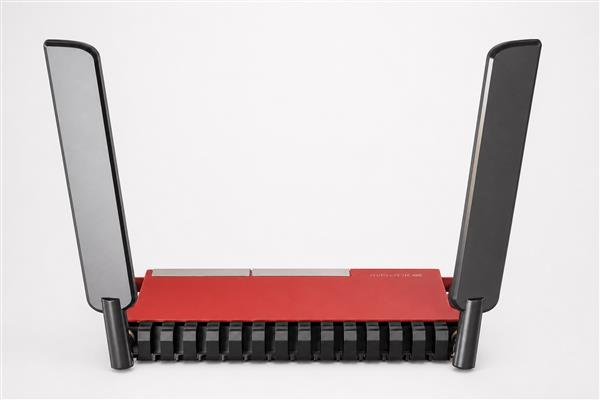
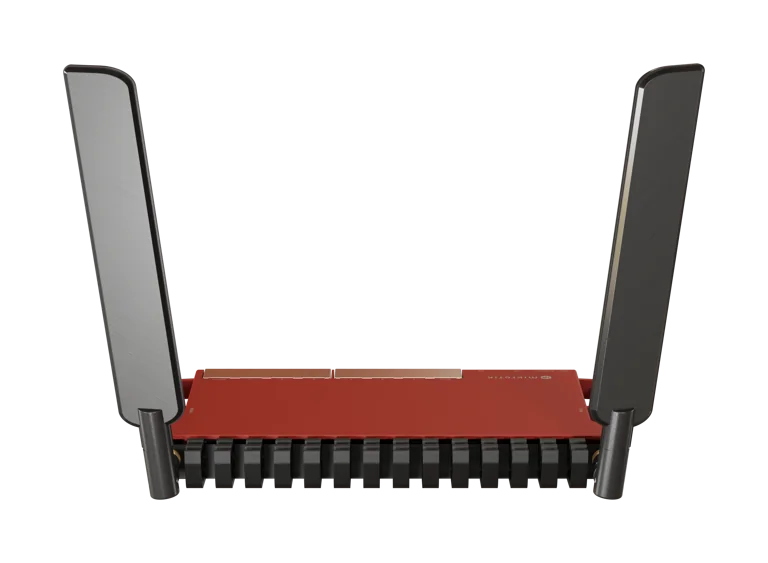
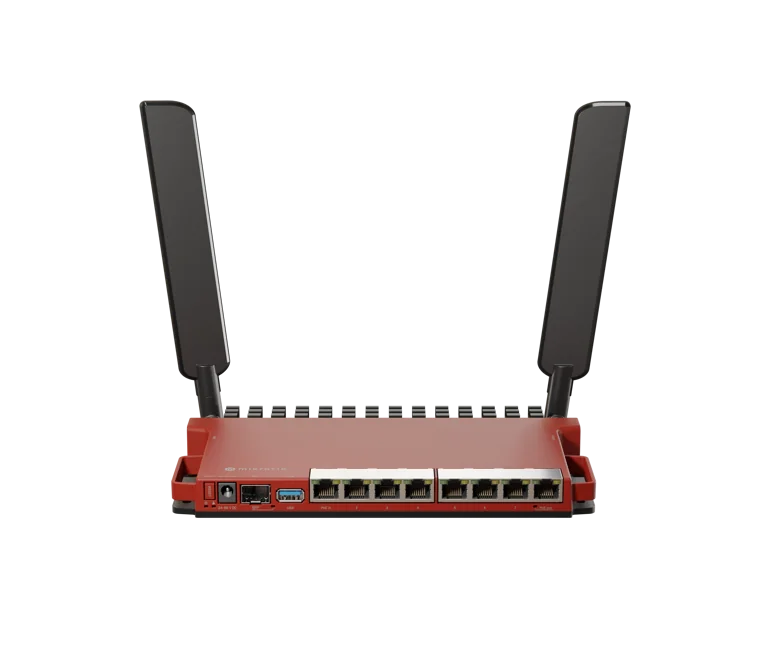
MikroTik L009UiGS-2HaxD-IN Router
Buy the MikroTik L009UiGS-2HaxD-IN Router in Kenya at competitive prices. Features Wi-Fi 6, 8 Gigabit ports, RouterOS v7, fast delivery, and expert support.
MikroTik L009UiGS-2HaxD-IN Router Price in Kenya

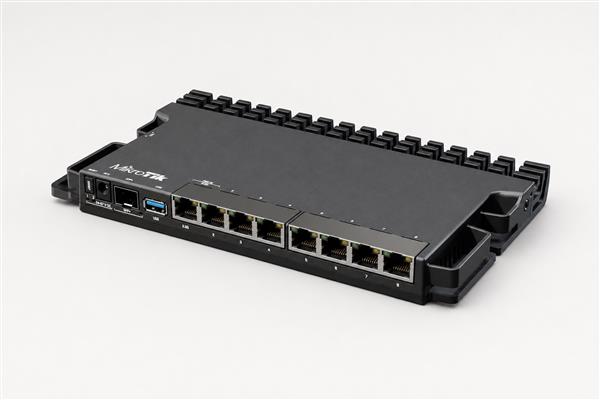
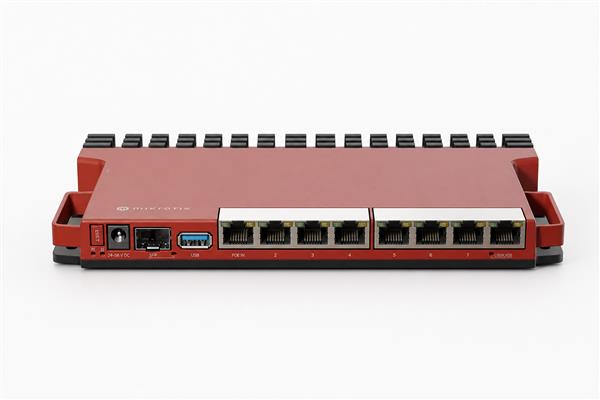
If you're looking for a powerful, future-ready business router, the MikroTik L009UiGS-2HaxD-IN Router is one of the best networking solutions available in Kenya. Designed as the successor to the popular RB2011 series, this router delivers significantly improved performance, modern Wi-Fi 6 (802.11ax) connectivity, advanced RouterOS v7 features, and enterprise-grade routing capabilities in a compact desktop form factor. It is powered by a dual-core ARM processor, includes 512 MB RAM, 8 Gigabit Ethernet ports, a 2.5G-capable SFP port, USB 3.0, and PoE functionality, making it ideal for businesses, schools, hotels, ISPs, and demanding home users. MikroTik states the L009 series delivers up to four times the performance of the RB2011 while adding modern hardware features such as container support and improved wireless performance. (MikroTik)
Whether you're deploying fiber internet, connecting multiple VLANs, configuring VPNs, or building a secure office network, the MikroTik L009UiGS-2HaxD-IN provides the flexibility and reliability expected from MikroTik networking equipment.
Why Choose the MikroTik L009UiGS-2HaxD-IN?
The MikroTik L009UiGS-2HaxD-IN is designed for users who require far more than basic internet sharing. It combines high-performance routing, advanced security, modern wireless technology, and expandability into a single device.
Key advantages include:
-
Dual-Core ARM processor for faster routing and firewall performance
-
Integrated Wi-Fi 6 (802.11ax) 2.4 GHz wireless
-
8 Gigabit Ethernet ports
-
1 × SFP port supporting 2.5G modules
-
USB 3.0 port for LTE modems or storage
-
RouterOS v7 License Level 5
-
PoE-In and Passive PoE-Out support
-
VLAN, VPN, QoS, Firewall, Load Balancing, and Failover support
-
Container support for selected applications such as network utilities (MikroTik)
Key Features
High-Performance ARM Processor
Unlike older MikroTik routers that relied on MIPS architecture, the L009UiGS-2HaxD-IN features a modern dual-core ARM CPU with 512 MB RAM. This improves routing performance, firewall processing, VPN throughput, and support for advanced RouterOS features. (MikroTik)
Built-in Wi-Fi 6
The router includes integrated 2.4 GHz Wi-Fi 6 (802.11ax) wireless connectivity, offering improved efficiency, better client handling, and higher performance compared to previous Wi-Fi generations operating on the same band. (MikroTik)
8 Gigabit Ethernet Ports
All eight Ethernet ports support Gigabit speeds, making the router suitable for offices, schools, surveillance systems, hotels, and enterprise networks.
2.5G Ready Fiber Connectivity
The SFP cage supports both 1G and 2.5G modules, allowing you to integrate fiber connections without replacing your router as network speeds increase. (MikroTik)
RouterOS v7
RouterOS offers enterprise networking capabilities including:
-
VLANs
-
VPN Server
-
OSPF
-
BGP
-
Firewall
-
Hotspot
-
CAPsMAN
-
Load Balancing
-
Multi-WAN
-
Queue Management
-
DHCP Server
-
DNS Cache
-
User Management
These features make the router suitable for complex business and ISP deployments.
Technical Specifications
| Feature | Specification |
|---|---|
| CPU | Dual-Core IPQ-5018 ARM |
| RAM | 512 MB |
| Storage | 128 MB NAND |
| Ethernet Ports | 8 × Gigabit |
| Fiber Port | 1 × SFP (2.5G supported) |
| Wireless | Wi-Fi 6 (2.4 GHz 802.11ax) |
| USB | USB 3.0 Type-A |
| Operating System | RouterOS v7 |
| License | Level 5 |
| PoE | PoE-In & Passive PoE-Out |
| Cooling | Passive |
Specifications based on the official MikroTik documentation. (MikroTik)
Best For
The MikroTik L009UiGS-2HaxD-IN is an excellent choice for:
-
Small and medium businesses
-
Hotels and hospitality
-
Schools and universities
-
Internet cafés
-
CCTV installations
-
Internet Service Providers (ISPs)
-
Branch offices
-
Organizations deploying fiber internet
-
Users upgrading from the RB2011 series
Our Expert Recommendation
We recommend the MikroTik L009UiGS-2HaxD-IN for businesses that need reliable Gigabit routing with room for future expansion. The combination of RouterOS v7, Wi-Fi 6, a 2.5G-capable SFP port, and enterprise networking features makes it an outstanding investment for growing organizations. It is particularly well suited to offices using fiber internet, businesses implementing VLANs and VPNs, or users planning to integrate Starlink alongside traditional WAN connections.
Compatible Network Solutions
The MikroTik L009UiGS-2HaxD-IN works exceptionally well with:
-
Fiber internet deployments
-
Managed switches
-
Wireless access points
-
Starlink satellite internet
-
CCTV surveillance systems
-
VoIP phone systems
-
Cloud-based business applications
If you are deploying fiber infrastructure, you may also need compatible accessories and cabling available from https://fiberopticskenya.co.ke/.
For Starlink users, installation and networking services are available at:
Related MikroTik Products
Depending on your networking requirements, you may also be interested in:
-
MikroTik RB5009UG+S+IN
-
MikroTik RB4011iGS+RM
-
MikroTik RB760iGS (hEX S)
-
MikroTik RB750Gr3
-
MikroTik L009UiGS-RM
Browse the complete range of MikroTik routers here:
https://orbitlinksolutions.co.ke/category/mikrotik-router-prices-in-kenya
You can also explore additional MikroTik networking solutions at:
Why Buy from OrbitLink Solutions?
When purchasing the MikroTik L009UiGS-2HaxD-IN from OrbitLink Solutions, you benefit from:
-
Genuine MikroTik products
-
Competitive pricing in Kenya
-
Technical support
-
Professional networking advice
-
Fast nationwide delivery
-
Business and enterprise networking solutions
Whether you're upgrading an existing network or deploying a new one, the MikroTik L009UiGS-2HaxD-IN Router delivers enterprise-grade performance, modern Wi-Fi 6 connectivity, advanced RouterOS capabilities, and excellent long-term value for businesses and professionals across Kenya.
MikroTik L009UiGS-2HaxD-IN Quick Guide (Detailed Summary)
The MikroTik L009UiGS-2HaxD-IN is a powerful next-generation router designed for homes, small businesses, enterprise branch offices, and Internet Service Providers (ISPs). It combines advanced routing performance with reliable wired and wireless connectivity, making it an excellent choice for demanding network environments. Equipped with a modern dual-core ARM processor, eight Gigabit Ethernet ports, a high-speed SFP port, built-in Wi-Fi 6, USB 3.0, and RouterOS v7, the L009 delivers fast performance, improved security, and extensive networking features.
Compared to earlier MikroTik models such as the RB2011 series, the L009 offers significantly higher processing power, better energy efficiency, and improved network throughput. Whether you're managing a home network, connecting multiple office devices, deploying VLANs, or setting up secure VPN access, the L009 provides the flexibility and reliability required for modern networking.
Before You Begin
Before installing the MikroTik L009UiGS-2HaxD-IN, ensure you have everything required for a smooth setup.
- Confirm that your Internet Service Provider (ISP) has activated your Internet connection.
- If your ISP uses PPPoE or Static IP addressing, have the login credentials or network settings ready.
- Attach the external Wi-Fi antennas securely before powering on the router.
- Install the router in a dry, indoor location with adequate airflow.
- Use only the supplied MikroTik power adapter or an approved PoE power source.
Preparing these items beforehand reduces installation time and helps prevent configuration issues.
What's Included in the Package
The standard package generally contains:
- MikroTik L009UiGS-2HaxD-IN Router
- Power Adapter
- External Wi-Fi Antennas
- Quick Installation Guide
- Mounting accessories (depending on the package version)
Before installation, inspect all items for any signs of shipping damage.
Understanding the Hardware
The L009 is designed to support a wide variety of networking applications through its versatile hardware interfaces.
Ethernet Ports
The router features eight Gigabit Ethernet ports, allowing multiple wired devices to connect simultaneously.
Ether1
- Default WAN (Internet) port
- Connects directly to your ISP modem or fiber ONT
- Supports PoE-In, allowing the router to receive power through the Ethernet cable
Ether2 – Ether8
These ports are used for your local network and can connect:
- Desktop computers
- Laptops
- Network switches
- Wireless access points
- Printers
- IP phones
- CCTV systems
- Network Attached Storage (NAS)
Ether8 additionally supports PoE-Out, enabling compatible MikroTik devices such as wireless access points or outdoor CPE equipment to be powered directly from the router.
SFP Port
The integrated SFP cage supports both 1 Gigabit and 2.5 Gigabit capable SFP modules, making it ideal for high-speed fiber connections.
Typical applications include:
- Fiber Internet services
- Fiber backbone links
- High-speed uplinks
- Enterprise networking
- ISP deployments
USB 3.0 Port
The USB 3.0 port expands the functionality of the router by allowing connection of devices such as:
- USB flash drives
- External hard drives
- LTE/4G USB modems
- Additional RouterOS storage
- Container applications supported by RouterOS v7
Console Port
The dedicated RJ45 serial console port provides direct administrative access to the router.
It is particularly useful for:
- Initial configuration
- Advanced troubleshooting
- Router recovery
- Access when network connectivity is unavailable
Powering the Router
The MikroTik L009 offers flexible power options suitable for different installation environments.
You can power the router using:
- The supplied DC power adapter
- PoE-In through Ether1
Using PoE simplifies installations by reducing the need for separate power cables, especially in server rooms and network cabinets.
Initial Installation
Installing the router is straightforward and only takes a few minutes.
Step 1: Connect the Internet
Connect your ISP modem, fiber ONT, or Internet cable to Ether1, which serves as the default WAN interface.
Step 2: Connect the Power
Power the router using either:
- The supplied power adapter
or
- PoE-In through Ether1
Allow approximately one minute for the router to complete its startup process.
Step 3: Connect Your Computer
Connect your computer to any available LAN port (Ether2 through Ether8).
You may also connect using the router's default wireless network if preferred.
Step 4: Access the Router
The router can be managed using several tools:
- WinBox
- WebFig
- MikroTik Mobile App
To access WebFig, open a web browser and navigate to:
192.168.88.1
If the IP address is unavailable, launch WinBox and connect using the router's MAC Address through the Neighbors tab.
Default Login Credentials
The default login information is:
Username
admin
Password
Blank on some earlier models or the unique password printed on the device label for newer units.
For security, immediately create a strong administrator password after your first login.
Updating RouterOS
Updating RouterOS should be one of the first tasks after logging into the router.
Benefits of updating include:
- Improved security
- Better system stability
- Performance enhancements
- Bug fixes
- Compatibility with new hardware and features
To update using WinBox:
Navigate to:
System → Packages → Check for Updates
Download the latest stable version and reboot the router once installation is complete.
Keeping RouterOS updated ensures optimal performance and protects your network against known security vulnerabilities.
Need Help Choosing? Ask a Technician
Get guidance on setup, compatibility, stock, and delivery before buying for your project.