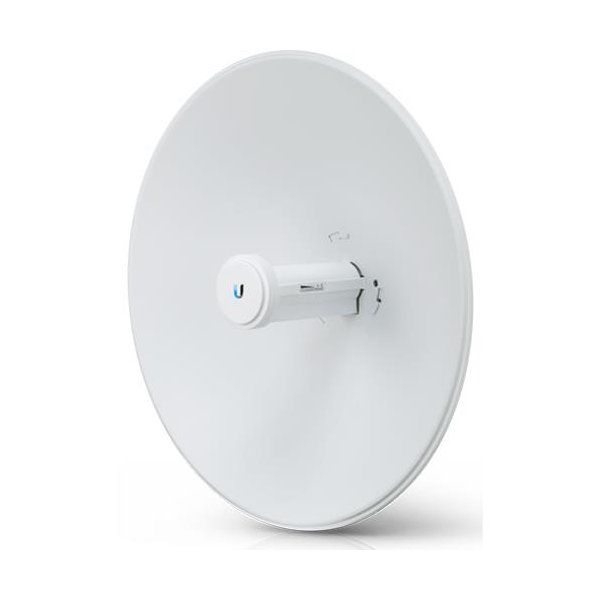
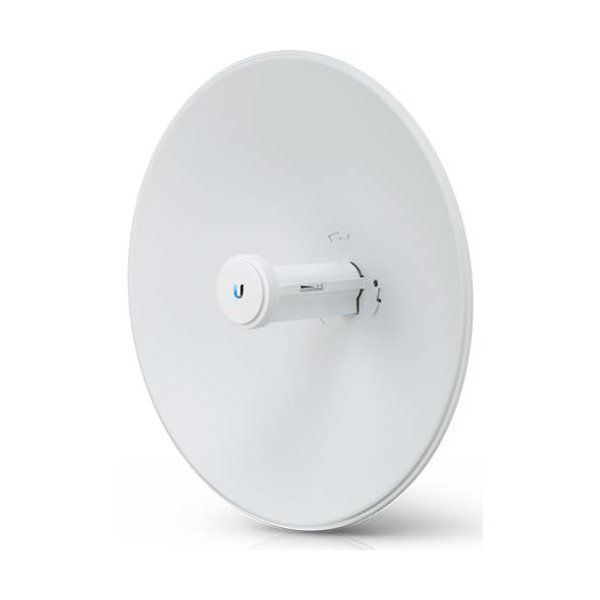
Ubiquiti airMAX Litebeam LBE-5AC-LR
Ubiquiti LiteBeam 5AC LR (LBE-5AC-LR) The Ubiquiti LiteBeam 5AC LR (LBE-5AC-LR) is designed to extend high-speed internet connectivity over long distances, making it perfect for ISPs, rural connectivity, enterprise networks, and surveillance applications. Its lightweight yet robust design, combined with...
Ubiquiti LiteBeam 5AC LR (LBE-5AC-LR)
The Ubiquiti LiteBeam 5AC LR (LBE-5AC-LR) is designed to extend high-speed internet connectivity over long distances, making it perfect for ISPs, rural connectivity, enterprise networks, and surveillance applications. Its lightweight yet robust design, combined with advanced beamforming technology, ensures maximum performance even in RF-congested environments.
This article provides a detailed analysis of the LiteBeam 5AC LR, including its features, technical specifications, deployment scenarios, installation guide, and troubleshooting solutions.
2. Key Features of the LiteBeam 5AC LR
a. airMAX AC Technology for High-Speed Performance
The LiteBeam 5AC LR features Ubiquiti’s airMAX AC technology, offering:
✔ Superior bandwidth (450+ Mbps throughput)
✔ Reduced latency for real-time applications
✔ Enhanced spectral efficiency, minimizing interference
b. 26 dBi High-Gain Directional Antenna
With a 26 dBi directional antenna, the LiteBeam 5AC LR delivers:
✔ Extended range of up to 30 km
✔ Improved signal strength and stability
✔ High interference resistance
c. Advanced Beamforming & RF Isolation
✔ Optimized front-to-back ratio for reduced interference
✔ Focused signal transmission for higher efficiency
✔ Reliable connectivity in high-density environments
d. Compact, Lightweight & Weatherproof Design
✔ Ultra-lightweight structure minimizes wind load
✔ Durable, UV-resistant casing for outdoor deployments
✔ Quick assembly with snap-in parts (no tools required)
e. Gigabit Ethernet & PoE Powering
✔ 1x Gigabit Ethernet port for high-speed data transfer
✔ 24V passive PoE support, simplifying installation
3. Technical Specifications
| Feature | Specification |
|---|---|
| Model | LiteBeam 5AC LR (LBE-5AC-LR) |
| Frequency | 5 GHz |
| Antenna Gain | 26 dBi |
| Networking Interface | (1) 10/100/1000 Mbps Ethernet Port |
| Max Throughput | 450+ Mbps |
| Channel Bandwidths | 10/20/30/40/50/60/80 MHz |
| Power Supply | 24V, 0.3A Gigabit PoE Adapter |
| Max Power Consumption | 7W |
| Weight | 980 g (2.16 lbs) |
| Dimensions | 512 x 385 x 258 mm (20.16 x 15.16 x 10.16 inches) |
| Wind Survivability | 200 km/h (125 mph) |
| Operating Temperature | -40°C to 70°C (-40°F to 158°F) |
4. Applications of the LiteBeam 5AC LR
a. Point-to-Point (PtP) Wireless Bridges
The LiteBeam 5AC LR is an ideal choice for long-distance PtP connectivity, enabling:
- Internet bridging between buildings or locations
- Rural broadband expansion
- Remote industrial connectivity
b. Point-to-Multipoint (PtMP) Deployments
When configured as a CPE (Customer Premises Equipment) in a PtMP setup, it connects remote locations to a central base station, benefiting:
- Wireless ISPs (WISPs) providing long-range internet services
- Enterprise networks requiring remote office connectivity
- Smart city deployments for IoT and surveillance applications
c. Video Surveillance & Security
Due to its high throughput and low latency, the LiteBeam 5AC LR is well-suited for:
- Remote video surveillance networks
- Industrial monitoring systems
- Public safety and law enforcement applications
d. Emergency & Temporary Connectivity
Its rapid deployment capability makes it perfect for:
- Disaster relief and emergency response networks
- Temporary networks for events and outdoor venues
- Military and government field operations
5. Setup and Installation Guide
Step 1: Unboxing and Pre-Installation Check
Ensure your package contains:
✔ LiteBeam 5AC LR unit
✔ Mounting hardware
✔ Gigabit PoE injector & power adapter
Step 2: Mounting the Device
- Choose a location with a clear line of sight (LoS) to the target station
- Securely mount the device using the included pole-mount or wall-mount hardware
Step 3: Powering the Device
- Connect an Ethernet cable from the LiteBeam to the PoE injector
- Plug the PoE injector into a power source
Step 4: Accessing the Configuration Interface
- Connect your PC or mobile device to the LiteBeam’s Wi-Fi management interface
- Open a web browser and navigate to 192.168.1.20
- Log into airOS and configure SSID, frequency, bandwidth, and security settings
Step 5: Optimizing Performance
- Use airView Spectrum Analyzer to select the best frequency
- Align the LiteBeam for optimal signal strength
- Adjust airMAX QoS settings for traffic prioritization
6. Troubleshooting and Maintenance
Common Issues & Solutions
| Issue | Solution |
|---|---|
| No Power | Check PoE injector and power connections |
| Low Throughput | Adjust channel width & select a clearer frequency |
| Connection Drops | Ensure LoS and check for physical obstructions |
| High Latency | Optimize airMAX settings and update firmware |
Firmware Updates & Maintenance
- Regularly update firmware via Ubiquiti’s airOS
- Inspect mounting brackets for stability and security
- Clean the device periodically to prevent dust buildup
7. Conclusion: Why Choose the LiteBeam 5AC LR?
The Ubiquiti LiteBeam 5AC LR (LBE-5AC-LR) offers exceptional long-range connectivity, high performance, and robust design for WISPs, businesses, and security applications. With its 26 dBi high-gain antenna, 450+ Mbps throughput, and advanced RF filtering, it stands out as a cost-effective solution for long-distance wireless communication.
Would you like recommendations on compatible accessories, deployment tips, or network planning strategies?
Talk to an expert about Ubiquiti airMAX Litebeam LBE-5AC-LR
Get guidance on setup, compatibility, and delivery tailored to your needs.