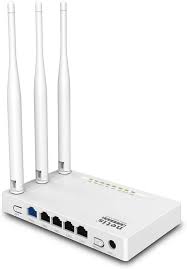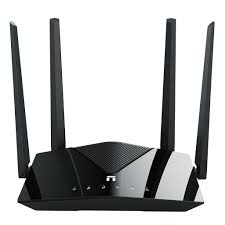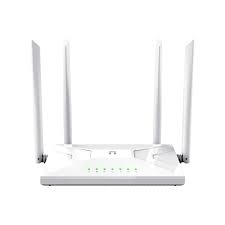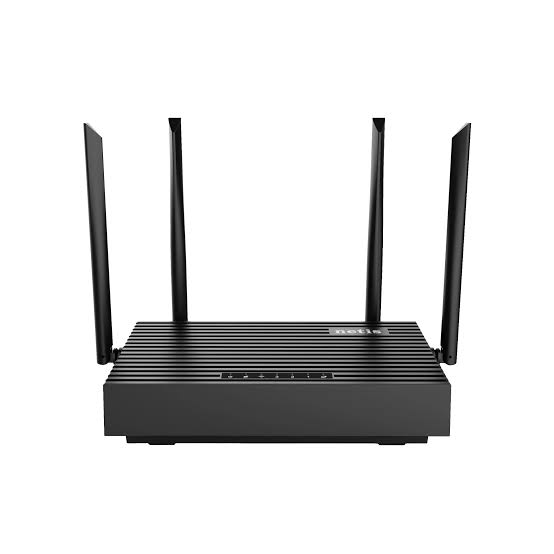
Netis WF4 300Mbps
Discover Netis WF4 300Mbps Wireless N Router in Kenya at Orbitlink Solutions. Affordable Wi-Fi connectivity for homes, offices and small businesses.
Netis WF4 300Mbps Wireless N Multi-Mode Router in Kenya

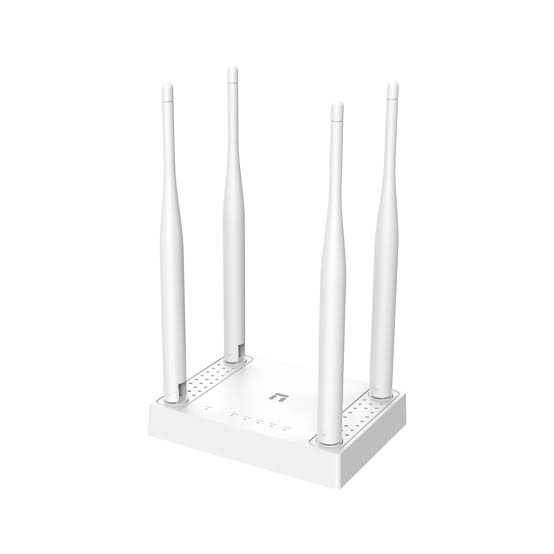
The Netis WF4 300Mbps Wireless N Router is an affordable networking solution designed for homes, apartments, small offices and commercial businesses. Operating on the 2.4GHz frequency band, it provides wireless connectivity for everyday internet browsing, online learning, social media and office applications.
With its compact design, Ethernet connectivity and flexible networking capabilities, the Netis WF4 is suitable for establishing new wireless networks and expanding existing internet connections. Its user-friendly configuration makes it a practical choice for residential users and small businesses.
At Orbitlink Solutions, we supply Netis networking equipment in Kenya for residential users, businesses, internet service providers and professional network installers. Contact us for the Netis WF4 Wireless Router price in Kenya, current availability and compatible networking accessories.
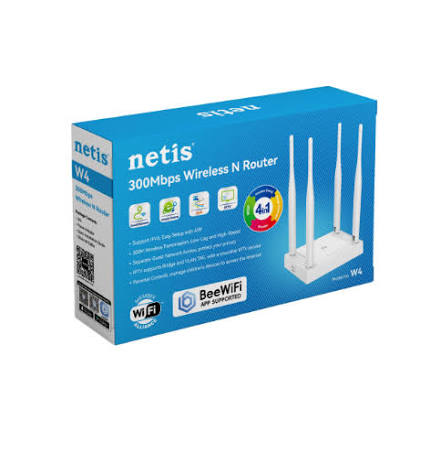
Model clarification: Netis officially lists this router as the W4, rather than WF4. The specifications below follow the official W4 product documentation.
Key Features and Benefits
|
Feature |
Benefits |
|---|---|
|
300Mbps Wireless Connectivity |
Supports everyday internet applications. |
|
2.4GHz Frequency Band |
Provides practical indoor wireless coverage. |
|
1GHz Processor |
Supports efficient network processing. |
|
Four 5dBi High-Gain Antennas |
Enhances wireless signal distribution. |
|
Fast Ethernet Connectivity |
Connects computers and compatible networking equipment. |
|
MIMO Technology |
Improves wireless transmission and reception. |
|
Four Operating Modes |
Provides flexibility for different network installations. |
|
Guest Network Access |
Provides separate wireless connectivity for visitors. |
|
Intelligent Bandwidth Control |
Helps manage network resources. |
|
BeeWiFi App Management |
Simplifies wireless network configuration. |
|
TR-069 Support |
Enables compatible ISP remote management. |
Netis W4 Technical Specifications
|
Specification |
Details |
|---|---|
|
Brand |
Netis |
|
Model |
W4 |
|
Product Type |
Multi-Mode Wireless Router |
|
Wireless Standard |
Wi-Fi 4 – IEEE 802.11b/g/n |
|
Wireless Speed Class |
N300 |
|
Maximum Wireless Speed |
300Mbps |
|
Frequency Range |
2.4–2.4835GHz |
|
Processor |
1GHz CPU |
|
RAM |
64MB |
|
Flash Memory |
8MB |
|
Antennas |
4 × fixed external antennas |
|
Antenna Gain |
5dBi |
|
Maximum Transmit Power |
20dBm |
|
WAN Interface |
1 × 10/100Mbps RJ45 |
|
LAN Interfaces |
2 × 10/100Mbps RJ45 |
|
Auto MDI/MDIX |
Supported |
|
Operating Modes |
Router, AP, Range Extender and WISP |
|
Wireless Security |
WPA-PSK, WPA2-PSK and legacy WEP |
|
Encryption |
TKIP/AES |
|
Guest Network |
Supported |
|
WAN Connection Types |
DHCP, Static IP, PPPoE, L2TP, PPTP, Dual Access, WISP |
|
Quality of Service |
WMM and bandwidth control |
|
Access Control |
IP, MAC and domain filtering |
|
Port Forwarding |
Virtual Server, Port Triggering, UPnP and DMZ |
|
VPN Pass-Through |
PPTP, L2TP and IPSec |
|
IPTV Support |
Yes |
|
Dynamic DNS |
Supported |
|
Remote Management |
TR-069 |
|
Management Interface |
Web interface and BeeWiFi app |
|
Physical Button |
WPS/Default |
|
Power Supply |
DC 12V/0.5A |
|
Operating Temperature |
0°C to 40°C |
|
Storage Temperature |
−40°C to 70°C |
|
Operating Humidity |
10%–90%, non-condensing |
|
Certifications |
FCC and CE |
|
Package Contents |
Router, power adapter and installation guide |
Applications of Netis W4 Wireless Router
|
Application |
Description |
|---|---|
|
Residential Networks |
Provides wireless internet connectivity for household devices. |
|
Small Offices |
Connects computers, smartphones and business equipment. |
|
Apartments & Rental Properties |
Provides affordable internet distribution for residents. |
|
Online Learning |
Supports virtual classrooms and educational applications. |
|
Video Streaming |
Supports multimedia applications with adequate internet bandwidth. |
|
Retail Shops |
Connects compatible POS terminals and administrative equipment. |
|
Internet Service Providers |
Supports customer-premises installations and remote management. |
|
Wireless Network Expansion |
Extends existing wireless connectivity using supported operating modes. |
Four High-Gain Antennas & Wireless Performance

The Netis W4 Wireless N Router features four external 5dBi antennas designed to enhance wireless coverage throughout residential and small-office environments. Its 2.4GHz frequency band provides practical connectivity for everyday internet applications.
The upgraded processor and memory configuration support efficient network operation, while bandwidth management allows users to regulate internet usage among connected devices.
Netis W4 Multiple Operating Modes
|
Operating Mode |
Function |
|---|---|
|
Router Mode |
Distributes internet connectivity through wired and wireless connections. |
|
Access Point Mode |
Adds Wi-Fi connectivity to an existing wired network. |
|
Range Extender Mode |
Extends the coverage of an existing wireless network. |
|
WISP Mode |
Receives wireless internet connectivity and redistributes it locally. |
These four operating modes make the Netis W4 suitable for residential installations, small-office networking and wireless network expansion.
Netis W4 Router for Starlink Internet
The Netis W4 can be integrated with compatible Starlink equipment to provide additional wireless coverage and network connectivity.
However, its 10/100Mbps Fast Ethernet interfaces limit wired throughput to below 100Mbps in practice. For higher-speed Starlink connections, Gigabit Ethernet routers such as the Netis N6 or NX10 are more suitable.
Netis W4 300Mbps Wireless Router Video
The Netis W4 Wireless Router video provides an additional visual reference for customers and networking professionals exploring affordable wireless networking solutions. The W4 combines N300 wireless connectivity, four high-gain antennas, Ethernet networking and flexible operating modes for everyday internet applications.
Installing the Netis W4 involves connecting its WAN port to an existing modem or internet gateway, configuring the appropriate internet connection type and establishing a secure wireless network. Users can manage supported networking functions through the web interface or BeeWiFi mobile application.
Customers purchasing a Netis W4 Wireless Router from Orbitlink Solutions can enquire about compatible Ethernet switches, wireless access points, network cables and installation accessories. Whether establishing a home network, extending wireless coverage or deploying a small-office network, selecting suitable equipment helps ensure reliable connectivity.
Why Buy Netis W4 from Orbitlink Solutions?

Orbitlink Solutions supplies Netis networking equipment for residential users, businesses, institutions, internet service providers and professional network installers throughout Kenya.
Customers can enquire about wireless routers, Ethernet switches, access points, Cat6 Ethernet cables and other accessories for complete networking installations.
Contact Orbitlink Solutions for competitive quotations, product selection guidance, current stock availability and nationwide delivery arrangements.
Frequently Asked Questions (FAQs)
1. What is the Netis W4 router?
The Netis W4 is a 300Mbps multi-mode Wireless N router designed for affordable residential and small-business networking.
2. What is the maximum wireless speed of Netis W4?
It supports theoretical wireless link speeds of up to 300Mbps on the 2.4GHz frequency band.
3. Is the Netis W4 a dual-band router?
No. It operates exclusively on the 2.4GHz frequency band.
4. How many antennas does the Netis W4 have?
It features four external 5dBi high-gain antennas.
5. Does the Netis W4 support Gigabit Ethernet?
No. It features one Fast Ethernet WAN port and two Fast Ethernet LAN ports.
6. Can the Netis W4 be used as a Wi-Fi repeater?
Yes. It supports Router, Access Point, Range Extender and WISP operating modes.
7. Does the Netis W4 support PPPoE?
Yes. It supports PPPoE, DHCP, Static IP, L2TP, PPTP and other internet connection types.
8. Can I manage the Netis W4 using my smartphone?
Yes. Compatible hardware and firmware support the Netis BeeWiFi mobile application.
9. Is the Netis W4 compatible with Starlink internet?
Yes. However, its Fast Ethernet interfaces limit wired throughput to below 100Mbps in practice.
10. Is the Netis W4 suitable for internet service providers?
Yes. Its affordability, TR-069 support and flexible WAN configuration make it suitable for compatible ISP installations.
11. What is the difference between Netis W4 and WF2409E?
Both are N300 wireless routers. The W4 features four antennas and two LAN ports, while the WF2409E features three antennas and four LAN ports.
12. Where can I buy Netis W4 in Kenya?
You can enquire about the Netis W4 Wireless Router at Orbitlink Solutions in Nairobi for current pricing, availability and delivery arrangements.
Orbitlink Solutions – Contacts & Location
Location: Lyric House, 7th Floor, Room S9, Kimathi Street, Nairobi, Kenya
Call / Text / WhatsApp: +254 743 720 551
Email: info@orbitlinksolutions.co.ke / orbitlinksolutions@gmail.com
The Netis W4 300Mbps Wireless N Multi-Mode Router is an affordable and versatile networking solution for homes, apartments, offices and small businesses. Featuring four high-gain antennas, a 1GHz processor, bandwidth control and multiple operating modes, it supports dependable everyday wireless connectivity.
Buy your Netis W4 Wireless Router from Orbitlink Solutions today and establish reliable internet connectivity for your residential or business networking requirements.
Need Help Choosing? Ask a Technician
Get guidance on setup, compatibility, stock, and delivery before buying for your project.