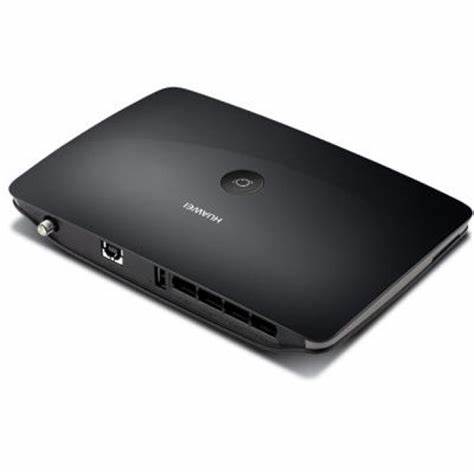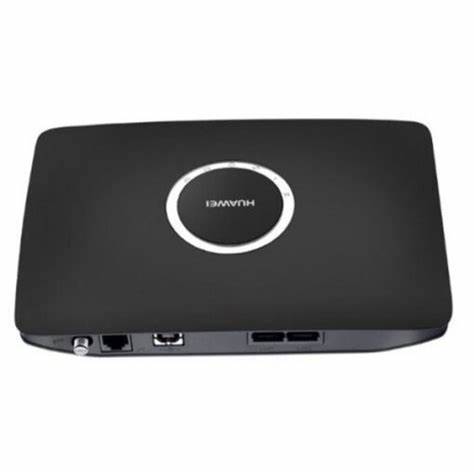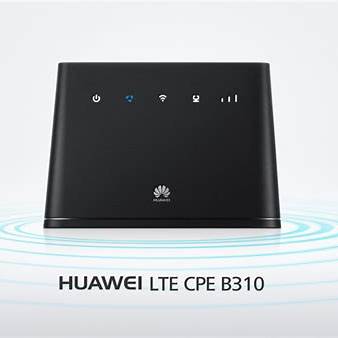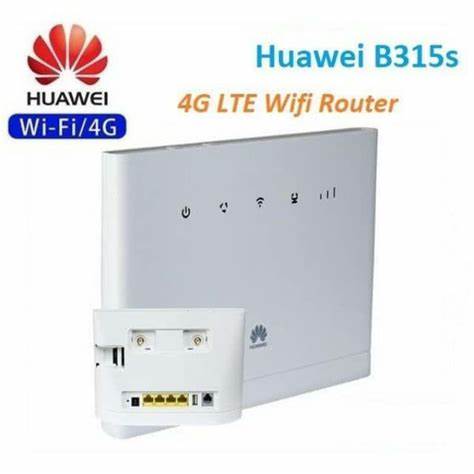
Huawei B315s Home Wireless 3G 4G LTE Router 11,000.00
Huawei B315s Home Wireless 3G 4G LTE Router | Orbitlink Solutions
Free delivery for orders over KSh 10,000
Wishlist Sign in +254743720551

Huawei B315s Home Wireless 3G 4G LTE Router

KSh 11,000.00

Huawei B315s 3G/4G LTE Wireless Router – Full Details Introduction The Huawei B315s is a powerful and versatile 3G/4G LTE router, offering a fast, stable, and secure internet connection for home users, small businesses, and travelers. Unlike traditional routers, the...

Fast delivery Warranty support Expert help
  • Availability: Available in store

Huawei B315s 3G/4G LTE Wireless Router – Full Details

Introduction

The Huawei B315s is a powerful and versatile 3G/4G LTE router, offering a fast, stable, and secure internet connection for home users, small businesses, and travelers. Unlike traditional routers, the B315s connects to mobile broadband networks using a SIM card, making it a perfect choice for locations without fixed broadband services.

Supporting LTE Category 4, it delivers download speeds of up to 150 Mbps and upload speeds of 50 Mbps, ensuring seamless online activities such as video streaming, online gaming, video conferencing, and browsing.

With Wi-Fi, Ethernet, external antenna support, and a USB port, the B315s is an all-in-one solution for individuals and businesses requiring flexible internet access.


Key Features of Huawei B315s

Fast 4G LTE Connectivity – Download speeds up to 150 Mbps, upload up to 50 Mbps
Multi-Device Support – Connects up to 32 devices via Wi-Fi
4 Ethernet Ports – Supports wired connections for desktops, smart TVs, gaming consoles, and more
External Antenna SupportTwo SMA ports for optional external antennas to boost signal reception
Wi-Fi Standards – Supports IEEE 802.11b/g/n on 2.4 GHz frequency
USB Port – Enables printer sharing and network storage
Secure Network – Includes WPA/WPA2 encryption, firewall, and MAC filtering
Plug-and-Play Setup – Simple SIM card insertion with web-based management


Technical Specifications

Feature Specification
Model Huawei B315s
Network Type 3G / 4G LTE (Cat4)
Download Speed Up to 150 Mbps
Upload Speed Up to 50 Mbps
Wi-Fi Standard IEEE 802.11b/g/n (2.4 GHz)
Max Wi-Fi Devices Up to 32 connections
Ethernet Ports 4 x LAN ports (10/100 Mbps)
SIM Card Slot Standard SIM
Antenna Internal + 2 External SMA Ports
USB Port 1 x USB 2.0 (for storage & printer sharing)
Security WPA/WPA2, MAC filtering, firewall
Web Interface 192.168.8.1
Power Supply 12V DC adapter
Dimensions 186 x 139 x 46 mm
Weight 275 grams

Advantages of Huawei B315s

1. High-Speed Internet Anywhere

The Huawei B315s eliminates the need for fiber or DSL connections, making it perfect for rural areas, remote offices, and mobile setups. It provides a reliable and fast connection even in areas with weak network coverage.

2. Supports Multiple Users & Devices

  • Handles up to 32 Wi-Fi connections, making it ideal for family homes, co-working spaces, and small businesses.
  • The 4 Ethernet ports allow wired connections for stable internet on devices like gaming consoles, smart TVs, or PCs.

3. Expandable Coverage with External Antennas

  • The B315s includes two SMA ports for attaching external LTE antennas.
  • This improves signal strength and provides better connectivity in low-signal areas.

4. Secure & Protected Network

  • WPA/WPA2 encryption protects your Wi-Fi from unauthorized access.
  • Firewall & MAC filtering add extra layers of security.

5. USB File & Printer Sharing

  • The USB 2.0 port allows you to connect an external storage device or printer, making it easy to share files across connected devices.

6. Plug-and-Play Setup

  • No need for a broadband technician – just insert a SIM card, power on the router, and connect your devices.
  • Easy web-based management via 192.168.8.1 for Wi-Fi customization, security settings, and network monitoring.

How to Set Up the Huawei B315s Router

Step 1: Insert the SIM Card

  • Power off the router and insert a standard SIM card into the SIM slot.

Step 2: Power On the Router

  • Plug the 12V DC adapter into the router and turn it on.

Step 3: Connect Your Devices

  • Wireless Connection: Search for the router’s default Wi-Fi name (SSID) and enter the password (found on the router’s label).
  • Wired Connection: Use an Ethernet cable to connect a PC/laptop to one of the LAN ports.

Step 4: Access Router Settings

  • Open a browser and enter 192.168.8.1 in the address bar.
  • Log in using admin/admin (default username & password).
  • Configure Wi-Fi settings, security options, and network preferences.

Who Should Buy the Huawei B315s?

Users in remote areas without fiber or DSL access
Small businesses and home offices needing a reliable internet solution
Travelers and mobile professionals who need portable Wi-Fi
Gamers and streamers looking for stable, low-latency internet
People needing backup internet in case of network failure


Conclusion: Is the Huawei B315s Worth It?

The Huawei B315s is an excellent 3G/4G LTE router, offering fast speeds, multiple connectivity options, and excellent security. Its plug-and-play setup, support for 32 devices, and external antenna ports make it a great choice for homes, offices, and mobile users.


Product Image & YouTube Video Reference

Need help?

Talk to an expert about Huawei B315s Home Wireless 3G 4G LTE Router

Get guidance on setup, compatibility, and delivery tailored to your needs.

💬 Chat with us