MikroTik vs Ubiquiti
Compare MikroTik vs Ubiquiti for routing, WiFi, switching, management, ISP and business use, pricing and support to choose the right network in Kenya.

Ubiquiti Access Points Prices in Kenya
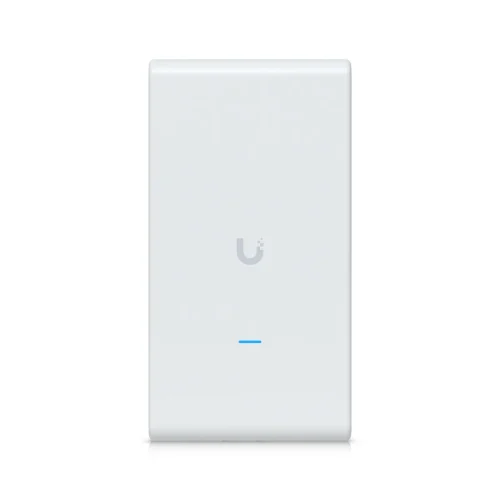


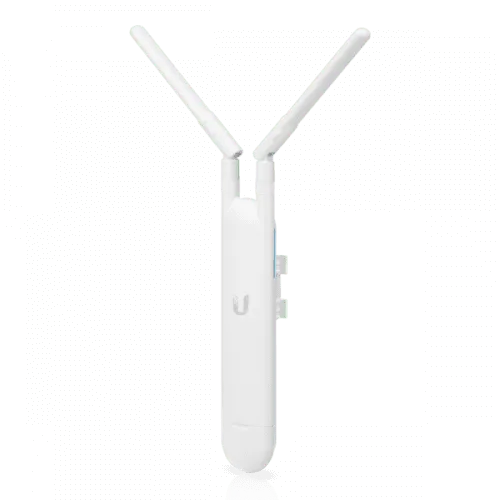
MikroTik vs Ubiquiti is not a simple contest with one universal winner. MikroTik is often selected when a network needs detailed routing, firewall, VPN, queue and service-provider control. Ubiquiti is often selected when a business values a polished controller-led experience across gateways, switches and wireless access points. The better choice depends on workload, administrator skills, product availability, support and the complete lifecycle cost.
Quick answer: Choose MikroTik when deep RouterOS flexibility, complex routing and granular policy are the priority. Choose Ubiquiti when streamlined central management and an integrated campus or office experience are the priority. A hybrid design can also be appropriate when roles, support ownership and interoperability are clearly documented.
Orbitlink Solutions supplies and supports networking equipment in Kenya and can assess both the technical requirement and the operational team. Explore MikroTik routers in Kenya, review Ubiquiti access points, or request a vendor-neutral network assessment.
MikroTik vs Ubiquiti: At-a-Glance Comparison
| Decision area | MikroTik | Ubiquiti |
|---|---|---|
| Core approach | Highly configurable RouterOS across many routing and networking roles | Controller-led ecosystems for unified network and site operations |
| Best fit | Technical teams, ISPs, custom routing, policy and edge services | Offices, hospitality, education and multi-site teams prioritising central visibility |
| Learning curve | Powerful but can require deeper networking knowledge | Visual workflows can shorten common deployment tasks |
| Routing flexibility | Broad feature set and granular control | Strong common business workflows with platform-specific abstractions |
| Wireless management | CAPsMAN and RouterOS-aligned options, dependent on hardware generation | UniFi controller workflow across access points and related devices |
| Service-provider use | Common choice for routing, subscriber and traffic-policy roles | UISP and wireless platforms address operator and outdoor-network scenarios |
| Operations | Flexible interfaces, CLI and automation; discipline is essential | Central dashboards, inventory and policy workflows are a major attraction |
| Right answer | The platform that satisfies the documented design and can be operated safely by the responsible team | |
Understanding the Two Ecosystems
MikroTik and RouterOS
MikroTik’s RouterOS spans routing, firewall, NAT, VLAN, VPN, traffic management, wireless and monitoring functions. Official specifications list static and dynamic routing, policy routing, stateful filtering, WireGuard, IPsec and other networking capabilities. That breadth lets experienced engineers create specialised edge, branch, ISP and lab designs from a common operating model.
Flexibility brings responsibility. A router can be configured in several valid ways, and the platform may expose lower-level choices that a simpler interface hides. Organisations should use approved templates, named accounts, change control, backups and testing. Read Orbitlink’s RouterOS features guide and the official RouterOS software specifications.
Ubiquiti platforms
Ubiquiti’s UniFi platform emphasises coordinated management of gateways, switches, wireless and related site devices. Its interfaces organise networks, clients, traffic policy, updates and device status into a central operational view. Official UniFi documentation describes traffic-policy, switching and routing workflows through the platform’s controller abstractions.
Ubiquiti also serves service-provider and outdoor connectivity scenarios through separate product families and management approaches. Buyers should distinguish UniFi, UISP and individual radio platforms rather than assuming every Ubiquiti device belongs to one interchangeable system. Review the official UniFi help centre for current platform guidance.
Routing, Firewall and VPN Comparison
MikroTik is attractive when the design requires detailed routes, multiple routing tables, granular packet policy, unusual NAT, advanced queues or several tunnel types. RouterOS exposes many of these controls directly. It can suit ISPs, multi-WAN businesses and network engineers who want to understand and tune the forwarding path.
UniFi gateways address common office and campus requirements through integrated policy workflows. Ubiquiti’s current documentation describes a unified policy engine for traffic shaping, routing and security outcomes. This can reduce the number of separate configuration surfaces an administrator must visit, especially when the wider site already uses UniFi switches and access points.
Do not compare feature names alone. Define internet speed, encrypted throughput, branch count, failover behaviour, routing protocols, application policy and logging. Test the exact hardware with the intended security features enabled. Orbitlink’s MikroTik firewall guide and VPN configuration tutorial show the planning depth required on either platform.
Switching and VLAN Management
Both vendors offer managed switching and VLAN capabilities, but their operating experience differs. MikroTik switching can be controlled through RouterOS or SwitchOS depending on the product. Engineers need to understand bridge VLAN filtering, hardware offload and model-specific switching capabilities. A configuration that forwards correctly in software may not deliver the expected hardware performance.
UniFi switching is designed around controller-defined networks, port profiles and device visibility. Official documentation covers VLAN behaviour, port configuration and Layer 3 isolation. This can make repeated office deployments easier to visualise, but the team still needs a sound VLAN and firewall design.
For either platform, document VLAN IDs, tagged trunks, access ports, native VLAN behaviour, management networks and permitted inter-VLAN flows. Test from real clients. A controller screenshot is not evidence that isolation works. Browse Orbitlink’s MikroTik PoE switch guide when power delivery is part of the design.
Wireless Networking: CAPsMAN vs UniFi
MikroTik can centralise supported access-point configuration with CAPsMAN. MikroTik documentation describes central configuration and forwarding choices, including local and manager forwarding. The correct workflow depends on the RouterOS wireless package and hardware generation, so compatibility must be verified before purchase.
UniFi is widely considered for controller-managed business WiFi because access points, SSIDs, clients, radio information and updates are presented through one site interface. The product range covers several performance and installation profiles. However, good results still depend on a site survey, channel planning, cabling, PoE capacity and access-point placement.
Do not choose WiFi by dashboard appearance or maximum radio rate. Record floor plans, wall materials, client density, roaming needs, outdoor areas and interference. Orbitlink offers MikroTik WiFi solutions and broader wireless network services for site-specific design.
Ease of Setup and Day-to-Day Management
Ubiquiti often provides a shorter path for common tasks such as adopting devices, creating networks, applying SSIDs and viewing clients. A consistent controller experience can help a small IT team manage several branches. The tradeoff is that administrators work within the platform’s supported workflow and release model.
MikroTik offers WebFig, WinBox and command-line management. Experienced engineers can build repeatable scripts and inspect detailed state, but inconsistent naming or undocumented rules can make a customised deployment difficult to inherit. The team should use templates, comments, exports and a peer-review process. See how to configure a MikroTik router securely.
Ease of setup must not be confused with ease of recovery. Evaluate backup, restore, offsite access, failed-device replacement, configuration history and who can help outside normal hours. A platform is operationally simple only when the responsible team can diagnose it during an outage.
Performance and Scalability
Performance depends on the exact model and enabled workload. Firewall inspection, VPN encryption, queues, threat-management features, DPI, client counts and radio conditions can change results. Published line rates measured under one test profile should not be treated as guaranteed production capacity.
Build a capacity model with peak internet throughput, packets per second where relevant, simultaneous users, routes, tunnels, VLANs, access points and expected growth. Check uplink speed, power budget, optics, rack space and cooling. For multi-site growth, consider how templates, monitoring, identity and updates will be governed.
MikroTik may scale economically across specialised routing roles when skilled operators are available. Ubiquiti may scale operationally across similar sites through controller consistency. Neither advantage removes the need for redundancy, documentation and measured upgrade triggers.
Pricing and Total Cost in Kenya
Retail price is only one part of the comparison. Add controllers or hosting where required, switches, access points, optics, PoE, mounting hardware, licences or subscriptions if applicable, installation, training, monitoring, spares and support. Confirm current stock, genuine supply, warranty route and delivery terms in a dated quotation.
MikroTik can offer strong capability at attractive hardware prices, but a complex custom design may require more engineering time. Ubiquiti’s integrated workflow can reduce some operational effort, while a full ecosystem purchase may increase the initial bill. The lower total cost is the design that meets requirements and can be maintained without avoidable downtime.
Compare current MikroTik router prices in Kenya and ask Orbitlink Solutions for an itemised Ubiquiti proposal rather than relying on old international pricing.
Recommendations by Use Case
| Use case | Likely starting point | Why |
|---|---|---|
| Small office wanting one dashboard | Ubiquiti assessment | Integrated gateway, switch and access-point operations may suit a lean team |
| Business with custom multi-WAN policy | MikroTik assessment | Granular RouterOS routing and traffic controls may fit the design |
| ISP edge or subscriber network | MikroTik or UISP-focused assessment | Choose from measured routing, subscriber, wireless and support requirements |
| Hotel, school or campus WiFi | Wireless survey before brand choice | Coverage, density, roaming and operations dominate the outcome |
| Existing single-vendor environment | Evaluate staying consistent | Skills, spares and management integration may outweigh a small price difference |
| Advanced network engineering team | MikroTik can be compelling | Detailed control and automation may be valuable |
| Multi-branch team prioritising standardisation | Ubiquiti can be compelling | Central policy and inventory can simplify repeated sites |
These are starting points, not automatic verdicts. The site, workloads and team can reverse the recommendation. A pilot should test the most important business flows before a large rollout.
When a Hybrid Design Makes Sense
Some organisations use MikroTik at the routing edge and Ubiquiti for managed wireless or switching. A hybrid can combine strengths, but it also introduces two management systems, update processes and support paths. Decide which platform owns DHCP, routing, firewall policy, VLAN definitions, monitoring and authentication.
Use open standards at the boundary and document tagged VLANs, addressing, spanning-tree roles, link aggregation and failure behaviour. Avoid overlapping controllers or automated policies that change the same network function. A hybrid should be chosen because it improves the requirements—not because equipment was bought without a plan.
Migration and Proof-of-Concept Checklist
- Inventory current circuits, routes, VLANs, SSIDs, switches, access points and dependencies.
- Export and back up the existing configuration.
- Define success measures for throughput, coverage, failover, security and management.
- Test required VPNs, applications, phones, cameras and guest isolation.
- Confirm controller, hosting and administrator-access requirements.
- Prepare rollback, maintenance-window and communication plans.
- Train the support team and document escalation contacts.
- Move in stages where the architecture allows it.
Orbitlink Solutions can provide installation and migration services, acceptance testing and ongoing network support in Kenya.
Operational Governance and Support
The network platform becomes part of the organisation’s operating model. Identify who approves changes, who receives alerts, who can replace failed hardware and who owns administrator accounts. A feature-rich design can become fragile when only one contractor understands it. Conversely, a polished controller does not remove the need to understand addressing, VLANs, firewall policy and recovery.
For MikroTik, governance should include reviewed RouterOS templates, configuration exports, secure backups and version control for scripts. Use descriptive interface and rule names, comments and a change log. For Ubiquiti, document console or application ownership, administrator roles, site structure, update policy, backups and any remote-management dependency. Use named accounts and least privilege on both platforms.
Ask support providers to define response time, remote-access method, onsite coverage, spare strategy and exclusions. Confirm whether support covers only hardware replacement or also configuration diagnosis. For county offices and remote facilities, account for travel time and maintain enough documentation for local staff to perform safe physical checks.
Procurement Checklist for Kenyan Buyers
Request quotations that identify exact model codes, quantities, hardware revisions where relevant, package contents, VAT, delivery, warranty and validity period. Confirm PoE voltage and wattage, uplink type, optical modules, rack accessories, power supplies and controller requirements. Similar-looking products can belong to different generations or management families.
Genuine supply and warranty traceability matter more than a small headline saving. Inspect serial information and packaging, keep invoices and record the installation site. For projects with many units, agree whether all devices should share a compatible generation and software baseline. Budget a small number of tested spares when downtime would be costly.
Availability can influence architecture, but substitution should never be based on port count alone. Recheck throughput, radio generation, PoE budget, management compatibility and mounting. Orbitlink’s genuine MikroTik equipment guide provides additional authenticity checks.
Official Resources and Verification
Platform capabilities and product lines change. Before procurement, verify required features in the manufacturer’s current documentation and test the proposed release. For MikroTik, use the RouterOS specifications and documentation linked above. For Ubiquiti switching, wireless and policy workflows, consult the official UniFi documentation. Local design and support decisions should then be confirmed through a dated Orbitlink Solutions proposal.
Frequently Asked Questions
Is MikroTik better than Ubiquiti?
Neither is universally better. MikroTik often suits granular routing and technical control, while Ubiquiti often suits integrated, controller-led site management.
Which brand is easier to configure?
Many teams find common UniFi workflows easier initially. MikroTik offers deeper control but can require stronger networking and RouterOS skills.
Which is better for a small business?
Choose from internet links, users, WiFi coverage, VPNs, failover, administrator skills and support. Either can fit a properly assessed small business.
Which is better for an ISP?
MikroTik is frequently evaluated for routing and subscriber roles. Ubiquiti offers UISP and operator-focused wireless products. Test the exact use case.
Can MikroTik and Ubiquiti work together?
Yes, through standard Ethernet, IP and VLAN designs. Clearly assign routing, DHCP, firewall, switching and wireless management responsibilities.
Which brand has better WiFi?
Results depend on model, site design, channels, client mix and placement. Ubiquiti emphasises controller-managed UniFi WiFi; MikroTik provides RouterOS wireless options and CAPsMAN.
Which has better routing features?
RouterOS is known for broad, granular routing and policy controls. Compare actual required protocols and tested hardware capacity.
Which costs less in Kenya?
Hardware prices vary by model and stock. Compare total cost including controllers, switches, access points, engineering, support, spares and downtime risk.
Does Ubiquiti require a controller?
Management requirements vary by product and deployment. Confirm the current official workflow and decide where the application or console will run.
Can I migrate without downtime?
Some disruption may be unavoidable. Reduce risk with a lab test, staged migration, maintenance window, backups and rollback plan.
Which is more secure?
Security depends on architecture, configuration, updates, credentials, monitoring and response. Neither brand compensates for poor operational practice.
Can Orbitlink Solutions recommend both brands?
Yes. Orbitlink can assess requirements, compare genuine equipment and propose a supported MikroTik, Ubiquiti or carefully governed hybrid design.
A final decision meeting should include the business owner, network administrator and support provider. Review the requirements matrix, pilot results, risks, migration plan and five-year operating assumptions. Record why the selected platform won and which conditions would trigger a future review. This prevents the purchase from becoming a preference contest and gives future teams an auditable starting point.
Revalidate the decision whenever bandwidth, sites, security obligations, staffing or critical applications change materially, and verify again.
MikroTik vs Ubiquiti: Final Recommendation
Choose MikroTik when detailed RouterOS control, specialised routing and technical flexibility best match the workload and team. Choose Ubiquiti when an integrated controller experience, consistent site operations and managed WiFi are the stronger priorities. Choose neither until the requirements, support ownership and lifecycle cost are documented.
Orbitlink Solutions is a one-stop networking provider for genuine equipment, design, configuration, installation, fibre, switching, WiFi, security and support. Request a MikroTik vs Ubiquiti assessment for your Kenyan business, institution, enterprise or ISP.