MikroTik hEX Kenya
MikroTik hEX Kenya: compare features, use cases and buying considerations. Get genuine MikroTik equipment, expert guidance and delivery from Orbitlink Solu

MikroTik Router Prices in Kenya
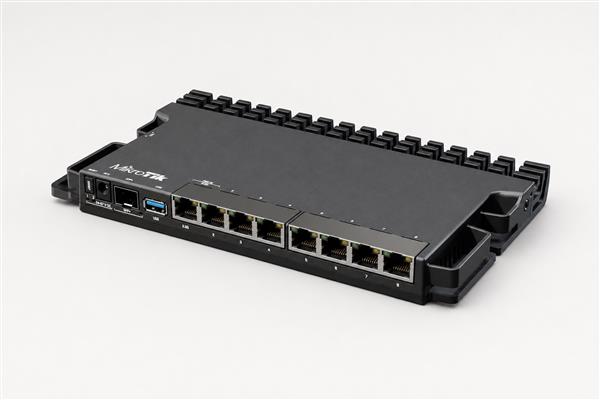
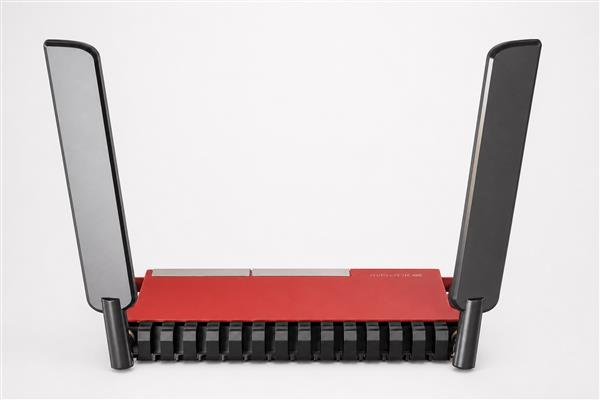
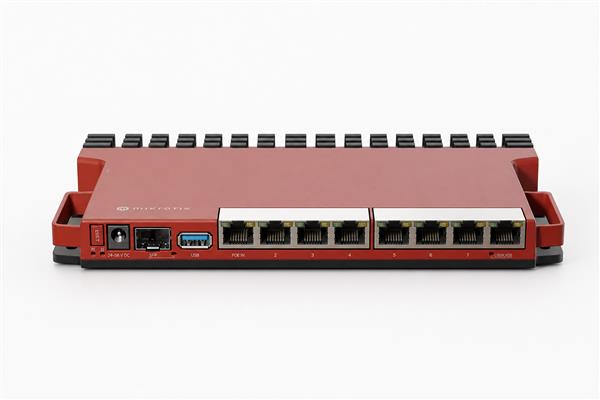
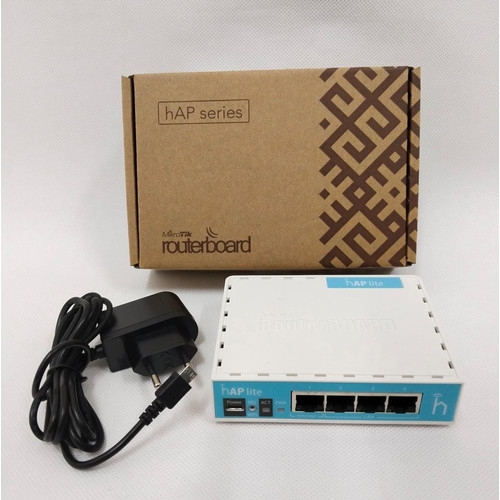
MikroTik hEX Kenya: Affordable RouterOS Gigabit Routing
Customers searching for MikroTik hEX Kenya usually want a clear answer to three questions: is the product suitable for their network, what other equipment is required, and where can they buy genuine stock with dependable support? Orbitlink Solutions helps Kenyan homes, companies, schools, hotels and internet service providers answer those questions before money is committed.
As a one-stop networking equipment supplier, Orbitlink Solutions can combine MikroTik hardware with managed switches, wireless access points, fiber modules, PoE accessories, cabinets and structured cabling. You can browse the online shop, compare MikroTik routers, view managed switches, or request a current quotation.

What Is MikroTik hEX Kenya?
MikroTik hEX is the product name commonly associated with the RB750Gr3. Its compact enclosure, five Gigabit Ethernet ports and full RouterOS feature set make it a popular wired edge router where wireless coverage is handled separately.
This wired router is best considered as part of a complete design. The internet connection, wired ports, wireless coverage, VLAN plan, PoE power, fiber uplinks and future growth all affect whether it is the right purchase. Orbitlink Solutions can review those requirements and help match the product with compatible supporting equipment.
Who Should Consider This MikroTik Solution?
Typical buyers include small companies, homes with managed access points, remote branches, lab networks and cost-conscious installations that still need VLANs, VPNs or multiple WAN policies. The product should solve a defined network problem rather than be selected only because it appears on a popular list.
For a small deployment, simplicity and value may be the priority. A growing business may care more about multiple internet links, secure VPN access, VLAN separation and monitoring. An ISP or campus network may need fiber, routing protocols, higher packets-per-second performance and resilient power. Writing down these priorities makes comparison easier.
Key Capabilities to Evaluate
RouterOS and management
MikroTik RouterOS supports firewall rules, VLANs, VPNs, bandwidth queues, hotspot functions, multiple WAN links, monitoring and automation. Available performance depends on hardware and configuration. Plan secure administrator access, software updates, backups and monitoring from the beginning.
Interfaces and link speeds
Count every required Ethernet and fiber connection. Check whether ports are Fast Ethernet, Gigabit, 2.5G or faster, and confirm SFP or SFP+ requirements. A fast uplink is useful only when the connected switch, transceiver, cable and other endpoint support the same standard.
Wireless coverage and capacity
For wireless products, compare bands, WiFi generation, antenna pattern and client density. Walls, floors and interference can reduce coverage dramatically. Larger sites normally benefit from multiple wired access points rather than one device transmitting from an inconvenient corner.
Power and PoE
Confirm the included power supply and supported input range. Where PoE is involved, verify voltage, standard, per-port output and total power budget. Passive PoE and IEEE 802.3af/at are not automatically interchangeable.

Planning Performance for Real Traffic
Port speed is only one part of performance. Firewall rules, encrypted tunnels, queues, inter-VLAN routing and connection counts consume processing resources. A device that forwards simple traffic at high speed may deliver a different result when several advanced services run simultaneously. Estimate the peak workload and leave sensible headroom for growth.
Wireless speed also depends on client capability, channel width, interference and distance. LTE performance depends on the network operator, radio bands, signal quality and local congestion. Fiber performance depends on compatible optics and a clean link budget. Good results come from evaluating the complete path rather than one specification.
Recommended Deployment Process
- Document the site: list users, devices, rooms, buildings, internet links and critical applications.
- Design the topology: decide where routing, switching, wireless access and fiber aggregation will occur.
- Calculate capacity: estimate throughput, concurrent sessions, PoE wattage, ports and wireless client density.
- Confirm compatibility: match power supplies, transceivers, cables, mounts and software features.
- Secure the configuration: update RouterOS, restrict management, use strong credentials and store backups.
- Test before handover: verify internet failover, VLAN isolation, WiFi roaming, PoE load and monitoring.
Common Use Cases in Kenya
| Environment | Typical Requirement | Buying Priority |
|---|---|---|
| Home or small office | Secure internet, WiFi and basic device control | Coverage, simplicity and value |
| Growing business | VLANs, VPN, CCTV, guest WiFi and failover | Processing headroom, Gigabit ports and PoE |
| School, hotel or campus | Many clients, roaming and segmented access | Access-point design, managed switching and monitoring |
| ISP or enterprise core | Fiber, dynamic routing and resilient high traffic | Packets per second, uplinks and redundancy |
What to Check Before Buying
Confirm that the exact hEX revision matches your performance and power requirements. Buyers needing integrated dual-band WiFi should compare a hAP model instead.
- Use the exact model code and hardware revision on the quotation.
- Confirm port types, link speeds and required transceivers.
- Verify wireless bands, regulatory settings and coverage design where relevant.
- Check PoE voltage, standard, per-port power and total budget.
- Include power supplies, mounts, SFP modules and patch cables that are not bundled.
- Allow reasonable capacity for faster internet, more users and additional services.
- Request current availability, warranty details and delivery information.
Installation and Security Best Practices
Install networking equipment in a ventilated, dry and secure location. Use a cabinet where appropriate, label cables, separate power from data and protect outdoor links against weather and electrical surges. Provide an uninterruptible power supply for equipment supporting essential operations.
Change default access settings, disable unused services, restrict administration to trusted networks and keep RouterOS current. Use configuration exports and binary backups, but protect them because they may contain sensitive information. Document IP ranges, VLAN IDs, uplinks and recovery steps.
The official MikroTik product catalogue and MikroTik documentation provide current manufacturer specifications and configuration guidance.

Why Buy from Orbitlink Solutions?
- Genuine MikroTik equipment: clearly identified models with suitable warranty support.
- Technical product matching: recommendations based on users, traffic, ports, wireless and power.
- One-stop procurement: routers, switches, WiFi, fiber, cabinets, cables and accessories.
- Countrywide delivery: fulfilment in Nairobi and courier options across Kenya.
- Project assistance: bills of materials, configuration and installation planning for larger deployments.
Frequently Asked Questions
Is MikroTik hEX Kenya available from Orbitlink Solutions?
Availability changes with shipments and model revisions. Contact Orbitlink Solutions with the exact product name and quantity for a current stock confirmation and quotation.
Can Orbitlink Solutions help choose the correct model?
Yes. Share your internet speed, number of users, ports, WiFi area, PoE devices, VPN requirements and future growth. This information helps the team recommend an appropriate model and accessories.
Do you deliver outside Nairobi?
Yes. Delivery can be arranged to customers across Kenya. The best option depends on location, order size and urgency.
Does the device include every accessory needed?
Not always. Power supplies, PoE injectors, rack ears, antennas, SFP modules and mounting hardware vary by model. Confirm the package contents before ordering.
Can MikroTik equipment support two internet providers?
Many RouterOS devices can be configured for failover, load distribution or policy routing. The suitable design and model depend on connection speed, addressing and application requirements.
Should I configure the equipment myself?
Experienced administrators can use MikroTik documentation, but business-critical networks benefit from a planned configuration, testing, backups and clear handover records.
Comparing Alternatives and Planning Long-Term Value
Before ordering MikroTik hEX Kenya, compare it with the model immediately below and above it in the MikroTik range. The lower-cost option may be sufficient when internet speed, user count and feature use are modest. The higher tier may be worthwhile when it adds the exact interface, wireless generation, PoE capacity or processing headroom required by the design. A useful comparison uses the same firewall, VPN, VLAN and traffic assumptions for every candidate.
Purchase price is only one part of network cost. Include power supplies, PoE injectors, SFP modules, rack accessories, surge protection, cabinets, patch leads and installation labour. Also consider the operational cost of an outage, difficult management or an early replacement. Spending slightly more on the correct interface or capacity can be economical when it prevents redesign later, while buying an oversized platform without a use case can tie up budget that would improve cabling, WiFi coverage or backup power.
Questions to ask during comparison
- Will the device handle the expected internet speed after firewall, queues and VPN features are enabled?
- Does it provide the required copper, fiber, wireless or PoE interfaces without awkward adapters?
- Can the network grow by at least one practical stage before core equipment must be replaced?
- Are replacement power supplies, transceivers and mounting accessories readily available?
- Can the technical team monitor, back up and recover the configuration efficiently?
Support, Maintenance and Upgrade Planning
Record the model, serial number, RouterOS version, management address and physical location after installation. Keep a tested backup and configuration export whenever a major change is approved. Review logs, resource use, interface errors and link utilization periodically. These simple practices help distinguish an equipment problem from congestion, damaged cabling, radio interference or an upstream-provider fault.
Plan upgrades around evidence. If CPU load is consistently high, ports are exhausted, PoE power is near its limit or uplinks are congested, document those measurements before selecting the replacement. Orbitlink Solutions can use that information to recommend the next sensible model and the compatible accessories required for a controlled migration.
Final Thoughts
MikroTik hEX Kenya can deliver excellent value when it is matched to the real topology and installed with compatible power, cabling, wireless and fiber components. The right decision is not simply the cheapest or most powerful device; it is the solution that meets today's workload, remains secure and provides a practical upgrade path.
Orbitlink Solutions can supply the equipment and the supporting network components in one order. Browse the shop or contact Orbitlink Solutions for a current quotation, technical guidance and nationwide delivery.