How to Use Starlink in Kenya
Find out how to use Starlink in Kenya with our easy-to-follow guide. From ordering the kit to optimizing your internet connection, we cover it all...
Products Available
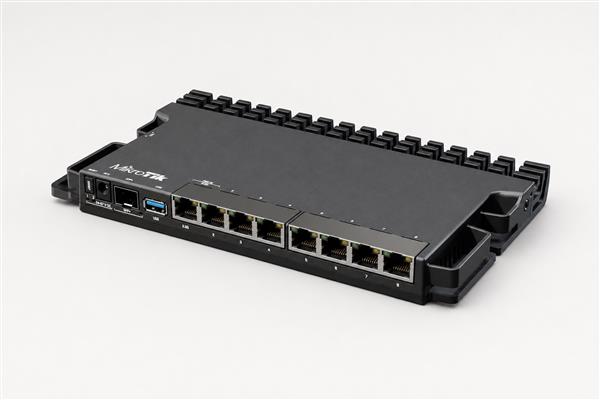
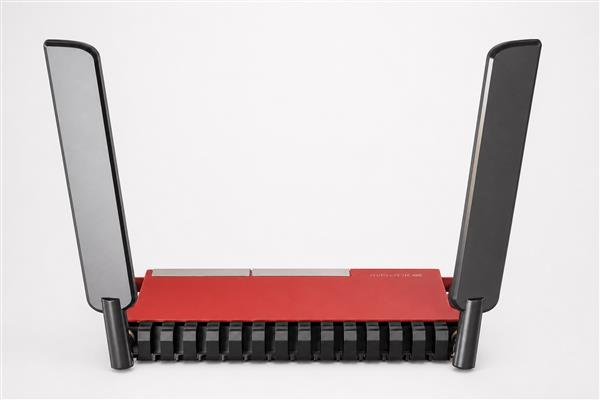
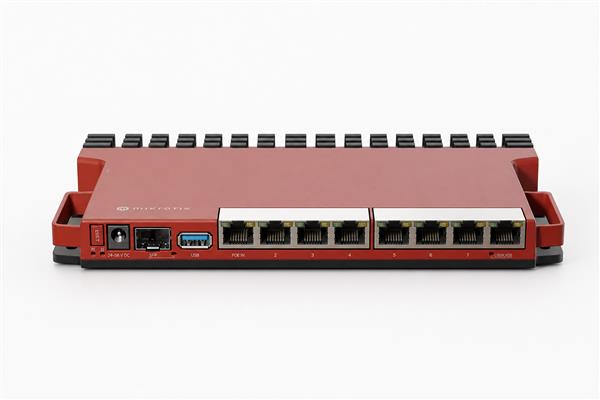
Table of Contents
How to Use Starlink in Kenya: A Step-by-Step Guide by Orbitlink Solutions
Starlink, a satellite internet service developed by SpaceX, aims to provide high-speed, low-latency internet globally through its network of low Earth orbit satellites. With the increasing demand for reliable and fast internet access worldwide, Starlink is revolutionizing the way people connect, especially in areas where traditional internet services fall short.
In Kenya, the need for dependable internet is critical, particularly in remote and rural regions where connectivity has long been a challenge. Starlink offers an ideal solution, delivering fast and stable internet to areas that have previously been underserved, empowering homes, businesses, and communities across the country.
Orbitlink Solutions is the authorized Starlink agent in Kenya, providing expert installation services and dedicated customer support to ensure a seamless experience for users. This guide will walk you through everything you need to know about setting up and using Starlink in Kenya, from ordering your kit to optimizing your internet connection for the best performance.
1. What is Starlink and How Does It Work?
1.1 Understanding Starlink Technology
Starlink’s Satellite-Based Internet System
Starlink is a satellite internet system developed by SpaceX, the private aerospace company led by Elon Musk. Unlike traditional broadband that relies on fiber optics, cable lines, or cellular towers, Starlink uses low Earth orbit (LEO) satellites to deliver internet service. These satellites orbit the Earth at altitudes much closer than traditional geostationary satellites, typically between 340 km and 1,200 km above the Earth's surface. This proximity allows Starlink to provide a faster and more reliable connection than older satellite systems.
How Starlink’s LEO Satellites Provide Faster Internet with Lower Latency
The key advantage of Starlink’s LEO satellite network lies in its significantly lower latency (the delay before data transfer begins) and higher bandwidth capacity compared to traditional ISPs. Traditional satellite internet operates via geostationary satellites positioned approximately 35,786 km above Earth, which leads to high latency, often causing delays in communication (especially for video calls, gaming, and other real-time applications).
In contrast, Starlink’s LEO satellites are much closer to Earth, which results in much lower latency. This makes Starlink more suitable for activities such as:
- Real-time video conferencing
- Streaming high-definition videos
- Online gaming
- Other low-latency applications
With multiple satellites orbiting the Earth, Starlink can also offer greater bandwidth, reducing congestion and maintaining speeds even during peak usage hours.
1.2 Why Starlink is Ideal for Kenya
Reliable, High-Speed Internet for Remote and Underserved Areas
One of the biggest challenges for internet access in Kenya has been the availability and reliability of connections, especially in rural and remote regions. Traditional internet infrastructure such as fiber and mobile networks often does not reach these areas, and when they do, they may not provide a reliable or high-speed connection due to geographical challenges or lack of resources.
Starlink directly addresses this issue by offering a satellite-based solution that can be deployed almost anywhere in Kenya. Whether you’re in a remote village, in the mountains, or on an island, Starlink provides reliable, high-speed internet without needing ground-based infrastructure.
For example, homes or businesses located far from the nearest city or town will no longer be dependent on unreliable mobile internet or expensive satellite systems with poor performance. Starlink’s technology enables high-speed internet in places that have previously been left behind by traditional ISPs.
Starlink's Mobility Benefits for Homes and Businesses
Another major advantage of Starlink in Kenya is its mobility. In urban areas, where fast internet can still be a challenge during peak hours, Starlink offers an alternative that can be easily set up and moved when necessary. This is especially beneficial for people who live in temporary or mobile setups, like construction workers, remote employees, or travelers.
In rural areas, the ability to set up Starlink without requiring complicated infrastructure makes it an excellent option for farmers, small businesses, or families who need access to the internet but don’t have access to traditional broadband options. Businesses can use Starlink to connect their branches in rural or underserved regions, where mobile networks might struggle to provide stable connections.
Additionally, Starlink's portability allows users to take their internet connection with them, whether they are moving to a different location for work or travel. This means that users in Kenya can continue to enjoy reliable internet without worrying about changing service providers or being disconnected.
2. How to Get Starlink in Kenya
2.1 Steps to Order Starlink in Kenya
Step-by-Step Guide on How to Order Starlink Kits through Orbitlink Solutions
-
Visit Orbitlink Solutions Website or Contact via Phone/Email
- The easiest way to begin your Starlink journey is by visiting the Orbitlink Solutions website. There, you will find all the necessary details about Starlink kits, including features, pricing, and installation services.
- Alternatively, you can reach out to Orbitlink Solutions directly via phone or email. The customer service team will be happy to assist you with any questions and guide you through the ordering process.
-
Place an Order for Your Starlink Kit
- Once you've decided that Starlink is right for you, placing an order is simple. On the website, you’ll be asked to select the Starlink kit, which includes all the necessary equipment for installation (such as the dish, modem, router, etc.).
- Orbitlink Solutions will guide you through the ordering process. You may need to provide some basic details like your contact information and delivery address.
-
Overview of Expected Delivery Time (2-4 Weeks)
- After placing your order, you can expect your Starlink kit to arrive within 2 to 4 weeks. Starlink’s global network of satellite systems allows for efficient distribution of kits, but delivery times can vary depending on the region and availability.
- Orbitlink Solutions will keep you updated on the shipping progress, ensuring you're informed about when to expect the kit. If you’re opting for professional installation, Orbitlink will coordinate a convenient time for the technician to come to your location.
2.2 Pricing and Subscription Details
Starlink Kit Cost in Kenya
- Starlink Kit Price:
The Starlink kit, which includes all the essential equipment to get you online (dish, modem, router, power cable, and mounting equipment), is priced at KES 45,500 (approximately USD 310).
This one-time cost covers everything you need to set up Starlink at your location. It's important to note that this price is subject to change based on availability and region, so it's a good idea to check with Orbitlink Solutions for the most current pricing.
Monthly Subscription Cost
- Subscription Fee:
The monthly subscription fee for Starlink service is KES 4,000 (approximately USD 30). This fee provides you with unlimited high-speed internet via Starlink’s satellite network.
- Flexibility: The monthly subscription is flexible, with no long-term contract required. If you ever need to pause or cancel the service, you can do so without penalty, making Starlink an attractive option for those who need temporary internet solutions.
- Starlink also offers coverage in all areas where it is available, ensuring that whether you are in urban or remote locations, you can maintain a reliable connection at the same price.
Breakdown of Costs for Starlink Installation Services by Orbitlink Solutions
-
DIY Installation Option:
For customers who prefer to set up Starlink on their own, there is no additional charge for DIY installation. The kit includes a user manual with clear instructions to help you get your system running. You can also access online resources, such as tutorials and videos, to assist in the setup process. -
Professional Installation by Orbitlink Solutions:
If you'd like assistance with installation, Orbitlink Solutions offers professional installation services. Professional installation is priced at KES 8,000 -15,000(depending on location).- The benefit of professional installation is that it ensures optimal placement of the Starlink dish for the best internet performance.
- The installation process typically takes 1-2 hours, depending on the complexity of the setup.
- A technician will visit your location, unbox and install the equipment, connect it to the internet, and ensure everything is working smoothly before leaving.
-
Additional Costs:
- If any additional services or equipment are needed (such as extra cables or mounting materials), Orbitlink Solutions will provide a quote based on your specific needs.
- It's a good idea to inquire about these additional costs when contacting Orbitlink Solutions, especially if you have specific installation requirements.
3. How to Set Up Starlink in Kenya
3.1 Unboxing and What’s Inside the Starlink Kit
Full List of the Starlink Kit Contents
When you receive your Starlink kit, it will include everything needed to get you connected to the internet via satellite. Here’s a detailed list of what’s inside the kit:
-
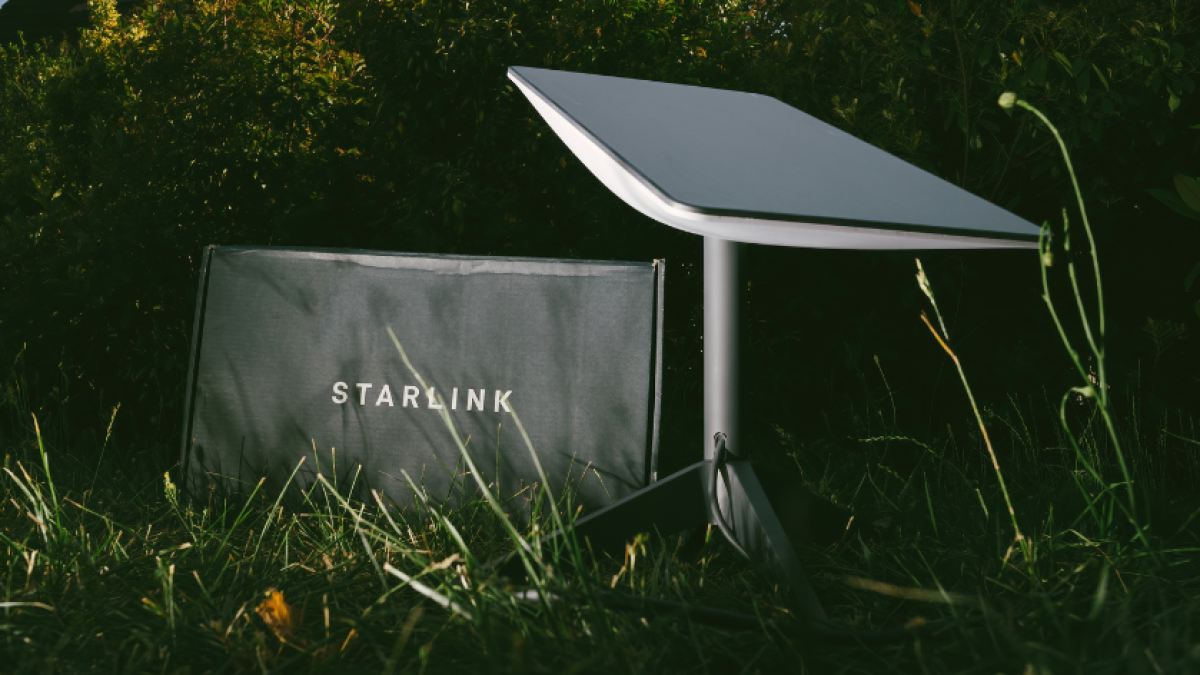
Starlink Antenna (Dish)
- The key component of Starlink's satellite-based internet system. It’s designed to track Starlink’s satellites in low Earth orbit and maintain a strong signal. The antenna is the size of a small dish and will need to be placed in an open area with an unobstructed view of the sky.
-
Wi-Fi Router
- A router that will distribute the internet connection from the Starlink dish to your devices via Wi-Fi. It comes with built-in security and easy-to-use settings through the Starlink app.
-
Modem
- The modem works in tandem with the dish to provide high-speed internet. It connects to the dish to ensure a reliable and fast internet connection is delivered to your home or office.
-
Power Cable
- The power cable connects to the modem and powers the entire Starlink system. Make sure to have a nearby power source to connect the system.
-
Mounting Equipment
- The kit includes mounting equipment, which will be used to secure the antenna in place. You can mount the antenna on the roof, a pole, or any other suitable location with a clear view of the sky.
Explanation of How to Prepare Your Equipment for Installation
Before you begin installation, ensure that you have:
- A power source within reach for the modem.
- A flat, stable surface or structure for mounting the antenna (like a roof, pole, or tripod).
- A clear, open area for the antenna, free from obstructions like trees, buildings, or other objects.
- Access to the Starlink app on your phone or tablet for setup and troubleshooting.
3.2 Step-by-Step Installation Process
DIY Installation: Quick Guide to Setting Up Starlink Yourself
-
Find the Ideal Location for the Antenna
- The antenna needs a clear view of the sky for optimal signal strength. Ensure there are no obstructions like trees, tall buildings, or other structures blocking the signal.
- Position the antenna in an area that’s stable and safe to mount.
-
Mount the Antenna
- Use the included mounting equipment to securely attach the antenna to your chosen location (roof, pole, etc.). Be sure it’s firmly in place to avoid any issues with signal loss.
-
Connect the Power and Modem
- Plug the power cable into the modem and the antenna, ensuring everything is securely connected.
- Connect the modem to the Wi-Fi router using the supplied cables.
-
Download and Open the Starlink App
- The Starlink app will guide you through the setup process. Download the app on your phone or tablet from the App Store (iOS) or Google Play (Android).
- Open the app, and it will automatically detect your system.
-
Follow the App Instructions
- The app will walk you through the remaining steps, such as connecting the system to the Starlink satellites. It will help you ensure the antenna is in the best position for maximum signal.
- Once the system has successfully connected to the satellites, the app will confirm that your Starlink service is live.
-
Connect to Wi-Fi
- Once the installation is complete, connect your devices (laptop, phone, etc.) to the Wi-Fi network broadcasted by the Starlink router. You will find the Wi-Fi credentials in the Starlink app or on the router’s label.
Professional Installation by Orbitlink Solutions: Why It’s Worth Opting for Professional Installation
- Key Benefits of Having Experts Set Up Your System for Optimal Performance
- Optimal Antenna Placement: Professional installers will ensure your antenna is positioned for the best possible connection with minimal signal interference.
- Troubleshooting and Setup: Technicians will handle all troubleshooting issues and help with any setup challenges, ensuring a smooth experience.
- Quick Setup: Professionals have experience and tools to complete the installation faster and more efficiently than a DIY setup, reducing the risk of errors or complications.
- Timeline for Installation: 1-2 Hours for Professionals, Longer for DIY
- Professional Installation: It typically takes 1-2 hours for the Orbitlink Solutions technician to set up and ensure everything is working smoothly. They will test the system, and if necessary, re-position the antenna to ensure optimal signal strength.
- DIY Installation: While DIY installation can be completed in a few hours, it may take longer if you are not familiar with setting up satellite-based internet systems or if you run into issues during installation. Professional installation offers peace of mind and saves you time.
3.3 Connecting Starlink to Your Device
How to Connect Starlink to Wi-Fi via the Starlink App
- After installation is complete, open the Starlink app on your phone or tablet.
- Follow the on-screen instructions to connect your device to the Starlink Wi-Fi network.
- The app will display the default Wi-Fi network name (SSID) and password for you to enter on your device.
Accessing Internet through Your Phone, Laptop, or Other Devices After Installation
- Once you are connected to the Starlink Wi-Fi network, you can use your devices as you normally would. The connection should provide fast, reliable internet for browsing, streaming, work, and more.
- If you need to adjust settings or check the signal strength, you can always return to the Starlink app to monitor the network’s performance.
Troubleshooting Tips if Connection Fails
- Check the Antenna Placement: Ensure that the antenna has a clear view of the sky. If there are any obstructions, try repositioning the antenna to a better location.
- Restart the System: Sometimes, restarting the modem and router can fix minor connectivity issues.
- Check the Starlink App: Use the Starlink app to check for any system errors or outages in your area.
- Contact Orbitlink Solutions: If issues persist, reach out to Orbitlink Solutions for assistance. They can help with troubleshooting, repositioning, or even sending a technician for on-site support.